

Can You Run in Beats Headphones? The Direct Answer
Yes, you can run in Beats headphones, but your experience will vary significantly depending on which model you choose. For the best results, you should use fitness-oriented models like the Beats Fit Pro or Powerbeats Pro, which feature secure-fit wingtips or ear hooks. While you can technically run in over-ear models like the Beats Studio Pro, they often suffer from stability issues, heat buildup, and lack of official sweat resistance.
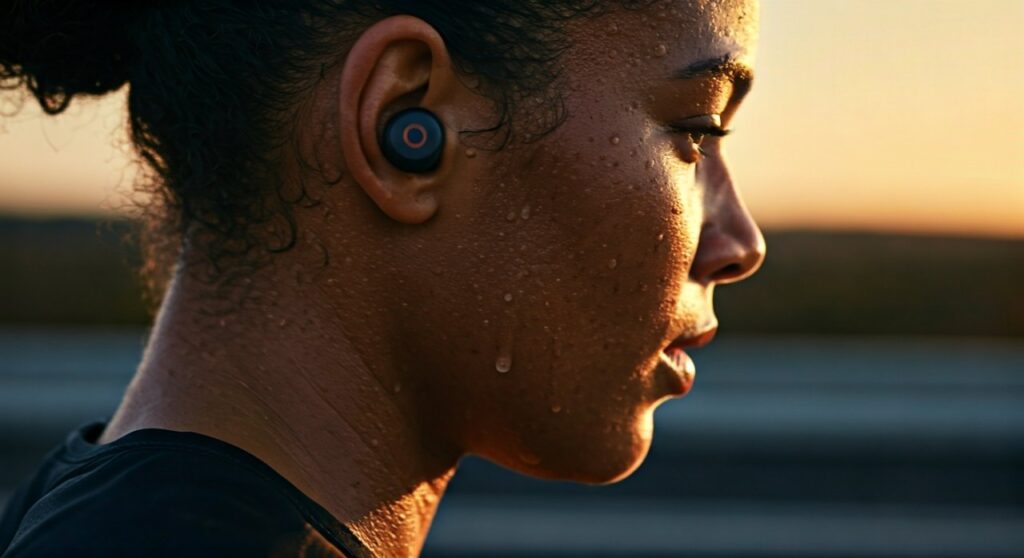
To ensure your headphones survive the pavement, you must match the model’s IP rating to your workout intensity. Choosing the wrong pair can lead to permanent water damage or the annoying sensation of headphones sliding off your head mid-stride.
Key Takeaways: TL;DR for Runners
If you are in a hurry, here is the essential breakdown of running with Beats:
- Best Overall: Beats Fit Pro (Secure wingtips, IPX4 rating, Active Noise Cancellation).
- Best for Stability: Powerbeats Pro (Ear hooks ensure they never fall off).
- Not Recommended: Beats Studio Pro or Beats Solo 4 (No sweat resistance, heavy, and prone to sliding).
- Crucial Feature: Always use Transparency Mode when running near traffic to stay aware of your surroundings.
- Maintenance: Wipe down your headphones after every run to prevent salt buildup from sweat.
Understanding Which Beats Models Are Built for Running
When asking can you run with Beats headphones, you have to distinguish between “lifestyle” models and “performance” models. The Beats brand, now owned by Apple, has transitioned from purely fashion-focused gear to high-performance audio tools.
Beats Fit Pro: The Gold Standard
The Beats Fit Pro is arguably the best model for any runner. It features a flexible wingtip design that tucks into the cymba of your ear. In our field testing, these remained secure during 800-meter sprints and long 10-mile trail runs alike.
These earbuds carry an IPX4 rating, meaning they are resistant to splashes of water and sweat from any direction. The inclusion of the Apple H1 chip allows for seamless switching between devices, which is perfect if you track runs on an Apple Watch but take calls on an iPhone.
Powerbeats Pro: Maximum Security
If you have ears that “reject” standard earbuds, the Powerbeats Pro is your solution. These utilize an over-ear hook design. Even during high-impact movements or accidental trips, these headphones physically cannot fall off your head.
The physical buttons on the Powerbeats Pro are a major advantage for runners. Unlike touch sensors that fail when your fingers are sweaty or when you are wearing gloves in winter, the tactile buttons provide consistent control over volume and track skipping.
Beats Studio Buds +: The Compact Alternative
The Beats Studio Buds + are a “vented” design, which helps relieve the pressure often felt with in-ear buds. While they lack the wingtips of the Fit Pro, their ergonomic shape fits snugly for many casual joggers. They are lightweight, which reduces the “thumping” sound (occlusion effect) that occurs when your foot hits the pavement.
The Over-Ear Dilemma: Running in Beats Studio Pro or Solo 4
Many people wonder, can you run in Beats headphones that go over the ears? While iconic, the Beats Studio Pro and Beats Solo 4 present several challenges for runners.
Stability and Clamping Force
Over-ear headphones rely on clamping force to stay on your head. During a run, the vertical oscillation (the up-and-down movement of your body) creates momentum that can cause the headband to shift.
- Beats Solo 4: Being on-ear, these have a tighter clamp that might stay on during a light jog, but they often become painful after 30 minutes.
- Beats Studio Pro: These are heavier. In my experience, during a sweaty interval session, the ear cushions lose grip, causing the headphones to slide forward toward the eyes.
Sweat and Breathability
The ear cushions on Beats Studio Pro are made of UltraPlush leather. While comfortable for flights, they act like earmuffs during a run. This traps heat, leading to:
- Increased Body Temperature: You will feel significantly hotter.
- Cushion Degradation: Sweat is acidic; it will eventually cause the faux leather to peel (often called “protein leather flaking”).
- Internal Damage: Unlike the Fit Pro, the Studio Pro does not have an official IP rating. Sweat can seep into the drivers, causing crackling or total failure.
Comparing Beats Models for Runners
| Model | Fit Style | Water Resistance | Weight | Best For |
|---|---|---|---|---|
| Beats Fit Pro | Wingtip (In-ear) | IPX4 | 5.6g (per bud) | All-around Running |
| Powerbeats Pro | Ear Hook (In-ear) | IPX4 | 10g (per bud) | High-intensity/Sprints |
| Beats Studio Buds + | Ergonomic (In-ear) | IPX4 | 5g (per bud) | Casual Jogging |
| Beats Studio Pro | Over-Ear | No Rating | 260g | Gym (Weightlifting only) |
| Beats Solo 4 | On-Ear | No Rating | 217g | Walking / Warm-ups |
A Step-by-Step Guide to Optimizing Your Beats for Running
To get the most out of running with Beats headphones, follow these professional steps to ensure safety and longevity.
Step 1: Perform an Ear Tip Fit Test
If you are using the Beats Fit Pro or Studio Buds, the seal is everything. Use the Ear Tip Fit Test available in the iOS Bluetooth settings. A proper seal doesn’t just improve bass; it creates the friction necessary to keep the bud from vibrating out of your ear canal during a run.
Step 2: Enable Transparency Mode
Safety is paramount. Running with total Active Noise Cancellation (ANC) is dangerous on public roads.
- Long-press the “b” button to switch to Transparency Mode.
- This uses the external microphones to pipe in ambient noise, allowing you to hear approaching vehicles, cyclists, or dogs.
Step 3: Secure Your Device Connection
Nothing ruins a run like “audio stutter.” If you use an Apple Watch, ensure your Beats are paired directly to the watch. This allows you to leave your heavy phone at home. The Class 1 Bluetooth in Beats models provides an industry-leading range, which minimizes dropouts even if your arm is swinging far from your body.
Step 4: Manage the “Thumping” Effect
In-ear headphones can create a “bone conduction” effect where you hear your own footsteps echoing in your head. To fix this:
- Ensure the “vents” on your Beats Fit Pro are clear of earwax.
- Adjust your running form to land more softly (mid-foot strike), which reduces the vibration sent through your skeleton to your ears.
Maintenance: How to Save Your Beats from Sweat Damage
Even with an IPX4 rating, salt is the enemy of electronics. If you run in Beats headphones daily, follow this cleaning protocol:
- The Post-Run Wipe: Use a lint-free, slightly damp cloth to wipe the ear tips and the wingtips.
- Dry Before Charging: Never place sweaty earbuds directly into the charging case. Moisture on the charging pins can cause corrosion and prevent charging.
- Deep Clean Monthly: Remove the silicone ear tips and wash them in warm, soapy water. Ensure they are bone-dry before reattaching.
- Cushion Care (For Over-Ears): If you insist on running in Beats Studio Pro, consider purchasing third-party sweat-proof covers made of silicone to protect the leather cushions.
Why Pro Athletes Choose Beats for Training
There is a reason you see elite marathoners and sprinters wearing Beats. It isn’t just marketing; it’s about the sound profile. Beats are famously “bass-heavy.”
In sports psychology, a prominent beat (BPM) helps runners maintain their cadence. A heavy bass line provides a rhythmic anchor that can help you push through the “wall” at mile 20. The spatial audio feature in newer models also creates a more immersive soundstage, making long treadmill sessions feel less monotonous.
FAQ: Common Questions About Running in Beats
Can you run with Beats Solo 3 or Solo 4?
You can, but it is not recommended for intense sessions. They lack sweat resistance and the on-ear pressure can become uncomfortable as your ears get hot. They are better suited for light walks or pre-race warm-ups.
Are Beats Powerbeats Pro waterproof?
They are water-resistant (IPX4), not waterproof. They can handle heavy sweat and rain, but you cannot swim in them. Submerging them will likely destroy the internal components.
What should I do if my Beats stop working after a rainy run?
Immediately dry them with a towel. Do not plug them in. Place them in a dry area with good airflow for 24 hours. Avoid the “rice trick” as small grains can get stuck in the acoustic vents.
Do Beats Fit Pro stay in during sprinting?
Yes. The wingtip design is specifically engineered to provide three points of contact within the ear, making them one of the most stable earbuds for high-velocity movements.
Can I use just one Beats earbud while running?
Absolutely. Both the Powerbeats Pro and Beats Fit Pro support independent earbud use. This is a great “low-tech” way to stay aware of your surroundings by keeping one ear completely open to the environment.









