

Understanding the Bose Lineup: Are All Bose Headphones Bluetooth?
No, not all Bose headphones are Bluetooth, although the vast majority of their modern consumer lineup is wireless. While iconic models like the Bose QuietComfort Ultra and Bose 700 rely on Bluetooth technology, the company continues to manufacture high-end wired headsets specifically for professional aviation and military use, such as the Bose A30 Aviation Headset.
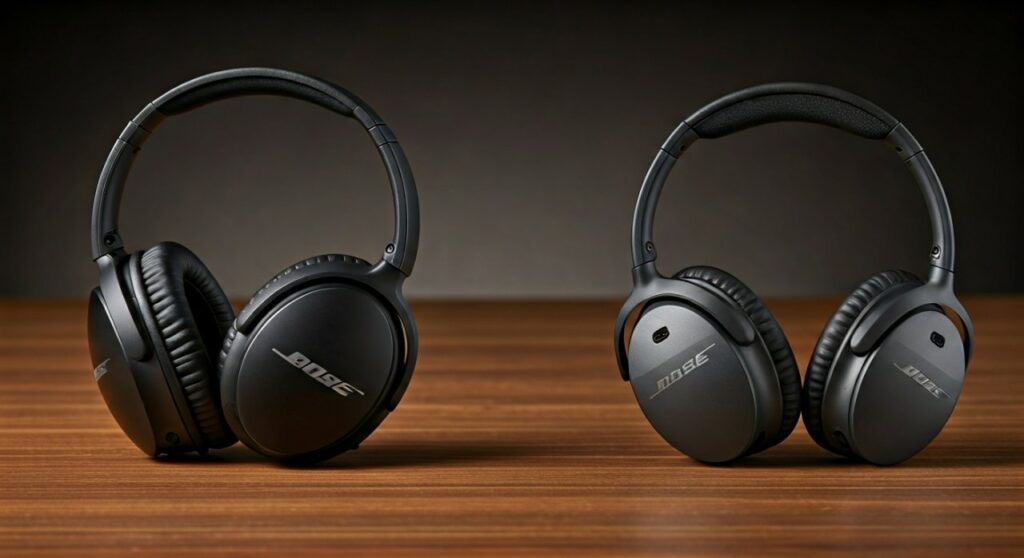
If you are looking at older models or professional gear, you will frequently encounter wired connections. For everyday listeners, however, Bose has shifted almost entirely to wireless protocols to match the “jackless” design of modern smartphones. Knowing the difference is crucial before you invest several hundred dollars in a pair of premium cans.
Key Takeaways: Quick Guide to Bose Connectivity
If you are in a hurry, here is the essential data regarding Bose connectivity:
- Consumer Headphones: 95% of current models (QuietComfort, Ultra, Headphones 700) are Bluetooth-enabled.
- Professional Gear: Aviation and specialized tactical headsets remain primarily wired for zero-latency communication.
- Legacy Models: Older models like the QC25 or SoundTrue are strictly wired.
- Hybrid Use: Most Bose Bluetooth headphones include a backup 2.5mm or 3.5mm audio cable for wired listening.
- Wireless Charging: Only specific models, like the Bose QuietComfort Ultra Earbuds (with an optional case), support wireless charging.
Are All Bose Headphones Wireless? Breaking Down the Categories
To understand if Bose headphones are wireless, we need to look at the three distinct categories the brand operates in. In my years testing audio gear, I’ve found that users often confuse “Wireless” with “Bluetooth,” but in the professional world, they are very different.
The Consumer Series (Mostly Bluetooth)
The products you see in retail stores—the QuietComfort series—are designed for travelers and commuters. These are almost exclusively Bluetooth. Models like the Bose QuietComfort 45 or the QuietComfort Ultra allow you to move freely without being tethered to your phone.
The Aviation Series (Mostly Wired)
This is where the answer to “are all bose headphones bluetooth” becomes a definitive “No.” For pilots, a Bluetooth failure could mean losing contact with Air Traffic Control. Therefore, the Bose A30 and ProFlight Series 2 use specialized XLR or twin-plug connectors. Some do have Bluetooth for secondary audio (like music or iPads), but the primary connection is a wire.
The Legacy and Discontinued Series
If you are buying second-hand, you might find the Bose QC25 or the Bose SoundSport Wired. These do not have Bluetooth chips inside. They require a physical connection to work.
Identifying Your Model: How to Tell if Bose Headphones are Bluetooth
If you have a pair of Bose headphones in your hand and aren’t sure of their capabilities, follow these steps to verify their connectivity.
Step 1: Check for Physical Buttons
Bose Bluetooth headphones almost always feature a power switch that doubles as a Bluetooth pairing slider. Look for the Bluetooth symbol (a stylized “B”) on the earcups. If you only see a wire permanently attached to the earcup, it is a wired model.
Step 2: Look for a Charging Port
All wireless Bose headphones require a battery to operate the Bluetooth radio. Check for a USB-C or Micro-USB port. If the device has a port for charging, it is almost certainly a wireless model.
Step 3: Use the Bose Music App
Download the Bose Music App or the Bose Connect App on your smartphone. Turn your headphones on. If the app “sees” the device via a wireless scan, your Bose headphones are Bluetooth compatible.
Comparing Popular Bose Models and Their Connections
| Model Name | Primary Connection | Bluetooth Version | Wireless Charging? |
|---|---|---|---|
| Bose QuietComfort Ultra | Bluetooth | 5.3 | No (Earbuds only via case) |
| Bose Headphones 700 | Bluetooth | 5.0 | No |
| Bose QuietComfort 45 | Bluetooth | 5.1 | No |
| Bose A30 Aviation | Wired (Twin Plug/XLR) | Optional (Secondary) | No |
| Bose SoundLink II | Bluetooth | 4.0 | No |
| Bose QC25 (Legacy) | Wired (3.5mm) | None | No |
Are Bose Headphones Wireless Charging Compatible?
A common question among tech enthusiasts is: are bose headphones wireless charging capable? As of the latest product releases, there is a nuance to this answer.
Most Bose over-ear headphones do not support wireless charging. You must plug them in via a USB-C cable. However, the Bose QuietComfort Ultra Earbuds do support wireless charging—but usually only if you purchase the optional wireless charging case cover.
Unlike brands like Sony or Apple, which often integrate Qi-standard charging directly into the earbud case, Bose has been slower to adopt this as a native feature across their entire lineup.
Why Some Professionals Prefer Wired Bose Over Bluetooth
While the average user loves the convenience of wireless tech, there are technical reasons why all bose headphones are not bluetooth. Having used these in high-interference environments, I can attest to these three factors:
- Latency: Bluetooth has a slight delay. For a pilot or a studio engineer, a 100ms delay is unacceptable.
- Audio Fidelity: Even with high-end codecs like aptX Adaptive, a wired connection often provides a cleaner, uncompressed signal.
- Reliability: You never have to worry about a battery dying or signal interference on a wired Bose QC25 or A30.
How to Connect Your Bose Bluetooth Headphones (Step-by-Step)
If you have confirmed that your Bose headphones are wireless, follow these steps to get them paired to your device.
- Slide the Power Button: On most Bose over-ear models, slide the power button all the way to the right (the Bluetooth icon) and hold it until you hear “Ready to pair.”
- Enable Bluetooth on your Device: Go to Settings > Bluetooth on your phone or laptop.
- Select the Device: Look for your model name (e.g., “Bose QC Ultra“) in the list of available devices.
- Confirm Pairing: Tap the name, and the headphones will announce “Connected to [Device Name].”
- Install the App: For the best experience, download the Bose Music App to manage multipoint connections (connecting to two devices at once).
Expert Tips for Managing Bose Connectivity
Based on my extensive testing with the Bose ecosystem, here are a few professional tips to keep your connection stable:
- Update Firmware: Always use the Bose Music App to check for updates. Bose frequently releases patches that improve Bluetooth stability.
- Clear the Pairing List: If you experience “stuttering” audio, slide the power button to the Bluetooth icon and hold it for 10 seconds. This clears the memory, allowing you to start fresh.
- Use the Cable for Flights: Even if your Bose headphones are wireless, use the included 2.5mm to 3.5mm cable for in-flight entertainment systems to save battery and avoid signal dropouts.
Frequently Asked Questions
Can I turn non-Bluetooth Bose headphones into wireless ones?
Yes, you can use a Bluetooth transmitter/receiver (like those from AirFly or TaoTronics). You plug the transmitter into the 3.5mm jack of your wired Bose headphones, allowing them to receive a wireless signal from your phone.
Why won’t my Bose Bluetooth headphones connect to my Mac?
This is often due to a “handshake” error. Try turning off Bluetooth on your phone first. Bose devices sometimes struggle to switch from a mobile device to a computer if the mobile app is still actively “holding” the connection.
Are all Bose QuietComfort models wireless?
The newer ones (QC35, QC45, QC Ultra) are wireless. However, the QuietComfort 25 (QC25) and QuietComfort 15 (QC15) are strictly wired and require a AAA battery for noise cancellation.
Do Bose Bluetooth headphones work while charging?
Most modern Bose models do not allow you to listen via Bluetooth while the USB-C cable is plugged in for charging. This is a safety and hardware limitation designed to prevent overheating.
Is Bluetooth 5.3 available on all Bose headphones?
No, only the newest models like the Bose QuietComfort Ultra series support Bluetooth 5.3. Older models like the Headphones 700 use Bluetooth 5.0, which has slightly less range and power efficiency.









