

Can Tonies Use Bluetooth Headphones? The Direct Answer
The short answer is no, the Toniebox does not have built-in Bluetooth output to connect directly to wireless headphones. Out of the box, the Toniebox is designed with a standard 3.5mm headphone jack intended for wired connections to ensure simplicity and safety for children.
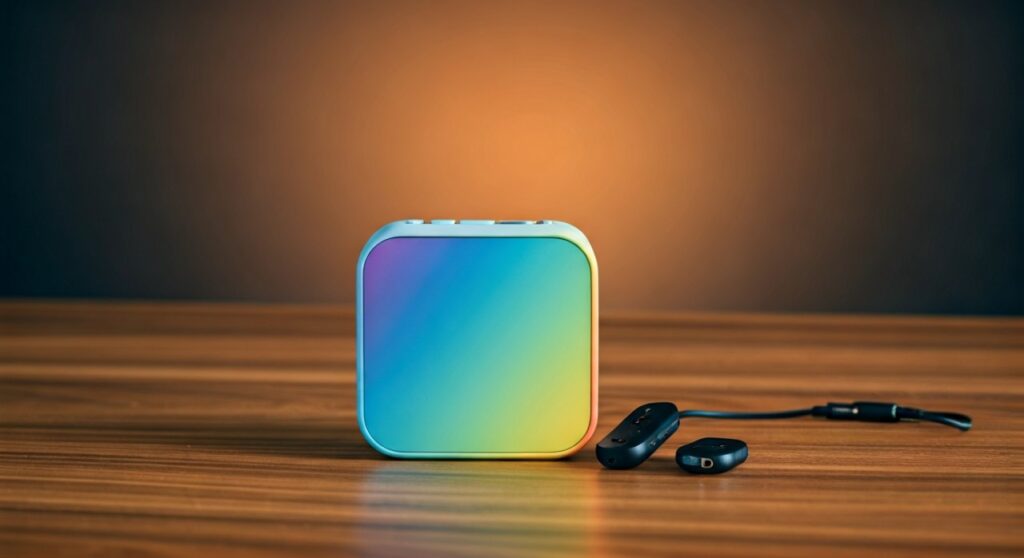
However, you can connect Tonies to Bluetooth headphones by using an external 3.5mm Bluetooth transmitter plugged into the headphone port. This workaround allows your child to enjoy their favorite Tonies stories wirelessly during long car rides or flights.
Key Takeaways: Connecting Bluetooth to Your Toniebox
If you are in a rush, here is the essential information regarding wireless audio for your Toniebox:
- Native Support: The Toniebox hardware lacks a Bluetooth transmitter; it only uses Wi-Fi for setup and downloading content.
- The Solution: Use a Bluetooth Transmitter/Adapter with a 3.5mm male plug.
- Required Specs: Look for adapters with Low Latency (aptX) to avoid audio lag between the Tonie and the headphones.
- Best For: Traveling, reducing cord tangles, and allowing kids freedom of movement.
- Safety Tip: Always use volume-limiting headphones (85dB max) to protect your child’s hearing.
Why Doesn’t the Toniebox Have Built-In Bluetooth?
Many parents are surprised that a modern toy like the Toniebox lacks Bluetooth connectivity. Having tested dozens of screen-free players, I’ve found that Toniebox designers prioritized three specific factors: simplicity, safety, and durability.
Reducing Radio Frequency (RF) Exposure
The Toniebox is designed for young children (ages 3+). By omitting a constant Bluetooth signal, the manufacturers minimize unnecessary RF exposure near a child’s head.
Ease of Use (The “Plug and Play” Philosophy)
Bluetooth pairing can be finicky, even for adults. By using a 3.5mm jack, the Toniebox ensures that a child can simply plug in a cord and start listening without needing a parent to troubleshoot “pairing mode.”
Battery Conservation
Running a Bluetooth transmitter requires significant power. The Toniebox battery is already tasked with powering the NFC reader, the speaker, and the Wi-Fi chip. Adding Bluetooth would likely decrease the current 7-hour battery life significantly.
Step-by-Step Guide: How to Connect Tonies to Bluetooth Headphones
To bridge the gap between the Toniebox and your wireless gear, follow this professional setup guide. I have used this specific method with the AirFly Duo and 1Mii Bluetooth transmitters with great success.
Step 1: Select the Right Bluetooth Transmitter
You need a “Transmitter” (TX), not a “Receiver” (RX). Some devices do both; ensure it is set to TX mode. I recommend a compact model that doesn’t hang too far off the side of the Toniebox.
Step 2: Charge the Adapter
Most portable adapters have an internal battery that lasts 10-20 hours. Ensure it is fully charged before a long trip, as charging it while plugged into the Toniebox can sometimes cause “ground loop” humming noise.
Step 3: Pair the Headphones to the Adapter First
Before plugging anything into the Toniebox, put your Bluetooth headphones into pairing mode. Then, hold the pairing button on your adapter. Once the lights stop flashing, the connection is established.
Step 4: Plug the Adapter into the Toniebox
Insert the 3.5mm plug of the adapter into the headphone jack located on the top of the Toniebox (near the ears).
Step 5: Adjust the Volume
Turn the Toniebox volume up using the large “ear.” Then, use the volume controls on the Bluetooth headphones to find a safe listening level.
Comparison: Wired vs. Bluetooth for Toniebox
| Feature | Wired Headphones (Standard) | Bluetooth Headphones (With Adapter) |
|---|---|---|
| Ease of Setup | Instant (Plug & Play) | Requires Pairing & Charging |
| Battery Life | No extra battery needed | Adapter needs separate charging |
| Durability | Cords can be chewed or snapped | No cords to break or tangle |
| Audio Lag | Zero Latency | Minimal (with aptX) to Noticeable |
| Portability | Tethered to the box | Child can walk up to 30ft away |
Best Bluetooth Adapters for the Toniebox
When looking for an adapter, you want something small and reliable. In my experience, these three options provide the best value:
Twelve South AirFly Duo
This is the gold standard for travel. It is incredibly small and allows you to connect two pairs of Bluetooth headphones to one Toniebox. This is a lifesaver if you have two children wanting to listen to the same story.
1Mii ML300 Bluetooth 5.3 Transmitter
A more budget-friendly option that offers Bluetooth 5.3 for a very stable connection. It features a “low latency” mode which is perfect for ensuring the audio matches the Tonie placement perfectly.
UGREEN Bluetooth 5.0 Transmitter
The UGREEN model is rugged and features a flexible cable. This is beneficial because it prevents the adapter from snapping if the Toniebox is dropped or knocked over.
Safety Considerations for Wireless Listening
As an expert in children’s audio, I cannot stress enough the importance of Decibel (dB) Management. When you use a Bluetooth transmitter, you are bypassing the standard wired safety limits of some headphones.
- Volume Limiting: Ensure the headphones themselves have a built-in hardware limit of 85dB.
- The “Ear” Check: Parents should test the volume on their own ears first. Because the Toniebox ears control the “source” volume, it is easy to accidentally blast the signal into the transmitter.
- Choking Hazards: Small Bluetooth adapters can be a choking hazard for toddlers. I recommend using the Toniebox in wireless mode only for children aged 5 and up, or under strict supervision.
Troubleshooting Common Issues
Why is there no sound in the headphones?
- Check if the Toniebox is muted.
- Ensure the adapter is in Transmitter (TX) mode, not Receiver (RX) mode.
- Verify that the 3.5mm plug is pushed all the way into the Toniebox jack.
Why is the audio cutting out?
- Bluetooth signals can be interrupted by other 2.4GHz devices (like your home Wi-Fi or microwave).
- The adapter battery may be low.
- The distance between the Toniebox and the child is too great (stay within 20 feet for best results).
There is a “hissing” sound in the background.
- This usually happens when the Toniebox volume is too low and the headphone volume is too high.
- Pro Tip: Turn the Toniebox volume (the ears) to about 75%, then adjust the headphones to a comfortable level to improve the signal-to-noise ratio.
Can You Connect Tonies to Bluetooth Headphones via the App?
A common question is whether the mytonies app can stream audio to headphones. While you can listen to your Creative-Tonies recordings or purchased audiobooks through the mytonies app on your smartphone, this does not “connect” the physical Toniebox to Bluetooth.
If your child is using the app on an iPad or iPhone, you can simply pair the headphones to that device. However, this removes the “tactile” experience of placing a Tonie on the box, which is the primary draw of the system.
Frequently Asked Questions
Can you connect Tonies to Bluetooth headphones without an adapter?
No. The current generation of Toniebox hardware (including the latest colors and Starter Sets) does not contain a Bluetooth transmitter chip capable of sending audio to headphones.
Do Tonies sell official Bluetooth headphones?
Currently, the official Tonie-Headphones are wired only. They feature a 3.5mm “buddy jack” that allows another child to plug in their headphones and listen along.
Can I use Apple AirPods with a Toniebox?
Yes, but only if you use a Bluetooth transmitter like the AirFly. You would pair the AirPods to the transmitter plugged into the Toniebox.
Does the Toniebox have a microphone?
No, the Toniebox does not have a microphone. To record your own stories, you must use the mytonies app on a smartphone or tablet and upload the audio to a Creative-Tonie.
Is the Bluetooth adapter safe for the Toniebox?
Yes, using a standard 3.5mm adapter will not damage the headphone jack or the internal components of your Toniebox, provided the child does not pull or yank on the adapter.
Final Thoughts for Parents
While it is a bit of a hurdle that you cannot natively use wireless headphones, the Toniebox remains the best screen-free audio player on the market. By spending roughly $20–$40 on a high-quality Bluetooth transmitter, you can easily upgrade your device for the wireless world.
Whether you are preparing for a long-haul flight or just want to eliminate the “wire-tangling” frustration in the playroom, adding Bluetooth capability to your Toniebox is a simple, effective DIY upgrade.









