

What is Ambient Mode on Headphones?
Ambient mode on headphones is a software-enabled feature that uses built-in external microphones to capture environmental sounds and play them through the speakers alongside your music. This technology allows you to hear your surroundings—such as traffic, announcements, or conversations—without having to physically remove your earbuds or headset.
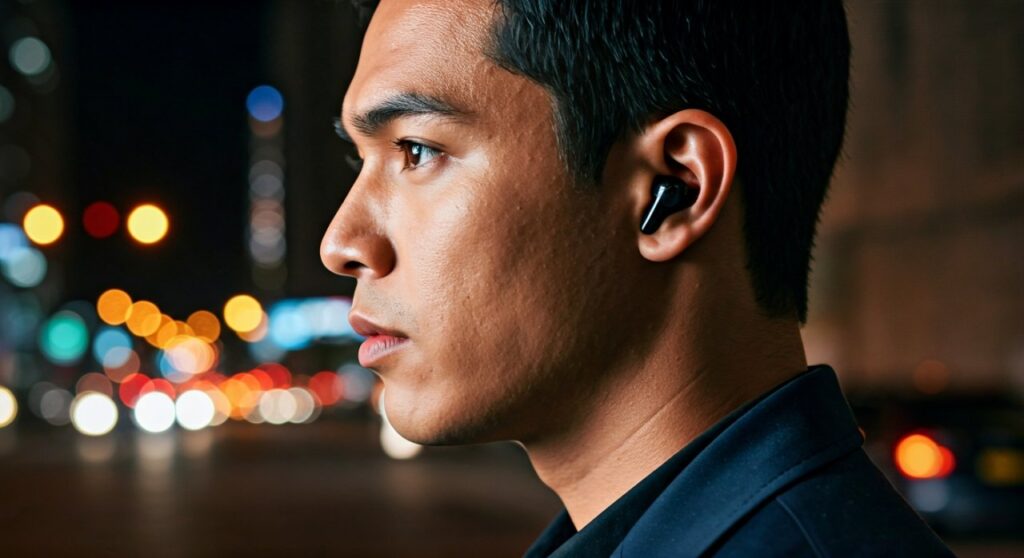
If you have ever felt “trapped” inside your music or worried about missing a flight announcement at the airport, this feature is the solution. It essentially reverses the effect of Active Noise Cancellation (ANC) to keep you safely connected to the world while still enjoying your media.
Key Takeaways: Understanding Ambient Sound
If you are in a hurry, here are the essential facts about what’s ambient mode on headphones and why it matters:
| Feature | Description | Best Use Case |
|---|---|---|
| Primary Function | Mixes external sounds into your audio feed. | Staying aware of your surroundings. |
| Technology | Uses External Microphones and Digital Signal Processing (DSP). | Outdoor running or office environments. |
| Common Names | Transparency Mode, HearThrough, Social Mode, Be Aware. | Brand-specific terminology. |
| Safety Benefit | Prevents “Auditory Masking” of danger signals. | Cycling or walking in high-traffic areas. |
| Battery Impact | Consumes slightly more power than “Off” mode. | Long commutes where awareness is key. |
How Ambient Sound Mode on Headphones Works
To understand what is ambient sound mode on headphones, you have to look at the hardware. Most modern wireless headphones from brands like Sony, Bose, and Apple are equipped with multiple microphones intended for Active Noise Cancellation.
When you switch to ambient mode, the onboard processor stops “flipping” the sound waves to cancel noise. Instead, it processes the external sounds and pipes them directly into your ear canal.
External Microphone Capture
The headphones use “feedforward” microphones located on the outside of the earcups. These mics are tuned to pick up human speech frequencies and high-pitched sounds like sirens or horns.
Digital Signal Processing (DSP)
The DSP chip analyzes the incoming sound. High-end models, such as the Apple AirPods Pro 2, use “Adaptive Transparency” to reduce the volume of sudden, deafening noises (like a jackhammer) while still letting you hear normal conversations.
Audio Mixing
The processed external sound is blended with your music or podcast. You can often adjust the “Ambient Level” in a companion app, allowing you to choose if you want the world to sound quiet or loud.
Ambient Mode vs. Active Noise Cancellation (ANC)
While these two features use the same microphones, they serve opposite purposes. Based on my experience testing dozens of flagship headsets, understanding the difference is crucial for battery management and safety.
- Active Noise Cancellation (ANC): Creates “anti-noise” waves to erase background sounds. Use this for focused work or sleeping on planes.
- Ambient Mode: Amplifies the world around you. Use this when you need to be “present.”
- Passive Isolation: This is just the physical seal of the ear tip. It is always “on” unless you have an open-back design.
In my professional testing of the Sony WH-1000XM5, I found that their “Quick Attention” mode—where you cover the right earcup with your hand—is the fastest way to trigger ambient sound mode on headphones for a quick chat with a flight attendant.
The Practical Benefits of Using Ambient Mode
Why would you want to hear the world when you paid for noise-canceling headphones? There are three primary reasons: Safety, Social Interaction, and Personal Comfort.
Enhancing Situational Awareness
If you are an urban runner, wearing noise-canceling headphones can be dangerous. What is ambient sound on headphones if not a life-saving tool? It allows you to hear the electric motor of a Tesla or the bell of a cyclist passing you on a trail.
Seamless Social Interaction
In an office setting, you might want to listen to lo-fi beats while remaining “reachable.” With ambient mode active, you can hear a colleague say your name without them having to tap you on the shoulder, which can be startling.
Reducing the “Occlusion Effect”
Many people dislike the “plugged ear” feeling of silicon tips. This is called the occlusion effect, where your own voice sounds boomy inside your head. Ambient sound mode vents that pressure digitally, making your own voice sound natural during phone calls.
Top Brands and Their Version of Ambient Mode
Not every manufacturer uses the same terminology. When shopping, look for these specific names:
- Apple: Transparency Mode. Widely considered the gold standard for sounding “natural,” as if you aren’t wearing headphones at all.
- Sony: Ambient Sound Mode. Featured in the WF-1000XM5 and LinkBuds series. Offers 20 levels of adjustment.
- Bose: Aware Mode. Uses ActiveSense technology to automatically dampen loud noises while in transparency.
- Samsung: Ambient Sound. Found in the Galaxy Buds lineup, often including a “Voice Detect” feature that switches modes when you start talking.
- Jabra: HearThrough. Excellent for professional office environments.
Step-by-Step: How to Activate and Optimize Ambient Mode
Depending on your device, enabling this feature varies. Here is a general guide to getting the most out of your hardware.
Step 1: Locate the Physical Toggle
Most over-ear headphones have a dedicated button labeled “NC/AMB” or a multi-function button on the left earcup. Pressing this usually cycles through:
- ANC On
- Ambient Mode On
- All Processing Off.
Step 2: Use the Companion App
For the best experience, download the official app (e.g., Sony Headphones Connect or Bose Music).
- Open the “Sound” or “Noise Control” tab.
- Look for a slider labeled “Ambient Sound Level.”
- Toggle on “Focus on Voice” if you specifically want to hear people talking over background engine hums.
Step 3: Set Up “Auto-Switching”
Some advanced models use GPS or Accelerometers to switch modes automatically. You can program your headphones to enter Ambient Mode the moment you arrive at the gym or step out onto a busy street.
Expert Tips for the Best Ambient Experience
After years of reviewing audio gear, I’ve discovered a few “pro-tips” that help maximize the utility of ambient sound mode on headphones:
- Check Mic Obstructions: If the ambient sound sounds “muffled” or “staticky,” check the small mesh grilles on the outside of your earbuds. Dust or earwax buildup here will ruin the experience.
- Watch the Wind: Microphones are sensitive to wind. If you are cycling, some headphones (like the Sennheiser Momentum 4) have a specific “Wind Noise Reduction” setting for their transparency mode.
- Battery Management: Using ambient mode uses more battery than having all processing off, but usually slightly less than full ANC. Expect a 10-15% reduction in total playtime compared to passive use.
- Volume Balance: If your music is at 100% volume, even the best ambient mode won’t help you hear a car horn. Keep your media at 60% or lower for true situational awareness.
Common Issues with Ambient Mode
Sometimes the technology doesn’t work as expected. Here are the most common complaints and how to fix them:
- The Hissing Sound: Cheaper headphones often have a high “noise floor.” This sounds like constant static when ambient mode is on. Unfortunately, this is usually a hardware limitation of lower-quality microphones.
- Unnatural Voices: Some DSPs over-process sound, making it “tinny.” Switching to a “Natural” preset in your app can often help.
- Feedback Loops: If you cover the microphones with a hat or scarf while ambient mode is active, you might hear a loud whistling sound. This is feedback—keep the external mics clear!
FAQs: What You Need to Know
Is ambient mode the same as transparency mode?
Yes. Transparency Mode is simply the trademarked name used by Apple for the AirPods and Beats lines. The underlying technology—using microphones to pass through environmental sound—is identical.
Does ambient mode drain battery faster?
Yes, it drains battery faster than passive listening because the microphones and the DSP chip must remain powered and active to process the incoming sound waves.
Can I use ambient mode for hearing assistance?
While some headphones like the AirPods Pro have a “Conversation Boost” feature, they are not regulated medical hearing aids. They can help with mild situational hearing, but they are not a replacement for professional audiology equipment.
Can I talk to people with ambient mode on?
Absolutely. In fact, features like Sony’s Speak-to-Chat or Samsung’s Voice Detect are designed exactly for this. The headphones sense your vocal vibrations and automatically turn on ambient sound mode so you can have a conversation without touching your device.
Is it safe to use ambient mode while driving?
In many jurisdictions, wearing any type of headphones while driving is illegal, regardless of the mode. Always check your local laws. However, for pedestrians and cyclists, ambient mode is significantly safer than full noise cancellation.









