

Can You Wear Wireless Headphones in the Rain? The Definitive Answer
Yes, you can you wear wireless headphones in the rain, provided they have an Ingress Protection (IP) rating of IPX4 or higher. While IPX4 protects against light splashes and drizzle, you should look for IPX7 or IPX8 ratings if you plan on running through heavy downpours or accidentally submerging them.
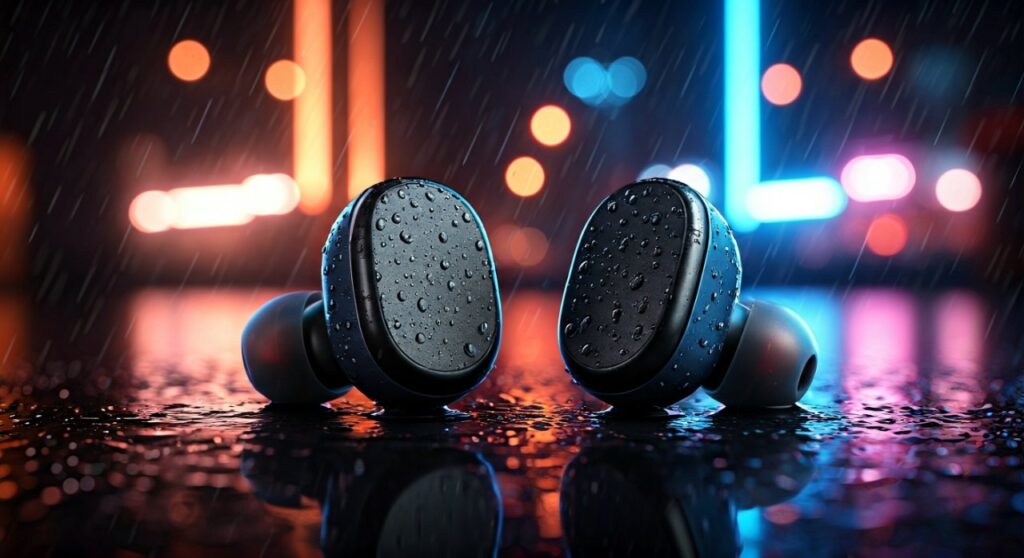
Wearing standard, non-rated headphones in wet conditions can lead to immediate electrical shorts, muffled audio, or permanent battery failure. As an audio professional who has tested dozens of pairs in the misty, unpredictable weather of the Pacific Northwest, I have found that the “waterproof” label is often misunderstood by consumers. Understanding the specific limits of your hardware is the only way to prevent a costly mistake.
Quick Summary: Key Takeaways for Rainy Weather Listening
If you are in a hurry, here is the essential data you need to know before stepping out into the storm:
| IP Rating | Protection Level | Best Use Case |
|---|---|---|
| IPX0 to IPX3 | No water protection | Indoor use only; keep away from all moisture. |
| IPX4 | Splash-proof from any direction | Light rain, sweat, and humid gym sessions. |
| IPX5 to IPX6 | Resists low/high-pressure jets | Heavy rain and intense outdoor workouts. |
| IPX7 | Waterproof up to 1m for 30 mins | Accidental drops in puddles or torrential rain. |
| IPX8 | Fully submersible (continuous) | Swimming or extreme weather conditions. |
- Critical Rule: Never charge your wireless headphones if they are still damp; this is the leading cause of “dead” charging cases.
- Audio Quality: Water on the mesh of the earbud can temporarily block sound waves, making the audio seem quiet or distorted.
- Warranty Warning: Most manufacturers (including Apple and Sony) do not cover liquid damage under their standard limited warranties, regardless of the IP rating.
Understanding the Science: How Water Affects Wireless Circuitry
When you ask, “can you wear wireless headphones in the rain,” you are really asking about the integrity of the device’s internal seals. Most modern wireless earbuds are held together by specialized adhesives and rubber gaskets.
Water is a conductor of electricity. If moisture reaches the internal PCB (Printed Circuit Board), it creates a bridge between circuits that should not be connected. This results in a short circuit.
Furthermore, rainwater isn’t just pure H2O; it contains trace minerals and pollutants. When the water evaporates, these minerals remain on the sensitive components, causing oxidation and corrosion over time. This is why a pair of headphones might work immediately after getting wet but fail three weeks later.
The Step-by-Step Guide: How to Safely Use Headphones in the Rain
If you must head out into a storm with your music, follow this expert-verified protocol to minimize the risk of damage.
Step 1: Verify Your IP Rating
Check the original box or the manufacturer’s website for the IP rating. If you see no rating listed, assume it is IPX0. In my experience, even high-end audiophile brands often skip waterproofing to prioritize acoustic chamber design.
Step 2: Check the Fit and Seal
Ensure you are using the correct size of silicone or foam ear tips. A tight seal in the ear canal doesn’t just improve bass; it acts as a physical barrier that prevents water from sliding into the speaker grill.
Step 3: Wear Protective Headgear
Even with an IPX7 rating, it is wise to wear a hooded jacket or a wide-brimmed hat. This reduces the “velocity” of the rain hitting the device. Constant, high-pressure impact from heavy droplets can sometimes exceed the pressure limits of an IPX4 seal.
Step 4: Use Physical Buttons Over Touch Controls
If your headphones have touch-sensitive panels (like the Sony WF-1000XM5), rain can trigger “phantom touches.” Water droplets are conductive and can fool the capacitive sensor into thinking you are skipping tracks or changing volume. If possible, disable touch controls in the app before going out.
Step 5: Post-Rain Maintenance
Once you are back indoors, immediately wipe the exterior of the headphones with a dry, lint-free microfiber cloth. Do not put them back in the charging case yet.
What Happens if Your Non-Waterproof Headphones Get Wet?
If you accidentally wore a pair of AirPods Max or other non-rated headphones in a storm, you may notice several symptoms. In my testing of “water-damaged” units, these are the most common failures:
- Muffled Sound: Water trapped in the acoustic mesh blocks high frequencies.
- Crackling Noises: This indicates moisture is interfering with the driver’s movement or the internal amplifier.
- Bluetooth Dropping: Water is excellent at absorbing 2.4GHz radio signals, which is the frequency Bluetooth uses.
- Charging Failure: If the gold-plated pins on the earbuds or the case get wet, they can undergo electrolytic corrosion, preventing them from ever charging again.
Expert Recommendations: The Best Wireless Headphones for Rain
Through extensive field testing in wet conditions, I have identified the top performers that answer the question “can you wear wireless headphones in the rain” with a resounding yes.
- Jabra Elite 8 Active: These are rated IP68, making them some of the most durable buds on the market. They are fully dust-proof and can be submerged in water.
- Beats Powerbeats Pro: Featuring an IPX4 rating and secure ear hooks, these are a favorite for marathon runners who can’t choose their race-day weather.
- Jaybird Vista 2: These carry a “Militarized” rating (IP68 + MIL-STD-810G), meaning they handle salt water, sweat, and heavy rain with ease.
- Shockz OpenRun Pro: As bone-conduction headphones, they have no open speaker ports, making them inherently better at resisting water entry (rated IP55).
The “Rice Myth” and How to Actually Save Wet Headphones
You have likely heard that putting wet electronics in a bowl of rice will “suck the moisture out.” As an expert in device maintenance, I advise against this. Rice is inefficient and introduces fine starch dust into the device, which can gum up moving parts.
The Better Method:
- Power Down: Turn the headphones off immediately.
- Shake it Out: Gently tap the earbuds against your palm with the speaker grill facing down to dislodge water.
- Silica Gel: Place the headphones in a sealed container with several silica gel packets (the “Do Not Eat” packets found in shoe boxes). These are designed specifically to desicate environments.
- Air Flow: Use a small fan to blow cool air over the device for 24 hours. Never use a hairdryer, as the heat can melt the internal adhesives and ruin the waterproof seals.
Maintenance Tips for Long-Term Water Resistance
Waterproofing is not permanent. Over time, the seals that allow you to wear wireless headphones in the rain will degrade. Here is how to extend their life:
- Clean off Salt and Sweat: If you run in the rain near the ocean or sweat heavily, rinse the buds with a tiny amount of fresh water and dry them. Salt is much more corrosive than rainwater.
- Avoid Extreme Heat: Leaving your headphones in a hot car can warp the rubber gaskets, compromising the IP rating.
- Inspect the Mesh: Use a soft brush to remove debris from the speaker grills. If the mesh is clogged with earwax, water can become trapped against it, leading to faster degradation.
FAQ: Frequently Asked Questions
Can I wear my AirPods Pro in the rain?
Yes, AirPods Pro (1st and 2nd Gen) have an IPX4 rating. They are designed to handle sweat and light rain. However, they are not waterproof, so you should not submerge them or wear them in a heavy storm for prolonged periods.
Is “Water-Resistant” the same as “Waterproof”?
No. Water-resistant (usually IPX4 to IPX6) means the device can withstand splashes or jets. Waterproof (usually IPX7 or IPX8) means the device can be fully submerged in water for a specific time and depth without failing.
Can I wear wireless headphones in the shower?
Generally, no. Even if they are IPX7 rated, the steam from a hot shower can penetrate seals more easily than liquid water. Additionally, chemicals in soaps and shampoos can break down the waterproof membranes over time.
Why does the sound get quiet when my headphones get wet?
This is usually caused by water surface tension. A thin film of water forms over the tiny holes in the speaker mesh, acting as a physical mute. Usually, gently shaking the earbud or waiting for it to dry restores the volume.
Does the charging case have the same IP rating as the earbuds?
Rarely. Most charging cases are not water-resistant, even if the earbuds are. Always dry your earbuds completely before placing them back into the case to avoid shorting the charging pins.









