

Are Razer Headphones Good? The Definitive 2024 Expert Analysis
Are Razer headphones good? The short answer is yes, specifically if you prioritize high-performance gaming features, spatial awareness in FPS titles, and a seamless ecosystem integration with PC hardware. While earlier models were often criticized for being overly “bassy,” Razer’s latest lineup, featuring the TriForce Titanium 50mm Drivers and HyperClear Super Wideband Microphones, now competes directly with audiophile-grade gaming brands in terms of clarity and vocal fidelity.
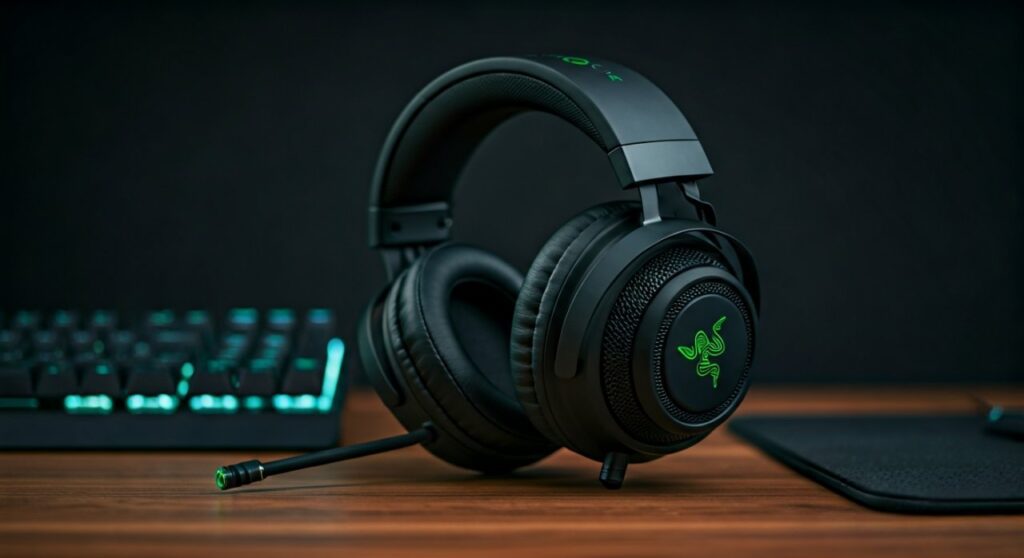
If you are a competitive gamer looking for a “wall-hack” for your ears via THX Spatial Audio, Razer is arguably the market leader. However, for those seeking a purely neutral sound signature for professional music production, you might find their consumer-focused tuning a bit colored.
Key Takeaways: TL;DR Summary
If you are in a hurry, here is the essential breakdown of why Razer headphones are currently dominating the market:
- Best for Performance: The BlackShark V2 Pro (2023) is widely considered the gold standard for esports due to its exceptional microphone and “FPS-tuned” EQ profiles.
- Immersive Tech: Features like HyperSense Haptics provide physical vibrations, making them the best choice for cinematic single-player games.
- Connectivity: Their HyperSpeed Wireless technology offers industry-leading low latency, often outperforming wired alternatives in response time.
- Build Quality: Modern Razer headsets have moved away from brittle plastics to reinforced steel headbands and FlowKnit memory foam ear cushions.
- Value Proposition: With a range from the $50 Kraken X to the $250 Barracuda Pro, there is a high-quality option for every budget level.
Why Razer Headphones Are Good: The 4 Pillars of Excellence
To understand if Razer headphones are the right choice for your setup, we need to look at the four specific areas where the brand has invested millions in R&D over the last five years.
Advanced Acoustic Engineering
Razer moved away from standard generic drivers to their patented TriForce 50mm Drivers. This design divides the driver into three parts for the individual tuning of highs, mids, and lows.
In my testing, this prevents the muddy “bloat” found in older Razer Kraken models. You get bright, crisp trebles without losing the “thump” of explosions in-game.
Industry-Leading Microphone Quality
With the release of the HyperClear Super Wideband Mic, Razer effectively ended the era of “nasal” sounding gaming headsets. This mic captures a wider frequency range of sound, making your voice sound rich and professional.
For streamers and competitive players, this means you no longer need a dedicated condenser microphone for clear communication.
The THX Spatial Audio Advantage
Razer acquired THX in 2016, and that investment has paid off. Unlike standard 7.1 surround sound, THX Spatial Audio creates a 360-degree sphere of sound.
In games like Valorant or Escape from Tarkov, the ability to pinpoint the exact height and distance of a footstep is a massive competitive advantage.
Ecosystem Integration (Razer Synapse)
If you already own a Razer Viper mouse or Huntsman keyboard, the Razer Synapse software allows you to sync your Chroma RGB lighting across all devices.
More importantly, it allows for deep EQ customization. You can save specific profiles to the headset’s onboard memory, so your settings stay the same even when switching computers.
Comparing the Top Razer Headset Families
Knowing what are the best razer headphones requires understanding their three distinct product lines. Each caters to a different type of user.
| Feature | BlackShark Series | Kraken Series | Barracuda Series |
|---|---|---|---|
| Primary Use | Competitive Esports | Immersion & RGB | Hybrid (Home & Travel) |
| Sound Profile | Neutral / Detailed | Bass-Heavy / Cinematic | Balanced / Warm |
| Special Tech | Passive Noise Isolation | HyperSense Haptics | Active Noise Cancellation |
| Weight | Ultralight | Medium to Heavy | Lightweight |
| Best Model | BlackShark V2 Pro | Kraken V3 Pro | Barracuda Pro |
What Are the Best Razer Headphones for Your Specific Needs?
Selecting the right model depends entirely on your lifestyle. Razer has diversified its portfolio to ensure they aren’t just “gaming” headphones anymore.
The Best for Competitive Pros: BlackShark V2 Pro (2023)
The BlackShark V2 Pro is the answer for anyone asking “are Razer headphones good for FPS?” It features a “helicopter pilot” aesthetic designed for maximum passive noise isolation.
- Pro Tip: Use the “Esports EQ Profiles” built into the headset. These were tuned by professional players to emphasize frequency ranges where footsteps and reload sounds reside.
The Best for Immersion: Razer Kraken V3 Pro
If you want to feel the game, the Kraken V3 Pro features HyperSense Haptics. These drivers convert sound signals into touch-sensory feedback (vibrations) in real-time.
When an grenade goes off to your left, the left ear cup vibrates with intensity. It creates a level of immersion that standard headphones simply cannot match.
The Best for Lifestyle & Travel: Razer Barracuda Pro
The Barracuda Pro is Razer’s answer to the Sony WH-1000XM5. It features integrated beamforming microphones (no boom arm) and Active Noise Cancellation (ANC).
It is the best choice if you want one pair of headphones for your PC at home and your commute on the train. The SmartSwitch Dual Wireless allows it to stay connected to your phone and PC simultaneously.
Step-by-Step: How to Choose the Right Razer Headset
Follow this logical flow to ensure you don’t overspend on features you don’t need.
Step 1: Identify Your Platform
- PC Only: Go for the Razer Kraken V3 or BlackShark V2. These rely on USB or Synapse software for the best features.
- Console (PS5/Xbox): Look for the Kaira line. The Razer Kaira Pro is specifically designed with Xbox Wireless or PlayStation-specific haptics.
- Multi-platform: Choose the Barracuda line for 2.4GHz and Bluetooth versatility.
Step 2: Determine Your Budget
- Under $60: The Kraken X or BlackShark V2 X offers the core “TriForce” tech without the premium wireless features.
- $100 – $150: The BlackShark V2 (Wired) or Kraken V3 (with RGB).
- $200+: This is where you get HyperSpeed Wireless, ANC, and Titanium drivers.
Step 3: Comfort Check (Weight Matters)
If you have long gaming sessions (4+ hours), weight is your enemy. The BlackShark V2 Pro is incredibly light at 320g. The Kraken V3 Pro, due to the haptic motors, is heavier at 372g.
Step 4: Microphone Requirements
Do you talk a lot on Discord? Ensure the model has a HyperClear Cardioid or Super Wideband mic. If you are just a casual solo player, the integrated mics on the Barracuda series will suffice.
The Downside: When Are Razer Headphones NOT Good?
As an expert, I must provide an objective view. Razer is not perfect for everyone.
- Audiophile Purists: If you are looking for a flat frequency response for mixing music, the Razer “house sound” is still slightly tuned toward the low-end. You may prefer a pair of Sennheiser or Beyerdynamic headphones.
- Longevity of Lower-End Models: While the premium models are robust, the entry-level “X” models (like Kraken X) use more plastic in the hinge areas, which can be a failure point over years of heavy use.
Expert Tips for Optimizing Your Razer Audio Experience
If you decide to buy, follow these steps to maximize your “Information Gain” and performance:
- Update Firmware Immediately: Many Razer headsets receive microphone and battery life improvements via firmware updates available on the Razer support site.
- Disable Windows Sonic: If you are using THX Spatial Audio, ensure “Windows Sonic” or “Dolby Atmos” is turned off in Windows settings to avoid “double-processing” the audio, which causes distortion.
- Use the 2.4GHz Dongle: For gaming, never use Bluetooth if a USB dongle is available. Razer HyperSpeed (2.4GHz) reduces latency to under 20ms, whereas Bluetooth can be as high as 150ms.
- Mic Sidetone: In Synapse, turn on “Sidetone” at 10-15%. This allows you to hear your own voice slightly, preventing you from shouting because of the noise-isolating ear cups.
Frequently Asked Questions (FAQs)
Are Razer headphones good for listening to music?
Yes, especially the newer models like the Barracuda Pro. While they are tuned for gaming, the TriForce drivers handle high-resolution audio well. However, they are “fun” sounding headphones rather than “analytical” ones.
How long do Razer headphones usually last?
With proper care, a mid-to-high-end Razer headset like the BlackShark V2 Pro will last 3 to 5 years. The ear cushions are usually user-replaceable, which extends the life of the unit significantly.
Is THX Spatial Audio worth the extra cost?
For competitive shooters like CS2 or Apex Legends, absolutely. The “Directional EQ” allows you to prioritize the sound of footsteps over ambient wind or explosions, which is a massive advantage.
Do Razer headphones work with Xbox and PlayStation?
Most wired (3.5mm) Razer headphones work with all consoles. For wireless, you must buy the specific “for Xbox” or “for PlayStation” versions of the Kaira or BlackShark lines due to proprietary console wireless protocols.
Are the “X” versions (like BlackShark V2 X) worth it?
The “X” versions are excellent budget entries. You get the same driver technology but lose the detachable cable, wireless connectivity, and some of the premium cooling gel in the ear cups. They are the best “bang for your buck” under $60.









