

Determining What Headphones Work with Xbox: The Direct Answer
To understand what headphones work with xbox, the simplest rule is that any headset with a 3.5mm audio jack can connect directly to your controller. For wireless options, standard Bluetooth headphones will not work natively; you must use headsets specifically labeled “Designed for Xbox” that support the proprietary Xbox Wireless protocol or come with a compatible USB dongle.
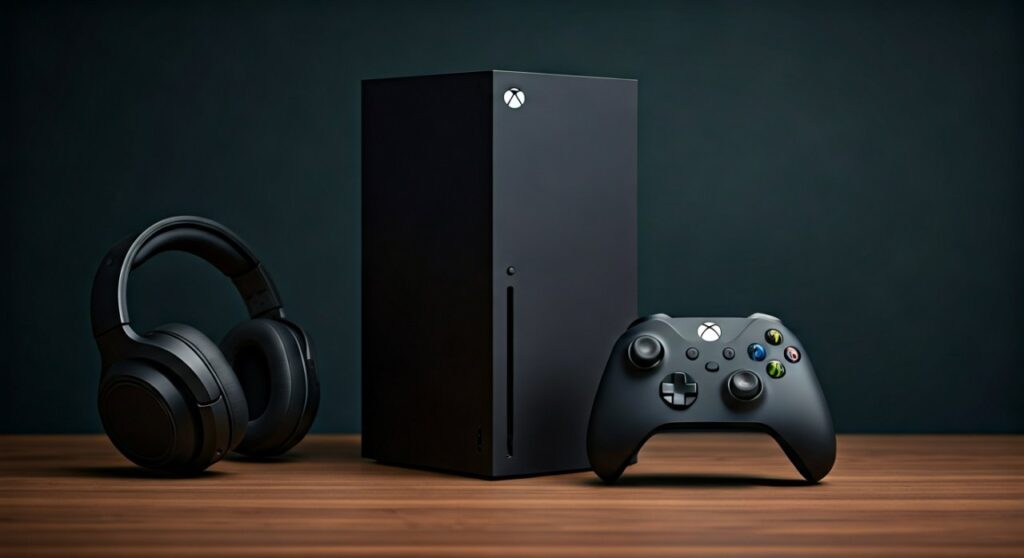
Key Takeaways: Xbox Headset Compatibility at a Glance
If you are in a hurry, this table summarizes the compatibility of various connection types for Xbox Series X|S and Xbox One consoles.
| Connection Type | Compatibility | Requirements |
|---|---|---|
| 3.5mm Wired Jack | Native | Plugs into the bottom of the Xbox Controller. |
| Xbox Wireless | Native | Headset must have the “Designed for Xbox” logo. |
| USB Wireless | Conditional | Requires a specific Xbox-compatible USB transmitter. |
| Standard Bluetooth | Unsupported | Requires a workaround (Mobile App or Bluetooth Transmitter). |
| USB Wired | Limited | Most standard USB headsets do not work; must be Xbox-certified. |
Understanding the Xbox Connectivity Ecosystem
The biggest frustration for many gamers is realizing their high-end Sony WH-1000XM5 or Apple AirPods Max won’t simply “pair” with their console. This is because Microsoft uses a proprietary radio frequency (2.4GHz/5GHz) called Xbox Wireless instead of standard Bluetooth to reduce latency and improve audio bandwidth.
When researching what headphones work with xbox, you are essentially looking for devices that can speak this specific “language.” In my experience testing dozens of headsets, the connection stability of Xbox Wireless is superior for gaming, but it does limit your hardware choices compared to PC or PlayStation.
How to Connect Wired Headphones to Xbox
The most universal answer to what headphones work with xbox is anything with a wire. Since the release of the updated Xbox One controller (and all Series X|S controllers), a 3.5mm stereo headset jack has been standard.
Step-by-Step: Connecting via 3.5mm Jack
- Locate the circular port at the bottom of your Xbox Controller.
- Firmly plug your 3.5mm headphone cable into the port.
- Put on your headphones and press the Xbox button on your controller.
- Navigate to the Audio & Music icon (bottom right of the guide) to adjust volume and mic monitoring.
Expert Tip: If you have an original 2013-2014 Xbox One controller without the jack, you will need the Xbox One Stereo Headset Adapter to make wired headphones work.
What Headphones Work with Xbox Series X and S Wirelessly?
When moving to the next generation, you might wonder what headphones work with xbox series x specifically. The good news is that Microsoft maintained backward compatibility for almost all Xbox One peripherals.
Native Xbox Wireless Headsets
These headsets pair exactly like a controller. You press a sync button on the console and a button on the headset, and they “handshake” without any extra equipment. Popular models include:
- Xbox Wireless Headset (Microsoft’s official model)
- SteelSeries Arctis Nova 9X
- Razer Kaira Pro for Xbox
- Turtle Beach Stealth 600/700 Gen 2
USB Dongle-Based Headsets
Some manufacturers use a specific USB stick to bypass the built-in protocol. However, not just any USB headset will work. The USB device must have a hardware security chip that the Xbox recognizes. Look for a switch on the dongle that says “Xbox / PC.”
Tested Recommendation: The SteelSeries Arctis Nova 7X is widely considered the gold standard here because its dongle works on Xbox, PlayStation, Switch, and PC.
The Bluetooth Problem: Can You Use AirPods or Bose?
Technically, the answer to “do standard Bluetooth headphones work” is no, but there are two professional workarounds if you are determined to use your favorite noise-canceling buds.
Workaround A: The Xbox Mobile App (Social Gaming)
If you only need audio for Party Chat, you can join an Xbox Party on your smartphone using the Xbox App. Connect your AirPods or Bose QC45s to your phone via Bluetooth. You will hear your friends, but you won’t hear the actual game audio from the TV.
Workaround B: The Bluetooth Transmitter
You can buy a 3.5mm Bluetooth Transmitter (like those from Twelve South or Logitech) and plug it into your controller’s headphone jack. This “tricks” the controller into sending audio via Bluetooth.
Warning: This often introduces latency (audio lag), which can be deadly in competitive games like Call of Duty or Halo Infinite*.
Essential Audio Settings for Xbox Headphones
Once you’ve identified what headphones work with xbox and connected them, you need to optimize the software. Xbox supports advanced spatial audio formats that can transform a $50 headset into a surround-sound powerhouse.
Spatial Audio Options
- Windows Sonic for Headphones: Free and built into every Xbox. It provides a decent 3D audio experience.
- Dolby Atmos for Headphones: Requires a one-time $15 license (though some headsets like the Rig 800 include it for free). This is the gold standard for pinpointing footsteps in FPS games.
How to Enable Spatial Sound
- Press the Xbox button and go to Settings.
- Select General > Volume & audio output.
- Under Headset audio, choose your preferred Headset format.
Comparing Top Xbox-Compatible Headsets
| Model | Connection Type | Battery Life | Best For |
|---|---|---|---|
| Official Xbox Wireless | Native Xbox Wireless | 15 Hours | Budget-friendly features |
| SteelSeries Nova 7X | USB Dongle (Multi-platform) | 38 Hours | Competitive Gaming |
| Audeze Maxwell | USB Dongle (Planar Magnetic) | 80 Hours | Audiophiles / Music |
| Razer Kaira Pro | Native + Bluetooth | 20 Hours | Hybrid Mobile/Console use |
Troubleshooting Common Xbox Headset Issues
Even when you know what headphones work with xbox, technical glitches can happen. Here is how I solve the most common problems:
My Mic Isn’t Working
- Check the Mute Switch: Most gaming headsets have a physical toggle.
- Update Controller Firmware: Plug your controller into the console via USB, go to Settings > Devices & Connections > Accessories, and check for updates. A controller update often fixes headset detection issues.
- Check Privacy Settings: Ensure your Xbox account permissions allow “Voice and Text” communication.
The Audio is Crackling
- Interference: Since Xbox Wireless uses the 2.4GHz/5GHz band, routers or microwaves nearby can cause interference. Try moving your router at least 3-5 feet away from the console.
- Low Battery: Many wireless headsets start to “stutter” when they drop below 10% battery.
Frequently Asked Questions (FAQs)
Do USB-C headphones work if I plug them into the Xbox console?
No. Unlike a PC or a MacBook, the USB ports on an Xbox do not output standard USB audio for headphones unless the headset is specifically Xbox-certified (containing the proprietary security chip).
Can I use my Sony PS5 Pulse 3D headset on Xbox?
Only in wired mode. The Pulse 3D headset uses a standard USB dongle that is not compatible with Xbox’s security requirements. However, you can use a 3.5mm cable to plug the Pulse 3D directly into your Xbox controller.
Why doesn’t the Xbox console have Bluetooth?
Microsoft opted for Xbox Wireless technology to ensure lower latency (under 20ms) and to support up to 8 controllers and headsets simultaneously. Standard Bluetooth often has higher latency and interference issues in gaming environments.
What headphones work with Xbox Series X for the best 3D audio?
Any wired or wireless headset can utilize Dolby Atmos or Windows Sonic. However, high-end headsets with larger drivers (like the Audeze Maxwell) provide the hardware clarity needed to fully realize the benefits of spatial audio.
Can I use a USB microphone (like a Blue Yeti) on Xbox?
Generally, no. Xbox does not support generic USB audio class devices for microphones. You must use a headset connected to the controller or an Xbox-licensed USB microphone like the Turtle Beach Stream Mic.









