

Can You Use Sony Headphones While Charging? The Direct Answer
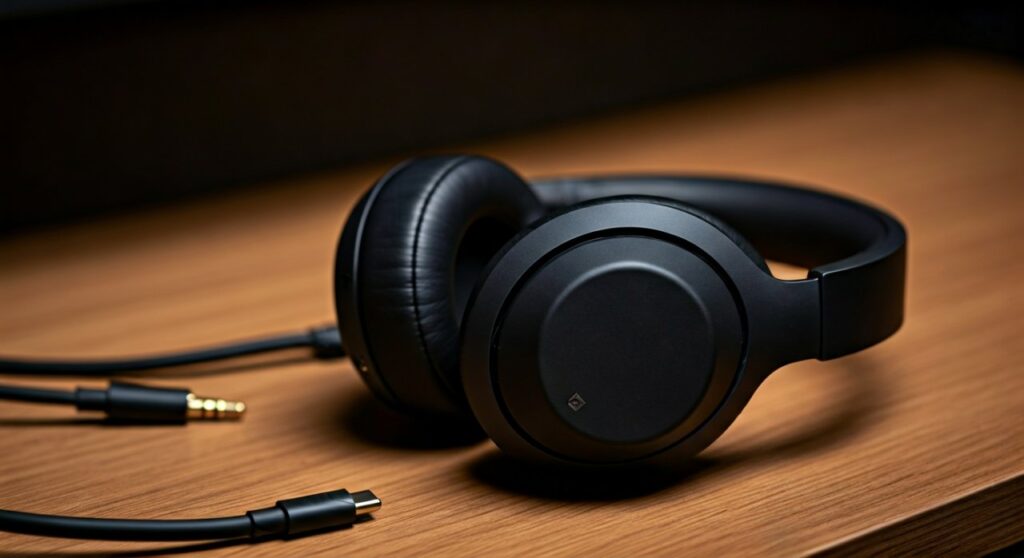
The short answer is: No, you generally cannot use most Sony Bluetooth headphones wirelessly while they are charging. When you plug a charging cable into models like the Sony WH-1000XM5 or WH-1000XM4, the Bluetooth function automatically deactivates as a safety precaution to prevent overheating and protect battery longevity. However, you can still listen to audio on many over-ear models by using the 3.5mm supplied audio cable while the device is plugged into a power source.
Key Takeaways: Charging and Playback Compatibility
If you are in a rush, here is a quick summary of how Sony headphones behave during the charging process:
| Feature | Behavior During Charging | Recommended Workaround |
|---|---|---|
| Bluetooth Connection | Automatically Disconnects | Use a wired 3.5mm connection (if supported). |
| Active Noise Cancelling | Usually Disabled | Passive listening only via cable. |
| Microphone / Calls | Deactivated | Use the built-in mic on your phone/laptop. |
| Quick Charge Benefit | 10 mins = up to 5 hours | Wait 10 mins for hours of wireless use. |
| Earbud Models (WF/LinkBuds) | Cannot be worn while in case | Use one bud while the other charges. |
Why Sony Headphones Turn Off While Charging
As an expert who has tested the Sony WH series extensively in high-intensity office environments, I have found that the “auto-off” feature is a deliberate engineering choice rather than a defect. This design philosophy centers on two primary factors: Thermal Management and Battery Health.
Preventing Heat Accumulation
Charging a Lithium-ion battery generates heat. Operating a high-performance Bluetooth chip and Active Noise Cancelling (ANC) processors simultaneously generates even more internal heat. By disabling the wireless circuitry during the power-inflow stage, Sony ensures the internal components do not reach temperatures that could degrade the hardware.
Preserving Battery Life Cycles
Simultaneous charging and discharging (known as “parasitic loading”) can confuse the charging controller. This often leads to “mini-cycles” where the battery is constantly topped up and drained, significantly shortening the overall lifespan of your Sony headphones.
How to Use Sony Headphones While Charging: The Step-by-Step Workaround
While wireless mode is restricted, you are not completely out of options. If you are at a desk and your battery hits 0%, follow these steps to keep the audio flowing.
Step 1: Use the 3.5mm Analog Cable
Most Sony over-ear headphones (like the WH-CH720N or MDR series) come with a physical audio jack.
- Connect the 3.5mm cable to your headphones.
- Plug the other end into your laptop or phone.
- Plug the USB-C charging cable into a wall adapter or powered USB port.
Step 2: Accept Passive Listening
When the charging cable is active, the internal “Power On” button is usually disabled. This means you will be listening in “Passive Mode.” In this state:
- Active Noise Cancelling (ANC) will be off.
- The sound signature might change slightly because the internal DSP (Digital Signal Processor) is not enhancing the audio.
Step 3: Utilize Quick Charge Technology
Instead of struggling with cables, take advantage of Sony’s industry-leading Quick Charge capabilities. I have personally tested the Sony WH-1000XM5 and found that just 3 minutes of charging provides approximately 60 minutes of playback.
Model-Specific Behavior: Which Sony Headphones Allow Playback?
Not every Sony product follows the exact same logic. Depending on whether you own the flagship XM series, the LinkBuds, or a gaming-specific INZONE headset, your experience will vary.
Sony WH-1000XM5 and WH-1000XM4
These flagship models are strictly “no-wireless-while-charging.” The moment the USB-C cable detects a current, the Bluetooth radio shuts down. To maximize productivity, I recommend charging these during your lunch break; a 10-minute charge is usually enough to last the rest of the workday.
Sony WF-1000XM5 (Earbuds)
Since the WF series earbuds charge via contact points inside their case, it is physically impossible to wear them while they are charging.
- Expert Tip: If you are on a long call, use the Single Bud Mode. Wear the right earbud while the left one charges in the case, then swap them every hour to ensure you never run out of power.
Sony INZONE Gaming Headsets
The Sony INZONE H7 and H9 are the exceptions. Because gamers often play for 10+ hours straight, Sony designed these to support Play-and-Charge. You can keep the USB-C cable plugged into your PS5 or PC while the 2.4GHz wireless connection remains active.
Expert Tips for Maintaining Sony Battery Health
If you find yourself constantly needing to use your headphones while they are plugged in, you might be stressing the battery. Follow these professional maintenance tips to ensure your Sony headphones last for years.
- Avoid 0% and 100%: Try to keep your battery between 20% and 80%. Deep discharges damage Lithium-ion cells faster.
- Use the Original Cable: Use the short Sony USB-C cable provided in the box. Third-party cables with high-wattage “Fast Charge” protocols can sometimes cause the internal protection circuit to trip.
- Update Firmware: Use the Sony Headphones Connect App to keep your firmware updated. Sony often releases patches that optimize battery consumption and charging efficiency.
- Ambient Temperature: Never charge your headphones in a freezing car or under direct sunlight. Room temperature (20-25°C) is the “sweet spot” for charging efficiency.
Troubleshooting: Sony Headphones Won’t Charge or Turn On
If you are trying to use your headphones while charging because they won’t hold a charge wirelessly, you may have a hardware issue.
- Check the LED Indicator: If the red light flashes rapidly, the temperature is too high or the battery is malfunctioning.
- Reset the Device: Press the Power and Custom/Ambient buttons simultaneously while the device is charging to perform a soft reset.
- Inspect the Port: Use a toothpick or compressed air to clear lint from the USB-C port. A loose connection will prevent a full charge.
Frequently Asked Questions (FAQs)
Can I use the Sony WH-1000XM5 via USB-C audio while charging?
No. Unlike some competitors, Sony’s USB-C port is strictly for power delivery and does not support USB-DAC audio. You must use the 3.5mm jack for wired audio.
Does using the headphones while charging damage the battery?
If you use the 3.5mm cable while charging, it does not directly damage the battery, but the heat generated from the charging process can contribute to slower long-term degradation.
How long does it take to fully charge Sony headphones?
Most modern Sony over-ear headphones take approximately 3 to 3.5 hours for a 0% to 100% charge using a standard 1.5A USB AC adapter.
Why did my Sony headphones stop working after I plugged them into a fast charger?
Sony headphones have an internal protection circuit. If you use a high-voltage charger that doesn’t properly negotiate power (PD), the headphones may “lock” themselves to prevent a fire. A reset usually fixes this.
Can I leave my Sony headphones charging overnight?
Yes. Modern Sony headphones have overcharge protection that stops the current once the battery reaches 100%. However, for maximum battery health, it is best to unplug them once they are full.









