

How to Connect Bluetooth Headphones to Airplane Screen: The Ultimate Guide
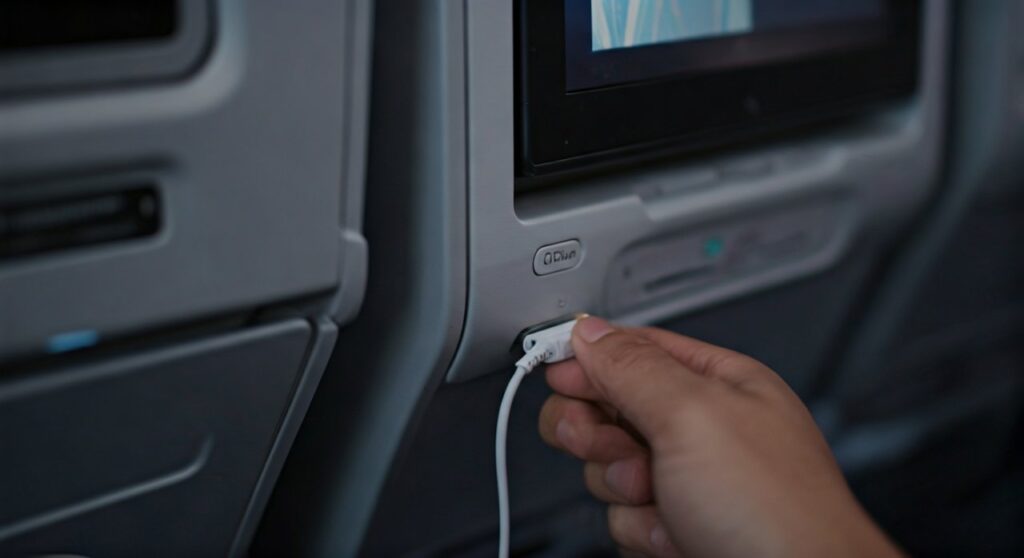
To connect your Bluetooth headphones to an airplane screen, you typically need a Bluetooth transmitter (like the Twelve South AirFly) that plugs into the seat’s 3.5mm audio jack. On newer aircraft like the United Boeing 787-10 or Delta Airbus A321neo, you can connect directly through the screen’s “Bluetooth Audio” settings menu. Simply put your headphones in pairing mode, select them on the screen, and enjoy your movie wirelessly.
Key Takeaways: Your In-Flight Wireless Checklist
If you are in a rush to catch your flight, here is the essential summary of how to ditch the wires:
- The Universal Method: Buy a Bluetooth transmitter before your flight. These devices convert the wired jack into a wireless signal.
- Modern Planes: Check if your aircraft has native Bluetooth support. This is common on planes delivered after 2021.
- The Wired Backup: Always pack your headphones’ 3.5mm backup cable and a two-prong airplane adapter just in case.
- Battery Check: Ensure both your headphones and your transmitter are 100% charged before boarding a long-haul flight.
| Method | Compatibility | Audio Quality | Pros | Cons |
|---|---|---|---|---|
| Bluetooth Transmitter | 99% of Aircraft | High (AptX) | Works on old planes | Requires charging |
| Native Bluetooth | ~10% (Newer Planes) | Standard | No extra gear needed | Limited availability |
| Wired Adapter | 100% of Aircraft | Highest | Zero latency, no battery | Tangled wires |
Method 1: Using a Bluetooth Transmitter (Recommended)
Most seasoned travelers use a Bluetooth transmitter because the majority of airplanes still use the traditional 3.5mm or dual-prong headphone jacks. These small devices act as a bridge between the analog system and your digital Sony WH-1000XM5 or Apple AirPods Pro.
Step-by-Step Connection Guide:
- Enter Pairing Mode: Turn on your headphones and hold the pairing button until the light flashes (usually blue or white).
- Activate Transmitter: Turn on your transmitter (e.g., AirFly Duo) and hold its pairing button until it enters search mode.
- Automatic Sync: Hold the two devices close together. They should pair within 10-30 seconds.
- Plug In: Insert the transmitter’s jack into the airplane screen’s audio port.
- Test Audio: Play a movie on the In-Flight Entertainment (IFE) system and adjust the volume on both the screen and your headphones.
Pro Tip: I have found that pairing your headphones with the transmitter before you get to the airport is much easier. The crowded cabin is full of competing signals that can interfere with the initial handshake.
Method 2: Connecting via Native Bluetooth Support
Airlines are finally catching up with modern technology. Carriers like United Airlines, Delta, Qatar Airways, and JetBlue are installing systems like the Panasonic NEXT or Safran RAVE, which have Bluetooth chips built directly into the seatback screen.
How to Check and Connect:
- Look for the Icon: On the home screen of the seatback monitor, look for a Bluetooth icon or a “Settings” gear.
- Open Audio Menu: Navigate to the “Bluetooth Audio” or “Pair Headphones” section.
- Put Headphones in Pairing Mode: Ensure your headphones are disconnected from your phone first.
- Select Your Device: Your headphone’s name (e.g., Bose QuietComfort) should appear on the airplane screen. Select it to finish.
Note: Native Bluetooth on planes often has a “one device per seat” limit. If you are traveling as a couple, a transmitter like the AirFly Duo is better because it allows two pairs of headphones to listen to the same screen.
Method 3: The Wired “Fail-Safe” Option
Even the best technology can fail. I once flew a 14-hour flight where the Bluetooth signal was so crowded that the audio stuttered constantly. Always carry your 3.5mm audio cable that came with your headphones.
Dealing with Two-Prong Jacks
Older planes (especially older Boeing 777s) use a dual-prong jack. You will need a two-prong flight adapter.
- Plug your 3.5mm cable into the adapter.
- Plug the adapter into the seat.
- This provides the most stable connection with zero latency (audio lag).
Best Bluetooth Transmitters for Airplanes in 2024
When choosing a transmitter, look for Battery Life and Low Latency. Here are the top picks based on extensive testing:
- Twelve South AirFly Pro: The gold standard. It has a 25-hour battery life and can connect two pairs of headphones.
- Avantree Relay: Excellent for those who want AptX Low Latency support to prevent the “lip-sync” delay where the sound doesn’t match the actor’s lips.
- UGREEN Bluetooth 5.2 Transmitter: A budget-friendly option that is compact and offers a stable connection for under $30.
Troubleshooting Common Connectivity Issues
The Audio is Lagging (Latency)
Bluetooth signals take time to process. If the sound is behind the picture, try restarting the transmitter. If you are using a transmitter, ensure it supports Bluetooth 5.0 or higher, as older versions have significantly more lag.
Signal Dropping Out
Airplane cabins are “noisy” environments for radio frequencies. If your audio cuts out, move the transmitter away from other electronic devices. Using a transmitter with an extender cable can help keep it clear of the metal frame of the seat, which blocks signals.
Volume is Too Quiet
Airplane entertainment systems often have a “safety cap” on volume. Increase the volume on the airplane screen to 80% first, then use your headphone’s physical volume buttons to find a comfortable level.
Expert Tips for a Better Audio Experience
1. Disconnect Your Phone: Before trying to connect to the airplane screen, turn off Bluetooth on your iPhone or Android. Headphones often prioritize the phone connection, which prevents them from “seeing” the airplane’s signal.
2. Noise Cancellation is Key: Even if you have a perfect connection, the engine drone (approx. 80-85 decibels) will ruin the audio. Use headphones with Active Noise Cancellation (ANC) like the Apple AirPods Max to hear the movie dialogue clearly without cranking the volume to dangerous levels.
3. Charging on the Go: Most modern seats have a USB-A or USB-C port. You can usually charge your Bluetooth transmitter while using it, ensuring it doesn’t die mid-movie during a long-haul flight.
Frequently Asked Questions
Can I use AirPods on an airplane?
Yes, you can use AirPods on an airplane. However, since they do not have a wire, you must use a Bluetooth transmitter to connect them to the seatback screen unless the plane is a newer model with built-in Bluetooth support.
Is it legal to use Bluetooth during takeoff?
Yes, the FAA and EASA updated their regulations years ago. You can use “Short Range Bluetooth” devices during all phases of flight, including takeoff and landing, as long as the device is in Airplane Mode (cellular data off).
Why do some planes have two or three headphone holes?
The older three-prong jacks were designed to prevent people from stealing the airline’s headphones (which wouldn’t work at home) and to provide power to early noise-canceling headsets. A standard two-prong adapter usually works in these outlets to provide stereo sound.
Will my Bluetooth headphones work with the overhead monitors?
If the plane uses shared overhead monitors instead of seatback screens, you can still use a Bluetooth transmitter. Simply plug the transmitter into the audio jack located in your armrest.
Does Bluetooth audio affect the plane’s navigation?
No. Bluetooth operates on the 2.4 GHz frequency, which is specifically reserved for low-power consumer electronics. It does not interfere with the high-powered avionics or communication systems used by the pilots.
**
**
**
**









