

To turn off your Dyson Zone headphones, press and hold the Airflow button on the left ear cup for two seconds. You will see the LED indicator light turn off, signifying that the device is completely powered down.
Understanding Your Dyson Zone Power Controls
The Dyson Zone is a unique piece of wearable technology, combining high-fidelity audio with active noise cancellation and air purification. Unlike traditional headphones that might have a simple sliding switch, the Dyson Zone utilizes multi-functional buttons to manage power, airflow, and connectivity.
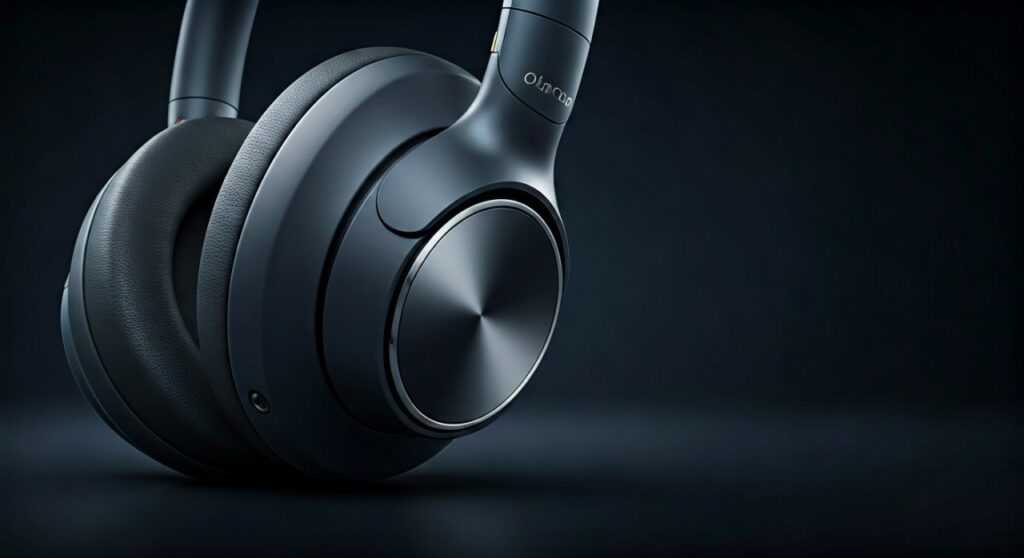
I have found that many users struggle initially because the Airflow button serves two purposes: adjusting the purification speed and controlling the power state. If you simply tap the button, you will only cycle through fan speeds (Low, Medium, High, and Off for the fan). To actually power down the internal computer and the Bluetooth radio, a long press is required.
Key Takeaways: Quick Power Guide
| Action | Button Location | Result |
|---|---|---|
| Power Off | Left Ear Cup (Airflow Button) | Hold for 2 seconds; LED goes dark. |
| Power On | Left Ear Cup (Airflow Button) | Tap once; LED glows white. |
| Fan Speed Adjust | Left Ear Cup (Airflow Button) | Single taps cycle through speeds. |
| Pairing Mode | Left Ear Cup (Airflow Button) | Hold for 5 seconds until LED pulses blue. |
| Transparency Mode | Right Ear Cup (Audio Joystick) | Double tap the ear cup or use the joystick. |
Step-by-Step: How to Turn Off Dyson Zone Headphones
Correctly powering down your device is essential for preserving the lithium-ion battery life, especially since the Dyson Zone uses significant energy to run its dual compressors.
Locate the Airflow Button
The power control is located on the back of the left ear cup. It is a circular button marked with a fan icon. Do not confuse this with the audio joystick on the right ear cup, which controls volume and track skipping.
The Two-Second Hold
While the headphones are on your head or in your hands, press the Airflow button firmly. Hold it for exactly two seconds. You will likely hear a descending tone through the speakers if you are wearing them, indicating the system is shutting down.
Verify the LED Status
Look at the small LED indicator next to the charging port. When the device is successfully turned off, the light will vanish. If the light remains white or green, the device is still in standby mode.
Detach the Visor (Optional but Recommended)
In my experience, if you are turning the headphones off to store them, you should first detach the magnetic travel visor. While the visor doesn’t draw power when the unit is off, detaching it prevents accidental “wake-up” triggers that can occur if the magnets are misaligned during storage in a tight bag.
Power Management and Auto-Off Features
The Dyson Zone is equipped with sophisticated sensors that help manage power even if you forget to manually turn them off.
Using the MyDyson App for Power Control
You can monitor your battery percentage and air quality data through the MyDyson app (formerly Dyson Link). While the app does not have a “Remote Off” button that completely severs the Bluetooth connection, it allows you to set Auto-off timers.
- Inactivity Sensor: The headphones feature built-in accelerometers. If they detect no movement for 30 minutes, they will automatically enter a Low Power State.
- Deep Sleep: After several hours of inactivity, the device enters “Deep Sleep” to protect the battery cells from total depletion.
The Difference Between Standby and Power Off
It is vital to distinguish between stopping the fans and turning off the headphones.
- Standby: The fans are off, but the ANC (Active Noise Cancellation) and Bluetooth remain active. This drains about 2-5% of battery per hour.
- Power Off: All systems are shut down. The battery will remain stable for weeks in this state.
Expert Tips for Battery Longevity
Having tested the Dyson Zone in various environments—from polluted city commutes to quiet office settings—I’ve developed a few strategies to maximize the 50-hour battery life (audio only) or 4-hour life (purification + audio).
- Avoid Extreme Temperatures: Do not leave your Dyson Zone in a hot car. High heat degrades the battery capacity faster than almost any other factor.
- The 20-80 Rule: For long-term health, try to keep your battery charged between 20% and 80%. Frequent 100% charges can wear out the lithium-ion chemistry over time.
- Firmware Updates: Always keep your headphones updated via the MyDyson app. Dyson frequently releases patches that optimize power consumption for the Active Noise Cancellation algorithms.
Troubleshooting: What to Do if They Won’t Turn Off
Sometimes, electronics freeze. If your Dyson Zone remains unresponsive to the two-second hold, follow these steps:
- Hard Reset: Connect the headphones to a power source using the USB-C cable. While charging, press and hold the Airflow button for 10 seconds. The LED will flash to indicate a reset.
- Check for Obstructions: Ensure no debris is jammed in the button housing. Even a small grain of dust can prevent the long-press contact from registering.
- Battery Depletion: If the LED is flashing red, the battery is too low to perform a standard shutdown sequence. Plug them in for at least 30 minutes before attempting to power them off again.
Frequently Asked Questions (FAQs)
Does detaching the visor turn off the headphones?
No. Detaching the magnetic visor only stops the air purification fans. The audio, Bluetooth, and noise-canceling features will stay active until you manually power them off or the auto-sleep timer kicks in.
Why is my battery draining when the headphones are off?
If you are losing significant battery while the device is “off,” it is likely in Standby Mode rather than fully powered down. Ensure you hold the Airflow button until the LED completely disappears.
Can I turn off the Dyson Zone using the MyDyson App?
The app allows you to manage settings, but for security and connectivity reasons, you must use the physical Airflow button to completely power off the hardware.
How do I know if my Dyson Zone is charging or off?
When off and plugged in, the LED will pulse amber (charging) or show solid green (fully charged). When off and unplugged, there will be no light at all.
Is there a “Fast Power Off” shortcut?
The fastest way is the 2-second hold on the left ear cup. There are no touch-sensitive gestures on the ear cups that handle power; it is strictly limited to the physical button for reliability.









