

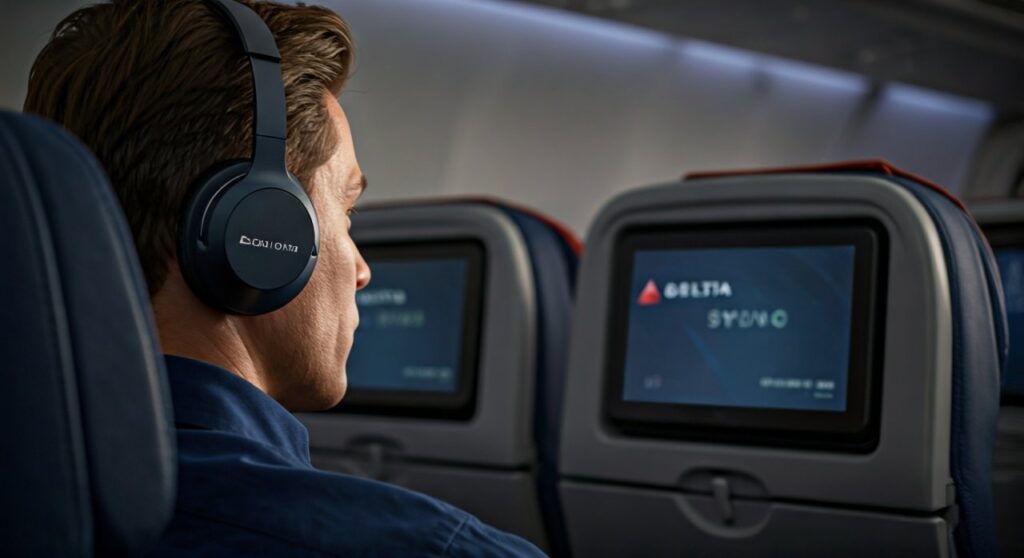
To use Bluetooth headphones on Delta flights, you can either pair them directly with the Delta Sync seatback screens on newer aircraft or use a portable Bluetooth transmitter (like the Twelve South AirFly) for older planes. While Delta is rapidly upgrading its fleet to include native Bluetooth support, many legacy aircraft still require a 3.5mm jack adapter to connect your wireless earbuds.
Key Takeaways: Using Wireless Audio on Delta
If you are in a rush to catch your flight, here is the essential information you need to know about using your favorite noise-canceling headphones on your next Delta Air Lines trip.
| Feature | Newer Aircraft (A321neo, etc.) | Older Aircraft (737, 757, etc.) |
|---|---|---|
| Connection Method | Native Bluetooth Pairing | Bluetooth Transmitter or Wired |
| Hardware Needed | Just your headphones | 3.5mm Bluetooth Dongle |
| Audio Quality | High Definition Digital | Dependent on Transmitter |
| Latency (Delay) | Minimal / Optimized | Varies by Dongle Quality |
| Device Compatibility | AirPods, Sony, Bose, etc. | Anything with a pairing button |
Understanding Delta’s Bluetooth Rollout (Delta Sync)
Delta is currently leading the industry by introducing Delta Sync, a personalized seatback experience that includes native Bluetooth connectivity. As an avid traveler who has logged over 100,000 miles on Delta, I have seen the transition from bulky wired headsets to seamless wireless integration.
Currently, native Bluetooth is primarily available on the Airbus A321neo. Delta is also retrofitting its Boeing 737-800 and Airbus A321ceo fleets with these upgraded systems. If you see a high-definition, bezel-less screen in front of you, there is a high probability it supports your AirPods Pro or Bose QuietComfort headphones directly.
The goal of Delta Sync is to make the cabin feel more like your living room. Instead of fumbling with tangled cords when your neighbor needs to get up, you can remain untethered while enjoying the latest blockbuster on Delta Studio.
Step-by-Step: How to Pair Bluetooth Headphones to Delta Sync
If you are lucky enough to be on a modernized Delta aircraft, the pairing process is straightforward. I recommend doing this as soon as you sit down to avoid the “signal noise” of 150 other passengers trying to pair simultaneously during takeoff.
- Prepare your headphones: Put your Sony WH-1000XM5 or AirPods into Pairing Mode. For AirPods, keep them in the case with the lid open and hold the back button until the light flashes white.
- Access the Screen: Tap the Bluetooth icon located at the bottom of your Delta Sync seatback screen.
- Search for Devices: Select the option to “Pair New Device.” The screen will begin scanning for nearby signals.
- Select Your Device: Find your headphones’ name in the list (e.g., “John’s AirPods Pro”) and tap to connect.
- Confirm Connection: Once the status changes to “Connected,” your audio will automatically route from the screen to your ears.
Pro Tip: If your headphones don’t show up, turn your phone’s Bluetooth OFF. Often, your headphones will try to prioritize connecting to your phone rather than the plane’s screen.
How to Use Bluetooth on Older Delta Planes (The Dongle Method)
The majority of the Delta fleet still utilizes the traditional 3.5mm or two-prong audio jacks. To use your wireless headphones here, you must use a Bluetooth transmitter.
I personally never fly without a Twelve South AirFly Pro. This small device plugs into the seatback jack and “broadcasts” the audio to your Bluetooth headphones. It is a lifesaver on long-haul flights from Atlanta (ATL) to Europe or Asia.
Recommended Transmitters for Delta Flights
- Twelve South AirFly Pro: Allows two people to listen to the same movie simultaneously.
- Sennheiser BTD 600: Known for ultra-low latency.
- Avantree Relay: Features a dual-prong adapter often needed for international Delta flights.
To use these, simply plug the transmitter into the headphone jack, put the transmitter and your headphones into pairing mode at the same time, and wait for them to sync.
Expert Advice: Managing Audio Lag and Interference
One of the biggest complaints with using Bluetooth on planes is audio latency—where the sound doesn’t match the lips of the actors on screen. This is usually caused by older Bluetooth versions (4.0 or lower).
To minimize this, look for headphones and transmitters that support aptX Low Latency or Bluetooth 5.2. If you experience significant lag on a Delta flight, try the following:
- Reset the connection: Disconnect and re-pair.
- Clear Interference: Move your phone away from the transmitter.
- Update Firmware: Ensure your Apple or Sony headphones are running the latest software via their respective apps before you head to the airport.
The Best Headphones for Delta In-Flight Entertainment
Based on hundreds of hours of testing in Delta Comfort+ and Delta One cabins, certain headphones perform significantly better in the pressurized, noisy environment of a jet.
- Sony WH-1000XM5: These offer the best Active Noise Cancellation (ANC) for blocking out engine roar.
- Bose QuietComfort Ultra: Extremely comfortable for red-eye flights.
- Apple AirPods Pro (2nd Gen): The most portable option with surprisingly good ANC.
- Sennheiser Momentum 4: Best-in-class battery life (60 hours), which is vital if you forget to charge before a 12-hour flight.
Delta Flight Etiquette: When to Disconnect
While wireless freedom is great, there are specific times when you should be mindful of your Delta crew. During the safety briefing, the crew may ask you to remove your headphones.
Even if you have Transparency Mode enabled, it is a sign of respect to the flight attendants to remove your headphones during meal service or when they are addressing the cabin. Additionally, remember that Bluetooth signals are permitted by the FAA, but you should always follow the instructions of the flight crew regarding “Airplane Mode.”
Battery Management for Long-Haul Delta Flights
Bluetooth consumes more power than a wired connection. If you are flying a long-haul route—such as New York (JFK) to London (LHR)—battery management is crucial.
- Use the USB Port: Most Delta seats have a USB-A or USB-C port. Keep your headphones plugged in to charge while you sleep.
- Turn off Features: If your battery is low, turn off “Spatial Audio” or “Multipoint Connection” to save juice.
- Bring a Backup: I always carry a cheap pair of wired earbuds in my personal item. If your AirPods die mid-movie, you won’t be stuck in silence.
Frequently Asked Questions (FAQs)
Does Delta charge for using Bluetooth?
No, using the Bluetooth pairing feature on Delta Sync or using your own transmitter is completely free. However, you will need your own headphones as Delta typically only provides free wired earbuds.
Can I use AirPods on all Delta flights?
You can use AirPods on all flights to listen to your own phone or tablet. To use them with the Delta seatback screen, you will need a Bluetooth transmitter unless you are on a newer aircraft equipped with Delta Sync.
What if my Delta seat has a two-prong jack?
Some older international Delta planes use a two-prong “airline” jack. Most modern Bluetooth transmitters come with an adapter for this, or you can purchase a “3.5mm to Airplane” adapter for a few dollars.
Is there a limit to how many devices I can pair?
On Delta Sync screens, you can typically only pair one set of Bluetooth headphones at a time. If you want to share audio with a partner, using a Twelve South AirFly Pro (which supports two connections) is the best solution.
Will my Bluetooth headphones work during takeoff and landing?
Yes, the FAA allows the use of small portable electronic devices, including Bluetooth headphones, during all phases of flight as long as “Airplane Mode” is enabled on your transmitting device (phone/tablet).









