

Understanding the Core Function: What Do Headphones Do?
What do headphones do? At their most fundamental level, headphones are personal transducers that convert electrical signals from an audio source (like a smartphone or laptop) into audible sound waves. By placing speakers directly over or inside your ears, they provide a private, immersive listening experience while isolating you from ambient noise.
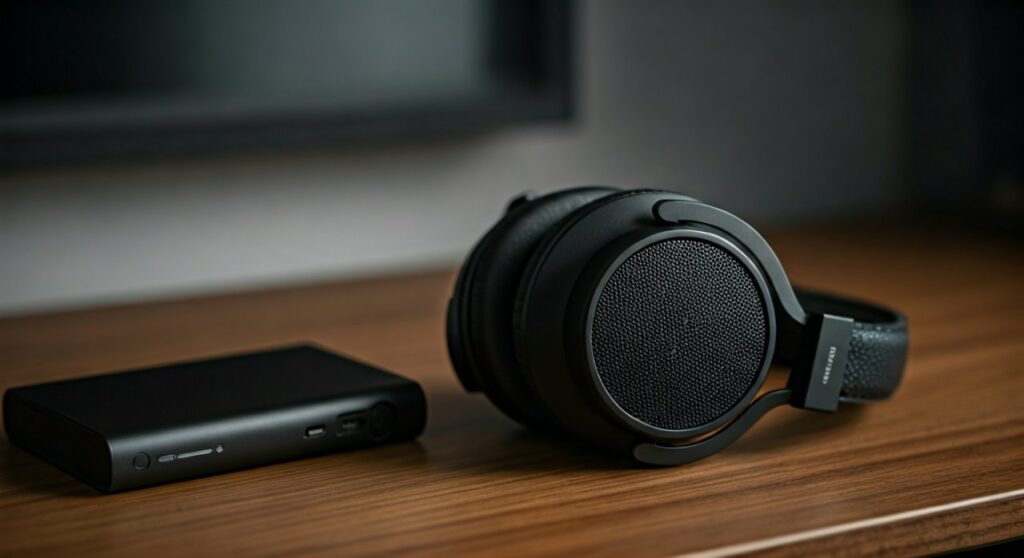
Modern headphones have evolved far beyond simple speakers. Today, they serve as critical tools for communication, noise management, and professional audio production. Whether you are using Active Noise Cancellation (ANC) to focus in a busy office or high-impedance studio monitors to mix a record, these devices bridge the gap between digital data and human perception.
Key Takeaways: The Essentials of Headphone Functionality
If you are in a hurry, here is the essential breakdown of what headphones do and why they matter:
- Audio Conversion: They turn electricity into mechanical vibrations (sound) using drivers.
- Privacy & Isolation: They allow for individual listening without disturbing others and can block out external sounds.
- Communication: Most modern headsets include microphones for clear voice calls and gaming.
- Hearing Protection: Features like ANC allow you to listen at lower volumes in loud environments, protecting your ears from strain.
- Spatial Awareness: Advanced models offer Spatial Audio or 3D sound, creating a “theater-like” experience.
The Technical Mechanism: How Headphones Create Sound
To truly understand what do headphones do, we must look at the internal components that make audio possible. I have spent years testing various driver types, and the physics remains fascinating. Every pair of headphones contains a driver unit, which is essentially the “engine” of the device.
The Role of the Transducer
The transducer is the component that converts one form of energy into another. In this case, it takes the electrical current from your DAC (Digital-to-Analog Converter) and turns it into physical movement. This movement pushes the air, creating the pressure waves we hear as music or speech.
Types of Driver Technologies
Different headphones use different methods to move that air. The quality of your “what do headphones do” experience depends heavily on these:
- Dynamic Drivers: The most common type. They use a magnet and a voice coil to move a diaphragm. They are excellent for producing powerful bass.
- Planar Magnetic Drivers: Often found in high-end audiophile gear like Audeze or Hifiman. They use a thin film suspended between magnetic fields for incredibly fast and accurate sound.
- Balanced Armature: Typically found in In-Ear Monitors (IEMs). These are tiny and precise, often used in sets to handle different frequency ranges (bass, mids, highs).
- Electrostatic Drivers: These use high-voltage electricity to move an ultra-thin film. They require specialized amplifiers and offer the highest level of detail available.
Beyond Music: The Multi-Functional Roles of Modern Headphones
Many users wonder, “What do headphones do besides play music?” In the modern era, they have become Swiss Army knives for productivity and digital interaction.
Active Noise Cancellation (ANC)
Active Noise Cancellation is a game-changer for frequent travelers. External microphones pick up low-frequency ambient noise (like a jet engine). The headphones then produce an “anti-noise” signal that cancels out the external sound before it reaches your eardrum.
Hands-Free Communication
Whether it is a Zoom meeting or a phone call, headphones act as a communication hub. High-quality models use beamforming microphones to isolate your voice from background chatter, ensuring the person on the other end hears only you.
Spatial Audio and Gaming
For gamers and movie buffs, headphones provide positional audio. By using complex algorithms, headphones can simulate a 360-degree soundstage. This allows you to hear exactly where an opponent is walking or where an explosion is happening in a film.
Comparison of Headphone Types and Their Primary Uses
Choosing the right tool depends on your specific needs. Here is a comparison of how different designs change what do headphones do for the user.
| Headphone Type | Primary Benefit | Best For… | Common Entity/Brand |
|---|---|---|---|
| Over-Ear (Circumaural) | Maximum comfort and soundstage. | Home listening, Studio work. | Sony WH-1000XM5 |
| On-Ear (Supra-aural) | Portability with decent sound. | Commuting, Office use. | Beats Solo3 |
| In-Ear (Earbuds/IEMs) | Ultimate portability and isolation. | Fitness, Travel, Daily use. | Apple AirPods Pro |
| Bone Conduction | Keeps ears open to surroundings. | Running, Cycling, Safety. | Shokz OpenRun |
Step-by-Step Guide: How to Optimize Your Headphone Experience
Understanding what do headphones do is only half the battle. To get the most value, you need to set them up correctly. Based on my experience as an audio reviewer, follow these steps to maximize performance.
Step 1: Choose the Right Connection
- Wired (3.5mm/USB-C): Best for lossless audio and zero latency. Essential for professional editing.
- Wireless (Bluetooth): Best for convenience. Look for codecs like LDAC or aptX Adaptive for better sound quality.
Step 2: Ensure Proper Fit and Seal
If you use in-ear headphones, the seal is everything. A poor seal leads to a loss of bass and increased background noise. Always test the different sizes of silicone or foam ear tips included in the box.
Step 3: Utilize Equalization (EQ)
Most modern headphones come with a companion app (e.g., Sony Headphones Connect or Sennheiser Smart Control). Use the EQ settings to adjust the sound signature. If you find the bass overwhelming, you can “roll it off” to hear more vocal detail.
Step 4: Manage Volume Levels
To prevent Noise-Induced Hearing Loss (NIHL), follow the 60/60 rule. Listen at no more than 60% volume for no more than 60 minutes at a time. Many smartphones now have a Headphone Safety feature that tracks your decibel (dB) exposure.
Professional vs. Consumer Headphones: What is the Difference?
When people ask “what do headphones do,” the answer varies depending on whether you are a professional or a casual listener.
Consumer Headphones
Brands like Bose and JBL “color” the sound. They often boost the bass and treble (a V-shaped sound signature) to make music sound more exciting and fun. They are designed for enjoyment and convenience.
Professional Studio Monitors
In a studio, the goal is “transparency.” Professionals use headphones like the Sennheiser HD 600 or Beyerdynamic DT 770 Pro. These headphones do not hide flaws; they have a “flat” frequency response so the engineer can hear exactly what is wrong with a recording.
Common Issues: Troubleshooting Your Headphones
If your headphones aren’t doing what they’re supposed to, check these common points of failure:
- Low Volume: Check if Volume Limiting is turned on in your device settings.
- Static or Crackling: For wired headphones, this is usually a dirty jack or a fraying cable. For wireless, it is often signal interference.
- One Side Silent: Often caused by a broken internal wire. In wireless buds, try a factory reset to re-sync the left and right units.
- Muffled Sound: Usually caused by earwax buildup on the mesh filters. Clean them gently with a soft brush.
Expert Perspectives on the Future of Headphones
As an industry expert, I’ve observed a shift from “passive” listening to “active” assistance. Future headphones will likely incorporate Biometric Sensors to track heart rate and stress levels. We are also seeing the rise of Auracast, a new Bluetooth capability that will allow one device to broadcast audio to an unlimited number of nearby headphones—transforming how we experience public spaces like airports or gyms.
Frequently Asked Questions (FAQs)
What do headphones do to your ears over time?
If used at high volumes (above 85 dB), headphones can damage the tiny hair cells in your inner ear, leading to permanent hearing loss or tinnitus (ringing in the ears). However, at safe volumes, they are perfectly safe for long-term use.
Do headphones work without an amplifier?
All headphones need an amplifier to work. However, most smartphones and laptops have a small built-in amp that is powerful enough for consumer headphones. High-end, high-impedance headphones may require a dedicated external DAC/Amp to reach their full potential.
Why do some headphones need batteries if they are wired?
This usually happens with older Active Noise Cancelling models. The circuitry that creates the “anti-noise” signal requires power. Most modern wired headphones are “passive” and do not need batteries unless they have active features.
Is there a difference between “headphones” and “headsets”?
Yes. Headphones are primarily for listening to audio. A headset includes a built-in microphone and is specifically designed for two-way communication, such as gaming, customer service, or video conferencing.
What do open-back headphones do differently?
Open-back headphones have earcups that allow air and sound to pass through the back. This creates a wider, more natural soundstage (feeling like the music is “around” you rather than “in” your head), but they leak sound and offer no isolation.









