

Locating the Audio Port: Where is the Headphone Jack on This Phone?
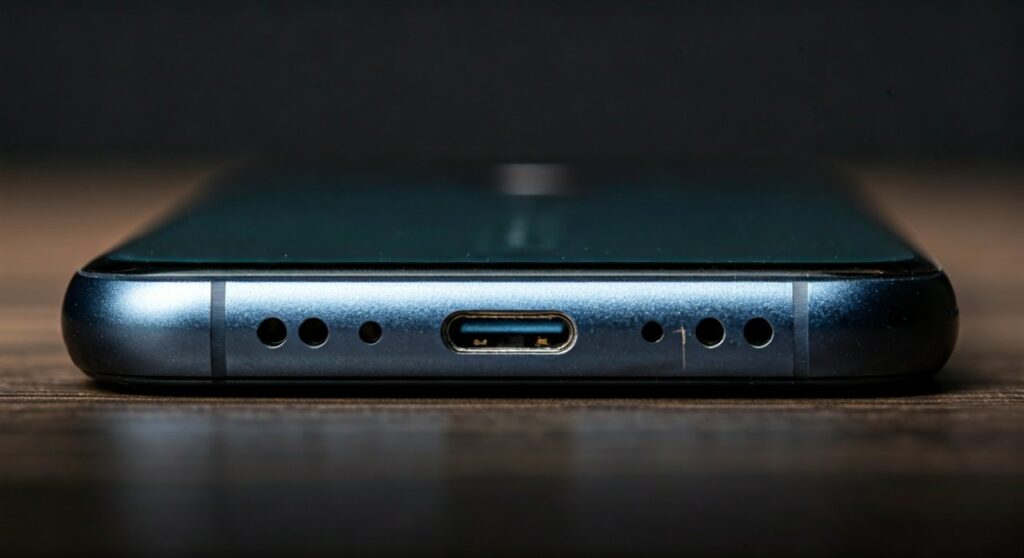
If you are looking for where is the headphone jack on this phone, look at the top or bottom edges of your device for a small, circular 3.5mm opening. On most modern flagship smartphones released after 2020, you likely won’t find one. Instead, these devices use the USB-C or Lightning charging port to transmit audio via an adapter or dedicated digital headphones.
 Headphone Jack on This Phone? (How-to Guide)” title=”Where is the Headphone Jack on This Phone? (How-to Guide)” class=”wp-image-12546″ />
Key Takeaways: Finding Your Audio Connection
- Location: Check the bottom edge (near the charging port) or the top edge of the frame.
- Modern Standards: Most new Samsung, Apple, and Google flagship phones have removed the jack.
- Alternative Ports: If no circular hole exists, your USB-C or Lightning port acts as the audio output.
- Adapters: You can use a “dongle” (3.5mm to USB-C/Lightning) to connect traditional wired headphones.
- Wireless: Bluetooth remains the primary alternative for devices without a physical jack.
Identifying the Jack Across Different Smartphone Brands
Finding where is the headphone jack on this phone depends largely on the age and model of your device. While older phones made the 3.5mm jack a staple, modern design trends have shifted toward internal space-saving measures.
Samsung Galaxy Series
On older Samsung Galaxy models (like the S10 or earlier), the headphone jack is located on the bottom left side. However, if you own a Galaxy S21, S22, S23, or S24, the jack is completely absent. On these models, you must use the USB-C port located at the bottom center.
Apple iPhone Models
Apple famously removed the headphone jack starting with the iPhone 7 in 2016. If you have an iPhone 6s or older, the jack is on the bottom. For all newer models, including the iPhone 15 (which uses USB-C) and the iPhone 14 (which uses Lightning), you will not find a circular audio port.
Google Pixel Devices
The original Google Pixel had the jack on the top edge. Since the Pixel 2, Google has removed the jack from its flagship line. If you are using a “budget” version like the Pixel 3a or 4a, check the top edge of the device, as Google kept the jack on those specific models.
Why Did the Headphone Jack Disappear?
As an expert who has tracked mobile hardware for over a decade, I’ve seen the industry pivot away from the 3.5mm analog standard. Manufacturers cite several technical reasons for this transition, which impacts where the headphone jack on this phone is (or isn’t) located.
- Internal Space: Smartphones are packed with larger batteries, haptic engines, and complex multi-camera arrays. Removing the jack frees up significant physical room.
- Waterproofing: Every hole in a phone’s chassis is a point of entry for water. Removing the jack makes it easier to achieve IP68 water and dust resistance.
- Digital Audio Quality: The 3.5mm jack provides an analog signal. Using a USB-C port allows the phone to send a digital signal to an external DAC (Digital-to-Analog Converter), potentially offering higher fidelity audio.
- Wireless Growth: The massive success of Apple AirPods and Samsung Galaxy Buds has made wireless listening the consumer default.
Comparison: Connection Methods for Modern Phones
| Connection Type | Physical Appearance | Compatibility | Audio Quality |
|---|---|---|---|
| 3.5mm Jack | Circular hole (approx. 3.5mm wide) | Analog headphones, AUX cables | High (uncompressed) |
| USB-C Port | Oval-shaped, symmetrical | Modern Android/iPhone 15 | Superior (Hi-Res support) |
| Lightning Port | Flat with exposed pins | iPhone 5 through iPhone 14 | Digital standard |
| Bluetooth | Wireless (Software based) | All modern smartphones | Variable (depends on codec) |
Solutions: How to Connect Headphones Without a Jack
If you have confirmed where is the headphone jack on this phone—and realized it doesn’t exist—don’t worry. You have several professional-grade workarounds to maintain your listening experience.
Use a 3.5mm to USB-C/Lightning Adapter
Commonly known as a “dongle,” this small cable plugs into your charging port and provides a female 3.5mm jack at the other end. For the best experience, I recommend the Apple USB-C to 3.5 mm Headphone Jack Adapter or the Google USB-C Digital to 3.5mm Adapter, as they include high-quality internal DACs.
Switch to USB-C Headphones
Many manufacturers, including Sennheiser and Sony, now offer wired headphones that plug directly into a USB-C port. This eliminates the need for an adapter and often provides a more stable connection for phone calls and media playback.
Invest in a Portable DAC/Amp
For audiophiles, a portable DAC/Amp like the DragonFly Black or FiiO BTR5 connects to your phone’s data port. This not only solves the “missing jack” problem but significantly improves the power and clarity of your audio signal.
Step-by-Step: Troubleshooting a Non-Working Headphone Jack
If you have found where is the headphone jack on this phone but it isn’t working, follow these expert-tested steps to fix the issue:
- Inspect for Lint: Over months of pocket use, the jack can collect debris. Use a non-metallic toothpick or compressed air to gently clean the port.
- Check Settings: Ensure your phone isn’t connected to a Bluetooth speaker or car system that is overriding the wired connection.
- Restart the Device: This clears temporary software glitches that might prevent the audio driver from recognizing the hardware connection.
- Test Other Headphones: Verify if the issue is with the phone’s port or the headphones’ cable by testing a secondary pair of earbuds.
Best Modern Phones That Still Have a Headphone Jack
While flagship devices have largely abandoned the port, several high-end and mid-range devices still cater to wired audio enthusiasts. If you are shopping for a new phone specifically for this feature, consider these:
- Sony Xperia 1 V & 5 V: Sony is one of the last manufacturers to keep the 3.5mm jack on a flagship-level device, paired with high-quality audio software.
- Asus Zenfone 10: A compact powerhouse that uniquely retains the headphone jack despite its small frame.
- Motorola Moto G Series: Most of Motorola’s budget-friendly models still feature the jack on the top edge.
- Samsung Galaxy A-Series (Lower end): While the A54/A55 lack it, cheaper models like the Galaxy A14 often still include the port.
Frequently Asked Questions (FAQs)
Can I still use my old headphones if my phone doesn’t have a jack?
Yes, you can use a USB-C to 3.5mm adapter or a Lightning to 3.5mm adapter. These are inexpensive and allow any standard wired headphones to function perfectly with modern smartphones.
Is the headphone jack always on the bottom?
No. While the bottom is the most common location, some manufacturers place it on the top edge (common in Google Pixel “a” series or Motorola phones). Occasionally, rugged phones may have it on the side behind a protective flap.
Why does my phone say “Headphones Connected” when none are plugged in?
This usually indicates a dirty port. If moisture or conductive debris enters the 3.5mm jack, the phone may falsely detect a connection. Clean the port carefully with a dry cotton swab or compressed air.
Does using an adapter reduce sound quality?
Actually, many high-quality USB-C adapters contain their own DAC, which can sometimes provide cleaner, more detailed sound than the cheap internal circuitry found in older phones with built-in jacks.
How do I know if my phone has a built-in DAC for USB-C audio?
Most modern Android phones support Digital Audio via USB-C. However, some older models require “Active” adapters (which have a chip inside) versus “Passive” adapters. When in doubt, always buy an Active USB-C adapter for maximum compatibility.







