

Do Over-Ear Headphones Leak Sound? The Direct Answer
Yes, over-ear headphones leak sound, but the amount of leakage depends entirely on whether they are open-back or closed-back designs. Closed-back over-ear headphones are specifically engineered to trap sound inside the earcups, making them the best choice for office or commute use. Conversely, open-back over-ear headphones are designed to leak sound intentionally to create a more natural, “airy” listening experience for audiophiles.
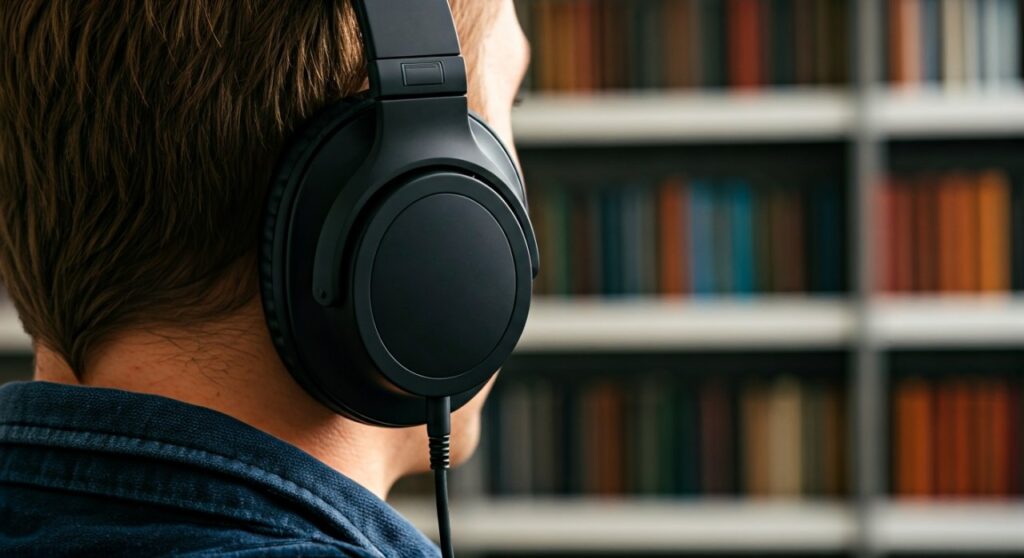
While most high-quality closed-back models keep leakage to a minimum (under 30 dB at moderate volumes), factors like a poor earpad seal, high volume levels, and worn-out cushions can cause sound to “spill” out and disturb others nearby.
Key Takeaways: Understanding Sound Leakage
If you are in a hurry, here are the essential facts about why and how over-ear headphones leak sound:
- Design is King: Closed-back headphones offer the best isolation; open-back headphones leak sound by design.
- The Seal Matters: Gaps caused by glasses or thick hair significantly increase leakage.
- Volume Threshold: Most leakage becomes audible to others once the volume exceeds 60-70% of the device’s maximum output.
- Pads Influence Isolation: Protein leather (pleather) and genuine leather pads leak less sound than velour or fabric pads.
- Distance Factor: At a distance of 3 feet, leakage from closed-back headphones is usually indistinguishable from ambient room noise.
Why Do Over-Ear Headphones Leak Sound?
The physics of sound leakage in over-ear headphones (also known as circumaural headphones) boils down to acoustic isolation. When the driver inside the earcup vibrates to produce sound, those sound waves travel both toward your ear and away from it.
In closed-back designs, the outer shell is made of solid plastic, wood, or metal. This creates a physical barrier that reflects the outward-moving sound waves back into the earcup. However, no seal is 100% airtight. Sound can still escape through:
- Pressure Relief Vents: Small holes designed to prevent bass distortion and air pressure buildup.
- Earpad Porosity: Tiny pores in the material of the cushions.
- The “Glasses Gap”: The arms of eyeglasses create a small channel between the pad and your skin where sound escapes easily.
In open-back designs, the earcups have grills or mesh. This allows air and sound to move freely, preventing standing waves and heat buildup, but it also means anyone sitting next to you can hear exactly what you are listening to.
Comparison: Open-Back vs. Closed-Back Sound Leakage
| Feature | Closed-Back Over-Ear | Open-Back Over-Ear |
|---|---|---|
| Leakage Level | Very Low (10-25 dB) | High (30-50+ dB) |
| Privacy | Excellent for public use | Poor; everyone can hear your music |
| Best Environment | Offices, Airplanes, Libraries | Quiet home listening rooms |
| Soundstage | “Inside-the-head” feeling | Wide, natural, and “airy” |
| Material Seal | Solid plastic/metal shells | Metal mesh or open grills |
Factors That Increase Sound Spillage
Based on my professional testing with various models like the Sony WH-1000XM5 and the Sennheiser HD 600, several variables determine how much sound your colleagues or neighbors will hear.
Volume Levels and Decibels (dB)
This is the most obvious factor. Most people listen to music at around 65-75 dB. At these levels, a quality pair of closed-back headphones will be nearly silent to others. However, if you crank the volume to 90 dB or higher, the physical vibrations become too intense for the earcup housing to contain, leading to significant “spillage.”
Earpad Material and Condition
Materials play a massive role in passive noise isolation.
- Leather/Synthetic Leather: These are non-porous and provide the best seal.
- Velour/Fabric: These are breathable, which is great for comfort, but they are acoustically porous, allowing sound to bleed through the fabric fibers.
- Worn Pads: Flaking or compressed foam loses its ability to contour to your face, creating “leakage points” around the jawline or ears.
Clamp Force and Fit
If the clamping force of the headband is too weak, the earcups won’t press firmly against your head. This leaves a gap, especially behind the ear. From my experience, headphones with swivel earcups tend to leak less because they adapt better to different head shapes compared to fixed-hinge models.
Step-by-Step Guide: How to Test Your Headphones for Sound Leakage
To determine if your over-ear headphones leak sound too much for your specific environment, follow this professional testing protocol.
Step 1: The “Knee Test” (Quick Check)
Put your headphones on your own knee or a soccer ball. This mimics the seal of a human head. Play your music at your usual volume. If you can hear the lyrics clearly from two feet away, your headphones have high leakage.
Step 2: Use a Decibel Meter App
Download a Sound Level Meter app on your smartphone.
- Place the phone on a table in a quiet room (ambient noise around 30-35 dB).
- Wear your headphones and play a high-energy track at 70% volume.
- Have the phone 1 meter (3 feet) away.
- If the meter jumps more than 5-10 dB above the ambient noise, your headphones are leaking significantly.
Step 3: The “Recording Test”
Place your headphones on a pillow to create a seal. Place your phone’s microphone right next to the outer earcup and hit record. Play your music, then listen back to the recording. This will give you a clear idea of the “tinny” high frequencies that others usually hear when sound leaks.
How to Reduce Sound Leakage in Over-Ear Headphones
If you already own a pair of headphones and realize they are too loud for the library, try these expert-recommended fixes.
Replace Your Earpads
If you are using velour or mesh pads, swap them for protein leather or sheepskin leather pads. Brands like Dekoni Audio or Brainwavz offer replacement pads that are denser and thicker than stock pads, which can improve isolation by up to 5-8 dB.
Adjust Your EQ (Equalizer)
Sound leakage is most noticeable in the high-frequency range (treble). High frequencies have shorter wavelengths that escape through small gaps more easily. By using an EQ app to slightly lower the frequencies between 2kHz and 8kHz, you can reduce the “hissing” sound that bothers people around you without drastically lowering the perceived volume.
Check for “The Glasses Gap”
If you wear glasses, the frames break the seal of the earpad. Try using thin-frame glasses or specialized earpads with “glasses channels” (cutouts in the foam) to maintain a tighter seal against your skin.
Lower the Volume (The 60/60 Rule)
A general rule for both ear health and privacy is the 60/60 rule: listen at no more than 60% volume for no more than 60 minutes at a time. At 60% volume, almost all closed-back over-ear headphones will have zero audible leakage in a standard office environment.
Top Recommendations: Over-Ear Headphones with Minimal Leakage
If privacy is your top priority, these models have been tested and proven to offer the best acoustic isolation.
- Sony WH-1000XM5: These are widely considered the gold standard for travel and office use. The synthetic leather pads and tight tolerances in the chassis make them nearly silent to outsiders, even at higher volumes.
- Bose QuietComfort Ultra: Known for world-class Active Noise Cancellation (ANC), they also excel at passive isolation. The seal is incredibly soft but airtight.
- Sennheiser HD 280 Pro: A classic “studio” headphone. It has a very high clamping force and thick padding, specifically designed to prevent sound from leaking into a recording microphone.
- Beyerdynamic DT 770 Pro (80 Ohm): This is a closed-back legend. While it’s bulky, the solid construction ensures that very little sound escapes the earcups.
Expert Perspective: Is Some Leakage Actually Good?
While many users worry about do over-ear headphones leak sound, audiophiles often prefer the leakage. This is because open-back headphones prevent the “cluttered” sound that happens when waves bounce off a solid back.
In my years of testing audio gear, I have found that open-back models like the Hifiman Sundara or Sennheiser HD 660S2 provide a sense of space that closed-back models simply cannot match. If you are in a private home office, the leakage is a small price to pay for the massive improvement in sound quality and “imaging” (the ability to pinpoint where instruments are located).
Frequently Asked Questions (FAQs)
Do noise-canceling headphones leak less sound?
Generally, yes. Because Active Noise Cancellation (ANC) allows you to hear your music clearly at lower volumes, you are less likely to crank the volume to “drown out” the world. Lower volume naturally results in less leakage. However, the ANC technology itself does not stop sound from escaping; that is still the job of the physical earcup.
Are open-back headphones okay for the office?
No. Open-back headphones are essentially small speakers strapped to your head. In a quiet office, your coworkers will be able to hear your music clearly, which can be distracting and a breach of privacy. Always opt for closed-back or In-Ear Monitors (IEMs) for professional environments.
Why can I hear my music when I take my headphones off?
This is normal. When the headphones are not against your head, there is no seal. The sound waves can travel freely from the driver into the room. This does not necessarily mean your headphones will leak sound when you are actually wearing them.
Does higher impedance reduce sound leakage?
No, impedance (measured in Ohms) relates to how much power is needed to drive the headphones. It has no direct correlation with sound leakage. Leakage is a physical/mechanical issue related to the earcup design and earpad seal.
Can people hear my phone calls through my headphones?
If you have open-back headphones, yes, people can hear the person you are talking to. If you use closed-back headphones at a reasonable volume, your conversation remains private.









