

To effectively learn how to clean headphone pads that don’t come off, you must use a dampened (not dripping) microfiber cloth with a mild soap solution to gently wipe the surface. Since you cannot soak these pads, the secret lies in using a “low-moisture” technique and a soft-bristled brush or cotton swabs to reach crevices without allowing liquid to seep into the internal drivers.
Why Cleaning Non-Removable Pads Requires a Special Approach
Many high-end headphones, such as certain Bose models or older Sennheisers, feature ear pads that are glued or permanently clipped to the frame. Unlike user-replaceable pads, if you damage these during cleaning, you risk ruining the entire headset.
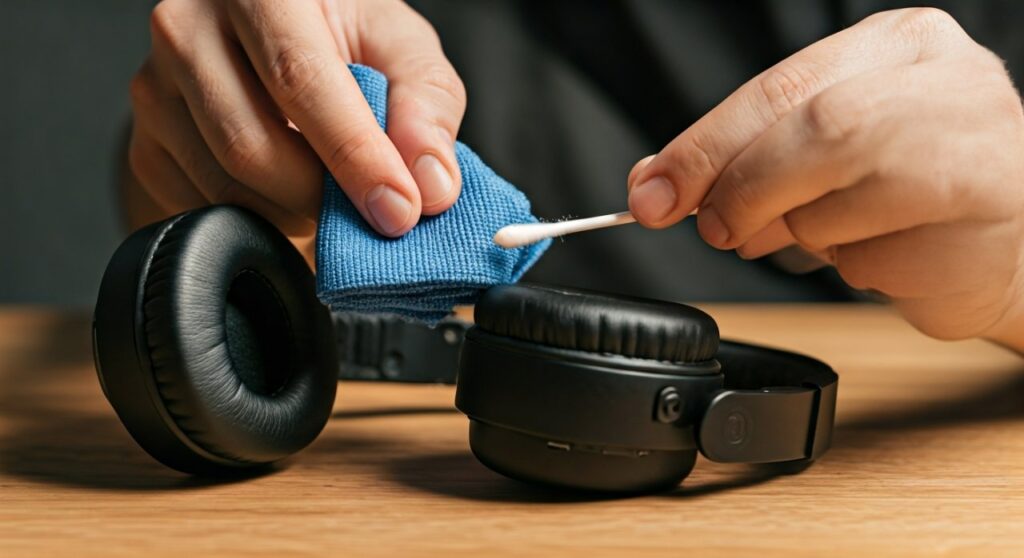
Standard cleaning methods involving soaking or heavy chemicals will dissolve the adhesives or soak the internal acoustic foam. This foam acts like a sponge, trapping moisture against the sensitive electronic drivers, which can lead to permanent hardware failure or mold growth inside the ear cup.
Key Takeaways: How to Clean Headphone Pads That Don’t Come Off
| Feature | Recommendation |
|---|---|
| Primary Tool | High-quality Microfiber cloth |
| Cleaning Agent | Diluted Dish soap or Isopropanol (70%) (Material dependent) |
| Moisture Level | Damp only; never dripping wet |
| Drying Time | 24 hours in a well-ventilated area |
| Frequency | Deep clean monthly; wipe down after every use |
The Essential Toolkit for Non-Removable Pad Maintenance
Before you begin, gather these specific tools to ensure you don’t scratch the synthetic leather or damage the electronics:
- Microfiber Cloths: Use two—one for cleaning and one for drying.
- Mild Dish Soap: Avoid soaps with heavy fragrances or moisturizers (like Dove), which leave a film.
- 70% Isopropyl Alcohol: Only for sanitizing specific spots; use sparingly on Protein Leather.
- Cotton Swabs (Q-tips): Essential for the “ditch” where the pad meets the plastic housing.
- Soft Toothbrush: Useful for fabric or velour pads to agitate trapped skin cells.
- Leather Conditioner: Specifically for real leather or high-quality PU leather to prevent cracking.
Step-by-Step Guide: How to Clean Headphone Pads That Don’t Come Off
Preparation and Dry Dusting
Begin by using a dry microfiber cloth to remove loose debris, hair, and skin flakes. If you have fabric pads, use a lint roller or a piece of Scotch tape to lift out embedded particles. This prevents you from “muddying” the dirt once you add liquid.
Creating the Cleaning Solution
Mix one drop of mild dish soap into a bowl of warm (not hot) distilled water. Distilled water is preferred because it lacks the minerals found in tap water that can leave white crusty deposits on dark headphone materials.
The Controlled Wipe-Down
Dip your cloth into the solution and wring it out until it is barely damp. Wrap the cloth around your index finger and wipe the ear pad surface in circular motions.
Expert Tip: Always hold the headphones with the ear cup facing downward. This ensures that any accidental drips fall away from the speaker driver rather than into it.
Detailing the Crevices
The area where the pad meets the plastic frame is a “hot zone” for sweat and bacteria. Dip a cotton swab into your soapy water, squeeze off the excess, and run it along these seams. This is a critical step in how to clean headphone pads that don’t come off because it targets the source of odors.
Sanitize (Optional but Recommended)
If you share your headphones or have recently been sick, lightly mist a cloth with 70% Isopropyl Alcohol and quickly wipe the surface. Warning: Do not do this frequently on synthetic leather (protein leather), as alcohol can cause the material to dry out and “flake” over time.
The Drying Phase
Use your second, dry microfiber cloth to pat the pads down. Do not rub aggressively. Leave the headphones in an open, airy space. Never use a hairdryer, as the intense heat can warp the plastic diaphragms inside the drivers or melt the adhesive holding the pads in place.
Addressing Different Material Types
Cleaning Synthetic (Protein) Leather
Most modern headphones use Protein Leather (a mix of plastic and protein). This material is prone to “peeling.” To prevent this, avoid using any oils or harsh solvents. After cleaning, applying a tiny amount of water-based protectant can extend the life of the coating.
Cleaning Fabric or Velour Pads
Fabric pads are the most difficult because they absorb sweat into the foam.
- Use a soft-bristled toothbrush to “scrub” the soapy solution into the fibers.
- Use a “blotting” motion with a dry towel to suck the moisture back out.
- Expect these to take a full 24 hours to dry completely.
Why Your Headphone Pads Smell (and How to Fix It)
The “stinky headphone” syndrome is caused by Brevibacterium, which thrives on the salt and moisture from your sweat. If a standard cleaning doesn’t remove the smell, place your headphones in a sealed container with an activated charcoal bag or a bowl of dry baking soda (do not let the powder touch the headphones) for 48 hours. This will neutralize odors without the need for liquid saturation.
Common Mistakes to Avoid
- Using Baby Wipes: Many baby wipes contain oils and scents that leave a sticky residue, attracting even more dirt.
- Submerging the Headset: This is a fatal mistake for electronics. Even “water-resistant” headphones are rarely designed for full submersion.
- Using Bleach: Bleach will instantly destroy the structural integrity of foam and synthetic leather.
- Neglecting the Headband: If your ear pads are dirty, your headband likely is too. Apply the same damp-cloth technique to the headband to prevent “forehead breakouts.”
Maintenance Tips: Keeping Non-Removable Pads Fresh
To avoid the need for deep cleaning, follow these expert-level maintenance habits:
- The Post-Session Wipe: After a long gaming session or a workout, use a dry cloth to wipe away sweat immediately.
- Storage Matters: Don’t throw your headphones in a gym bag. Store them on a headphone stand in a cool, dry place to allow the pads to breathe.
- Avoid Hair Products: Gels and oils are the primary enemies of ear pad longevity. If possible, wipe your skin where the pads rest before putting them on.
Frequently Asked Questions
Can I use a vacuum on my headphone pads?
Yes, but only with a small brush attachment and on the lowest suction setting. This is excellent for removing dust from fabric pads, but be careful not to pull the foam away from the adhesive backing.
How often should I clean pads that don’t come off?
You should perform a light wipe-down weekly and a more thorough cleaning with soap and water once every month. If you live in a humid climate, increase this frequency to prevent mold.
What if the leather is already peeling?
Once Protein Leather starts peeling, cleaning won’t fix it. However, you can carefully pick off the remaining flakes and use a “headphone cover”—a stretchable fabric sleeve that fits over the existing pads—to maintain comfort without needing to replace the whole unit.
Is it safe to use Clorox wipes?
Most Clorox or Lysol wipes are bleach-free and safe for the exterior plastic, but the chemicals can be harsh on the thin membrane of the ear pads. It is safer to stick to diluted dish soap or specialized electronics cleaners like Whoosh!.
Can I use a steam cleaner?
No. The high temperature of the steam can melt the glue that holds the pads to the frame and may permanently damage the sensitive speaker drivers behind the pads.









