

To connect wired headphones to iPhone without adapter (specifically the standard Apple 3.5mm dongle), you must use a Bluetooth receiver, a specialized Lightning/USB-C to 3.5mm cable, or a portable DAC/Amp. While you cannot physically plug a 3.5mm jack directly into a modern iPhone port, these alternative methods eliminate the need for the flimsy white dongle while often improving sound quality.
Key Takeaways: Connecting Wired Headphones to iPhone
If you are in a hurry, here is the essential data on how to bypass the standard adapter:
| Method | Best For | Sound Quality | Portability |
|---|---|---|---|
| Bluetooth Receiver | Wireless freedom with wired gear | High (depends on codec) | High |
| Direct Replacement Cable | Headphones with detachable cables | Excellent (Lossless) | Very High |
| Portable DAC/Amp | Audiophiles and high-impedance cans | Superior (Bit-perfect) | Medium |
| Lightning/USB-C Headphones | Simplicity and convenience | Standard | High |
Why the Standard Apple Adapter Isn’t Your Only Option
Many users find the standard Apple Lightning to 3.5 mm Headphone Jack Adapter to be fragile and aesthetically unpleasing. Beyond durability concerns, the internal Digital-to-Analog Converter (DAC) in the basic dongle is limited to 24-bit/48kHz.
For users wanting to experience Apple Music Lossless or simply avoid carrying a small, easily lost accessory, alternative connection methods provide better stability and audio fidelity.
Method 1: Using a Bluetooth Receiver (The Hybrid Solution)
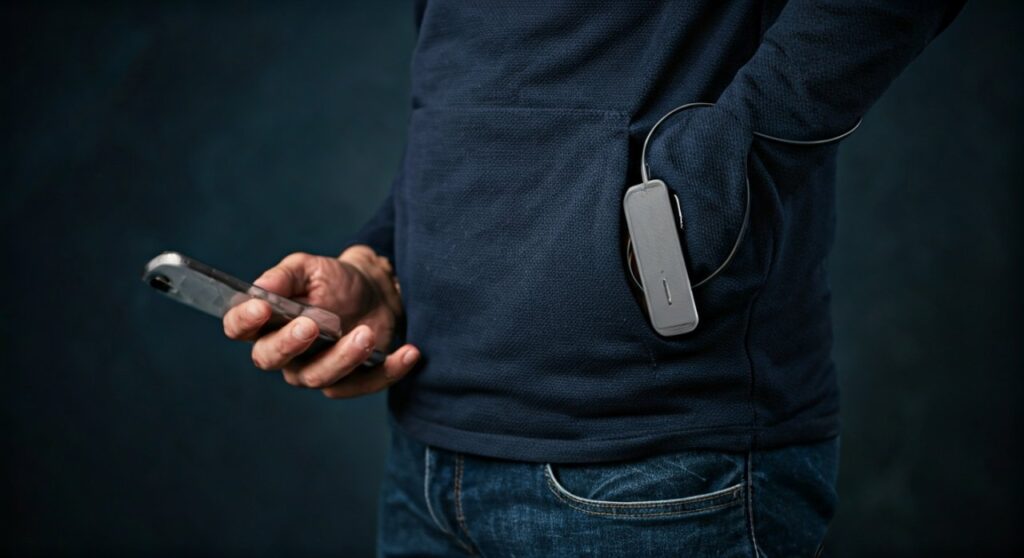
The most effective way to connect wired headphones to iPhone without adapter dangling from your phone is to use a dedicated Bluetooth Receiver. These devices act as a bridge, receiving the audio signal wirelessly from your iPhone and outputting it through a 3.5mm jack.
How to set it up:
- Power on your Bluetooth Receiver (e.g., FiiO BTR5, Qudelix-5K, or EarStudio ES100).
- Go to Settings > Bluetooth on your iPhone and pair the device.
- Plug your wired headphones directly into the 3.5mm port on the receiver.
- Clip the receiver to your pocket or shirt.
Expert Insight:
As a long-time audio tester, I have found that using a high-quality receiver like the FiiO BTR7 actually sounds better than the standard Apple dongle. These devices support the AAC codec (which iPhones use) and have much more powerful amplifiers to drive “hard-to-power” headphones.
Method 2: Specialized Direct Replacement Cables
If your headphones have a detachable cable (common in brands like Sennheiser, Bose, or Audio-Technica), you can replace the entire 3.5mm cable with one that terminates in a Lightning or USB-C connector.
Benefits of direct cables:
- No Adapter Needed: The cable plugs directly into the phone and the headphones.
- Built-in Remote: Most of these cables include an inline microphone and volume controls.
- Durability: Integrated cables are typically thicker and more robust than the thin Apple dongle.
Popular Cable Options:
- Meze Audio Lightning Upgrade Cable: Excellent for high-end headphones.
- Anker USB-C to 3.5mm Audio Cable: Perfect for iPhone 15 and newer models.
- Belkin 3.5mm Audio Cable with Lightning Connector: A MFi-certified reliable choice.
Method 3: Portable DAC/Amps for Audiophile Sound
If your goal is to connect wired headphones to iPhone without adapter while maximizing audio quality, a portable DAC (Digital-to-Analog Converter) is the gold standard.
Unlike a “dongle,” a portable DAC is a high-performance audio engine. Devices like the AudioQuest DragonFly or the iFi Hip-DAC 3 bypass the iPhone’s internal audio processing entirely.
Why choose a DAC?
- Hi-Res Audio: Supports sample rates up to 384kHz and DSD.
- Power: Can drive 300-ohm headphones that would sound quiet and “thin” on a standard adapter.
- Precision: Features high-quality components that reduce electrical interference and “hiss.”
Method 4: Connecting via USB-C (iPhone 15 & 16 Series)
With the transition of the iPhone 15 and iPhone 16 to USB-C, the ecosystem for wired audio has expanded significantly. You are no longer restricted to Apple-specific hardware.
Using Standard PC Gear:
You can now use professional USB Audio Interfaces (like the Focusrite Scarlett) or even USB-C Gaming Headsets directly with your iPhone. Simply plug the USB-C cable into the iPhone, and iOS will automatically route audio to the external device.
Pro Tip: If your iPhone 15 warns about a “High Power Device,” use a small powered USB hub to provide extra juice to your audio gear.
Comparison of Audio Solutions for iPhone
| Feature | Bluetooth Receiver | Direct Cable | Portable DAC/Amp |
|---|---|---|---|
| Wire to Phone? | No | Yes | Yes |
| Battery Needed? | Yes | No | Sometimes |
| Audio Latency | Minimal (AAC) | Zero | Zero |
| Price Range | $30 – $200 | $15 – $100 | $50 – $600 |
Troubleshooting Connection Issues
Sometimes, even with the right hardware, your iPhone might not recognize the connection. Follow these steps to resolve common issues:
Check for Debris
The most common reason for a failed connection is lint in the Lightning or USB-C port. Use a wooden toothpick to gently clean the port.
Update iOS
Apple frequently updates its MFi (Made for iPhone) authentication protocols. Ensure you are running the latest version of iOS to maintain compatibility with third-party audio devices.
Change Audio Output Settings
Open the Control Center, tap the AirPlay icon (the circles with a triangle), and manually select your connected device if it doesn’t switch automatically.
Headphone Safety Settings
If the volume is too low, go to Settings > Sounds & Haptics > Headphone Safety and ensure “Reduce Loud Sounds” is turned off.
Frequently Asked Questions (FAQs)
Can I connect wired headphones to iPhone using the charging port?
Yes, but you need a device that converts the digital signal from the Lightning or USB-C port into an analog signal for your headphones. This can be a Bluetooth receiver, a dedicated cable, or a DAC.
Is there a way to connect wired headphones wirelessly?
Yes, by using a Bluetooth Receiver. You plug your headphones into the receiver, and the receiver connects to your iPhone via Bluetooth. This is the most popular way to use wired headphones without a physical tether to the phone.
Why did Apple remove the headphone jack?
Apple removed the 3.5mm jack starting with the iPhone 7 to save internal space for larger batteries, Taptic engines, and to improve water resistance (IP67/68 ratings).
Do USB-C headphones work on the new iPhone 15?
Absolutely. Any standard USB-C headphones or USB-C to 3.5mm cables that work on a MacBook or Android phone will now work natively on the iPhone 15 and iPhone 16 series.
Does using a Bluetooth receiver reduce sound quality?
While Bluetooth involves some compression (using the AAC codec on iPhone), modern receivers like the Qudelix-5K provide audio quality that is virtually indistinguishable from a wired connection for most users.







