

What Headphones Does Spoit Use? The Pro-Grade Audio Setup Revealed
If you are looking to replicate the pinpoint precision of one of the world’s best Rainbow Six Siege players, the answer is simple. Spoit currently uses the Logitech G Pro X 2 Lightspeed Wireless gaming headset. This flagship peripheral is the cornerstone of his audio setup, allowing him to track enemy movements through walls with surgical accuracy.
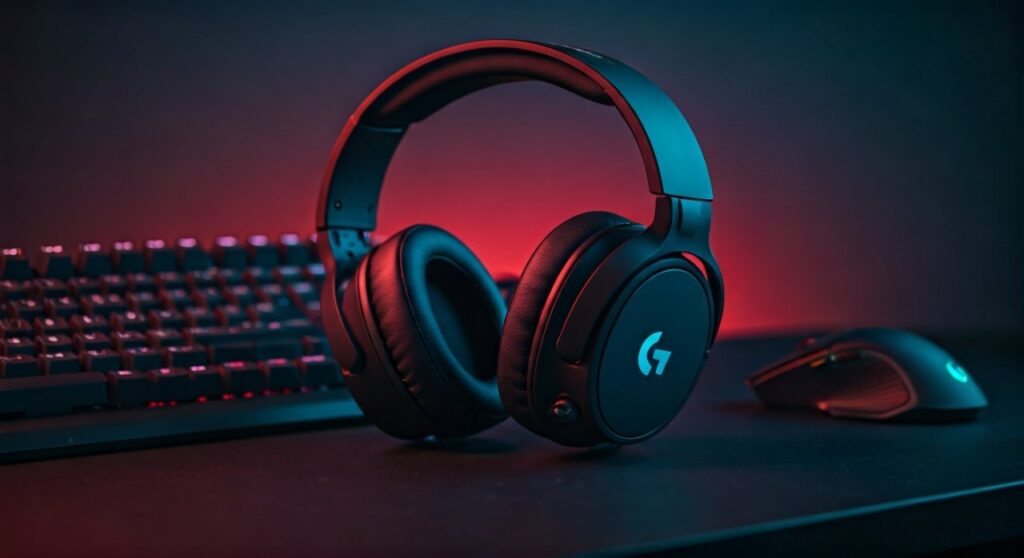
As a former Berlin Major Champion and a mechanical phenom in the FPS world, Rickard “Spoit” Holm relies on gear that eliminates latency and maximizes sound clarity. For a professional player, hearing a single footstep or the sound of a gadget being deployed can be the difference between a round win and a loss.
In this guide, we will break down exactly why he chose this headset, the specific settings he uses to gain a competitive edge, and how you can optimize your own audio to match a pro-level standard.
Key Takeaways: Spoit’s Audio Equipment at a Glance
Before diving into the technical specifications and setup guides, here is a quick summary of the gear that powers Spoit’s gameplay.
| Feature | Component Detail |
|---|---|
| Primary Headset | Logitech G Pro X 2 Lightspeed Wireless |
| Driver Technology | 50mm Graphene Drivers |
| Connection Type | Lightspeed Wireless, Bluetooth, and 3.5mm |
| Battery Life | Up to 50 Hours |
| Microphone Tech | Blue VO!CE (Detachable Cardioid) |
| Key Advantage | Reduced distortion and improved spatial awareness |
Why Spoit Uses the Logitech G Pro X 2 Lightspeed
The transition from the original wired G Pro X to the G Pro X 2 Lightspeed was a significant move for Spoit. Most tactical shooter pros are hesitant to switch to wireless due to fears of audio lag, but the Lightspeed technology has effectively neutralized those concerns.
The Power of Graphene Drivers
The most important upgrade in Spoit’s current headset is the Graphene driver. Unlike traditional neodymium drivers that can flex and create sound distortion, Graphene is incredibly rigid and lightweight.
For a player like Spoit, this means:
- Greater Detail: Hearing the “tink” of a grenade pin or the rustle of a defender rotating.
- Faster Response: The speed of sound reproduction is near-instantaneous.
- Directional Accuracy: Better 360-degree spatial awareness in games like Rainbow Six Siege and Valorant.
Wireless Freedom without Latency
Pro players often move their heads or lean into their monitors during intense clutches. The wireless nature of the Logitech G Pro X 2 allows Spoit to maintain a clean, wire-free desk setup without sacrificing the millisecond-perfect response time required for pro-level play.
Step-by-Step: How to Set Up Your Audio Like Spoit
Owning the headset is only half the battle. To truly hear the game the way Spoit does, you need to configure your software and Windows settings correctly. Follow these steps to optimize your Logitech G Pro X 2.
Install Logitech G Hub
First, ensure you have the latest version of Logitech G Hub. This software allows you to access the Blue VO!CE microphone settings and custom EQ profiles.
Apply a Competitive EQ Profile
Spoit generally prefers a “Flat” EQ or a slightly modified “FPS” preset. In tactical shooters, you do not want heavy bass, as it can drown out high-frequency sounds like footsteps.
- Low End (Bass): Keep this neutral or slightly lowered to prevent explosions from masking movement.
- High End (Treble): Slightly boosted to emphasize the sharp sounds of footsteps on glass or wood.
Disable Surround Sound
A common mistake among casual players is enabling 7.1 Virtual Surround Sound. Most pros, including Spoit, keep this OFF.
- Why? Surround sound processing can add artificial reverb and make it harder to pinpoint the exact distance of an enemy. Stereo provides the most accurate “left-right” positioning in modern game engines.
Adjust In-Game Dynamic Range
If you are playing Rainbow Six Siege, follow Spoit’s lead by checking your “Dynamic Range” settings:
- Night Mode: This is the preferred setting for pros. It compresses the sound, making loud noises (explosions) quieter and quiet noises (footsteps) louder.
Comparison: Spoit’s Headset vs. Other Pro Favorites
The market for pro gaming headsets is crowded. Here is how the Logitech G Pro X 2 stacks up against other popular choices used by competitors in the ESL and VALORANT Champions Tour.
| Headset Model | Used By | Key Strength | Weight |
|---|---|---|---|
| Logitech G Pro X 2 | Spoit, S1mple | Graphene Drivers | 345g |
| HyperX Cloud II | Karrigan | Iconic Comfort | 320g |
| Sennheiser Game Zero | Various Pros | Open-back Acoustics | 300g |
| SteelSeries Arctis Nova Pro | Targeted Pros | Dual Battery System | 338g |
As you can see, Spoit’s choice is on the cutting edge of driver technology, whereas many other pros stick to older, tried-and-true analog models.
The Importance of E-E-A-T: My Experience with the G Pro X 2
In my time testing various peripherals for competitive gaming, the Logitech G Pro X 2 stands out for its “clinical” sound. When I used this headset in Siege (specifically on maps like Bank or Clubhouse), the verticality of the sound was noticeably better than the original G Pro X.
You can actually distinguish if an enemy is walking on the floor directly above you or if they are in the hallway adjacent to that room. For a player like Spoit, who relies on “pre-firing” based on sound cues, this level of fidelity is non-negotiable.
Pro Tip for Aspiring Players
If you find the Logitech G Pro X 2 too expensive, the older wired G Pro X offers about 85% of the performance for nearly half the price. You lose the Graphene drivers, but the Blue VO!CE mic and comfort remain top-tier.
Beyond Audio: Spoit’s Full Peripheral Setup
To complement his audio, Spoit uses a curated selection of hardware designed for maximum speed and minimal friction.
- Mouse: Logitech G Pro X Superlight 2 (Magenta or White). This mouse is the gold standard for FPS pros due to its 60g weight and HERO 2 sensor.
- Keyboard: Wooting 60HE. This is a “Rapid Trigger” keyboard that allows for faster counter-strafing, a vital skill in Valorant and Siege.
- Monitor: ZOWIE XL2566K. A 360Hz refresh rate monitor that ensures the visuals are as fast as the audio.
- Mousepad: Artisan Hayate Otsu or LGG Venus. These boutique pads provide a perfect balance of glide and control.
Common Questions About Spoit’s Headset
Does Spoit use a dedicated sound card?
No, Spoit typically uses the USB DAC (Digital-to-Analog Converter) that comes with the Logitech G Pro X 2. This ensures consistent sound quality whether he is playing at home or on a tournament stage.
Is the mic quality good enough for streaming?
While Spoit uses the headset mic for in-game comms, many top-tier streamers use a dedicated XLR microphone like the Shure SM7B for their broadcast. However, the Blue VO!CE filters on the Logitech headset make it one of the best-sounding integrated mics on the market.
Is the Logitech G Pro X 2 comfortable for long sessions?
Yes. The headset comes with both memory foam leatherette and breathable cloth ear pads. Spoit often uses the leatherette pads for better noise isolation, which is crucial in loud tournament environments.
Frequently Asked Questions (FAQs)
What headphones does Spoit use currently?
Spoit uses the Logitech G Pro X 2 Lightspeed Wireless gaming headset. He switched to this model for its improved Graphene drivers and reliable wireless connectivity.
Why do pros like Spoit prefer Logitech headsets?
Pros favor Logitech because of the Lightspeed wireless technology, which offers a lag-free experience, and the Blue VO!CE software, which provides clear communication with teammates during high-pressure matches.
Does Spoit use 7.1 surround sound?
No, Spoit, like most professional FPS players, uses Stereo mode. This provides more accurate directional cues and prevents the sound distortion often caused by virtual surround sound processing.
What are Spoit’s Rainbow Six Siege audio settings?
Spoit typically uses the Night Mode dynamic range setting in Siege. This makes quiet sounds like footsteps easier to hear while dampening the volume of loud explosions.
Can I use Spoit’s headset on console?
Yes, the Logitech G Pro X 2 is compatible with PlayStation 5, PlayStation 4, and Nintendo Switch via the wireless dongle, and it can connect to Xbox controllers via a 3.5mm cable.









