

What Is Equalizer on Headphones? The Ultimate Guide to Perfect Sound
Have you ever put on a pair of premium headphones only to feel that the bass was too weak or the vocals were “muddy”? You are not alone. Even the most expensive headphones from brands like Sony, Bose, or Sennheiser have a specific “sound signature” that might not match your ears perfectly.
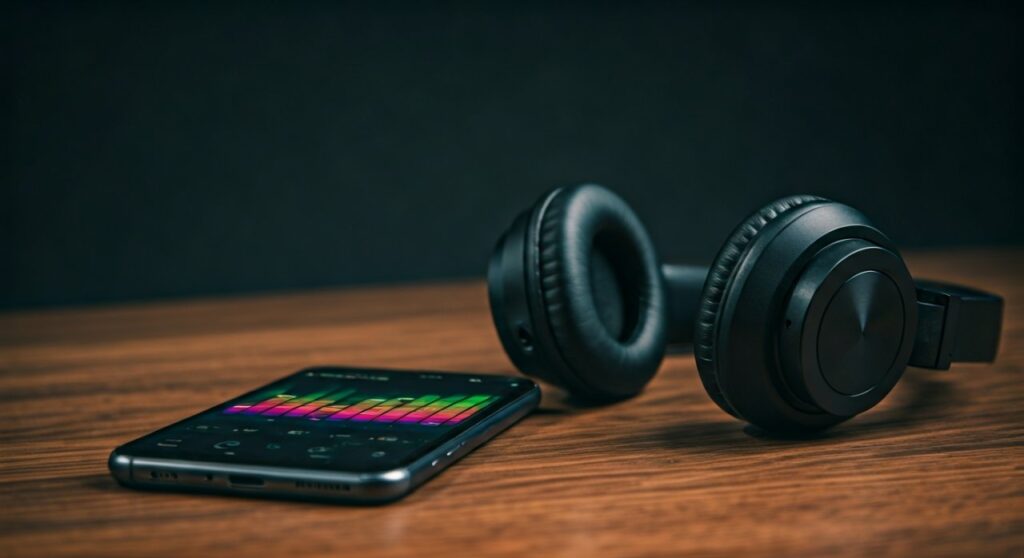
An equalizer on headphones is a digital or hardware tool that allows you to adjust the volume of specific audio frequencies. By boosting or cutting these frequencies, you can customize your listening experience, making the audio clearer, bassier, or more balanced depending on your personal taste.
Key Takeaways: Understanding Headphone EQ
If you are in a hurry, here are the essential facts about using an equalizer on headphones:
- Customization: EQ lets you change the “flavor” of your sound (e.g., adding more “thump” to EDM or clarity to Podcasts).
- Frequency Bands: Sound is divided into Bass (low), Mids (vocals/instruments), and Treble (high-pitched sounds).
- Types of EQ: Most users use Graphic EQ (sliders) or Parametric EQ (precise dots on a graph).
- Software vs. Hardware: You can EQ via apps (like Spotify or Wavelet), system settings, or dedicated hardware like a DAC/AMP.
- Expert Rule: Always try to cut frequencies you don’t like before boosting the ones you do to avoid distortion.
## The Science Behind Equalization: How It Works
To understand what is equalizer on headphones, we must look at how sound is measured. Sound travels in waves, and the speed of these waves determines the frequency, measured in Hertz (Hz).
When you use an equalizer, you are essentially acting as a conductor for your own private orchestra. You are telling the “bass section” to play louder or the “violins” to quiet down.
Understanding the Frequency Spectrum
Most human ears can hear from 20Hz to 20,000Hz (20kHz). An equalizer divides this range into “bands.”
| Frequency Range | Name | What You Hear |
|---|---|---|
| 20Hz – 60Hz | Sub-Bass | The “rumble” you feel in your chest. |
| 60Hz – 250Hz | Bass | The “punch” of a kick drum or bass guitar. |
| 250Hz – 500Hz | Low Mids | The thickness and warmth of guitars and male voices. |
| 500Hz – 2kHz | Midrange | Where most vocals and lead instruments live. |
| 2kHz – 4kHz | Upper Mids | Where the human ear is most sensitive (clarity). |
| 4kHz – 6kHz | Presence | The “snap” of a snare drum or breathiness in a singer. |
| 6kHz – 20kHz | Treble/Brilliance | The “shimmer” of cymbals and airiness of the track. |
## Why You Should Use an Equalizer on Your Headphones
In my years of testing audio gear, I have found that no headphone is truly “perfect” out of the box for every genre. Here is why equalization is a game-changer for your daily listening:
- Correcting Hardware Flaws: Some headphones have a “recessed” midrange, making singers sound like they are standing behind a curtain. A small boost at 1kHz can bring them to the front.
- Matching Music Genres: A setting that sounds great for Death Metal will likely sound terrible for Classical music. EQ allows you to swap profiles instantly.
- Protecting Your Hearing: If you find yourself turning up the volume just to hear the dialogue in a movie, you can instead boost the 2kHz – 4kHz range. This makes voices clearer without needing high, ear-damaging volumes.
- The “Harman Target” Experience: Many audiophiles use EQ to make their headphones match the Harman Target Curve, which is a scientific standard for what most people find “pleasing” to hear.
## Step-by-Step Guide: How to EQ Your Headphones
Adjusting your sound might seem intimidating, but following these steps will help you achieve professional results.
Step 1: Choose Your Tool
Depending on your device, you have different options:
- Android: Use Wavelet (highly recommended) or the built-in “Sound Quality and Effects” in Samsung settings.
- iOS (iPhone): Go to Settings > Music > EQ. Note: This only works for the Apple Music app. For system-wide EQ, you may need a hardware solution like the Qudelix-5K.
- Windows: Download Equalizer APO combined with the Peace GUI. This is the gold standard for PC audio.
- Mac: Use SoundSource or eqMac.
Step 2: Start with a “Flat” Baseline
Before moving sliders, listen to a song you know very well with all EQ settings turned off. This is your “zero point.”
Step 3: Identify the Problem
Ask yourself:
- Is it too “boomy”? (Lower the 125Hz area).
- Is it too “sharp” or “piercing”? (Lower the 8kHz area).
- Does it sound “hollow”? (Boost the 500Hz area).
Step 4: Use the “Subtractive” Method
This is an expert tip. If you want more bass, instead of cranking the bass slider up (which causes distortion), try lowering the mids and treble. This leaves “headroom” for the bass to shine through clearly.
Step 5: Fine-Tune and Test
Move the sliders in small increments (2-3 decibels at a time). Our brains take a few minutes to adjust to new sound signatures, so don’t rush the process.
## Common EQ Presets Explained
Most apps come with pre-made settings. Here is what they actually do to your audio:
- V-Shape: This is the most popular preset. It boosts Bass and Treble while lowering the Mids. It’s great for Hip-Hop, EDM, and Pop, as it makes music sound “energetic.”
- Flat / Neutral: No adjustments are made. This is how the manufacturer intended the headphones to sound.
- Bass Booster: Heavily increases frequencies below 100Hz. Use this with caution, as it can make high-end headphones sound “muddy.”
- Vocal Booster: Increases the 2kHz to 5kHz range. Perfect for Podcasts or Audiobooks.
- Treble Booster: Enhances the high frequencies. Use this if your headphones feel “dark” or “veiled.”
## Software vs. Hardware Equalization
When exploring what is equalizer on headphones, you will encounter two main types:
Software Equalizers (Apps)
These are easy to use and often free. They process the digital signal before it reaches your ears.
- Pros: Cheap, easy to change presets, thousands of community profiles available.
- Cons: Can slightly increase “latency” (delay), which might affect competitive gaming.
Hardware Equalizers (DAC/AMPs)
Devices like the Schiit Loki or the Qudelix-5K have physical knobs or dedicated chips to handle EQ.
- Pros: Zero latency, works with any source (TV, Console, Phone), usually higher sound quality.
- Cons: Expensive and requires carrying an extra device.
## Expert Tips for Achieving Audiophile Sound
As someone who has spent years chasing the “perfect” sound, here are three advanced tips for mastering your headphone EQ:
Avoid “Clipping”
If you boost a frequency too high, the digital signal will “hit the ceiling,” causing a crackling sound called clipping. To prevent this, most EQ apps have a Pre-amp slider. If you boost your bass by +5dB, you should set your Pre-amp to -5dB to keep the signal clean.
Use AutoEQ for a Headstart
There is a massive project called AutoEQ on GitHub. It contains thousands of “correction” profiles for almost every headphone on the market. Instead of guessing, you can simply load the profile for your specific model (e.g., Sony WH-1000XM4) to make it sound perfectly neutral.
Trust Your Ears, Not the Graph
A “perfect” frequency response graph might look beautiful, but if it doesn’t sound good to you, it’s wrong. Everyone’s ear canal is shaped differently, and we all lose high-frequency hearing as we age. EQ is personal.
## Frequently Asked Questions (FAQs)
Does EQ ruin my headphones?
No. Equalization is a software adjustment and will not damage your headphone drivers unless you play them at extremely high volumes with massive bass boosts for long periods.
What is the best EQ setting for gaming?
For competitive gaming (like CS:GO or Valorant), you should use a “Treble-forward” EQ. Boost frequencies between 4kHz and 8kHz to make footsteps and reload sounds more distinct. Lower the Bass to prevent explosions from drowning out vital information.
Why do some people hate using an equalizer?
Some “purists” believe you should hear music exactly as the artist recorded it. However, since every headphone changes the sound anyway, using an equalizer on headphones is actually a way to get closer to the original studio sound.
Can I use EQ on Bluetooth headphones?
Yes. Many modern Bluetooth headphones (like the Apple AirPods Pro or Sennheiser Momentum) have their own apps with built-in EQ. These settings are often saved directly onto the headphones’ chip, so they work even if you switch devices.
What is the difference between Graphic and Parametric EQ?
A Graphic EQ gives you fixed sliders (e.g., 60Hz, 1kHz, 10kHz). A Parametric EQ is more advanced; it lets you choose the exact frequency, how much to boost it, and the “Q-factor” (how wide the adjustment area is).
**
**
**
**









