

Are All Headphones Stereo? The Direct Answer
No, not all headphones are stereo, although the vast majority of modern consumer models are designed this way. While stereo sound (using two independent channels) is the standard for music and movies, you will still encounter mono headphones (single-channel) in specific professional environments, such as call centers, aviation, and communications. Additionally, some high-end gaming headsets utilize spatial audio or virtual surround sound, which transcends traditional two-channel stereo.
Understanding whether your gear is stereo is vital for spatial awareness in gaming and instrument separation in music production. If you are hearing the exact same sound in both ears without any directional cues, you might be using a mono device or have a configuration error in your software settings.
Key Takeaways: Stereo vs. Mono Headphones
Before diving into the technical mechanics, here is a quick summary of what you need to know about headphone audio channels:
| Feature | Stereo Headphones | Mono Headphones | Surround/Spatial Audio |
|---|---|---|---|
| Channel Count | 2 Channels (Left & Right) | 1 Channel (Summed) | Multiple (5.1, 7.1, or Object-based) |
| Common Use Case | Music, Movies, General Use | Call Centers, Radio, Podcasts | Competitive Gaming, Home Cinema |
| Jack Type | TRS (Two rings) or TRRS | TS (One ring) | USB, Optical, or Wireless |
| Audio Depth | High (Left/Right separation) | None (Centered sound) | Maximum (360-degree immersion) |
| Price Range | $10 – $5,000+ | $5 – $100 | $50 – $1,000+ |
How Stereo Works in Modern Headphones
To understand why are headphones stereo by default today, we have to look at how humans perceive sound. We have two ears to help us localize sound sources in a 3D environment. Stereo headphones mimic this by sending different audio signals to the left and right speakers (drivers).
The Role of Left and Right Channels
In a stereo recording, an engineer pans different instruments to different sides. For example:
- The Kick Drum and Vocals are usually dead center.
- The Guitars might be panned 50% to the left.
- The Cymbals might be panned 30% to the right.
This creates a “soundstage.” If all headphones were stereo, you would always hear this separation. However, if you plug a stereo pair into a mono jack, these signals are merged, and the “depth” of the music disappears.
Wiring and Signal Flow
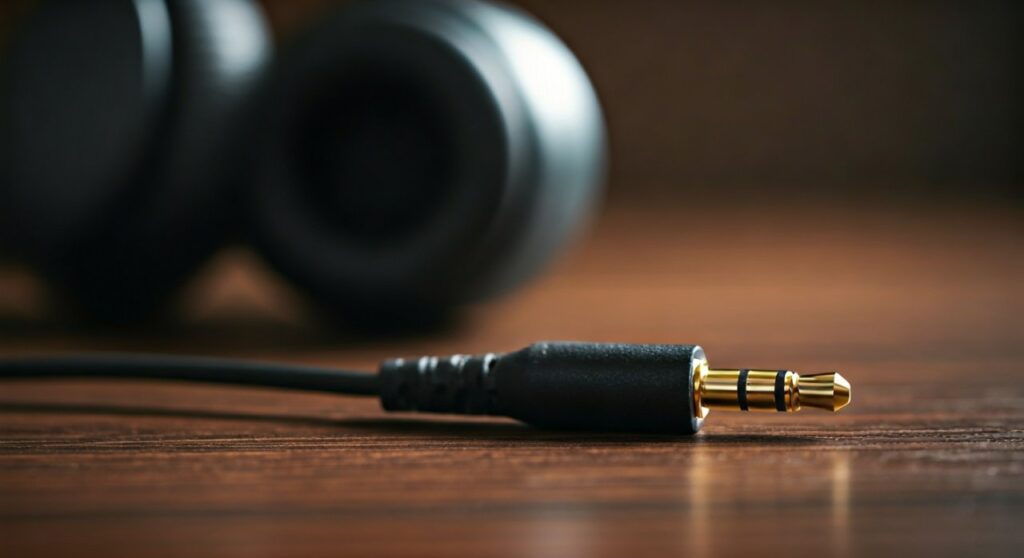
Modern headphones use copper wiring to carry these signals. In a standard 3.5mm TRS jack (Tip-Ring-Sleeve), the Tip carries the left channel, the Ring carries the right channel, and the Sleeve acts as the ground. This physical separation is what allows your headphones to remain stereo from the source to your ears.
Why Some Headphones Are Still Mono
While it may seem outdated, mono audio serves several critical functions in professional and accessibility contexts. I have frequently used mono headsets in high-noise environments where hearing the surrounding room is just as important as the audio feed.
Communication and Productivity
Single-ear headsets (often called monaural) are staples in office environments and customer service.
- They allow the wearer to hear their own voice clearly.
- They keep one ear open to hear colleagues or office alerts.
- Brands like Plantronics and Jabra specialize in these mono-driver designs.
Aviation and Radio Operations
Pilots often use mono headsets because radio transmissions are typically broadcast in mono. In these high-stakes environments, voice clarity is the priority over musical fidelity. Providing a stereo signal would simply add unnecessary complexity and weight to the communication equipment.
Accessibility for Single-Sided Deafness
For users with hearing loss in one ear, stereo headphones can be a disadvantage. If a song pans a guitar solo entirely to the “bad” ear, the listener misses it entirely. In these cases, users often toggle Mono Audio in their smartphone settings or use specialized one-ear stereo-to-mono headphones.
Identifying If Your Headphones Are Stereo
If you aren’t sure about your current pair, you can perform a few quick physical and digital checks. Based on my experience testing hundreds of audio peripherals, these are the most reliable methods.
Step 1: Check the 3.5mm Connector
Look at the metal plug at the end of your headphone cable. The “rings” (the plastic dividers) tell the story:
- One Ring (TS): This is a Mono plug. It cannot carry a stereo signal.
- Two Rings (TRS): This is the standard Stereo plug.
- Three Rings (TRRS): This is Stereo plus a Microphone channel.
Step 2: The “Left-Right” Audio Test
You can find thousands of “Stereo Test” videos on YouTube. These videos play sound exclusively in the left ear, then the right.
- If you hear sound in both ears during the “Left Only” segment, your system is set to Mono.
- If you hear nothing in one ear, you may have a broken driver or a loose connection.
Step 3: Inspect the Hardware Branding
Most consumer packaging will explicitly state “Stereo Headphones”. If the box mentions “Monaural” or “Communication Headset”, there is a high probability the device is mono. Audiophile brands like Sennheiser, Sony, and Audio-Technica almost exclusively produce stereo or surround-capable units.
Beyond Stereo: The Rise of Spatial Audio
As technology evolves, the question “are all headphones stereo” becomes more complex because we are moving toward Spatial Audio. This is no longer just “left and right”; it is about object-based positioning.
Virtual Surround Sound
Many gaming headsets from Logitech, Razer, and SteelSeries use software (like DTS Headphone:X or Dolby Atmos) to simulate a 7.1 speaker setup.
- How it works: It uses HRTF (Head-Related Transfer Functions) to trick your brain into thinking sound is coming from behind or above you.
- Hardware: While the headset still physically only has two drivers, the signal processing makes it feel much larger than standard stereo.
True Surround Headphones
In the early 2010s, brands like Razer produced “True 7.1” headphones with multiple physical drivers in each ear cup. These were bulky and expensive. Today, most experts agree that virtual spatial audio is more effective and comfortable for the average user.
Common Issues: Why Your Stereo Headphones Sound Mono
Sometimes you buy a premium pair of Sony WH-1000XM5 or Apple AirPods Max, yet they sound flat and “centered.” This is rarely a hardware defect; it is usually a software setting.
Windows/Mac Accessibility Settings
Both Windows 11 and macOS have a “Mono Audio” toggle. This is designed for people with hearing impairments, but it is often accidentally switched on.
- Windows: Go to Settings > Accessibility > Audio > Toggle Mono Audio to “Off.”
- Mac: Go to System Settings > Accessibility > Audio > Uncheck “Play stereo audio as mono.”
Improper Jack Seating
If your headphone plug is not pushed all the way into the port, the internal contacts may bridge the left and right channels together. This results in a “hollow” mono sound where the vocals might disappear entirely. Always ensure a firm click when plugging in.
Bluetooth Codec Limitations
Some older Bluetooth adapters or “Hands-Free AG Audio” modes on Windows force the audio into low-bitrate mono to save bandwidth for the microphone. If your music quality suddenly drops when you join a Zoom call, this is the reason.
Expert Advice: When to Choose Each Type
As someone who has spent years in the audio industry, I recommend choosing your gear based on your specific “mission profile.”
- For Music Lovers: Always choose Stereo. Avoid mono settings at all costs, as they destroy the artistic intent of the producer.
- For Competitive Gamers: Look for Stereo headphones with a wide soundstage or headsets that support spatial audio (Windows Sonic, Tempest 3D). This helps you hear footsteps more accurately.
- For Office/Remote Work: A Mono (Single-ear) headset is superior. It prevents “headphone fatigue” and allows you to stay aware of your household or office environment.
- For Podcasting: Stereo is preferred so you can hear the stereo imaging of your guests, but Mono is acceptable if you are only monitoring your own voice.
Frequently Asked Questions (FAQs)
Are all Bluetooth headphones stereo?
Almost all Bluetooth headphones intended for music (like Bose or Beats) are stereo. However, many Bluetooth earpieces designed purely for phone calls are mono. Additionally, when using a headset’s microphone on a PC, the audio often switches to a lower-quality mono profile.
Can I turn mono headphones into stereo?
No. Stereo requires two separate speakers and two separate signal paths. If your headphone only has one physical driver (speaker), it can never play true stereo audio. If you have a stereo pair that is stuck in mono, you can fix that via software settings.
Are stereo headphones better for gaming?
Stereo is the foundation for gaming audio. While “Surround Sound” is a popular marketing term, most pro gamers prefer a high-quality pair of stereo studio monitors (like the Beyerdynamic DT 990 Pro) combined with spatial software. This provides better imaging and accuracy than cheap multi-driver headsets.
Why does my music sound different in mono?
When you collapse a stereo track to mono, phase cancellation can occur. Instruments that were panned to opposite sides might sound quieter or “muddier” when forced into the same channel. This is why stereo headphones are essential for a high-fidelity listening experience.
How can I tell if a 3.5mm jack is mono or stereo?
Check the insulating rings on the plug. A stereo jack has two rings (creating three metal sections: Tip, Ring, Sleeve). A mono jack has only one ring (two metal sections: Tip, Sleeve).
**
**
**
**







