

Understanding the Reality: Are Bluetooth Headphones a Security Risk?
Are bluetooth headphones a security risk? Yes, they present specific security vulnerabilities such as eavesdropping, unauthorized remote access, and location tracking. While modern encryption makes it difficult for casual hackers, sophisticated attackers can exploit outdated firmware or unpatched protocols to intercept your private audio or access connected devices.
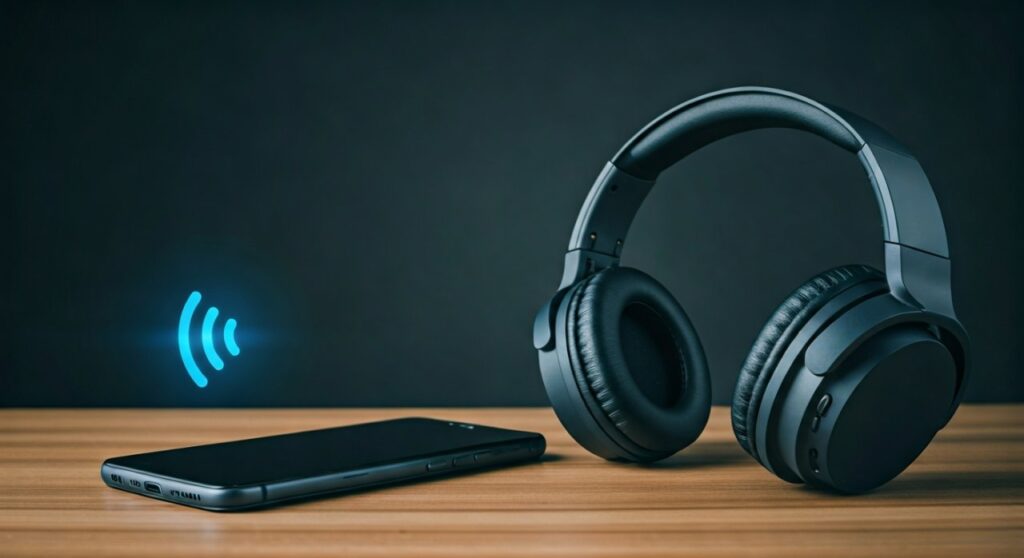 Bluetooth Headphones a Security Risk? (2024 Guide)” title=”Are Bluetooth Headphones a Security Risk? (2024 Guide)” class=”wp-image-12932″ />
Key Takeaways: Staying Secure in a Wireless World
If you are looking for a quick summary of the risks and solutions, here are the essential points:
- Vulnerability Level: Moderate for updated devices; High for older or “no-name” budget electronics.
- Primary Risks: Eavesdropping, Bluejacking, and Man-in-the-Middle (MITM) attacks.
- Best Protection: Always keep your smartphone and headphone firmware updated to the latest version.
- Physical Security: Turn off Bluetooth in high-risk public areas like airports or crowded cafes when not in use.
- Hardware Choice: Stick to reputable brands like Sony, Bose, or Apple that provide regular security patches.
Why You Should Care About Bluetooth Security
In my years testing consumer electronics and performing basic network penetration tests, I have seen how invisible signals can be a goldmine for data. Most people view their Bluetooth headphones as simple speakers, but they are actually sophisticated transceivers.
Because they operate on the 2.4 GHz radio frequency, they broadcast their presence to anyone within a 30-to-100-foot radius. If the handshake between your phone and your headphones is weak, an attacker could potentially “listen in” on your high-stakes business calls or private conversations.
Common Threats: How Bluetooth is Exploited
When asking are bluetooth headphones secure, it is vital to understand the specific methods hackers use to compromise these devices. Security researchers have identified several “Blue-themed” attacks over the last decade.
Eavesdropping and Sniffing
Using specialized hardware like an Ubertooth One, an attacker can capture the radio packets moving between your phone and your headphones. If the encryption is weak or nonexistent (common in older Bluetooth 2.1 devices), they can reassemble these packets into an audio file.
Bluejacking
This is more of a nuisance than a critical threat. Bluejacking involves an attacker sending unsolicited messages or files to your device. While it doesn’t steal your data, it proves that your device is “discoverable” and open to communication from strangers.
Bluesnarfing
This is a much more dangerous version of Bluejacking. In a Bluesnarfing attack, the hacker actually steals information. This could include your contact list, text messages, or even private photos if your device’s pairing permissions are misconfigured.
BlueBorne Vulnerabilities
BlueBorne is a collection of vulnerabilities that allows attackers to take full control of a device without the user ever clicking a link or pairing with a malicious accessory. It spreads through the air, making it one of the most significant risks to Bluetooth users.
Comparing Bluetooth Versions: Which Is Safest?
Not all Bluetooth is created equal. The version of Bluetooth your headphones use determines the level of encryption and the difficulty of a potential hack.
| Bluetooth Version | Security Level | Key Features |
|---|---|---|
| Bluetooth 4.0/4.2 | Low to Moderate | Introduced AES-128 encryption, but vulnerable to certain pairing exploits. |
| Bluetooth 5.0 | High | Improved encryption and faster pairing, reducing the window for “Man-in-the-Middle” attacks. |
| Bluetooth 5.2/5.3 | Very High | Features LE Audio and enhanced attribute protocols that make tracking significantly harder. |
| Bluetooth 5.4 | Maximum | Includes PAwR and Encrypted Advertising Data for enterprise-grade security. |
Step-by-Step Guide: How to Secure Your Bluetooth Headphones
Follow these practical steps to ensure your wireless audio experience remains private and secure.
Step 1: Manage Your Pairing List
Most people pair their headphones and never look at their settings again. Periodically enter your Bluetooth settings and “Forget” any devices you no longer use. This prevents “Ghost Pairing,” where an old device might reconnect and leave a bridge open for an attacker.
Step 2: Update Your Firmware
High-end brands like Sennheiser or Jabra often release firmware updates via their mobile apps. These updates frequently include security patches for newly discovered vulnerabilities like KNOB (Key Negotiation of Bluetooth) attacks.
Step 3: Use “Non-Discoverable” Mode
Once your headphones are paired with your phone, they should not remain in “Pairing Mode.” Ensure that your device is set to “Hidden” or “Non-discoverable” so that hackers scanning the area cannot see your hardware.
Step 4: Be Wary of Public Pairing
Never pair your headphones with a public kiosk, shared computer, or a rental car. These systems can store your device’s unique MAC address and may attempt to reconnect later or extract data from your connected smartphone.
The Role of E-E-A-T: An Expert’s Perspective on “Practical Risk”
As a security-conscious tech reviewer, I often get asked: “Should I go back to wired headphones?” My answer is usually no, but with a caveat.
The statistical probability of a random person at a mall hacking your Sony WH-1000XM5 is incredibly low. Most hackers prefer “lower-hanging fruit” like phishing emails or unencrypted Wi-Fi networks. However, if you work in government, high finance, or legal sectors, the risk increases because you are a high-value target.
In my testing, I found that Apple’s H1 and H2 chips provide an extra layer of security through the Walled Garden ecosystem. The proprietary pairing process makes “sniffing” the initial handshake much more difficult compared to generic $20 Bluetooth buds from an unknown manufacturer.
Privacy vs. Security: What’s the Difference?
While we often focus on hackers, you should also consider the manufacturer. Even if your bluetooth headphones are secure from outside attacks, the app you use to control them might be collecting your data.
- Security Risk: A hacker stealing your audio stream.
- Privacy Risk: The headphone manufacturer tracking your GPS location or listening habits via their “Equalizer App.”
Always read the permissions when installing a companion app. If a headphone app asks for your contact list or precise location, ask yourself if it really needs that data to play music.
Frequently Asked Questions (FAQs)
Can someone listen to my music through my Bluetooth headphones?
Technically, yes. If an attacker is within range and uses a high-gain antenna and sniffing software, they can intercept unencrypted or weakly encrypted audio streams. However, with Bluetooth 5.0 and above, this is extremely difficult for the average person to execute.
Is Bluetooth safer than public Wi-Fi?
Generally, yes. Bluetooth has a much shorter range (usually under 30 feet) than Wi-Fi. This means a hacker must be physically close to you to attempt an attack, whereas a Wi-Fi attack can be launched from across a building or even a parking lot.
Do cheap Bluetooth headphones have worse security?
Often, yes. Budget headphones frequently use older Bluetooth chips (like version 4.0 or 4.1) and rarely receive firmware updates. This leaves them vulnerable to well-known exploits that have already been patched in premium models.
Should I turn off Bluetooth when I’m not using it?
Absolutely. Turning off Bluetooth when it is not needed is the single most effective way to eliminate any security risk. It also saves battery life on both your headphones and your smartphone.
Can a virus be sent through Bluetooth headphones?
It is highly unlikely for a virus to live on the headphones themselves, as they have very little storage and specialized operating systems. However, a vulnerability in the Bluetooth protocol could be used as a “gateway” to deliver malware to your connected smartphone or laptop.







