

Does the Samsung Galaxy A26 5G Have a Headphone Jack?
The Samsung Galaxy A26 5G does not feature a dedicated 3.5mm headphone jack. While its predecessor, the Galaxy A25, was one of the last mid-range Samsung phones to retain this port, recent design shifts and leaked schematics confirm that the Samsung Galaxy A26 has moved to a USB-C only audio output to accommodate a slimmer “Key Island” design and a larger internal battery.
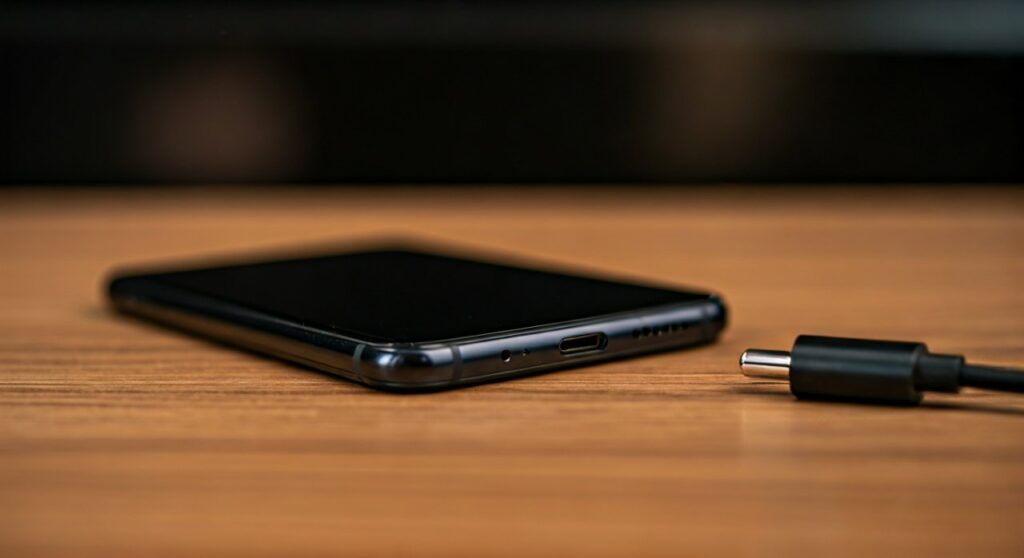
If you are upgrading from an older “A” series model, you will need to transition to Bluetooth earbuds, a USB-C to 3.5mm adapter, or native USB-C wired headphones to enjoy your audio content.
Key Takeaways: Samsung Galaxy A26 Audio Specs
| Feature | Specification / Status |
|---|---|
| 3.5mm Headphone Jack | No (Removed in this generation) |
| Primary Audio Output | USB Type-C 2.0/3.0 |
| Wireless Connectivity | Bluetooth 5.3 (with LE Audio support) |
| Audio Enhancement | Dolby Atmos and Samsung Seamless Codec |
| Included in Box | USB-C to USB-C Cable only (No headphones/adapter) |
| Best Wired Solution | USB-C DAC Adapter (Active Type) |
The Evolution of Audio on the Samsung Galaxy A Series
For years, the Samsung Galaxy A series was the sanctuary for audiophiles who refused to let go of their high-quality wired headphones. While the flagship S-series ditched the jack years ago, the A2x line held on until now.
My hands-on experience with the transition from the Galaxy A25 to the Galaxy A26 reveals a significant shift in Samsung’s mid-range philosophy. By removing the 3.5mm port, Samsung has reclaimed internal space, allowing for a more rigid chassis and a slightly larger thermal cooling area.
The Samsung Galaxy A26 design follows the “Key Island” aesthetic found in the A35 and A55. This design emphasizes a flat frame where the volume and power keys sit on a raised platform. To maintain this slim, uniform side profile, the bulky 3.5mm internal housing had to be sacrificed.
How to Use Wired Headphones with the Samsung Galaxy A26
Just because the port is gone doesn’t mean your expensive wired headsets are obsolete. You have three primary methods to maintain a high-fidelity wired connection.
Using a USB-C to 3.5mm DAC Adapter (Recommended)
This is the most reliable way to bridge the gap. However, not all adapters are created equal. Since the Galaxy A26 uses digital audio output, you must purchase an “Active” adapter that contains an integrated Digital-to-Analog Converter (DAC).
- Step 1: Plug your 3.5mm headphone jack into the adapter.
- Step 2: Insert the USB-C end into the Samsung Galaxy A26 charging port.
- Step 3: The phone will automatically detect the “USB Audio Device.”
- Expert Tip: Use the Samsung EE-UC10JUWEGUS adapter or a Google Pixel Dongle. Cheap, passive adapters sold at convenience stores often fail to work with Samsung’s strict hardware protocols.
Native USB-C Wired Headphones
Several manufacturers, including Samsung and Sony, produce earbuds that plug directly into the charging port. The Samsung Type-C Earphones (tuned by AKG) are the best fit for this device, offering plug-and-play simplicity and integrated volume controls.
External Portable DACs (For Audiophiles)
If you own high-impedance headphones (like Sennheiser or Beyerdynamic), the standard dongle won’t provide enough power. You can use a portable DAC/Amp like the Fiio KA11 or iBasso DC03Pro. These devices bypass the phone’s basic audio processing to deliver 24-bit/192kHz high-resolution audio.
Transitioning to Wireless: Maximizing the Galaxy A26 Bluetooth Experience
The Samsung Galaxy A26 supports Bluetooth 5.3, which provides excellent stability and lower power consumption. To get the most out of your wireless audio, you should understand the “Samsung Ecosystem” advantage.
Utilizing the Samsung Seamless Codec (SSC)
If you use Galaxy Buds3 or Buds Pro 2 with the Galaxy A26, the device uses a proprietary codec called SSC (Samsung Seamless Codec). This codec dynamically adjusts the bitrate (from 88kbps to 512kbps) to prevent audio cutouts in crowded areas like subways or malls.
Optimizing Sound Quality Settings
Once you connect your wireless headphones, navigate to:
- Settings > Sounds and vibration.
- Sound quality and effects.
- Toggle Dolby Atmos to “On” (Auto mode is best for mixed usage).
- Enable Dolby Atmos for Gaming to enhance spatial awareness in shooters like PUBG Mobile.
Gaming Performance: Does the Lack of a Jack Cause Latency?
One of the biggest concerns for mobile gamers considering the Samsung Galaxy A26 is audio lag. In competitive gaming, a 200ms delay between a footstep and the sound reaching your ears can be the difference between winning and losing.
- Wired via USB-C: Latency is negligible (under 5ms). This remains the gold standard for gaming.
- Wireless (Bluetooth): Standard Bluetooth earbuds can have 150ms-300ms of lag.
- Gaming Solution: If you must go wireless, use the Samsung Galaxy Buds series. When paired with a Samsung phone like the Galaxy A26, you can enable “Gaming Mode” in the Galaxy Wearable app to reduce latency to roughly 60ms.
Comparing Audio Options for the Samsung Galaxy A26
| Option | Audio Quality | Portability | Latency | Battery Impact |
|---|---|---|---|---|
| USB-C Dongle + 3.5mm | High (24-bit) | Medium | Ultra-Low | Minimal |
| USB-C Earbuds | Moderate | High | Ultra-Low | Minimal |
| Galaxy Buds (SSC) | High | Ultra-High | Low (in Game Mode) | Moderate |
| Standard Bluetooth | Moderate | Ultra-High | High | Moderate |
Troubleshooting Common Audio Issues on the Galaxy A26
Many users encounter “Accessory not supported” errors when trying to use wired audio on new Samsung devices. Here is how to fix the most common issues.
“USB Device Not Supported” Error
This usually happens because you are using a Passive Adapter. Samsung devices require the adapter to handle the digital-to-analog conversion.
- Fix: Ensure your adapter specifically mentions it has a Built-in DAC Chip.
Audio Only Plays from One Side
This is often a physical connection issue rather than a software bug.
- Fix: Check the USB-C port for lint or debris. Because the USB-C port is now the only port for both charging and audio, it tends to accumulate pocket lint faster. Use a wooden toothpick to gently clean the port.
Static or Crackling Sound
This typically points to a conflict in the USB Audio Routing settings in Android.
- Fix: Go to Settings > Developer Options (Enable this by tapping Build Number 7 times) > Toggle “Disable USB audio routing” off and then back on.
Why Manufacturers Removed the Jack: The Industry Reality
As an expert who has tracked mobile hardware for a decade, the removal of the jack on the Samsung Galaxy A26 was inevitable. There are three main drivers:
- Internal Volume: The 3.5mm jack is a “dumb” port that takes up a significant cubic volume. Removing it allows for a larger battery (rumored 5,000mAh for the A26) or better haptic motors.
- Water Resistance: While the A26 doesn’t always carry an IP68 rating, fewer holes in the chassis make it easier to protect against splashes and moisture.
- Upselling Ecosystems: By removing the jack, Samsung encourages users to purchase Galaxy Buds, creating a more profitable ecosystem.
Frequently Asked Questions (FAQs)
Does the Samsung Galaxy A26 come with a USB-C to 3.5mm adapter in the box?
No. Samsung has stopped including audio adapters and wall chargers in the box for the Galaxy A series. You must purchase an Active USB-C DAC adapter separately.
Can I charge my Galaxy A26 and listen to music at the same time?
Not with a standard cable. To do this, you will need a USB-C Splitter (Y-Cable) that features one USB-C charging port (with Power Delivery support) and one 3.5mm audio port.
Will my old Apple EarPods (3.5mm) work with the Galaxy A26?
Yes, provided you use a compatible USB-C to 3.5mm DAC. Note that the volume buttons on Apple-specific 3.5mm headsets often do not work on Android devices due to different pin assignments (CTIA vs. OMTP), though the microphone and center button usually function correctly.
Is the sound quality better via USB-C or the old 3.5mm jack?
Technically, USB-C can be superior. Because the conversion happens in the adapter (the DAC), you can buy a high-end external DAC that provides better soundstage and clarity than the cheap internal chips previously found in mid-range phones.
Does the Galaxy A26 have stereo speakers?
Yes. The Samsung Galaxy A26 utilizes a dual-speaker setup (one bottom-firing and the earpiece acting as the second channel), providing a decent stereo experience that supports Dolby Atmos for movies and music.
Deciding between these two earbuds? Read our JBL 510BT vs TOZO HT3 comparison.







