

The Ultimate Guide to Personalizing Your Audio Gear
To decorate headphones effectively, you should use non-permanent materials like washi tape, removable vinyl stickers, or crochet covers to ensure you don’t void the warranty or damage the hardware. For a more permanent look, Posca paint markers and jewelry-grade charms offer a professional-grade aesthetic that reflects your unique style and personality.
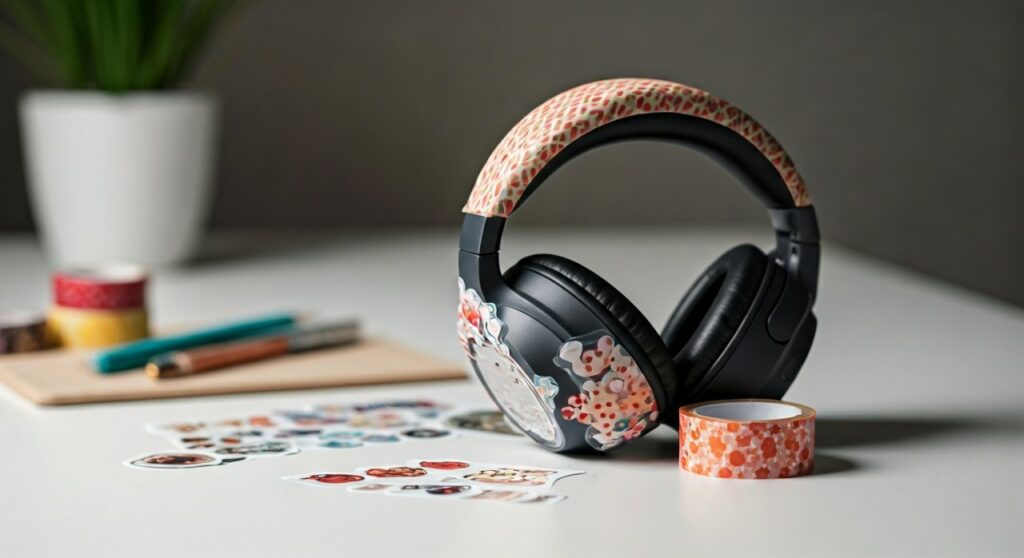
Personalizing your tech is no longer just a hobby; it is a way to stand out in a world of identical Sony WH-1000XM5 and AirPods Max units. Whether you are a gamer looking for that “kawaii” aesthetic or a professional wanting a subtle touch of elegance, this guide covers every expert technique I have tested over years of tech customization.
Key Takeaways: Quick Summary of Customization Methods
If you are in a hurry, here is a breakdown of the most popular ways to decorate headphones based on difficulty and permanence:
| Method | Permanence | Skill Level | Best For |
|---|---|---|---|
| Washi Tape | Temporary | Beginner | Changing designs weekly |
| Vinyl Stickers | Removable | Beginner | Adding logos or small icons |
| Crochet Covers | Removable | Intermediate | Protecting headbands & comfort |
| Paint Markers | Permanent | Advanced | Detailed, custom illustrations |
| 3D Attachments | Semi-Permanent | Beginner | Cat ears, horns, or wings |
| Beads & Charms | Removable | Intermediate | Y2K or “Soft Girl” aesthetics |
Step 1: Preparation and Safety Protocols
Before you learn how to decorate headphones, you must understand the “Safety First” rule for electronics. I have seen many high-end Bose QuietComfort units ruined by paint seeping into the driver housing.
Cleaning the Surface
Start by wiping down your headphones with 70% Isopropyl Alcohol and a microfiber cloth. This removes skin oils and dust, ensuring that adhesives stick properly and paint doesn’t flake off.
Protecting Critical Components
Use painter’s tape (blue tape) to cover the following areas:
- Microphone holes: Blocking these will ruin your call quality.
- Charging ports: Essential for keeping your USB-C or Lightning ports functional.
- Expansion joints: Do not decorate the parts of the headband that slide or click.
- Vents: Noise-canceling headphones use these to balance pressure.
Step 2: How to Decorate Headphones with Washi Tape
Washi tape is perhaps the most underrated tool in the DIY community. It is a Japanese paper tape that comes in thousands of patterns and, most importantly, leaves zero sticky residue.
- Select Your Pattern: Choose a tape width that matches the thinnest part of your headphone arm.
- Wrap Method: Carefully wrap the tape around the headband or the outer rim of the ear cups.
- Smooth the Edges: Use a fingernail or a plastic spudger to push down the edges so they don’t peel during use.
- Layering: You can layer different colors of Washi tape to create a “gradient” effect.
In my experience, Washi tape is the best option for students who want to change their look every semester without devaluing their expensive gear.
Step 3: Using Stickers and Vinyl Decals
Stickers are the classic answer to how to decorate headphones. However, not all stickers are created equal.
Types of Stickers to Use
- Vinyl Stickers: These are waterproof and don’t fade easily. Look for “UV-resistant” options.
- Transfer Decals: These provide a “printed on” look because they don’t have a bulky white background.
- Skinned Wrap: Companies like dbrand or Slickwraps offer precision-cut vinyl specifically for models like the AirPods Max or SteelSeries Arctis.
Pro Tip for Sticker Placement
Avoid placing stickers on the “touch control” surfaces of headphones like the Sony XM4. If your headphones use gestures (swipe up for volume), a sticker will interfere with the capacitive sensors.
Step 4: The Aesthetic Trend: Crochet and Knitted Covers
If you browse TikTok or Pinterest, you will see thousands of headphones adorned with crochet sprout leaves or frog-themed headband covers. This is the “Cozy Gaming” aesthetic.
Why Crochet Works
- Comfort: It adds extra padding to the headband, which is a common complaint for AirPods Max users.
- Washable: You can simply remove the cover and throw it in the laundry.
- Protection: It prevents the “peeling” effect common on faux-leather headbands.
You can find patterns for “Headband Sweaters” on sites like Ravelry or buy handmade ones on Etsy. My favorite is the crochet cat ear attachment, which slides onto the band using elastic loops.
Step 5: Painting Your Headphones (Expert Level)
If you want a truly one-of-a-kind look, painting is the way to go. This is a permanent method, so proceed with caution.
Materials Needed
- Posca Acrylic Paint Markers: These are the gold standard for tech DIYs.
- Matte or Gloss Varnish: A clear coat like Mr. Super Clear or Mod Podge.
- Fine-grit Sandpaper: To lightly scuff the plastic for better paint adhesion.
The Painting Process
- Light Sanding: Gently rub the surface to remove the factory shine.
- Base Coat: Apply a thin layer of primer if you are using a light color on dark plastic.
- Detailed Illustration: Use your Posca pens to draw your design. I recommend starting with simple geometric shapes or floral patterns.
- Sealing: This is the most important step. Without a sealant, the paint will rub off on your hands within a week. Apply two thin coats of varnish.
Step 6: Adding 3D Attachments and Charms
Sometimes, how to decorate headphones isn’t about the surface, but about the silhouette.
- Cat Ears & Devil Horns: These are usually made of silicone and attach via a strap. Brands like Razer sell these as official accessories, but universal versions fit almost any brand.
- Headphone Charms: Similar to “phone charms,” these are small beads or trinkets that hang from the hinge. Use a small piece of fishing line or a jump ring to attach them safely.
- Fairy Wings: 3D-printed wings that clip onto the side are becoming huge in the cosplay community.
Step 7: Essential Maintenance for Decorated Gear
Once you have decorated your headphones, you need to change how you handle them.
- Avoid Heat: High temperatures can melt sticker adhesive or cause paint to become tacky.
- Clean with Care: Do not use harsh chemicals on painted or stickered surfaces. Use a slightly damp cloth.
- Storage: If you use a hard shell case, ensure your decorations (like 3D ears) don’t get crushed when you zip it shut.
Step 8: Styles to Inspire Your Project
If you are stuck on a design, consider these trending styles:
- Y2K Aesthetic: Use rhinestones, glitter tape, and bright pink stickers.
- Cyberpunk: Metallic silver markers, industrial decals, and neon “wire” accents.
- Cottagecore: Pressed flowers (sealed with resin) and earthy-toned crochet covers.
- Minimalist: A single, high-quality vinyl monogram in a matte finish.
FAQ: Common Questions About Headphone Decoration
Does decorating my headphones void the warranty?
In most cases, yes. If you use permanent paint or glue, companies like Apple or Sony may refuse service. Stick to removable vinyl or covers if you want to keep your warranty intact.
Will stickers or paint affect the Sound Quality?
Generally, no. As long as you do not cover the noise-canceling microphones or the internal drivers, the sound will remain the same. Avoid putting heavy weights on the ear cups, as this can change the clamping force.
How do I remove sticker residue from my headphones?
If you remove a sticker and it leaves a mess, use a tiny amount of Goo Gone or olive oil on a cotton swab. Rub gently and then wipe clean with a dry cloth. Never pour liquid directly onto the device.
Can I use hot glue to attach charms?
I do not recommend hot glue. The heat can damage the plastic casing of the headphones, and the bond is often too brittle. Use Double-sided mounting tape (like 3M Command strips) for a safer, removable alternative.
Can I decorate the ear pads?
Do not paint or put stickers on the ear pads (the cushions). This will cause skin irritation and ruin the acoustic seal. Instead, buy replacement ear pads in different colors from brands like Wicked Cushions.







