

Understanding the Audio Port: What Headphone Jack Does Xbox Series X Use?
The Xbox Series X utilizes a standard 3.5mm stereo headset jack located at the bottom of the official wireless controller. This port supports both high-quality stereo audio and microphone input, allowing you to plug in almost any standard wired headset directly for an immediate gaming experience.
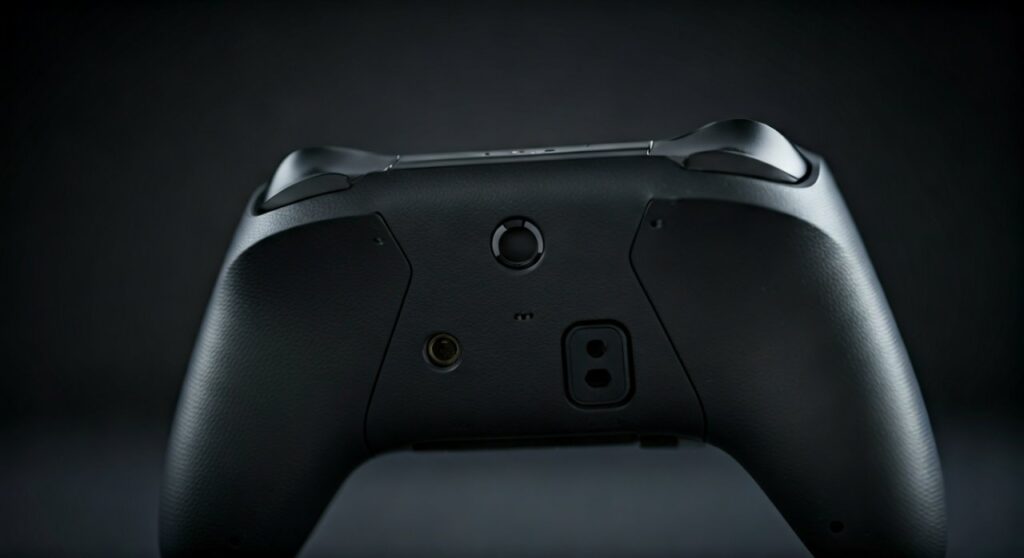 Jack Does Xbox Series X Use? (Solved)” title=”What Headphone Jack Does Xbox Series X Use? (Solved)” class=”wp-image-13404″ />
While the physical connection is straightforward, achieving the best audio quality requires understanding the specific CTIA standard that Microsoft employs. Unlike older hardware, the Xbox Series X controller is designed for “plug-and-play” simplicity, yet it hides sophisticated features like spatial sound and mic monitoring within its software settings.
Key Takeaways: Xbox Series X Audio Compatibility
| Feature | Specification |
|---|---|
| Primary Physical Jack | 3.5mm TRRS (4-pole) |
| Wiring Standard | CTIA (Cellular Telecommunications Industry Association) |
| Location | Bottom center of the Xbox Wireless Controller |
| Wireless Protocol | Xbox Wireless (Proprietary 2.4GHz / 5GHz) |
| Bluetooth Support | No direct Bluetooth audio support on the console |
| Spatial Audio Support | Windows Sonic, Dolby Atmos, DTS Headphone:X |
The Technical Breakdown of the Xbox Series X Headphone Jack
To fully understand what headphone jack does xbox series x use, we must look at the internal wiring. The 3.5mm port on your controller isn’t just a simple headphone hole; it is a TRRS (Tip-Ring-Ring-Sleeve) connector.
This 4-pole design allows the controller to transmit left audio, right audio, and microphone data simultaneously through a single cable. However, the industry is split between two standards: CTIA and OMTP.
The Xbox Series X uses the CTIA standard, where the microphone contact is on the sleeve. If you use an older headset following the OMTP standard, you will likely hear audio, but your microphone will remain silent or produce a loud buzzing sound.
Why CTIA Matters for Your Gaming Setup
Most modern headsets from brands like Razer, SteelSeries, HyperX, and Turtle Beach follow the CTIA standard. If you are using a headset originally designed for older smartphones (like older Sony or Nokia devices), you may need a CTIA-to-OMTP adapter to make the microphone functional.
In my years of testing various peripherals, I’ve found that even high-end audiophile headphones work beautifully with the Xbox Series X controller. However, because the controller drives the audio, high-impedance headphones (above 32 ohms) might sound slightly quieter than they would through a dedicated amplifier.
Step-by-Step Guide: Connecting Your Headset to Xbox Series X
Connecting your gear is the first step toward total immersion. Follow these steps to ensure your hardware is recognized correctly by the Xbox Series X system software.
Step 1: Physical Connection
Locate the 3.5mm port on the bottom of your controller, situated between the expansion port and the battery housing. Firmly insert your headset’s jack until you hear a “click.” If the connection is loose, you may experience audio cutouts or static.
Step 2: Configure Audio Settings
Once plugged in, the console should automatically detect the headset. To fine-tune your experience, press the Xbox button on your controller to open the Guide.
Navigate to the bottom right and select the Speaker icon (Audio & music). Here, you can adjust:
- Headset volume: The overall loudness.
- Headset chat mixer: The balance between game sounds and friend voices.
- Mic monitoring: How much of your own voice you hear in the headset.
Step 3: Enabling Spatial Sound
The Xbox Series X is a powerhouse for positional audio. Go to Settings > General > Volume & audio output.
Under the Headset audio column, select Headset format. I highly recommend choosing Windows Sonic for Headphones as a free baseline, or upgrading to Dolby Atmos for Headphones for a more expansive, 3D soundstage.
Wireless Alternatives: Moving Beyond the 3.5mm Jack
While the 3.5mm jack is the most common answer to what headphone jack does xbox series x use, many gamers prefer a cord-free experience. It is crucial to note that the Xbox Series X does not support standard Bluetooth audio.
The Xbox Wireless Protocol
Microsoft uses a proprietary Xbox Wireless protocol that operates on a different frequency than standard Bluetooth. This reduces latency and provides a more stable connection for high-fidelity audio.
To use a wireless headset, it must either:
- Feature the “Designed for Xbox” logo, allowing it to sync directly to the console like a controller.
- Include a dedicated USB Dongle that handles the proprietary handshake between the headset and the Xbox Series X.
USB Audio Support
The Xbox Series X has strict limitations on USB audio. Unlike a PC or PlayStation 5, you cannot simply plug any USB headset into the console’s USB-A ports. The headset must have a security chip authorized by Microsoft to work over USB.
Expert Insights: Getting the Best Audio Quality
As an expert who has spent thousands of hours in competitive shooters and cinematic RPGs, I can tell you that the Xbox Series X controller’s 3.5mm jack is surprisingly capable. However, there are “pro-tier” secrets to maximizing this port.
The Power of the Expansion Port
Next to the 3.5mm jack is a wider, rectangular port known as the Expansion Port. This was originally designed for the Xbox One Stereo Headset Adapter.
Even on the Xbox Series X, using an adapter like the Turtle Beach Audio Controller plugged into this port provides physical buttons for volume and mic mute. This is often faster than navigating the software menu mid-game.
Dealing with Interference
If you hear a “crackling” sound through the 3.5mm jack, it is rarely the jack itself. Because the audio is transmitted wirelessly from the console to the controller and then through the wire to your ears, wireless interference can affect sound quality.
- Keep your controller’s firmware updated via the Xbox Accessories app.
- Ensure there are no large metal objects or routers sitting directly between you and the console.
Comparison: Wired Jack vs. Wireless Connection
| Feature | Wired (3.5mm Jack) | Wireless (Xbox Protocol) |
|---|---|---|
| Latency | Extremely Low | Very Low (Proprietary) |
| Convenience | Plug & Play | No Tangles |
| Battery Life | Drains Controller Battery | Headset has own battery |
| Cost | Budget-friendly | Usually Premium |
| Audio Quality | Depends on Headset | Consistently High |
Troubleshooting Common Xbox Series X Headset Issues
Even with the correct 3.5mm jack, you might encounter hurdles. Here is how to fix them based on common user experiences.
My Mic Isn’t Working
First, check if your headset has a physical mute switch. If that’s not the issue, ensure the Xbox Series X privacy settings allow voice communication. Go to Settings > Account > Privacy & online safety > Xbox privacy and ensure “Others can communicate with voice” is enabled.
Audio is Only Coming Out of One Ear
This is usually a physical issue. Ensure the jack is pushed all the way in. Dirt or pocket lint inside the controller’s 3.5mm port is a common culprit. A quick blast of compressed air can often solve this.
The Volume is Too Quiet
High-end headphones with high impedance (measured in Ohms) require more power than the controller can provide. If your headphones are 50 Ohms or higher, you might need a portable headphone amp or should switch to a headset specifically designed for console use.
Frequently Asked Questions (FAQs)
Can I use my Apple EarPods with the Xbox Series X?
You can hear audio, but the microphone will not work. Apple uses a non-standard version of the CTIA pinout that is incompatible with the Xbox controller’s microphone input.
Does the Xbox Series X controller have a built-in mic?
No. Unlike the PlayStation 5 DualSense controller, the Xbox Series X controller does not have an integrated microphone. You must plug a headset into the 3.5mm jack or use a wireless headset to chat.
Can I use a USB-to-3.5mm adapter on the console ports?
No. The USB ports on the Xbox Series X do not support standard USB-to-3.5mm audio adapters. All wired audio must go through the 3.5mm jack on the controller.
Does the Xbox Elite Series 2 controller use the same jack?
Yes. The Xbox Elite Series 2 and the Xbox Elite Series 2 Core both feature the same 3.5mm TRRS jack and Expansion Port as the standard Series X controller.
Will my old Xbox One headset work?
Absolutely. One of the best features of the Xbox Series X is its backward compatibility. Any headset that worked with an Xbox One controller will work perfectly with the Xbox Series X jack.







