

What Headphones Does LVNDMARK Use? The Quick Answer
The elite Escape from Tarkov streamer LVNDMARK (Tony) currently uses the Beyerdynamic DT 1990 Pro open-back studio headphones as his primary choice for competitive gaming. Known for their surgical precision and wide soundstage, these headphones allow him to track enemy footsteps with legendary accuracy.
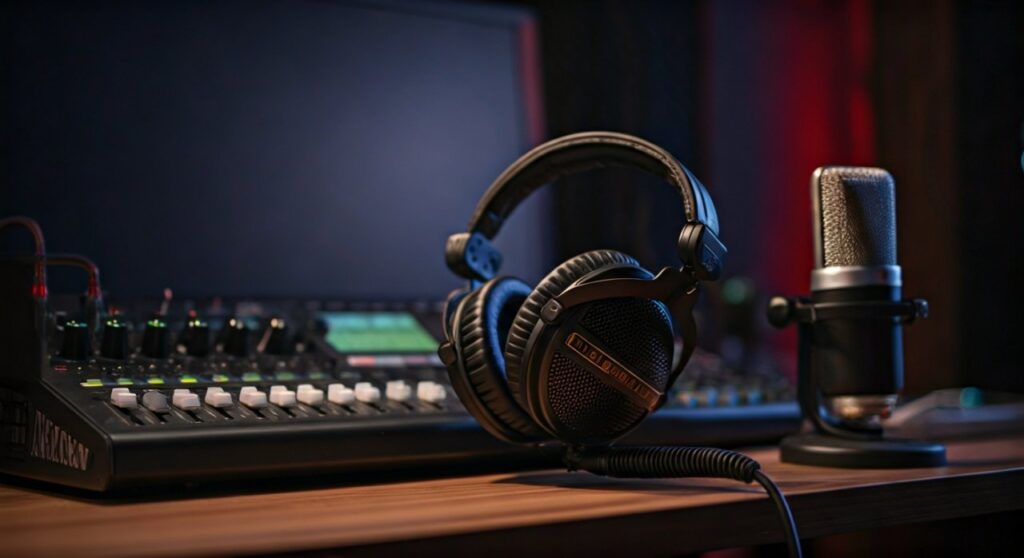
To drive these high-impedance headphones, he pairs them with the TC Helicon GoXLR mixer. This combination ensures he gets the necessary power and crystal-clear audio separation required to dominate in high-stakes tactical shooters.
Key Takeaways: LVNDMARK’s Audio Setup at a Glance
If you are looking for a quick summary of the gear that powers LVNDMARK’s immersive audio experience, refer to the table below:
| Component | Product Name | Key Feature for Gaming |
|---|---|---|
| Primary Headphones | Beyerdynamic DT 1990 Pro | 250-ohm drivers, exceptional imaging. |
| Previous Headphones | Sennheiser HD 660 S | Natural mids, great for long sessions. |
| Audio Interface | TC Helicon GoXLR | All-in-one mixer, sampler, and preamp. |
| Microphone | Shure SM7B | Industry-standard broadcast clarity. |
| Sound Profile | Open-Back | Provides a massive, realistic soundstage. |
Why LVNDMARK Relies on the Beyerdynamic DT 1990 Pro
In the world of Escape from Tarkov, audio is more than just a feature; it is a survival tool. LVNDMARK has tried numerous headsets, but he consistently returns to the Beyerdynamic DT 1990 Pro because of its technical superiority in two specific areas: imaging and resolution.
Exceptional Spatial Imaging
Imaging refers to the ability of a headphone to place a sound source accurately within a 3D space. For a player like LVNDMARK, knowing if a “rat” is lurking in the bush to his left or the floor above him is the difference between life and death. The DT 1990 Pro excels at pinpointing these micro-noises.
Analytical Sound Signature
Unlike consumer “gaming” headsets that bloat the bass, the Beyerdynamic DT 1990 Pro is a studio-grade tool. It offers a balanced, analytical sound that emphasizes the high-mid frequencies. This is where the sounds of reloading, glass crunching, and distant gunshots live.
Open-Back Design Advantages
The DT 1990 Pro features an open-back design. This means the earcups are perforated, allowing air and sound to pass through. This prevents the “closed-in” feeling of traditional headsets and creates a much wider soundstage, making the game world feel vast and realistic.
The Technical Specs: Understanding the Power Requirements
One mistake many fans make when trying to replicate LVNDMARK’s setup is plugging these headphones directly into a PC motherboard. The Beyerdynamic DT 1990 Pro has an impedance of 250 Ohms.
Most standard PC audio jacks cannot provide enough voltage to drive 250-ohm drivers efficiently. If you do not use an external Amplifier or a high-quality Audio Interface like the GoXLR, the audio will sound quiet, thin, and lacking in detail.
LVNDMARK uses the GoXLR, which contains a built-in amplifier powerful enough to drive these professional cans. This setup ensures that he hears every leaf crunch even at lower system volumes, protecting his hearing while maintaining a competitive edge.
Comparison: DT 1990 Pro vs. Sennheiser HD 660 S
Before settling on the Beyerdynamics, LVNDMARK was frequently seen wearing the Sennheiser HD 660 S. Both are top-tier audiophile choices, but they offer different experiences.
| Feature | Beyerdynamic DT 1990 Pro | Sennheiser HD 660 S |
|---|---|---|
| Sound Profile | Bright, Analytical, Aggressive | Warm, Natural, Intimate |
| Treble Detail | Very High (Sharp) | Smooth (Relaxed) |
| Build Quality | Steel and Heavy-Duty Plastic | High-Quality Plastic (Lighter) |
| Impedance | 250 Ohms | 150 Ohms |
| Best For | Competitive Tracking | Long-term comfort and Music |
While the HD 660 S is more comfortable for 12-hour streams due to its lighter weight, the DT 1990 Pro offers a “sharper” detail retrieval that many Tarkov pros prefer for detecting subtle movement.
Step-by-Step Guide: How to Achieve LVNDMARK’s Audio Quality
If you want to hear exactly what LVNDMARK hears, follow this step-by-step guide to setting up a professional-grade gaming audio chain.
Step 1: Invest in Open-Back Studio Headphones
Skip the “7.1 Surround Sound” marketing gimmicks found on plastic gaming headsets. Purchase a pair of Beyerdynamic DT 1990 Pro or the more budget-friendly DT 990 Pro.
Step 2: Add a Dedicated DAC/Amp
You need a way to power your headphones.
- High End: Follow LVNDMARK’s lead and get a TC Helicon GoXLR or a Universal Audio Apollo Solo.
- Budget Friendly: Look for a Fiio E10K or a Schiit Magni/Modi stack.
Step 3: Configure Your In-Game Settings
In Escape from Tarkov, LVNDMARK typically keeps his in-game audio settings clean.
- Binaural Audio: He usually keeps this ON to assist with 360-degree vertical and horizontal positioning.
- Volume: Master volume is usually at 100%, with interface sounds turned down to prevent distractions.
Step 4: Use a High-Quality Microphone
Part of the “LVNDMARK experience” is his voice quality. He uses the Shure SM7B paired with a Cloudlifter CL-1 for extra gain. This ensures his teammates hear his callouts clearly without background keyboard noise.
Why LVNDMARK Doesn’t Use “Gaming” Headsets
You will rarely see a top-tier tactical shooter pro using a standard USB gaming headset from brands like Razer or Logitech. There are three expert reasons for this:
- Frequency Masking: Most gaming headsets boost the bass (low frequencies) to make explosions sound “cool.” Unfortunately, loud bass masks the quieter sounds of footsteps and movement.
- Soundstage Compression: Closed-back gaming headsets trap sound, making it feel like it’s coming from inside your head rather than the environment.
- Longevity: Professional studio headphones like the DT 1990 Pro are built to be repaired. Every part, from the earpads to the headband, can be replaced.
Expert Tips for Using Professional Audio in Gaming
As someone who has tested dozens of audio configurations for competitive play, I recommend the following “Information Gain” insights that go beyond just buying the gear:
- The “Brain Burn-in” Period: When you switch from a bass-heavy headset to the DT 1990 Pro, they might sound “sharp” or “thin” at first. Give your brain 48 hours to adjust to the higher treble. You will start noticing details you literally couldn’t hear before.
- Earpad Selection: The DT 1990 Pro comes with two sets of pads: “Balanced” and “Analytical.” For gaming, use the Analytical pads (the ones with fewer holes) to get the flattest response possible.
- Clean Power Matters: If you hear a “hiss” in your headphones, it’s likely electronic interference from your PC. Using an external DAC (Digital-to-Analog Converter) like the GoXLR eliminates this noise entirely.
Frequently Asked Questions (FAQs)
Does LVNDMARK use a sound compressor?
Yes, LVNDMARK utilizes the compression and EQ settings within the GoXLR software. This allows him to boost quiet sounds (footsteps) while capping the volume of loud sounds (grenades) to protect his ears.
Are the DT 1990 Pro headphones good for music?
Absolutely. They are considered some of the best headphones in the world for mixing and mastering. They provide a very “true” representation of the recording.
Can I use the DT 1990 Pro without an Amp?
You can, but it is not recommended. At 250 Ohms, they will sound very quiet on a standard smartphone or basic laptop. To reach their full potential, a dedicated amp is necessary.
What is the best budget alternative to LVNDMARK’s headphones?
The Beyerdynamic DT 990 Pro (80 Ohm or 250 Ohm version) offers a very similar sound signature to the DT 1990 Pro at a fraction of the cost. It is the most common entry point for Tarkov players looking for pro-grade audio.









