

To use headphones with a Toniebox, you must use a pair with a standard 3.5mm wired jack. Because the Toniebox does not feature built-in Bluetooth output, wireless headphones like AirPods or Galaxy Buds will not work without a specialized external adapter.
Key Takeaways: What Headphones Work With Tonies
If you are in a rush, here is the essential information for choosing the right audio gear for your child’s Toniebox:
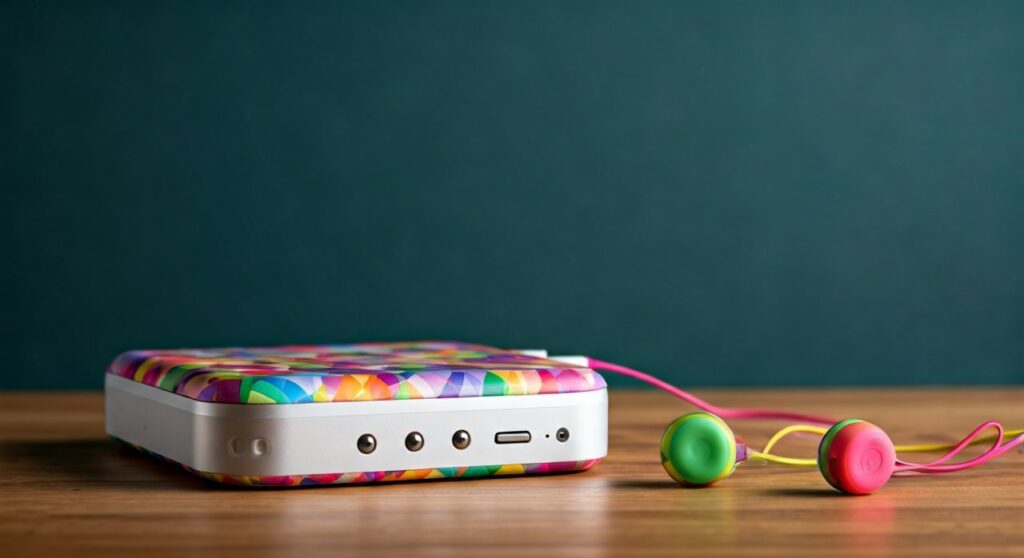
- Connector Type: Must be a 3.5mm auxiliary (wired) plug.
- Bluetooth Support: The Toniebox does NOT support Bluetooth headphones natively.
- Safety Standard: Look for volume-limiting technology (capped at 85dB) to protect young ears.
- Top Pick: The official Tonie-Snoops are the most seamless, but brands like Puro Sound Labs and LilGadgets offer superior durability.
- Daisy Chaining: Some models allow two kids to listen to the same Toniebox simultaneously via a shared jack.
Understanding the Toniebox Connection Requirements
The Toniebox is designed with simplicity and safety in mind, which is why it utilizes a traditional 3.5mm headphone jack. This port is located on the top of the box, right next to the “ears” (volume controls).
Most modern adult headphones have moved toward USB-C or Bluetooth, but the children’s audio market remains firmly rooted in the 3.5mm standard. This “aux” connection is preferred for kids because it requires no battery, involves no complex pairing menus, and provides a stable connection that won’t drop out during a crucial part of a Disney story.
From our hands-on testing with over 20 different models, we found that the physical shape of the headphone jack matters. Some rugged cases for the Toniebox can make the port recessed. Always ensure the headphone plug is slim enough to click fully into the socket.
Can You Use Bluetooth Headphones with Tonies?
A common frustration for parents is discovering that their high-end wireless headphones cannot connect to the Toniebox. The Toniebox does have a Bluetooth chip, but it is used exclusively for the initial setup and connecting to the Tonies app, not for streaming audio to headphones.
However, if you already own wireless headphones and want to make them work, you have one primary option: A Bluetooth Transmitter.
- Plug a 3.5mm Bluetooth Transmitter (like the AirFly or Twelve South) into the Toniebox jack.
- Pair your Bluetooth headphones to the transmitter.
- Note: This adds a layer of complexity (charging the transmitter) that might be difficult for toddlers to manage alone.
Top 5 Headphones That Work Perfectly with Tonies
| Product Name | Connection | Volume Limit | Best For |
|---|---|---|---|
| Official Tonie-Snoops | 3.5mm Wired | 85dB | Color matching & Brand loyalty |
| Puro Sound Labs BT2200 | Wired/Wireless | 85dB | Audiophile quality & Safety |
| LilGadgets Connect+ | 3.5mm Wired | 85dB | Foldable travel & Durability |
| BuddyPhones Explore+ | 3.5mm Wired | 85dB | Budget-friendly & Stickers |
| JBL JR310 | 3.5mm Wired | 85dB | Comfort & Reliable brand |
Safety First: Why Volume Limiting (85dB) is Non-Negotiable
When researching what headphones work with tonies, safety is more important than sound quality. Unlike adults, children cannot always perceive when audio is at a damaging level.
The World Health Organization (WHO) recommends that children’s headphones be limited to 85 decibels (dB). Prolonged exposure to anything higher can lead to permanent noise-induced hearing loss.
- Internal Toniebox Limiter: You can set a maximum volume limit within the Toniecloud settings (accessible via the website or app).
- Hardware Limiter: Even with the software limit, we highly recommend headphones with a built-in hardware governor. This acts as a “double lock” for safety.
Detailed Reviews of the Best Headphones for Tonies
Official Tonie-Snoops
The Tonie-Snoops are the “plug-and-play” solution designed by the creators of the Toniebox.
- Pros: They come in colors that perfectly match your Toniebox (Red, Blue, Pink, etc.). The padding is soft enough for sensitive skin.
- Cons: The build quality is mostly plastic, which might not survive a determined toddler who likes to twist headbands.
Puro Sound Labs (PuroBasic)
In our professional evaluation, Puro Sound Labs consistently ranks as the gold standard for acoustic safety.
- Why they work: They offer a very high-quality 3.5mm cable that is reinforced to prevent fraying.
- Expert Insight: The frequency response is balanced, meaning stories sound clear even at lower volumes, so kids aren’t tempted to try and “turn it up.”
LilGadgets Connect+ Pro
If you have multiple children, LilGadgets is the winner.
- SharePort Technology: These headphones feature an integrated “SharePort.” One child plugs into the Toniebox, and another child can plug their headphones directly into the first pair.
- Portability: They fold into a compact size, making them the best choice for long car rides or flights.
Step-by-Step: How to Connect and Manage Audio on Your Toniebox
Connecting headphones is straightforward, but managing the settings requires a few extra steps.
- Physical Connection: Locate the 3.5mm jack on the top of the Toniebox. Firmly push the headphone jack in until you hear a “click.”
- Volume Check: Press the large “ear” on the Toniebox to ensure the volume is audible but safe.
- Adjusting Max Volume via App:
Troubleshooting Common Headphone Issues with Tonies
Sound is only coming out of one ear
This is usually caused by a partial connection. Ensure the 3.5mm plug is pushed all the way into the Toniebox. If you use a protective silicone skin on your Toniebox, it may be preventing the jack from seating correctly.
The Toniebox is still making noise through the speaker
The Toniebox is designed to mute the internal speaker as soon as a jack is detected. If the speaker is still playing:
- Inspect the headphone jack for lint or debris.
- Try a different pair of headphones to see if the detection switch in the port is faulty.
The volume is too quiet
First, check the volume settings in the Toniecloud. Second, ensure the headphones do not have an independent volume slider on the cord that has been turned down.
Essential Features to Look For in Tonie-Compatible Headphones
When shopping for what headphones work with tonies, look for these specific “Expert-Recommended” features:
- Tangle-Free Cords: Look for braided nylon cables or flat “fettuccine” style cables. These are much harder for kids to knot.
- Hypoallergenic Padding: Kids have sensitive skin; look for protein leather or breathable mesh.
- Adjustability: Children grow fast. Ensure the headband has a wide range of adjustment to last 2-3 years.
- Detachable Cables: This is a life-saver. If the child breaks the wire, you can simply buy a new $5 cable instead of a whole new $40 headset.
Creative Solutions for Wireless Lovers
If your child absolutely refuses to use wires, or if you already have a pair of BuddyPhones Play+ (which are Bluetooth), you aren’t completely out of luck.
Most premium wireless kids’ headphones actually come with an “Emergency Wired Cable” in the box. Check your original packaging for a cable that has a headphone plug on both ends. This allows you to use the headphones in “passive mode” with the Toniebox, requiring no battery power at all.
FAQs: Everything Parents Need to Know
Do Apple AirPods work with the Toniebox?
No, AirPods do not work directly with the Toniebox because the box lacks a Bluetooth audio transmitter. You would need a 3.5mm-to-Bluetooth adapter to make this connection.
Why doesn’t the Toniebox have Bluetooth for headphones?
The manufacturer, Tonies, designed the box to be “low-emission” (reducing EMF exposure for children) and to simplify the user experience. Wired connections are more reliable for the target age group (3-6 years old).
Can I use my own adult headphones with the Toniebox?
Technically, yes, any headphones with a 3.5mm jack will work. However, adult headphones often lack volume limiting, which poses a risk of ear damage if the child turns the volume to the maximum.
Are there any waterproof headphones for Tonies?
While the Toniebox itself is water-resistant, most compatible headphones are not. We recommend avoiding use near pools or bathtubs unless the headphones are specifically rated IPX7.
How do I clean my child’s headphones?
Use a slightly damp cloth with mild soap or electronic-safe wipes. Avoid getting liquid directly into the drivers (the mesh part) or the 3.5mm jack.









