

Understanding Why Your Headphones Pause When You Speak
Have you ever been deep in a focused work session or enjoying a high-energy playlist, only to have the sound vanish the moment you clear your throat or say “hello” to a colleague? It is an incredibly jarring experience. The primary reason why do my headphones stop playing music when i talk is a built-in “smart” feature called Speak-to-Chat, Voice Detect, or Conversation Awareness.
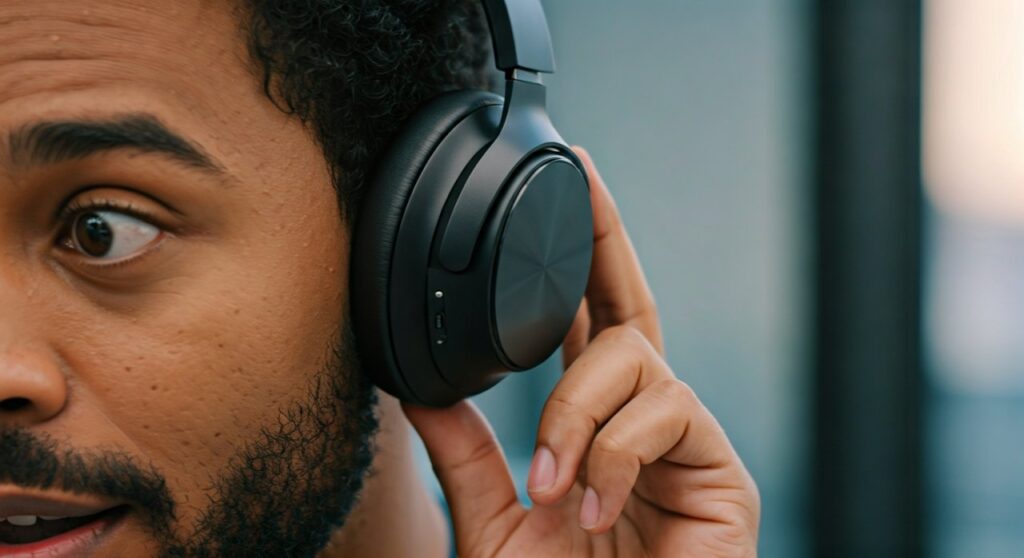
These technologies use advanced microphones and bone conduction sensors to detect your voice and automatically pause your audio. While designed for convenience, these features can often be triggered by humming, coughing, or even wind, making them feel more like a bug than a benefit. To fix this, you usually need to toggle a setting within your headphone’s companion mobile app.
Key Takeaways: Quick Fixes for Auto-Pausing Audio
If you are in a hurry, here is the essential information to stop your headphones from cutting out:
| Feature Name | Brand / Model | How to Disable It |
|---|---|---|
| Speak-to-Chat | Sony (XM4, XM5 Series) | Use Sony Headphones Connect app or hold two fingers on the right ear cup. |
| Voice Detect | Samsung Galaxy Buds | Toggle off in the Galaxy Wearable app settings. |
| Conversation Awareness | Apple AirPods Pro 2 | Go to Settings > Bluetooth > AirPods (i) or use Control Center. |
| Auto-Pause / Wear Detect | Most Brands | Disable “Pause when removed” in the device app. |
| Voice Assistant Trigger | Generic Brands | Check if your “Wake Word” (Siri/Alexa) is too sensitive. |
Why Do My Headphones Stop Playing Music When I Talk? The “Smart” Culprits
The modern audio industry is obsessed with “frictionless” experiences. Manufacturers want you to be able to talk to a cashier or a friend without reaching for your phone or your earbuds. This has led to the development of several AI-driven features that are the usual suspects when your music stops unexpectedly.
Sony’s Speak-to-Chat Feature
In my experience testing premium audio gear, Sony was the pioneer of this specific frustration. On models like the WH-1000XM5 and WF-1000XM4, the Speak-to-Chat feature is often enabled by default.
It uses the built-in microphones to recognize the specific frequency of your voice. Once it hears you, it stops the music and activates Ambient Sound Mode so you can hear the other person. However, it is notoriously sensitive and can be triggered by a simple sigh or a loud yawn.
Samsung’s Voice Detect
If you own Galaxy Buds2 Pro or newer Samsung models, you are likely dealing with Voice Detect. Similar to Sony, Samsung uses a combination of microphones and a Voice Pickup Unit (VPU). The VPU detects the vibrations of your jawbone to confirm that you are the one talking, rather than someone nearby.
Apple’s Conversation Awareness
With the release of iOS 17, Apple introduced Conversation Awareness for the AirPods Pro (2nd Generation). This feature lowers the volume of your media and enhances the voices of people in front of you while reducing background noise. If you find it annoying, it is likely because the feature is too aggressive for your daily environment.
Accidental Touch Controls
Sometimes, the issue isn’t a smart feature but a physical interaction. If you adjust your earbuds while talking, you might be hitting the capacitive touch sensors. Many headphones use a “Single Tap to Pause” gesture that is easily triggered by stray fingers or even long hair.
Step-by-Step Guide: How to Disable Auto-Pause on Popular Brands
Disabling these features is usually straightforward, but the settings are often buried deep within software menus. Follow these steps based on your specific device.
How to Fix Sony Headphones (XM4 & XM5)
Sony offers two ways to manage the why do my headphones stop playing music when i talk issue:
- Using the App: Open the Sony Headphones Connect app. Navigate to the “Sound” tab. Find the Speak-to-Chat toggle and switch it to OFF.
- Using Gestures: On the WH-1000XM5 or XM4, you can often toggle this by placing two fingers on the right ear cup and holding them there until you hear “Speak-to-Chat deactivated.”
How to Fix Samsung Galaxy Buds
- Open the Galaxy Wearable app on your paired Android phone.
- Tap on Earbuds settings.
- Locate Voice Detect.
- Toggle the switch to OFF.
- Expert Tip: If you like the feature but it’s too fast, you can often adjust the “Time to resume music” from 5 to 15 seconds.
How to Fix Apple AirPods Pro 2
- Connect your AirPods to your iPhone or iPad.
- Open Settings and tap your AirPods’ name at the top.
- Scroll down to the Audio section.
- Toggle Conversation Awareness to OFF.
- Alternatively, swipe down from the top right to open Control Center, long-press the volume bar, and tap the Conversation Awareness icon to disable it.
Technical Deep Dive: How Your Headphones Know You Are Talking
To truly understand why do my headphones stop playing music when i talk, we have to look at the hardware inside these tiny devices. It isn’t just a simple microphone listening for noise.
The Role of the Accelerometer
Most modern high-end earbuds contain an accelerometer. This sensor detects movement. When you speak, your jaw and skull vibrate. The accelerometer picks up these micro-vibrations and signals the software that a “voice event” is occurring.
MEMS Microphones and Beamforming
Manufacturers use Micro-Electro-Mechanical Systems (MEMS) microphones. These are arranged in an array to create “beams.” One beam focuses on your mouth, while others focus on the environment. By comparing the sound levels between these microphones, the headphones can distinguish between your voice and a loud bus passing by.
Bone Conduction Sensors
Brands like Bose and Samsung use bone conduction sensors to ensure the music doesn’t pause when someone else talks to you. These sensors only trigger when they feel the physical resonance of your own speech. If your music is still pausing when you aren’t talking, it might be due to a faulty sensor or a loose fit in your ear.
Other Potential Causes for Audio Pausing
If you have disabled all the “smart” features and the problem persists, you may be facing a technical glitch or a hardware limitation.
In-Ear Detection (Wear Sensors)
Most earbuds have an optical sensor that detects when the bud is in your ear. If the earbud slips slightly out of your ear canal while you are talking (because your jaw movement shifts the ear shape), the sensor thinks you have removed the earbud and pauses the music.
- Fix: Try a larger ear tip size for a more secure “lock” in the ear canal.
Multi-Point Connection Interference
If your headphones are connected to both your phone and your laptop, a notification or a “system sound” on the second device can hijack the Bluetooth priority. If you talk during a Zoom call on your laptop, the phone might pause its music to “make room” for the laptop’s audio.
- Fix: Disconnect the secondary device to see if the pausing stops.
Low Battery or Connection Drops
Bluetooth is a fragile connection. When battery levels drop below 10%, the Digital Signal Processor (DSP) inside the headphones can struggle to maintain both the audio stream and the “voice monitoring” software, leading to stutters or pauses.
Expert Tips for a Better Listening Experience
I have spent hundreds of hours troubleshooting audio equipment, and sometimes the best solution is a “middle ground” rather than turning features completely off.
- Adjust Sensitivity: In the Sony Headphones Connect app, you can change the Speak-to-Chat sensitivity to “L” (Low). This prevents it from triggering when you hum or breathe heavily but still allows it to work when you actually speak.
- Clean Your Sensors: Earwax buildup on the proximity sensors (the little black windows on the inside of the earbuds) is a common cause of “phantom” pausing. Clean them gently with a dry cotton swab once a week.
- Update Firmware: Manufacturers frequently release patches to fix “over-sensitive” voice detection. Always check your app for the latest firmware updates.
Comparing the Best “Smart” Audio Features
| Feature | Best For | Main Downside |
|---|---|---|
| Speak-to-Chat | Quick interactions in coffee shops. | Triggers if you sing along to music. |
| Conversation Awareness | Natural-feeling transparency. | Can feel “hollow” or processed. |
| Voice Detect | Samsung Ecosystem users. | Only works on Android devices. |
| Manual Transparency | Purists and professional settings. | Requires a physical button press. |
Frequently Asked Questions (FAQs)
Why do my headphones pause when I cough?
This happens because the microphones and accelerometers in your headphones mistake the sharp sound and jaw movement of a cough for the beginning of a sentence. This is especially common with Sony Speak-to-Chat and Samsung Voice Detect.
Can I use Speak-to-Chat on my PC?
Usually, no. Most “Smart” features like Speak-to-Chat require the companion app to be running or for the settings to be saved directly to the headphone’s onboard memory. If you are using your headphones with a Windows PC or Mac, you should configure the settings in the mobile app first; they will usually carry over to other devices.
Does talking with noise cancellation on hurt your ears?
No, it does not hurt your ears, but it can be disorienting. This is known as the Occlusion Effect, where your own voice sounds boomy or muffled inside your head. This is exactly why features like Transparency Mode and Speak-to-Chat were invented—to let your own voice pass through.
Why do my AirPods lower the volume when I start talking?
This is caused by Conversation Awareness, a feature found in AirPods Pro 2. It is designed to lower your music volume so you can hear the person you are speaking to without having to manually pause your media.
How do I stop my music from pausing when I take one earbud out?
This is called Automatic Ear Detection. You can disable this in your phone’s Bluetooth settings for the specific device. For AirPods, go to Settings > Bluetooth > AirPods (i) > Automatic Ear Detection and toggle it off.









