

Understanding Why Your Left Headphone Sounds Lower
If you are wondering why does my left headphone sound lower, the cause is usually related to software balance settings, debris blockage, or cable strain. In most cases, a simple adjustment in your device’s accessibility menu or a quick cleaning with isopropyl alcohol can restore full stereo sound.
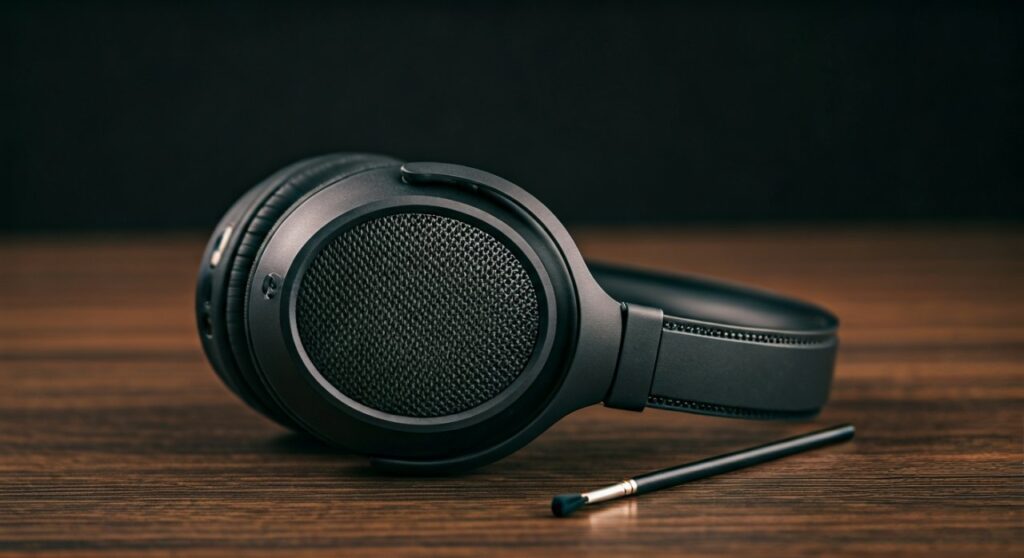
This issue, often called channel imbalance, affects everything from premium Apple AirPods to high-end Sennheiser audiophile cans. Whether the volume drop is subtle or significant, identifying if the problem is digital or physical is the first step toward a fix.
Key Takeaways: Quick Fixes for Low Volume
- Check Audio Balance: Navigate to settings on your iPhone, Android, or PC to ensure the slider isn’t shifted to the right.
- Clean the Mesh: Use a soft brush or Blu-Tack to remove earwax from the left earbud’s speaker grill.
- Reset Bluetooth: Forget the device and re-pair your wireless headphones to clear synchronization glitches.
- Inspect the Cable: For wired models, look for kinks near the 3.5mm jack or where the wire enters the ear cup.
- Mono Audio: Ensure “Mono Audio” is toggled off in your device’s Accessibility settings.
Step 1: Check Your Software Audio Balance
The most common reason why does my left headphone sound lower is an accidental change in the system’s audio balance settings. Operating systems often include a slider that lets users shift sound more toward the left or right ear.
Adjusting Balance on Windows 10/11
Windows updates can occasionally reset audio drivers, causing one channel to default to a lower volume.
- Open the Control Panel and select Sound.
- Right-click your active headphones and select Properties.
- Navigate to the Levels tab and click Balance.
- Ensure both L (Left) and R (Right) are set to the same numerical value (e.g., 100).
Adjusting Balance on macOS
Apple computers have a notorious habit of shifting the balance slider if the system detects a momentary connection glitch.
- Go to System Settings (or System Preferences).
- Click on Sound and then the Output tab.
- Select your headphones from the list.
- Locate the Balance slider and ensure it is positioned exactly in the center.
Adjusting Balance on iOS and Android
Mobile devices often hide these settings within Accessibility menus to help users with hearing impairments.
- iPhone/iPad: Go to Settings > Accessibility > Audio/Visual. Check the Balance slider.
- Android: Go to Settings > Accessibility > Hearing enhancements. Look for the Connected Audio or L/R balance slider.
Step 2: Physical Cleaning and Earwax Removal
If your software settings are centered but you still wonder why does my left headphone sound lower, the culprit is likely physical. Human ears naturally produce wax, which can migrate into the fine mesh of your earbuds.
Even a microscopic layer of wax can act as an acoustic dampener, reducing the volume of the left driver significantly. This is especially prevalent in “in-ear” style monitors like Samsung Galaxy Buds or Sony WF-1000XM5.
How to Clean Safely
- Dry Brushing: Use a clean, dry toothbrush to gently scrub the speaker mesh with the opening facing downward. This allows gravity to pull the debris out.
- Adhesive Putty: Press a small amount of Blu-Tack or specialized cleaning putty onto the grill. Pull it away quickly to lift out deep-seated wax.
- Alcohol Wipe: Dampen a cotton swab with 70% Isopropyl Alcohol. Lightly wipe the mesh, ensuring no liquid actually enters the internal housing.
| Method | Best For | Risk Level |
|---|---|---|
| Soft Brush | Loose dust and surface wax | Low |
| Adhesive Putty | Deep wax inside mesh holes | Low |
| Alcohol Swab | Sanitizing and dissolving oils | Moderate (Avoid excess liquid) |
| Compressed Air | Removing dry dust | High (Can damage delicate drivers) |
Step 3: Troubleshooting Wired Connection Issues
For those using wired headphones, the physical connection is a frequent point of failure. If the left headphone sounds lower, the signal might be meeting resistance due to a poor contact point.
Inspecting the 3.5mm Jack
Oxidation or lint inside the device’s headphone port can prevent the “Tip-Ring-Sleeve” (TRS) connector from seating properly.
- Clean the Port: Use a toothpick or a small plastic interdental brush to gently remove lint from your phone or laptop’s jack.
- Wipe the Plug: Use a microfiber cloth to clean the gold or silver-plated plug on your headphone cable.
- The “Half-Plug” Test: Slowly insert the jack. If the sound becomes balanced only when partially inserted, the port’s internal spring contacts are likely bent.
Identifying Cable Strain
Internal copper wires can fray or break while the outer plastic casing remains intact. This is common at “stress relief” points.
- Play a song with a consistent beat.
- Gently wiggle the wire near the 3.5mm plug.
- Wiggle the wire where it enters the left ear cup.
- If the volume flickers or crackles, you have a continuity issue that requires a cable replacement or soldering.
Step 4: Resolving Wireless and Bluetooth Glitches
Wireless earbuds rely on a “Master/Slave” or “Primary/Secondary” relationship, though newer models use Binaural Synchronous Transmission. Sometimes, the left earbud fails to receive the full gain signal from the source.
Resetting the Connection
A firmware glitch can cause one side to get “stuck” at a lower gain stage.
- Unpair: “Forget” the headphones in your device’s Bluetooth settings.
- Hard Reset: Most brands (like JBL or Bose) require you to hold the power/pairing button for 10-20 seconds while the buds are in the case.
- Re-pair: Reconnect to your device and test the audio levels again.
Checking for Firmware Updates
Manufacturers frequently release patches to fix stereo imbalance issues. Use the official companion app (e.g., Sony Headphones Connect or Sennheiser Smart Control) to check for pending updates.
Step 5: Understanding Hardware Failure
Sometimes, the answer to why does my left headphone sound lower is simply that the hardware is reaching its end of life.
Driver Fatigue and “Driver Flex”
The diaphragm inside your headphone is a thin membrane that vibrates to create sound. Over time, or due to a sudden pressure change (like pushing an earbud too deep), the membrane can become warped. This is known as driver flex.
- Symptoms: A crinkling sound when you insert the bud, followed by permanently lower volume.
- Fix: There is no easy software fix for a warped diaphragm. Professional repair or warranty replacement is usually necessary.
Blown Voice Coils
If you habitually listen to music at 100% volume, the voice coil in the left driver may have partially burned out. This increases the electrical resistance (impedance) of that specific driver, making it sound quieter than the healthy right side.
Step 6: Expert Tips for Prevention
As a long-time audio reviewer, I have found that 80% of volume issues are preventable with proper maintenance.
- Store in a Case: This prevents dust and lint from entering the ports and mesh.
- Avoid Moisture: Sweat is acidic and can corrode internal components. Always wipe your headphones after a workout.
- Pull the Plug, Not the Wire: When disconnecting wired headphones, always grip the hard plastic housing of the jack, never the cable itself.
- Limit Max Volume: Setting a volume limit on your device (usually found in Hearing Safety settings) protects both your ears and the headphone drivers from premature wear.
Frequently Asked Questions (FAQs)
Why does my left earbud sound quieter after a workout?
This is almost certainly due to moisture or sweat entering the mesh. The liquid creates a temporary seal that blocks sound. Place the earbud in a dry area (or use silica gel packets) for 24 hours to see if the volume returns.
Can a low battery cause one headphone to be quieter?
In some True Wireless Stereo (TWS) earbuds, if the left battery is significantly degraded compared to the right, the onboard amplifier may reduce power output to save energy, leading to lower volume.
Is it possible my hearing is the problem, not the headphones?
It is a possibility. To test this, flip your headphones around (wear the left cup on your right ear). If the “quiet” sound follows the headphone, it is a hardware issue. If the same ear still hears things quieter, you should consult an audiologist for a hearing test.
Does “Mono Audio” fix the volume imbalance?
Enabling Mono Audio combines the left and right channels into one. While this doesn’t fix the volume difference, it ensures you aren’t missing out on specific instruments or vocals that are usually panned to the left side in a stereo mix.
Should I use a “Volume Booster” app to fix this?
No. Volume booster apps often work by digitally clipping the signal, which can cause distortion and further damage your headphone drivers. It is better to fix the root cause (cleaning or settings) than to mask it with software amplification.









