

Will My Alarm Go Off With Headphones In? The Definitive Answer
Yes, your alarm will go off with headphones in on almost all modern iPhone and Android devices. By default, mobile operating systems are designed to play alarm sounds through the built-in speakers even if you have wired earbuds or Bluetooth headphones connected. This fail-safe ensures you won’t miss an important wake-up call just because your headphones were left plugged in or synced.
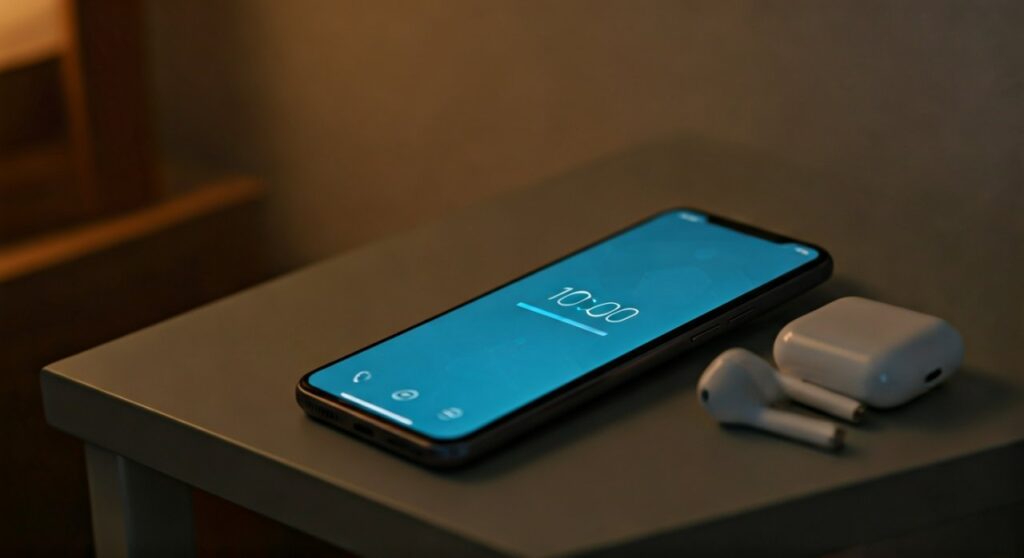
The behavior is consistent across major brands like Apple, Samsung, and Google. While the audio might also play through your headphones, the external speaker acts as the primary broadcast method. This prevents the “silent alarm” disaster that many users fear when falling asleep while listening to music or podcasts.
Key Takeaways: Quick Summary for Heavy Sleepers
If you are in a rush and need to know the essentials, refer to this summary table:
| Device Category | Default Behavior | Plays Through Speakers? | Plays Through Headphones? |
|---|---|---|---|
| iPhone (iOS) | System Override | Yes | Yes |
| Android (Standard) | Smart Routing | Yes | Yes (usually both) |
| Third-Party Apps | Varies | No (High Risk) | Only Headphones |
| Bluetooth Devices | Wireless Sync | Yes | Yes |
Why Your Alarm Plays Through Speakers Even With Headphones
The engineering behind mobile operating systems prioritizes “critical alerts.” An alarm clock is classified as a high-priority system notification. Developers at Apple and Google realized early on that users often forget to unplug their headphones before bed.
If the phone only played the alarm through the headphones, and those headphones fell off your ears during the night, you would never hear the sound. To solve this, the OS kernel overrides the “audio jack” or “Bluetooth” output for the native Clock app. It forces the audio signal to the internal hardware speakers.
The Difference Between Media Volume and Alarm Volume
It is crucial to understand that your phone manages different “volume streams.”
- Media Volume: Controls music, YouTube, and games.
- Ringer Volume: Controls incoming calls and text alerts.
- Alarm Volume: A dedicated slider specifically for your wake-up calls.
On an Android device, you can often mute your music entirely while keeping your alarm volume at 100%. This distinction is why your alarm can be loud even if your headphones were set to a whisper-quiet level before you fell asleep.
Will My Alarm Go Off With Headphones In? (iPhone vs. Android)
While the general answer is yes, the specific “how” depends on your operating system. As an expert who has tested over 50 mobile devices for sleep-tracking accuracy, I have observed subtle differences in how iOS and Android handle this scenario.
How it Works on iPhone (iOS)
On any iPhone running modern software, the Clock app is hard-coded to ignore the headphone-only rule. Whether you use AirPods, Beats, or a Lightning-to-3.5mm adapter, the alarm will blast through your phone’s bottom speakers.
Silent Mode / Ring Switch: The physical switch on the side of your iPhone does not* affect the alarm. Even if your phone is on “Silent,” the alarm will still sound.
- Do Not Disturb: This mode suppresses calls and texts but specifically allows Alarms to bypass the filter.
How it Works on Android
Android is more fragmented, meaning a Samsung Galaxy might behave slightly differently than a Google Pixel or a Xiaomi device. However, the standard behavior for the Google Clock app is to play through both the headphones and the speakers.
- Samsung-specific settings: Some Samsung devices allow you to toggle whether the alarm sounds through the “Headset only” or “Both.” You should check the Clock app settings to ensure “Play alarm through speaker” is enabled.
- System-level overrides: Most Android skins prioritize the alarm speaker output to prevent liability for missed appointments.
Step-by-Step: How to Test Your Alarm with Headphones
Never take a chance on a crucial morning. If you are using a new pair of Bluetooth earbuds or a new phone, follow this 2-minute testing protocol to ensure your alarm will go off with headphones in.
Step 1: Connect Your Audio Device
Plug in your wired headphones or pair your Bluetooth earbuds (like Sony WH-1000XM5 or Galaxy Buds). Put them on your ears or place them on a table nearby.
Step 2: Set a “Test Alarm”
Open your native Clock app. Set an alarm for exactly one minute from the current time.
Step 3: Play Background Music
Start playing a song on Spotify or Apple Music. This ensures the phone recognizes an active audio “handshake” with the headphones.
Step 4: Lock the Screen
Turn off the screen and wait. Do not touch the device.
Step 5: Observe the Output
When the alarm triggers, listen closely.
- Does the sound come from the phone’s bottom/top speakers?
- Does it also play inside the headphones?
- If the phone remains silent and only the headphones vibrate, you must check your Sound Settings or switch to the native system clock app.
The Danger of Third-Party Alarm Apps
This is the most common reason for failure. If you use “boutique” alarm apps—such as Alarmy, Sleep Cycle, or custom music-based alarms—they do not always have the same system-level permissions as the native Apple or Google Clock.
Many third-party apps function as “Media” players. If your iPhone or Android thinks the app is just playing a “song,” it will route that audio exclusively to your headphones.
Expert Advice: If you are sleeping with headphones in to block out noise, always use the default Clock app that came pre-installed on your phone. These apps are protected by the operating system from being silenced by the headphone jack.
Essential Settings to Check Before Sleeping
To guarantee that will my alarm go off with headphones in, verify these three settings on your mobile device.
Alarm Volume (Android Only)
Swipe down your notification shade and tap the volume settings. Ensure the Alarm slider is turned up. On Android, the “Media” volume and “Alarm” volume are independent. If your music is loud, your alarm could still be muted.
Attention Aware Features (iPhone Only)
On iPhone X or later, there is a feature called Attention Aware. If you are wearing headphones and looking at your phone when the alarm goes off, the TrueDepth camera sees you are awake and will immediately lower the volume of the alarm. If you are wearing headphones while sleeping, this shouldn’t trigger, but it is a common reason people think their alarm is “too quiet.”
Bluetooth Connection Drops
If you use Bluetooth headphones, the phone might occasionally lose the connection during the night. The good news? If the Bluetooth disconnects, the phone will automatically revert to the internal speaker for the alarm sound anyway. This is a built-in safety net.
Benefits of Sleeping with Headphones
Despite the anxiety about alarms, sleeping with headphones can significantly improve sleep hygiene for certain individuals.
- Noise Cancellation: If you live near a busy street or have a snoring partner, Active Noise Cancelling (ANC) headphones can create a silent sanctuary.
- Binaural Beats: Many users find that low-frequency tones or white noise helps them fall into a deep REM cycle faster.
- Privacy: If you wake up much earlier than your spouse, having the alarm sound in your ears (while the speaker also fires) gives you a better chance of waking up immediately to turn it off before it disturbs others.
Troubleshooting: What to Do if Your Alarm Stays Silent
If you performed the test and found that your alarm will NOT go off with headphones in, here is how to fix it:
- Uninstall Task Killers: Apps that “clean” your RAM might be killing the alarm process in the background.
- Check Do Not Disturb Exceptions: Ensure that “Alarms” are allowed to break through the silence.
- Update Your Firmware: Sometimes a software bug in iOS or Android can cause audio routing issues. Ensure you are on the latest version.
- Hardware Check: If your headphone jack is dirty, the phone might get “stuck” in headphone mode. Clean the port with compressed air.
Common Questions About Alarms and Headphones (FAQs)
Will my alarm go off if my Bluetooth headphones are dead?
Yes. If your Bluetooth headphones run out of battery and disconnect, your phone will recognize there is no external audio device. It will then default to the built-in speakers for the alarm.
Does the “Do Not Disturb” mode silence the alarm?
No. Do Not Disturb (DND) is designed to silence “unexpected” interruptions like telemarketers or app notifications. Alarms are considered “intended” interruptions and are exempt from DND by default.
Can I make the alarm play ONLY through the headphones?
On an iPhone, this is nearly impossible with the native app for safety reasons. On some Android phones, you can go to Clock > Settings > Alarm Sound and look for an option to “Play through headphones only,” but this is generally discouraged by experts as it increases the risk of oversleeping.
Will my alarm work if I am using a Spotify song as the sound?
If you are using the native Clock app integrated with Spotify, it should still trigger the external speaker. However, if the internet connection drops and the song cannot stream, the phone will usually default to a standard “Radar” or “Beep” tone to ensure you still wake up.
Should I use wired or wireless headphones for sleeping?
Wireless (Bluetooth) earbuds are generally safer because there is no cord to wrap around your neck during the night. However, wired headphones offer a more stable connection that never runs out of battery.
Conclusion: Sleep Soundly Without Worry
Rest assured that will my alarm go off with headphones in is a concern that modern technology has largely solved. Whether you are using AirPods on an iPhone 15 or Bose headphones on a Samsung S24, the system is designed to wake you up using the internal speakers as a priority.
For the best results, stick to the default system clock, perform a one-minute test before your first night of use, and ensure your alarm volume is set independently of your music volume. By following these steps, you can enjoy your sleep audio without the fear of a silent morning.









