Introduction
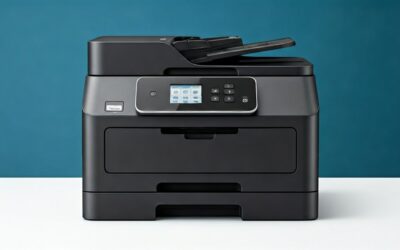
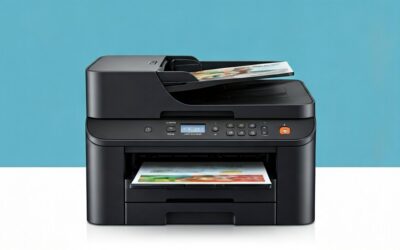
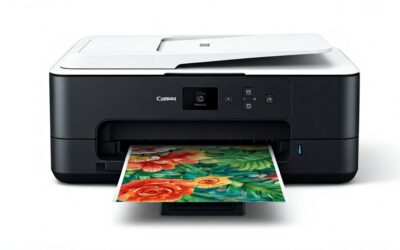
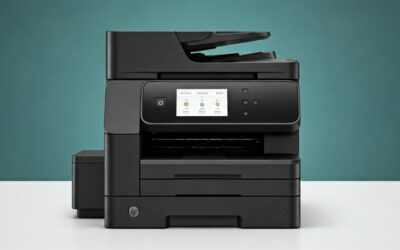
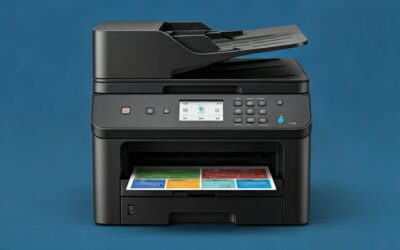
In today’s home office and remote work era, finding a reliable all-in-one printer that balances performance, cost savings, and convenience is essential. The Epson EcoTank ET-4800 stands out as a cartridge-free Supertank printer designed for high-volume printing without the recurring hassle of expensive ink cartridges. Priced at around $289, this wireless all-in-one offers printing, scanning, copying, faxing, an automatic document feeder (ADF), and Ethernet connectivity—all in a compact white design ideal for home offices.
With a solid 4 out of 5-star rating from over 5,195 Amazon reviews, the ET-4800 has garnered praise for its ink efficiency and print quality but also some criticism for build quirks and missing features like automatic duplexing. In this detailed Epson EcoTank ET-4800 review, we’ll dive into its features, real-user experiences, pros, cons, and whether it’s the right cartridge-free printer for your needs. Whether you’re tired of ink cartridge costs or seeking a versatile home office printer, read on to see if this Supertank model delivers.
Product Overview
The Epson EcoTank ET-4800 is a multifunction inkjet printer that replaces traditional cartridges with high-capacity, refillable ink tanks. Epson’s EcoFit ink bottles make refilling mess-free, and the included starter ink yields thousands of pages—up to 7,500 black-and-white and 6,000 color pages. This Supertank printer uses Micro Piezo Heat-Free Technology for sharp text, vibrant colors, and compatibility with various paper types, including photos.
Key specifications include:
- Functions: Print, scan, copy, fax with a 30-sheet ADF for multi-page documents.
- Connectivity: Wireless (Wi-Fi), Ethernet, USB, and mobile printing via Epson Smart Panel app.
- Paper Handling: Rear top-feed tray (up to 100 sheets), plus a front output tray.
- Display: 2.4-inch color LCD with adjustable tilt keypad.
- Dimensions: Compact at 14.8″ x 14.2″ x 9.1″ (W x D x H), weighing about 14.8 lbs.
- Print Speed: Up to 15.5 ppm black, 8.5 ppm color (ISO).
- Scanner: High-resolution flatbed (1200 x 2400 dpi optical).
- Ink System: Four color tanks (black, cyan, magenta, yellow) with easy-fill design.
It’s marketed as eco-friendly, reducing cartridge waste sent to landfills, making it a smart choice for environmentally conscious users seeking a wireless all-in-one printer.
Pros
The Epson ET-4800 shines in areas that matter most for everyday users, earning its popularity among home office workers and families. Here are the top advantages based on product specs and customer feedback:
- Drastically Lower Ink Costs: Say goodbye to cartridges—the high-capacity tanks provide thousands of pages from starter ink alone. One reviewer raved, “I feel you can’t go back to a cartridge machine… it holds so much ink without the bother and added expense.”
- Impressive Print Quality: Micro Piezo technology delivers crisp text and vibrant colors on plain or photo paper. Users report “colors and clarity that I expected” for documents, photos, and graphics.
- Easy Setup and Wireless Flexibility: Quick wireless connection to devices like Macs, plus Ethernet for stable networks. The Epson Smart Panel app allows remote printing, ink checks, and creative projects like collages.
- Versatile All-in-One Features: Flatbed scanner, ADF for multi-page scanning/copying, and fax capability cover all home office bases. The app even integrates with Google Classroom for assignments.
- Eco-Friendly Design: Zero cartridge waste helps the environment, aligning with sustainable printing trends.
- Affordable Upfront Price: At $289, it offers premium Supertank features without breaking the bank, with long-term savings on ink.
- User-Friendly Paper Loading: Rear top-feed slot ensures straight paper path and better alignment, especially for single sheets, as noted by a 5-star user.
Cons
No printer is perfect, and the ET-4800 has some drawbacks highlighted in reviews. Here’s an honest look at its limitations:
- No Automatic Duplex Printing: Duplexing is manual—you must flip pages yourself. Multiple users lamented, “J’aurais aimer qu’elle imprime recto et verso” (wished for duplex), and it’s a common complaint for double-sided needs.
- Flimsy Output Tray: The pull-out front tray feels cheap on an otherwise sturdy build. A reviewer advised, “I baby it a bit… take my time pulling it out.”
- Small Display and Navigation Issues: The 1″ x 1″ LCD requires multiple clicks, and some report “Invalid” beeps or glitches, like persistent paper mismatch errors after envelope printing.
- Potential Print Quality Defects: A few users experienced faint white lines worsening over time, possibly from defective rollers, leading to frustration post-return window.
- Not the Fastest for Color: Slower speeds for color-heavy jobs, and the lightweight plastic build doesn’t feel premium.
Customer Reviews Analysis
With 5,195 reviews averaging 4 stars, the Epson EcoTank ET-4800 garners enthusiasm for cost savings and reliability but mixed feedback on usability. Positive reviews (majority 4-5 stars) dominate, praising the ink system and ease of use.

Epson EcoTank ET-4800 Wireless All-in-One
As an Amazon Associate we earn from qualifying purchases. Product prices and availability are accurate as of the date/time indicated.
One detailed 5-star review highlights setup: “From wirelessly connecting to my Mac to software installation to adding the ink, it was easy… I’ve used my printer several times, and each time it has done a great job.” They appreciated the app’s features, like project ideas and Google Classroom integration, but noted the output tray’s flimsiness.
Another user echoed ink savings: “Super affordable to run… Haven’t had to think about buying ink since I got it,” while valuing the ADF and wireless printing for work-from-home and kids’ schoolwork. Print quality was “crisp” for reports and photos, though not pro-level.
Negative feedback (1-3 stars) centers on missing features and defects. A scathing 1-star review called it “HORRIBLE” after 60 days: white lines thickened despite maintenance, small display caused navigation woes, and manual duplex was misleadingly advertised. They struggled with Epson support and glitches like “Printing is suspended due to paper mismatch.”
Common themes: 80%+ love the EcoTank system, but 20% cite build quality, speed, and support issues. Reliability improves with proper paper guide use (under 100 sheets), and app troubleshooting (same Wi-Fi network). Overall, it’s a value pick for moderate users, but heavy duplex or pro users may look elsewhere.
Frequently Asked Questions
Does the Epson EcoTank ET-4800 have automatic two-sided printing?
No, it supports manual duplexing only. You’ll need to print one side, flip the paper, and reload for the other. This is a frequent complaint in reviews, so if auto-duplex is essential, consider models like the ET-5170.
How much ink does it come with, and what’s the replacement cost?
Starter ink yields up to 7,500 black/6,000 color pages. Replacement EcoFit bottles cost about $15-20 each and provide similar yields, making per-page costs pennies—far below cartridge printers.
Is setup difficult for non-tech-savvy users?
Most find it straightforward. Wireless setup via app or WPS is quick (5-10 minutes), with clear instructions for ink filling. One Mac user said it was “easy,” but ensure devices share Wi-Fi for app control.
Can it handle photo printing?
Yes, it produces impressive color photos and graphics on photo paper thanks to Micro Piezo tech. Not studio-quality, but suitable for home use like family pics or crafts.
What’s the warranty and support like?
Standard 1-year limited warranty. Epson support gets mixed reviews—some helpful, others scripted. Amazon’s return policy (30 days) is key for testing thoroughly.
Who Should Buy This Product
The Epson EcoTank ET-4800 is ideal for:
- Home Office Professionals: Needing affordable, high-volume printing/scanning without cartridge interruptions.
- Families with Kids: For school projects, coloring pages, and reports—app features like Google Classroom add value.
- Cost-Conscious Users: Printing 100+ pages/month; ink savings pay for itself quickly.
- Eco-Minded Households: Reducing waste appeals to sustainable shoppers.
Avoid if you require auto-duplex, ultra-fast color printing, or premium build. Budget under $300 makes it a strong entry-level Supertank option.
Final Verdict
The Epson EcoTank ET-4800 earns its 4-star reputation as a smart, economical all-in-one printer for home offices. Its cartridge-free system, solid print quality, and versatile features make it a standout for everyday use, backed by thousands of satisfied reviews emphasizing massive ink savings and ease. Drawbacks like manual duplex, flimsy tray, and occasional defects prevent a perfect score, but at $289, the value is compelling.
Recommendation: Buy it if you’re done with cartridge costs and need reliable multifunction printing. It’s a long-term winner for moderate users. Overall Rating: 4 out of 5 stars.