

TL;DR: Quick Cleaning Guide
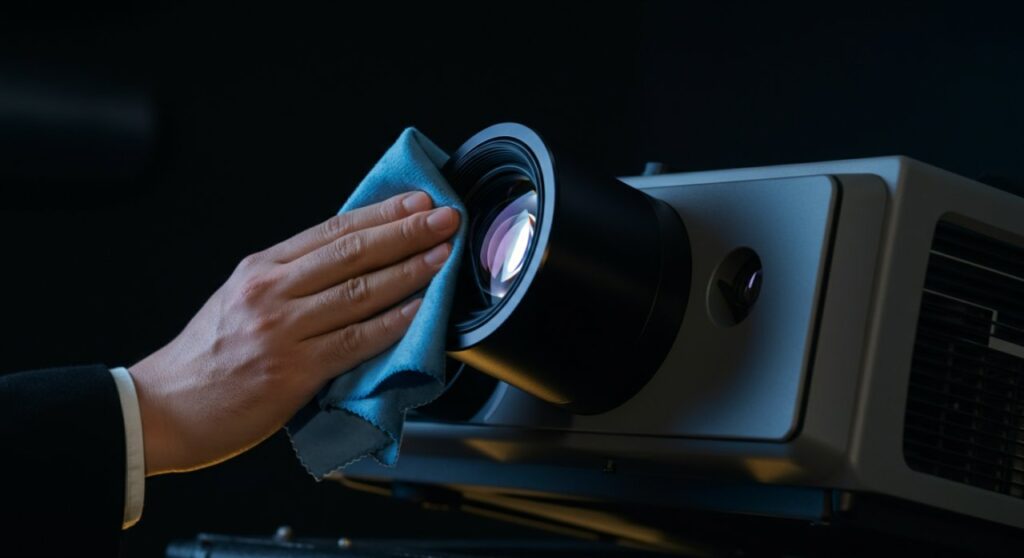
To clean your projector lens safely, always use a microfiber cloth and a lens cleaning solution specifically designed for optics. Never use household glass cleaners, paper towels, or tissues, as these can permanently scratch the delicate lens coatings. Always power down the unit and let it cool completely before touching any optical surfaces.
Quick Reference: Cleaning Essentials
| Tool | Safe to Use? | Why? |
|---|---|---|
| Microfiber Cloth | Yes | Lint-free and non-abrasive. |
| Lens Cleaning Solution | Yes | Ammonia-free, won’t strip coatings. |
| Compressed Air | With Caution | Use only for external dust/casing. |
| Paper Towels/Tissues | No | Wood fibers cause micro-scratches. |
| Glass Cleaner (Windex) | No | Chemicals damage anti-reflective layers. |
Why Routine Projector Maintenance Matters
Have you ever noticed your image looking blurry or dim even though the lamp is relatively new? Dust accumulation on the projector lens is the most common culprit behind poor image quality and reduced contrast ratio.
In my years of setting up home theaters, I have seen too many expensive units ruined by improper cleaning methods. Using the wrong cloth can turn a sharp 4K image into a hazy, washed-out mess in just a few seconds.
Proper maintenance isn’t just about brightness; it’s about extending the lifespan of your hardware. A clean airflow path and a pristine optical path ensure the unit runs cooler and performs at its peak.
Step-by-Step: How to Clean Projector Lens
Following the right procedure is critical. If you are wondering how to clean a projector lens effectively without damage, follow these professional steps.
Power Down and Cool Down
Before touching the lens, turn off the projector and unplug the power cord. Let the unit sit for at least 30 to 60 minutes.
High-intensity lamps generate extreme heat. Cleaning a hot lens can cause the cleaning fluid to evaporate too quickly or, worse, stress the glass surface.
Remove Loose Dust
Use an air blower (the kind used for camera gear) to gently remove loose particles from the lens surface. Do not use high-pressure canned air directly on the glass, as it can sometimes leave propellant residue.
If you must use canned air, hold it at least 12 inches away. Always spray a short burst into the air first to ensure no liquid refrigerant comes out of the nozzle.
Apply Cleaning Solution
Never spray liquid directly onto the lens. Doing so can cause fluid to seep behind the lens housing, potentially causing internal damage.
Instead, apply a small amount of lens cleaning solution to a clean microfiber cloth. The cloth should be damp, not soaking wet.
Wipe Gently
Using a light, circular motion, wipe the lens starting from the center and moving toward the edges. Do not apply heavy pressure.
If the lens is very dirty, repeat the process with a fresh, clean section of your microfiber cloth. Once finished, let the lens air dry for a few minutes before turning the power back on.
Addressing the Interior: Can You Clean the Projector Lens Inside?
Many users search for how to clean projector lens inside because they see internal dust “blobs” on their projection. Here is the professional reality: Do not open your projector.
Most modern projectors are sealed optical engines. Opening the casing often voids your manufacturer warranty and introduces more dust than you are trying to remove.
If you see significant dust inside the lens assembly, it is likely on the LCD panels or the DMD chip. This requires a professional service center with a “clean room” environment to rectify properly.
Keeping Your View Pristine: How to Clean a Projector Screen
The lens is only half the battle; if your screen is dusty, your image quality will still suffer. Here is how to clean projector screen surfaces safely.
- Dry Dusting: Use a clean, dry, and soft microfiber cloth to wipe the screen surface horizontally.
- Mild Detergent: For stubborn spots, use a solution of warm water mixed with a drop of mild dish soap.
- Avoid Abrasives: Never scrub the screen material, especially if it is a high-gain screen, as this can ruin the reflective coating.
If you are unsure how do you clean a projector screen specific to your model, always consult your manual first. Some specialized materials, like acoustic transparent screens, require very specific handling.
Frequently Asked Questions
Can I use rubbing alcohol to clean my projector lens?
No, standard rubbing alcohol (especially high-concentration isopropyl) can be too harsh and may strip away the delicate anti-reflective coatings applied to professional projector lenses. Stick to dedicated optical cleaning solutions.
How often should I clean my projector lens?
You should visually inspect your lens every 200-300 hours of usage. If you notice a buildup of dust, clean it immediately, but avoid over-cleaning, as excessive wiping increases the risk of micro-scratches.
What should I do if there is a fingerprint on the lens?
Fingerprints contain oils that attract dust and can eventually etch into the coating if left too long. Use a high-quality microfiber cloth with a specialized lens cleaner to remove the oil as soon as you notice it.
Is it okay to use a glasses cleaning cloth?
Yes, provided the cloth is made of high-quality microfiber and is completely free of dust or debris from previous use. If the cloth has been used to clean other surfaces, it may contain microscopic particles that can scratch your lens.









