

How to Get Sound from Projector to Speakers Wirelessly: A Practical Guide
Frustrated by audio lagging behind your movie or just tired of messy cables snaking across your living room floor? Learning how to get sound from projector to speakers wirelessly is the ultimate game-changer for a clean, immersive home theater experience. In most cases, you can achieve this by using Bluetooth transmitters, HDMI ARC adapters, or specialized wireless audio streaming devices that bridge the gap between your playback source and your sound system.
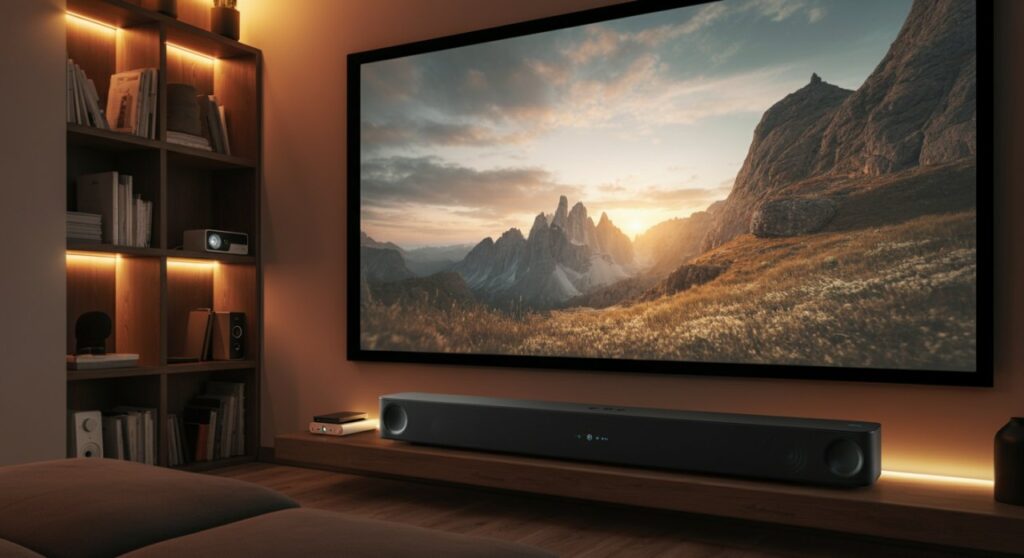
TL;DR: Quick Solutions Table
| Method | Best For | Complexity | Latency |
|---|---|---|---|
| Bluetooth Transmitter | Basic setups | Low | Low to Medium |
| HDMI ARC Adapter | High-fidelity audio | Medium | Minimal |
| Wireless Streaming Kit | Multi-room/Advanced | High | Negligible |
| Direct Source Pairing | Simple setups | Very Low | None |
Understanding Wireless Audio Challenges
Many modern projectors focus on high-quality visuals but often pack mediocre built-in speakers. When you figure out how to connect a projector wirelessly, you are only solving the video half of the equation.
The primary hurdle is that most projectors are “source” devices that don’t output audio signals wirelessly to external speakers. You need a dedicated pathway to intercept the audio signal before or after it reaches the projector.
Why Latency Matters
When you sync audio wirelessly, you might encounter lip-sync issues where the sound doesn’t match the speaker’s mouth. This is caused by signal processing delays in wireless transmission.
To minimize this, prioritize devices that support aptX Low Latency or Bluetooth 5.0+ technology. These standards significantly reduce the time gap between your video frames and audio playback.
Method 1: Using a Bluetooth Transmitter (Easiest)
If you are wondering how to connect to a projector wirelessly using existing Bluetooth speakers, a Bluetooth transmitter is your best bet. This small device connects to the projector’s headphone jack (3.5mm) or RCA outputs.
- Plug the Bluetooth transmitter into the audio output port of your projector.
- Power on the transmitter and put it into “Pairing Mode” (consult your device manual).
- Set your Bluetooth speakers or soundbar to “Pairing Mode.”
- Wait for the two devices to handshake and establish a connection.
Pro-tip: Always choose a transmitter with an optical input if your projector supports it, as this provides a cleaner digital signal than the standard headphone jack.
Method 2: Connecting the Source Directly
Instead of routing sound through the projector, change your perspective. If you are learning how to project laptop to projector wirelessly, you can often skip the projector’s audio processing entirely.
- PC/Mac/Streaming Sticks: Connect your laptop or Roku/Fire TV Stick directly to your Bluetooth speakers via the device’s system settings.
- The Advantage: The audio signal never touches the projector, eliminating any potential lag introduced by the projector’s internal processing hardware.
- The Drawback: This only works if all your media comes from that single source device.
Method 3: HDMI ARC/eARC Adapters (Best Quality)
For audiophiles concerned about how to connect projector with wifi or high-end wireless audio, standard Bluetooth might not cut it. An HDMI ARC (Audio Return Channel) extractor is the professional choice.
- Connect your media source to the HDMI ARC Extractor.
- Run one HDMI cable to your projector for video.
- Connect the extractor to your sound system using an HDMI or Optical cable.
- This setup ensures the highest possible bitrate for your surround sound systems, such as Dolby Atmos or DTS:X.
Troubleshooting Common Connectivity Issues
Even with the right gear, things don’t always go as planned. If you are struggling with how to connect wireless projector setups, follow these steps:
- Check Interference: Wi-Fi routers and microwaves operate on the same 2.4GHz frequency as some Bluetooth devices. Move your transmitter away from these routers to reduce dropouts.
- Update Firmware: Many modern projectors receive updates that improve Bluetooth stability. Check the manufacturer’s website for your specific model.
- Power Cycles: Sometimes the simplest fix is turning both the transmitter and the speakers off and back on to force a fresh handshake.
Frequently Asked Questions
Can I connect a projector to Bluetooth speakers directly?
Only if your specific projector model has built-in Bluetooth audio output. Check your projector’s settings menu under “Audio” or “Bluetooth.” If that menu is missing, you must use an external Bluetooth transmitter.
Why is there a delay in the audio when using wireless?
The delay is usually caused by the signal conversion process in the Bluetooth codec. Using hardware that supports aptX Low Latency is the most effective way to eliminate this “lip-sync” delay.
Does connecting to Wi-Fi make the audio wireless?
Generally, no. Wi-Fi on a projector is typically used for screen mirroring or built-in streaming apps. For high-quality audio, a dedicated Bluetooth or RF (Radio Frequency) wireless audio kit is more reliable than standard home Wi-Fi networks.
What is the best way to connect a soundbar wirelessly?
The best way is to use a high-quality Bluetooth 5.0+ transmitter if you want simplicity, or an HDMI ARC extractor if you demand surround sound quality and zero latency.









