

Understanding Your Projector Distance
Determining how far from screen should projector be depends entirely on your specific projector throw ratio and the desired image size. As a general rule of thumb, most home theater projectors perform best when placed at a distance that allows the lens to fill the screen without using excessive digital zoom, which can degrade image quality. If you are struggling with a blurry image or a picture that spills over your frame, you likely haven’t accounted for the unique throw distance requirements of your device.
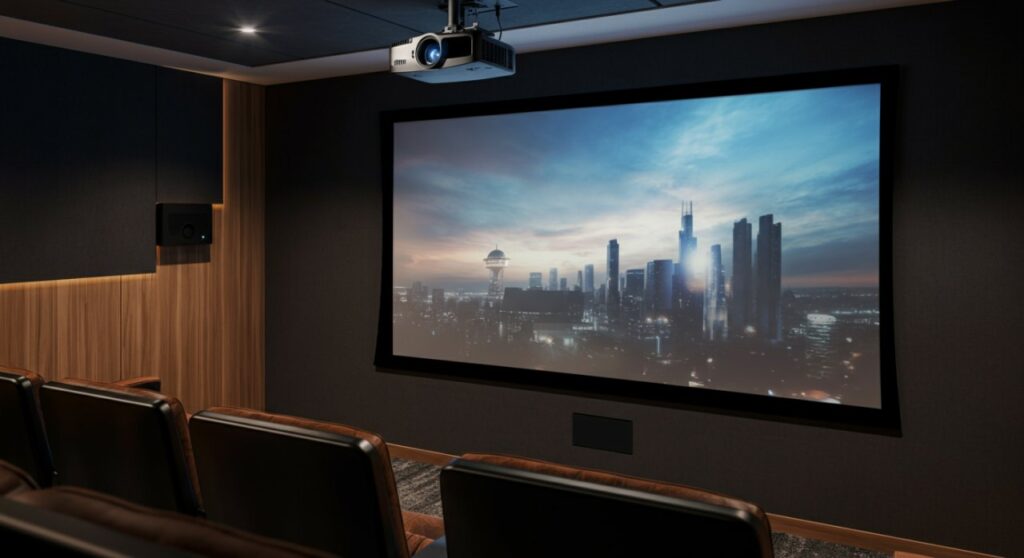
TL;DR: Quick Setup Guide
- Check the Manual: Every projector has a unique throw ratio. Always look for this number in your technical specifications.
- The Formula: Use the simple calculation: Screen Width x Throw Ratio = Throw Distance.
- Mounting: Always account for the lens offset if your projector doesn’t have lens shift capabilities.
- Test Before Installing: Set your projector on a temporary stand to verify the image size before drilling holes in your ceiling or wall.
How to Calculate Your Projector Throw Distance
Calculating how far should projector be from screen is not a guessing game; it is a math-based necessity. The throw ratio defines the relationship between the distance from the lens to the screen and the width of the projected image.
For example, a standard throw projector typically has a ratio between 1.4:1 and 1.9:1. If you want a 100-inch diagonal screen (which is roughly 87 inches wide), a 1.5:1 ratio would require your projector to be exactly 130.5 inches (about 10.9 feet) away.
Key Factors Influencing Placement
- Throw Ratio: The most critical specification. It dictates the screen width per unit of distance.
- Projector Zoom: Many modern units have a zoom lens, giving you a small range of flexibility (e.g., 1.2x or 1.5x zoom).
- Screen Size: Larger screens require the projector to be moved further back, assuming the same throw ratio.
- Lens Offset: This is the vertical distance between the center of the lens and the center of the image, critical for ceiling mounting.
Projector Distance Reference Table
The following table provides estimated distances for a standard 100-inch 16:9 screen (width: 87 inches) based on common throw ratios.
| Projector Type | Throw Ratio | Distance to Screen (Approx.) |
|---|---|---|
| Short Throw | 0.4:1 | 2.9 feet (35 inches) |
| Standard | 1.5:1 | 10.9 feet (130 inches) |
| Long Throw | 2.0:1 | 14.5 feet (174 inches) |
Note: These figures are estimates. Always use the manufacturer’s online projector calculator for your specific model.
Common Mistakes When Positioning Your Projector
Many users ask how far should the projector be from the screen only after they have already mounted the unit. In my experience setting up dozens of media rooms, the most common error is ignoring the keystone correction.
Avoiding Keystone Distortion
If you tilt your projector to compensate for a bad angle, you activate digital keystone correction. While convenient, this feature artificially stretches pixels, leading to a significant loss in resolution and sharpness. It is always better to position the projector perfectly level and at the correct distance rather than relying on software fixes.
Dealing with Obstacles
When calculating how far does projector need to be from screen, don’t forget about the seating area. If you place a long throw projector on a shelf behind your couch, ensure that heads or ceiling fans don’t interrupt the light path. Even a small obstruction will cast a shadow that ruins the immersion of your home cinema.
Practical Steps to Find Your Perfect Distance
Follow this step-by-step workflow to ensure you get the best image quality possible.
- Identify your Throw Ratio: Find this in your user manual or on the manufacturer’s website.
- Use an Online Calculator: Sites like ProjectorCentral offer calculators for almost every model ever made.
- Measure Twice: Measure from the front lens of the projector to the surface of the screen.
- Account for Cables: Ensure you have enough HDMI cable length to reach the projector before you finalize the mounting location.
- Verify Focus: Once placed, use a focus test pattern to ensure the sharpness is uniform across the entire screen.
Frequently Asked Questions
How far should a projector be from the screen for a 120-inch image?
It depends on your projector’s throw ratio. For a standard 1.5:1 ratio, you would need to place the projector approximately 13 feet (156 inches) away from a 120-inch diagonal screen.
Does the distance affect image brightness?
Yes. Generally, the further away the projector is, the dimmer the image becomes due to the inverse square law. Placing the projector as close as possible while still achieving your desired screen size will maximize your lumen output.
What happens if I place my projector too close to the screen?
If you are inside the minimum throw distance, the image will be smaller than the screen and you will be unable to focus the lens. If you are using a short-throw projector, you have much more flexibility, but you must be careful not to introduce distortion by placing it too close to the wall.
Can I change the distance once the projector is mounted?
You can, but it is labor-intensive. If your projector has lens shift, you can adjust the image position slightly without moving the unit, but major distance changes usually require re-drilling and cable adjustments.







