

TL;DR: How to View Slides Without a Projector
If you are wondering how to view slides without a projector, the most effective modern solution is using a slide scanner or a smartphone-based adapter. These tools allow you to digitize 35mm film or physical slides quickly, transforming them into high-resolution digital files you can view on any computer, tablet, or television.
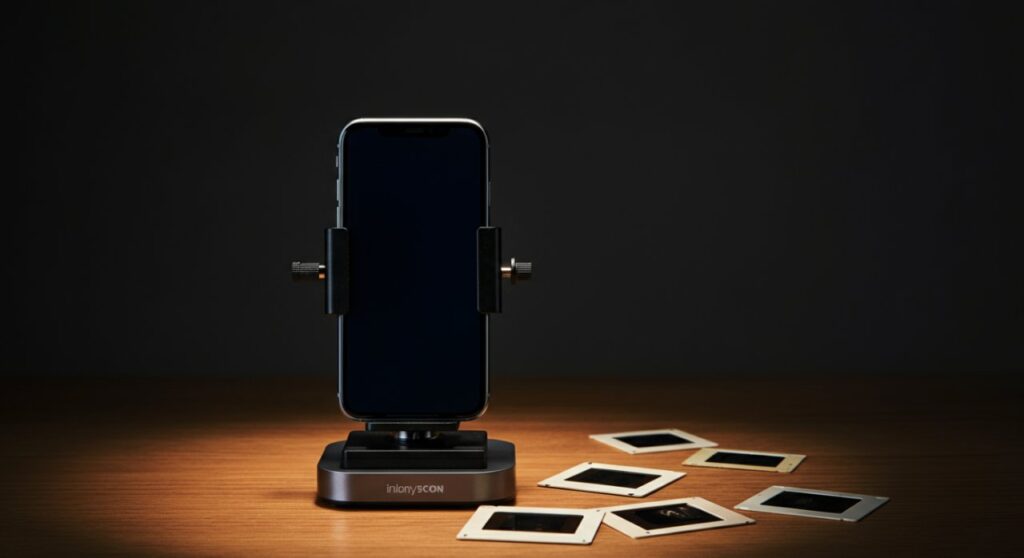
- Quickest method: Use a smartphone adapter app like PhotoScan or FilmLab.
- Best quality: Invest in a dedicated slide scanner (e.g., Kodak or Plustek models).
- Budget hack: Use a light box (or a tablet screen) and your phone camera to capture images.
The Best Methods to View Old Slides Without a Projector
Finding a box of vintage slides in the attic can be an emotional journey, but often, the hardware needed to view them is long gone. Learning how to view old slides without a projector is now easier than ever thanks to advancements in digital imaging. You no longer need bulky equipment to enjoy your family history.
Method 1: Using a Digital Slide Scanner
Dedicated slide scanners are the gold standard for digitizing and viewing your collection. These devices are designed specifically to handle the small format of a 35mm slide and convert it into a high-quality JPEG file.
- Pros: Exceptional detail, color correction features, and permanent preservation.
- Cons: Higher initial cost compared to DIY methods.
- Expert Tip: Look for scanners with a high DPI (dots per inch) count—at least 2400 DPI is recommended for a crisp digital image.
Method 2: Smartphone Scanning Adapters
If you want to know how to view slides without a projector using technology you already own, a smartphone adapter is a perfect choice. These stands hold your phone steady and provide a backlight for the slide, allowing your camera to capture it clearly.
- Setup: Place the slide in the adapter slot, position your smartphone camera over the opening, and snap the photo.
- Apps to use: Download FilmLab or SlideScan to automatically invert the colors and crop the edges.
- Result: You get a digital copy instantly that you can share on social media or email.
Method 3: The DIY Tablet Light Box Hack
For a low-cost approach, you can create a makeshift light box using a tablet or a bright white computer screen. This is a clever way to figure out how to view old slides without a projector if you only have a few to look at.
- Open a blank, white document on your tablet and turn the brightness to 100%.
- Place the slide directly on the screen.
- Use your smartphone’s camera or a magnifying glass to view the details of the slide.
- If you want a digital file, snap a photo of the slide through the magnifying glass or use a macro lens attachment.
Comparison of Slide Viewing Methods
Choosing the right method depends on whether you have ten slides or ten thousand. Use this table to decide which path fits your needs best.
| Method | Quality | Cost | Effort | Best For |
|---|---|---|---|---|
| Slide Scanner | High | High | Moderate | Large collections, archival |
| Smartphone Adapter | Medium | Low | Low | Quick digitization, sharing |
| DIY Light Box | Low | Free | High | Identifying slides quickly |
| Professional Service | Extreme | Very High | None | Damaged/Very old slides |
Practical Advice for Better Results
When learning how to view slides without a projector, cleanliness is your biggest challenge. Dust, fingerprints, and scratches can ruin a viewing experience, even with the best equipment.
- Clean your slides: Use a microfiber cloth or a can of compressed air to gently remove debris before scanning.
- Handle with care: Always touch the edges of the slide mount, never the film surface, to avoid permanent oils from your skin.
- Organize as you go: Once you digitize a slide, immediately rename the file with the date and subject. This saves hours of work later.
Frequently Asked Questions
Can I view slides just by holding them up to a light bulb?
Yes, you can hold a slide up to a window or a lamp to see the image, but it will be very small. Using a magnifying glass while holding the slide up to a light source will provide much better detail than the naked eye alone.
What is the most cost-effective way to view old slides?
The most cost-effective way is to use a smartphone scanning app combined with your tablet screen as a light source. This setup is essentially free if you already own these common electronic devices.
Do professional services provide better quality than home scanners?
Professional labs often have industrial-grade drum scanners and specialized software that can fix color fading and physical damage better than consumer-grade scanners. If you have extremely fragile or priceless family heirlooms, a professional service is the safest choice.
How can I view slides without projector software?
You do not need “projector software” to view digital slides. Once you convert them to a digital format like JPEG or TIFF, you can view them on any device using standard photo viewer apps like Windows Photos, Apple Photos, or even a standard web browser.









