

Mastering Your A-Audio Legacy Headphones: A Quick Start
A-Audio Legacy headphones are premium, high-fidelity over-ear devices famous for their unique “Three-Stage Technology,” which allows users to toggle between Passive Mode, Bass Enhanced Mode, and Active Noise Cancellation (ANC). To get started, simply connect the dual-jack detachable cable to your source, and use the rotating dial on the right ear cup to select your preferred listening mode. If you are using the A-Audio Legacy noise cancelling headphones feature, ensure you have fresh AAA batteries installed or the internal battery charged (depending on your specific model version) to power the internal amplifier.
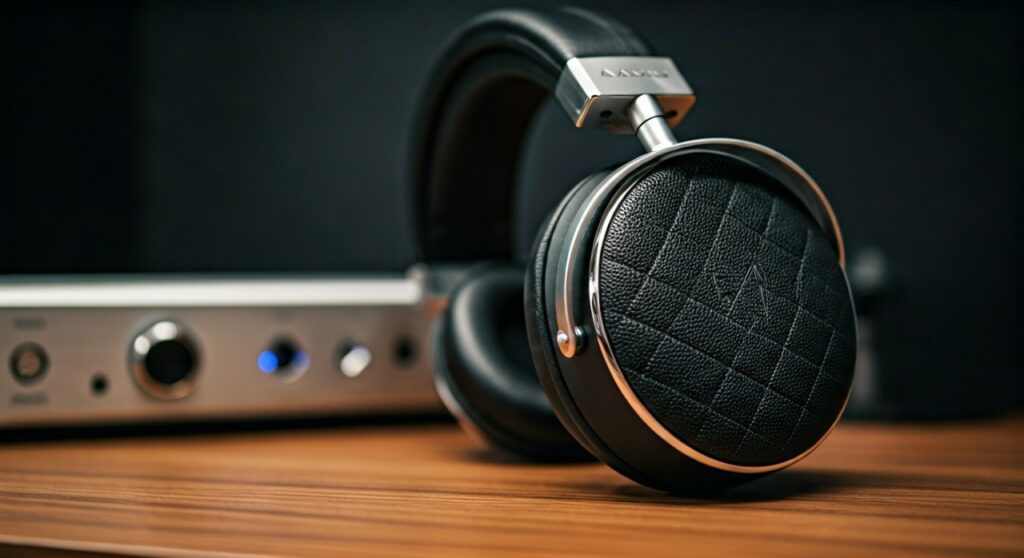
Key Takeaways: TL;DR
- Three-Stage Technology: Switch between Passive (no battery needed), Bass Enhanced, and Active Noise Cancellation via the ear cup dial.
- Premium Build: Features chrome plating, zinc hinges, and quilted leather for maximum durability and comfort.
- Dual-Port Connectivity: Includes two inputs, allowing you to share your music with a friend by daisy-chaining another set of headphones.
- Included Accessories: Typically comes with a hard-shell carrying case, gold-plated adapters, and a remote/mic cable for mobile use.
Step 1: Unboxing and Physical Setup
The first thing you will notice about the A-Audio Legacy headphones is their substantial weight and luxury feel. Unlike plastic competitors, these use liquid chrome and genuine leather, which require specific handling to maintain their aesthetic.
Start by inspecting the zinc hinges. These are designed to fold the headphones into a compact shape for the carrying case. Gently unfold them until you hear a solid click, ensuring the joints are aligned.
Check the ear cups for the dual-port inputs. A unique feature of this brand is that you can plug the audio cable into either the left or right ear cup. This flexibility is perfect for guitarists or office workers who need the wire on a specific side.
Step 2: Powering the Three-Stage Technology
Most versions of the A-Audio Legacy noise cancelling headphones require power for their active modes. If your model uses AAA batteries, locate the battery compartment (usually hidden behind a magnetic or twist-off plate on the ear cup).
- Passive Mode: This mode requires zero battery power. It uses the natural acoustics of the drivers. It is ideal for purists or when your battery dies.
- Bass Enhanced Mode: This activates the internal amplifier to boost low-end frequencies. It is perfect for EDM, Hip-Hop, or Action Movies.
- Active Noise Cancellation (ANC): This mode uses external microphones to cancel out ambient drone. It is most effective for airplane travel or busy office environments.
To switch between these, locate the diamond-quilted dial on the right ear cup. Rotate it firmly. You will feel a tactile bump for each setting.
Step 3: Connectivity and Daisy-Chaining
Connecting your a audio legacy headphones is straightforward, but there is a hidden feature many users overlook: Music Sharing.
- Plug the main 3.5mm audio cable into your phone, laptop, or DAC.
- Plug the other end into either the Left or Right port on the headphones.
- If a friend wants to listen along, they can plug their own headphones into the empty port on your Legacy headset.
This “daisy-chain” feature maintains high signal integrity, allowing two people to watch a movie or listen to an album from a single source without a splitter.
Step 4: Sound Profile and Performance Optimization
To get the most out of your A-Audio Legacy headphones, you should understand the 40mm drivers. These drivers are tuned for “Power & Clarity.”
| Feature | Passive Mode | Bass Enhanced | ANC Mode |
|---|---|---|---|
| Battery Required | No | Yes | Yes |
| Sound Signature | Flat / Natural | Warm / Heavy Bass | Controlled / Quiet |
| Best For | Studio Monitoring | Gaming & Movies | Travel & Commuting |
| Volume Level | Standard | High (Amplified) | High (Amplified) |
Expert Tip: If you are using a high-quality Digital-to-Analog Converter (DAC), stick to Passive Mode. This allows your external amp to do the heavy lifting without the headphone’s internal circuitry coloring the sound too much.
Step 5: Maintaining the Premium Materials
Because the a audio legacy headphones utilize chrome and quilted leather, they can show wear if not cleaned properly.
Use a microfiber cloth to wipe the chrome surfaces after every use. Skin oils are acidic and can dull the mirror finish over time. For the leather, a tiny amount of leather conditioner once every six months will prevent the headband from cracking.
Always store the headphones in their hard-shell case. The zinc hinges are strong, but the chrome finish is susceptible to scratching if tossed loosely into a backpack with keys or chargers.
Step 6: Comparing the Legacy to Modern Rivals
When the A-Audio Legacy noise cancelling headphones were released, they were positioned as “The Bentley of Headphones.” How do they hold up against modern tech like Sony or Bose?
While modern headphones offer more advanced software apps and “transparency modes,” the Legacy wins on build quality and analog tactile feel. Many users prefer the physical dial of the A-Audio over the finicky touch-swipes found on modern plastic headphones.
The Information Gain here is simple: if you value industrial design and longevity over software updates, the Legacy remains a top-tier choice for audiophiles who appreciate “Old World” luxury.
Frequently Asked Questions (FAQs)
Why is the sound distorted in Bass Enhanced mode?
This usually happens if the AAA batteries are low on power. The internal amplifier requires a consistent voltage to boost the low-end frequencies without clipping. Replace the batteries with high-quality alkalines.
Can I use the A-Audio Legacy headphones for gaming?
Yes! The Bass Enhanced mode is excellent for immersive gaming, and the dual-port design allows you to plug in a V-MODA BoomPro or similar microphone directly into the headset.
How do I clean the chrome finish without scratching it?
Never use paper towels or tissues. Only use a clean microfiber cloth. If there are stubborn fingerprints, use a tiny drop of distilled water on the cloth, but avoid getting moisture into the driver grills.
Are the ear pads replaceable?
The ear pads on the a audio legacy headphones are designed for durability, but if they tear, you can generally find third-party universal 90mm or 100mm oval pads that fit, though they may not match the original quilted aesthetic.
Do these headphones work with iPhones or Androids?
They work with any device that has a 3.5mm jack. For newer phones without a jack, you will need a Lightning or USB-C to 3.5mm adapter (often called a “dongle”).









