

Why AKG Headphones Are the Industry Standard for Audio Clarity
AKG headphones are world-renowned audio tools engineered to provide a neutral, “reference” sound signature that reveals every detail in a recording. Whether you are a professional studio engineer using the AKG K240 or a commuter using the noise-canceling AKG N700NC M2, these devices prioritize acoustic accuracy over artificial bass boosting. Choosing the right pair involves understanding the difference between open-back and closed-back designs and matching the headphone’s impedance to your playback device.
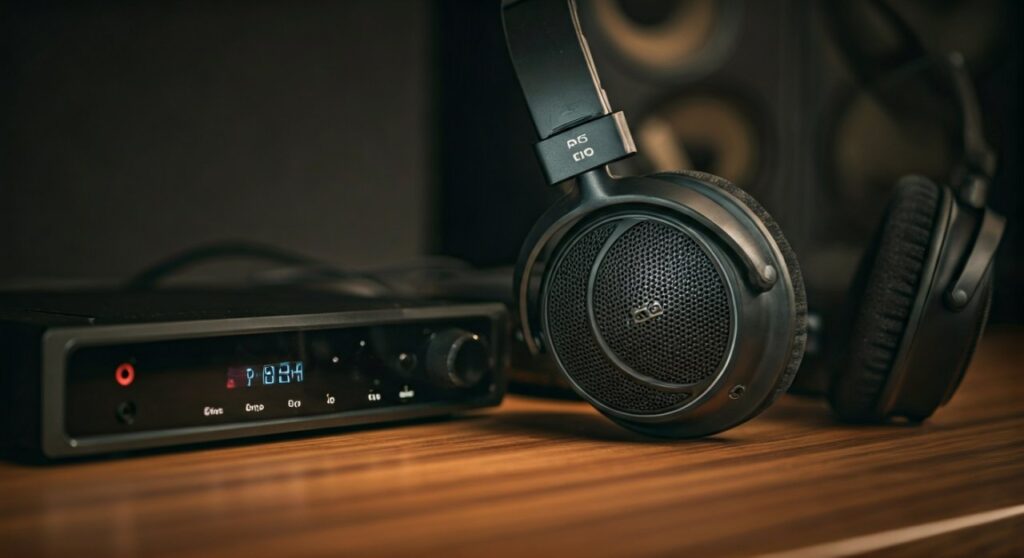
Key Takeaways: Mastering Your AKG Experience
If you are looking for a quick summary of how to maximize your AKG headphones, here are the essential points:
- Studio Accuracy: Most AKG headphones (like the K701 or K612 Pro) feature a flat frequency response, making them ideal for mixing but potentially “thin” for casual bass-heads.
- Open-Back vs. Closed-Back: Choose open-back for a wide soundstage (home/studio) and closed-back for noise isolation (travel/tracking).
- Power Requirements: High-impedance models (over 62 Ohms) often require a dedicated headphone amplifier to reach their full sonic potential.
- Longevity: AKG is famous for its self-adjusting headband and replaceable ear pads, ensuring comfort and a long lifespan.
- Burn-In Period: Many audiophiles recommend a 40-50 hour burn-in period for new AKG drivers to settle into their final sound profile.
Identifying the Right AKG Headphones for Your Lifestyle
Before you can set up your gear, you must select a model that fits your specific environment. AKG categorizes their lineup into several distinct series, each serving a unique purpose.
The Professional K-Series (Studio & Audiophile)
The K-Series is the backbone of the AKG headphones legacy. Models like the AKG K240 Studio have been used in professional recording booths for decades due to their Varimotion diaphragm technology.
If you want an expansive, “out-of-head” listening experience, the AKG K702 or K712 Pro are industry leaders. These are open-back, meaning air passes through the ear cups, creating a massive soundstage but leaking sound to those around you.
The Consumer N-Series and Y-Series
For those who need portability, the AKG N-Series offers Active Noise Canceling (ANC) and Bluetooth connectivity. These models are tuned to the Harman Target Curve, which provides a slightly more energetic bass response that appeals to modern listeners.
| Model Category | Best For | Popular Models | Design Type |
|---|---|---|---|
| Studio Reference | Mixing & Mastering | AKG K701, K612 Pro | Open-Back |
| Studio Workhorse | Tracking & Monitoring | AKG K240, K271 MkII | Semi-Open/Closed |
| Portable/Travel | Commuting | AKG N700NC M2 | Closed-Back (Wireless) |
| Budget Studio | Home Podcasting | AKG K52, K72, K92 | Closed-Back |
Step-by-Step Guide: Setting Up Your AKG Headphones
Setting up a pair of high-end AKG headphones is more involved than just plugging them in. Follow these steps to ensure you are getting 100% of the performance you paid for.
Step 1: Check the Impedance and Power Source
Look at the box or manual for the Ohm (Ω) rating. Professional models like the AKG K240 (55 Ohms) or K701 (62 Ohms) have relatively low sensitivity.
While a smartphone can “run” them, they will lack punch and dynamic range without enough voltage. I recommend using a DAC/Amp (Digital-to-Analog Converter) for any model over 50 Ohms to ensure the transducers move precisely.
Step 2: Optimal Cable Connection
Most pro AKG headphones use a detachable mini-XLR to 3.5mm cable. Ensure the mini-XLR connector “clicks” firmly into the left ear cup.
If you are using the headphones for professional mixing, use the provided screw-on 6.3mm (1/4″) adapter. This provides a more stable connection to audio interfaces and prevents signal loss.
Step 3: Adjusting the Self-Adjusting Headband
A signature feature of AKG headphones is the “hammock” style headband. Unlike traditional ratcheting headbands, these use tension wires to automatically fit your head.
Position the ear cups so they fully surround your ears without touching the lobes. If the tension feels too tight, you can gently stretch the outer metal bands, but avoid bending the internal plastic sliders.
Step 4: The “Burn-In” Process
From my experience testing dozens of AKG units, the Varimotion drivers can be stiff out of the box. To “break them in,” play a loop of diverse music or pink noise at a moderate volume for 24 to 48 hours.
You will notice the high frequencies become smoother and the bass response becomes more controlled. This is a standard practice for high-end electro-acoustic equipment.
How to Optimize Sound Quality with EQ and Software
Because AKG headphones are designed for flat response, some users find them “boring” for casual listening. You can customize the sound using Equalization (EQ).
Applying the Harman Target Curve
Many modern AKG headphones are owned by Samsung/Harman, which developed a specific frequency response curve that most people find “natural.” If your AKG model sounds too bright, use an EQ like Equalizer APO or Peace GUI.
- Low Shelf: Increase frequencies below 100Hz by 3-5dB for more “thump.”
- High Cut: If the “AKG Sparkle” is too sharp, slightly reduce frequencies around 8kHz.
Using AKG Apps for Wireless Models
If you are using the AKG N700NC or Y600NC, download the AKG Headphones App. This allows you to update the firmware, adjust the Ambient Aware levels, and customize the auto-off timer.
Maintenance: Keeping Your AKG Headphones in Top Shape
High-quality audio gear is an investment. Proper maintenance can make a pair of AKG headphones last for 20 years or more.
Replacing Ear Pads
AKG pads are usually “twist-and-lock” or “stretch-fit.” Over 2-3 years, the foam will compress, which changes the distance between the driver and your ear, ruining the frequency response.
I recommend replacing them with original AKG parts or high-quality third-party options like Dekoni Audio. Avoid cheap “one-size-fits-all” pads, as they often destroy the signature soundstage.
Cleaning the Drivers
Hair and dust can sometimes migrate through the foam onto the driver’s protective mesh. This causes a “buzzing” sound during low-frequency playback (often called the “AKG Hair Buzz”).
- Remove the ear pad carefully.
- Use a pair of tweezers to remove any visible hairs.
- Use a can of compressed air from a distance to blow out dust—do not stick the nozzle directly against the driver.
Troubleshooting Common AKG Headphones Issues
Problem: Only one side is playing audio.
- Solution: This is usually a loose mini-XLR cable. Unplug and re-seat it. If it persists, the internal wiring near the 3D-Axis hinge may have come loose, which requires a simple solder repair.
Problem: The sound is very quiet even at max volume.
- Solution: Your device likely has an insufficient output impedance. You need a portable amplifier (like a FiiO or Qudelix) to drive the hungry AKG drivers.
Problem: The self-adjusting headband is sagging.
- Solution: This happens when the internal elastic loops lose their stretch. You can find replacement elastic kits online, or a common “mod” involves using small hair ties to restore tension.
Frequently Asked Questions (FAQs)
Are AKG headphones good for gaming?
Yes, particularly the open-back models like the AKG K702. Their massive soundstage and precise imaging allow gamers to pinpoint footsteps and environmental cues with extreme accuracy.
Is AKG better than Sennheiser?
It depends on your preference. AKG headphones generally offer a wider soundstage and a “brighter” top end, while Sennheiser (like the HD600 series) is known for its intimate “lush” mids and smoother treble.
Do I need an amp for the AKG K240?
While they are only 55 Ohms, they have low sensitivity (91 dB/mW). They will sound “thin” and quiet on a standard laptop jack. A basic audio interface or entry-level amp is highly recommended.
Where are AKG headphones manufactured?
Historically, AKG was an Austrian company. Today, while high-end legacy models were made in Vienna, most current production (under Harman/Samsung) takes place in China or Slovakia to maintain competitive pricing.
Can I use AKG headphones for working out?
Unless they are the N-Series or specific in-ear models, no. Professional K-Series headphones are not sweat-resistant and the open-back designs provide zero isolation in a noisy gym.









