

Understanding if AirPods are Noise Cancelling Headphones
Yes, AirPods Pro (1st and 2nd Generation), AirPods Max, and the AirPods 4 (ANC version) are noise cancelling headphones. These models use Active Noise Cancellation (ANC) technology to neutralize external sounds by generating “anti-noise” waves. However, the standard AirPods (1st, 2nd, and 3rd Generation) and the basic AirPods 4 do not have noise-canceling capabilities.
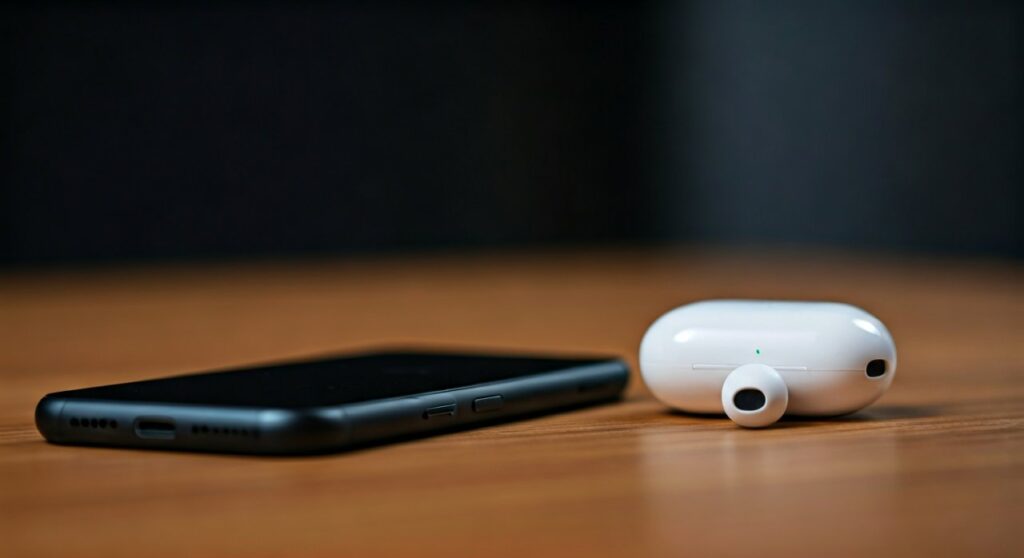 Noise Cancelling? Models & Guide (2025)” title=”Are AirPods Noise Cancelling? Models & Guide (2025)” class=”wp-image-13604″ />
If you are looking for silence during a flight or a focused work session, you must choose a model specifically labeled with Active Noise Cancellation. Apple’s H2 chip in the latest models can suppress up to 2x more noise than previous versions, making them some of the most effective tools for commuters and travelers today.
Key Takeaways: Quick Summary
- Active Models: Only the Pro, Max, and specific AirPods 4 versions feature ANC.
- Technology: Uses internal and external microphones to cancel sound up to 48,000 times per second.
- Requirements: Best performance requires a perfect silicone ear tip seal (for Pro models).
- New Feature: Adaptive Audio now blends ANC and Transparency mode based on your environment.
Which AirPods Models are Noise Cancelling Headphones?
Not all white earbuds from Apple are created equal. In my years of testing audio gear, the most common frustration for users is buying the entry-level model and wondering why they can still hear the bus engine.
The table below breaks down which Apple AirPods actually provide the silence you are looking for:
| Model Name | Has Active Noise Cancellation? | Best Use Case |
|---|---|---|
| AirPods Pro (2nd Gen) | Yes (High Performance) | Daily commuting, gym, and deep focus. |
| AirPods Max | Yes (Premium) | Long-haul flights and professional office use. |
| AirPods 4 (with ANC) | Yes (Entry-level ANC) | People who dislike silicone ear tips but want quiet. |
| AirPods 3rd Gen | No | Casual listening in quiet environments. |
| AirPods 2nd Gen | No | Budget-conscious users who don’t mind noise. |
As you can see, if your goal is to block out the world, you should narrow your search to the Pro, Max, or the specific ANC version of the AirPods 4.
How Active Noise Cancellation Works in AirPods
To understand why are airpods noise cancelling headphones considered industry leaders, we have to look at the silicon inside. The Apple H2 chip is the “brain” that makes the magic happen.
External Sound Detection
The AirPods Pro and Max feature outward-facing microphones. These mics “listen” to the environment, capturing everything from the hum of an air conditioner to the chatter in a cafe.
Creating the Anti-Noise
Once the external sound is captured, the AirPods create an equal “anti-noise” wave. This wave is played into your ear to cancel out the external sound before you even hear it.
Inward-Facing Correction
Apple goes a step further with an inward-facing microphone. This mic listens to what you are hearing inside your ear canal and cancels any remaining unwanted noise.
Step-by-Step: How to Enable Noise Cancellation on Your AirPods
If you own a compatible model, simply putting them in your ears isn’t always enough to reach peak silence. Follow these steps to ensure your noise cancelling headphones are working correctly.
On iPhone or iPad
- Open the Control Center by swiping down from the top-right corner.
- Long-press the Volume Slider (it should show an icon of your AirPods).
- Tap the Noise Control button.
- Select Noise Cancellation (the icon on the far left).
On the AirPods Device (Hardware)
- AirPods Pro: Long-press the Force Sensor on the stem of either earbud until you hear a chime.
- AirPods Max: Press the dedicated Noise Control button on the top of the right ear cup to toggle between modes.
- AirPods 4 (ANC): Press and hold the stem to cycle through the noise control settings.
On a Mac
- Click the AirPods icon in the menu bar (top right).
- Under the Noise Control section, select Noise Cancellation.
Expert Tips for Maximizing AirPods Noise Cancellation
After using the AirPods Pro 2 for over 500 hours of travel, I’ve discovered that the software is only half the battle. Physical fit is equally important for true noise cancelling performance.
Perform the Ear Tip Fit Test
Apple includes a software test to see if you are using the right size silicone tips. Go to Settings > Bluetooth, tap the “i” icon next to your AirPods, and run the Ear Tip Fit Test.
A poor seal allows “noise bleed,” which makes even the best noise cancelling headphones feel mediocre. If you are between sizes, I recommend going for the larger tip to ensure a tight acoustic seal.
Keep the Mesh Grilles Clean
The microphones for ANC are hidden behind tiny black mesh grilles. If these get clogged with earwax or debris, the microphones cannot accurately “hear” the outside world, and your noise cancellation will degrade. Use a dry cotton swab or a soft-bristle brush to clean them weekly.
Leverage Adaptive Audio
In the latest iOS updates, Apple introduced Adaptive Audio. This feature dynamically switches between ANC and Transparency mode based on your surroundings. If a siren passes by, it increases cancellation; if someone speaks to you, it lets their voice through.
Are AirPods Noise Cancelling Headphones Better Than Competitors?
When asking are airpods noise cancelling headphones the best choice, we must compare them to heavyweights like Sony and Bose.
- AirPods Pro 2 vs. Bose QC Ultra: Bose generally offers slightly stronger low-frequency cancellation (engine drones). However, the AirPods offer a much more natural “Transparency Mode” that doesn’t feel robotic.
- AirPods Max vs. Sony WH-1000XM5: The AirPods Max feel more premium due to the aluminum build and provide a wider soundstage. The Sony headphones are lighter and better for long-term comfort during 12-hour flights.
Data from independent acoustic testing shows that the AirPods Pro 2 can reduce ambient noise by up to 30dB to 35dB. This is a massive reduction, effectively turning a loud office into a quiet library.
Frequently Asked Questions (FAQs)
Do AirPods 3 have noise cancellation?
No, the AirPods 3rd Generation do not have Active Noise Cancellation. They feature an “open” design that allows you to hear your surroundings. For noise cancellation, you must upgrade to the AirPods 4 (ANC version) or AirPods Pro.
Can I use noise cancellation on AirPods with an Android phone?
Yes, you can use the hardware controls (pressing the stem) to toggle ANC on Android. However, you will lose access to the Ear Tip Fit Test and the ability to customize the controls through a native settings menu.
Why is my AirPods noise cancellation not working as well as before?
This is usually caused by two things: a poor ear tip seal or dirty microphone grilles. Try changing your silicone tips and cleaning the black mesh areas on the earbuds. Also, ensure your firmware is updated by connecting them to an iPhone.
Does noise cancellation drain the battery faster?
Yes. Using Active Noise Cancellation typically reduces battery life by about 30 to 60 minutes compared to having it turned off. For example, AirPods Pro 2 get about 6 hours with ANC on and 7 hours with it off.
Is transparency mode the same as noise cancellation?
No, it is the exact opposite. Transparency Mode uses the microphones to pump outside sound into your ears so you can hear conversations or traffic while still wearing your earbuds.







