

Are Astro Headphones Good? The Definitive Guide for Gamers
Are Astro headphones good? Yes, Astro Gaming headsets are widely considered some of the best high-end audio solutions for console and PC gamers, particularly known for their unmatched comfort, MixAmp integration, and durable build quality. While they carry a premium price tag, their ability to provide precise spatial awareness and a “wear-all-day” fit makes them a top choice for competitive players.
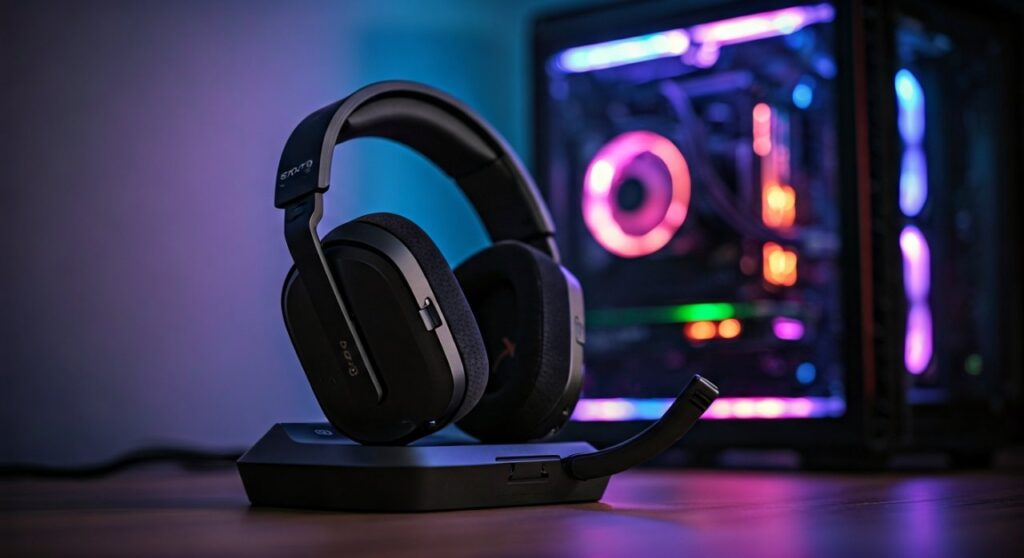
In this guide, we will break down the performance, technology, and specific models to help you decide if an Astro headset belongs at your battle station.
Key Takeaways: Is Astro Right for You?
If you are in a hurry, here is the high-level summary of why Astro Gaming remains a dominant force in the industry:
- Best-in-Class Comfort: The fabric ear cushions and lightweight frames are designed for 8+ hour sessions.
- The MixAmp Advantage: The MixAmp Pro TR offers physical dials for game/voice balancing, which is a game-changer for streamers.
- Mod Kit Ready: Many models allow you to swap out headbands and ear cushions for noise-canceling synthetic leather.
- Audio Tuning: Tuned with Astro Audio V2, these headsets emphasize footsteps and directional cues over muddy bass.
- Platform Specific: While most work on PC, you must choose specific versions for Xbox or PlayStation compatibility.
Why Astro Gaming Headsets Are Considered “Pro Grade”
To understand why people ask “are astro headphones good,” you have to look at their history in the eSports circuit. For over a decade, the Astro A40 was the official headset of Major League Gaming (MLG).
The “pro” designation comes from their reliability in loud environments. When you use an Astro A40 TR with a Mod Kit, you transform an open-back headset into a closed-back, noise-isolating powerhouse.
This versatility is rare in the consumer market. Most headsets are either one or the other, but Astro gives you the flexibility to choose based on your environment.
Comprehensive Comparison of Astro Headset Models
| Feature | Astro A10 (Gen 2) | Astro A20 (Gen 2) | Astro A30 Wireless | Astro A40 TR | Astro A50 (Gen 4) |
|---|---|---|---|---|---|
| Connection | Wired (3.5mm) | Wireless (2.4GHz) | Bluetooth/Lightspeed | Wired (3.5mm) | Wireless + Base Station |
| Battery Life | N/A | 15+ Hours | 27+ Hours | N/A | 15+ Hours |
| Audio Tech | Astro Audio V2 | Astro Audio V2 | Astro Audio V2 | Pro TR / Dolby | Dolby Audio |
| Primary Use | Budget/Entry Level | Mid-range Wireless | Multi-platform/Mobile | Professional/Streaming | Flagship Wireless |
| MixAmp Support | No | No | No (Built-in controls) | Yes (Optional) | Yes (Built-in) |
Are Astro Headphones Good for Competitive Gaming?
When playing titles like Call of Duty, Apex Legends, or Valorant, directional audio is a survival requirement. Astro headphones excel here because of their frequency response curve.
Most consumer headphones (like Sony or Bose) boost the sub-bass for a “cinematic” feel. Astro focuses on the high-mids and treble.
This specific tuning makes the sound of a reloading weapon or a distant footstep pop out against the background noise of explosions. If you want to improve your K/D ratio, this clarity is essential.
The Role of the MixAmp Pro TR
If you are considering the Astro A40, you should almost always get it bundled with the MixAmp Pro TR. This device acts as an external sound card.
It processes Dolby Digital Surround Sound and allows you to adjust the balance between your teammates’ voices and the game audio instantly. No more digging through software menus mid-fight.
Step-by-Step: How to Set Up Your Astro Headset for Maximum Quality
Setting up an Astro headset correctly is the difference between “okay” sound and “god-tier” audio. Follow these steps to ensure you are getting your money’s worth.
Step 1: Update the Firmware
Before putting the headset on, connect your MixAmp or A50 Base Station to a PC or Mac. Download the Astro Command Center software.
The software will automatically detect your device and prompt you for a firmware update. This is critical for Xbox Series X and PS5 compatibility, as many older units need the update to handle audio via USB.
Step 2: Configure Spatial Audio
Astro headsets perform best when paired with modern spatial sound formats. On Windows or Xbox, I highly recommend using Dolby Atmos for Headphones.
- Open the Microsoft Store and download the Dolby Access app.
- In your system sound settings, set the output to Dolby Atmos.
- Ensure the “Dolby” button on your MixAmp is turned OFF (the star icon should be lit), allowing the software to handle the processing.
Step 3: Custom EQ Profiles
The Astro Command Center allows you to save four custom EQ presets to your hardware. For competitive gaming, look for “Tournament” or “Pro” presets online.
These presets further reduce low-end rumble and sharpen the frequencies associated with player movement. Professional gamers often share their specific “ZaliaS” or “Potara” presets which are optimized for specific games.
Analyzing Build Quality and Comfort
One of the most common answers to “are astro headphones good” focuses entirely on comfort. As someone who has tested dozens of headsets, I can confirm that Astro’s “weight distribution” is superior to brands like Turtle Beach or Razer.
The Headband Design
The Astro A40 and A50 use a unique “pipe” design for the earcups to slide up and down. This prevents the “clamping force” headache common in cheaper headsets.
Ear Cushion Materials
The standard Astro cushions are made of a high-quality breathable cloth. This prevents your ears from sweating during long sessions.
If you play in a loud dorm room or eSports arena, the Mod Kits provide synthetic leather cushions. These offer better passive noise isolation, though they do trap more heat.
Are Astro Headphones Good for Music and Movies?
While they are kings of the gaming world, Astro headphones are not “audiophile” headphones in the traditional sense. If your primary goal is listening to FLAC music files or editing professional video, you might find them lacking.
- Soundstage: Excellent. Because they are semi-open back (A40), the sound feels like it’s around you, not just inside your ears.
- Bass: Controlled but not “thumping.” Bass-heads might find the A10 or A20 a bit thin compared to a pair of Beats.
- Accuracy: They are colored for gaming. They aren’t meant to be “neutral” or “flat” like studio monitors.
The Reality of the Microphone Quality
If there is one area where Astro receives criticism, it is the microphone. In the wireless A50 model, the compression used for wireless transmission can make your voice sound slightly “nasal.”
However, the A40 TR microphone is modular. You can swap it to either side of the headset. For a built-in gaming mic, it is perfectly fine for Discord or party chat, but serious streamers will still want a dedicated USB condenser microphone.
Comparison: Astro vs. The Competition
To truly answer “are astro headphones good,” we must see how they stack up against the current market leaders of 2026.
Astro A50 vs. SteelSeries Arctis Nova Pro Wireless
The SteelSeries Nova Pro offers active noise canceling (ANC) and swappable batteries. However, many users still prefer the Astro A50 because the earcups are deeper and don’t touch your ears, which is a major comfort win for Astro.
Astro A40 vs. Logitech G Pro X 2
Logitech now owns Astro, but the two brands serve different niches. The Logitech G Pro X 2 uses Graphene drivers for extreme clarity. The Astro A40 remains the choice for those who want the physical MixAmp control on their desk.
Expert Perspective: My Experience with the Astro Ecosystem
I have used the Astro A40 system for over five years. The most impressive aspect isn’t the sound—it’s the durability. Most gaming headsets break at the hinge after 18 months.
My Astro A40s have survived being dropped, packed in backpacks, and thousands of hours of use. The ability to replace the ear pads and the cable (which is 3.5mm to 3.5mm) means you don’t have to throw away the whole headset if a wire shorts out.
Is the Price Tag Justified?
Astro headphones are an investment.
- A10 ($60): Great for kids or those who break things easily.
- A40 + MixAmp ($250): The sweet spot for serious gamers.
- A50 ($300): For those who want a wire-free desk and a premium charging base.
If you spend more than 10 hours a week gaming, the cost-per-hour of the comfort alone justifies the price. Your ears and head will thank you.
Frequently Asked Questions
Do Astro headphones work on both PS5 and Xbox?
Most Astro headsets are platform-specific due to the security chips required by Microsoft and Sony. However, the Astro A30 Wireless and the A50 X are designed to work across all platforms. For the A40, you would need a separate MixAmp for each console.
Why is my Astro headset not being detected by my PC?
This is usually a cable or mode issue. Ensure your MixAmp is switched to “PC Mode” (indicated by a white light) rather than “Console Mode” (red or green light). Also, ensure you are using a high-speed micro-USB or USB-C cable capable of data transfer.
Are Astro headphones good for big heads?
Yes! Astro is one of the most recommended brands for gamers with larger heads. The flexible frame and sliding earcup design provide a very generous fit without excessive pressure on the temples.
Can I use Astro headphones with my phone?
The Astro A30 features Bluetooth and can connect directly to your phone. For the A40 or A10, you will need a 3.5mm headphone jack or a USB-C/Lightning dongle.
Is the Astro A50 Base Station necessary?
Yes, for the A50 model, the base station acts as the wireless transmitter and the charging dock. You cannot connect the A50 directly to a console via Bluetooth or a standard USB dongle.
Shopping for new headphones? Read our JBL 510BT vs TOZO HT3 comparison.







