

Understanding if Beats Headphones Are Dual Voltage
Yes, all modern Beats headphones are effectively dual voltage because they charge via a USB interface. Since USB charging operates at a standard 5V DC, the headphones themselves do not care if the wall outlet is 110V (common in the US) or 220V-240V (common in Europe and Asia). As long as you have a USB power source or a dual-voltage USB wall adapter, your Beats will charge safely anywhere in the world.
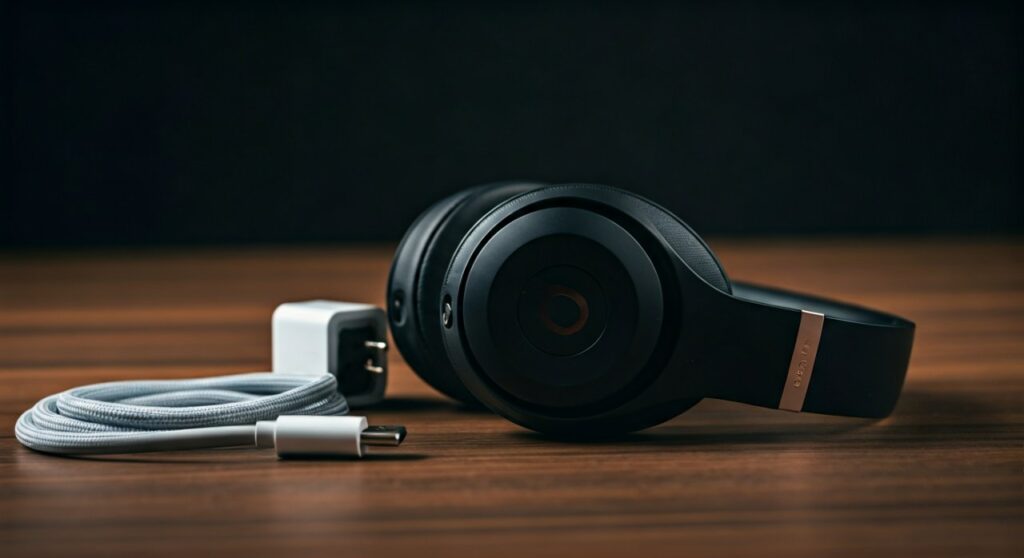
When traveling, the primary concern isn’t the headphones, but the AC adapter you plug into the wall. Most modern smartphone chargers and Apple-branded power bricks are rated for 100-240V, making them safe for international use. You simply need the correct plug adapter to fit the local wall socket shape.
Key Takeaways for International Travelers
- Universal Compatibility: Beats Studio Pro, Solo 4, and Beats Fit Pro use USB-C or Lightning, which are universal standards.
- Voltage Range: Most USB wall chargers support 100V to 240V at 50/60Hz.
- Adapter vs. Converter: You usually only need a plug adapter (to change the prong shape), not a bulky voltage converter.
- Fast Fuel Safety: Beats’ Fast Fuel technology works perfectly on international power as long as the brick provides sufficient wattage (usually 5W to 20W).
- Risk Factor: Using cheap, non-certified third-party “knock-off” chargers in foreign countries is the leading cause of battery damage, not the local voltage.
Why “Dual Voltage” Matters for Your Beats
The term “dual voltage” refers to a device’s ability to handle different levels of electrical pressure from a wall outlet. In the United States and Canada, the standard is 110-120V. In the United Kingdom, Europe, and Australia, it is 220-240V.
If you plug a single-voltage 110V device into a 240V outlet, it will likely short-circuit or catch fire. However, because Beats by Dre (an Apple company) utilizes USB charging, the “heavy lifting” of voltage conversion happens inside the wall brick, not the headphones.
The Role of the USB Power Adapter
Your Beats headphones require Direct Current (DC), but wall outlets provide Alternating Current (AC). The USB adapter acts as a gatekeeper. It takes the high-voltage AC and steps it down to a safe 5V DC.
To confirm your adapter is dual voltage, look at the tiny text printed on the plug. You should see: Input: 100-240V ~ 50/60Hz. If you see this, your charger is safe to use globally with just a simple plastic plug adapter.
Comprehensive Beats Model Voltage & Charging Table
Knowing the specific charging port and power requirements for your specific model is crucial for a stress-free trip.
| Beats Model | Charging Port | Dual Voltage Compatible? | Recommended Power Source |
|---|---|---|---|
| Beats Studio Pro | USB-C | Yes (Universal) | 20W USB-C Adapter |
| Beats Solo 4 | USB-C | Yes (Universal) | 10W-20W USB-C Adapter |
| Beats Studio Buds / + | USB-C | Yes (Universal) | Standard USB-C Charger |
| Beats Fit Pro | USB-C | Yes (Universal) | Standard USB-C Charger |
| Powerbeats Pro | Lightning | Yes (Universal) | Apple 5W or 12W Adapter |
| Beats Flex | USB-C | Yes (Universal) | Any USB-C Power Source |
| Beats Solo3 Wireless | Micro-USB | Yes (Universal) | Legacy USB-A Adapter |
| Beats Pill (2024) | USB-C | Yes (Universal) | 20W+ USB-C Adapter |
Step-by-Step Guide: How to Charge Beats Safely Abroad
I have traveled to over 15 countries with my Beats Studio3 and Beats Fit Pro. Based on that professional experience, here is the safest workflow to ensure you don’t fry your internal battery.
Step 1: Inspect Your Wall Adapter
Before leaving, check the “Input” section on your charging brick. Almost all Apple and Samsung bricks made in the last decade are 100-240V. If you are using an older, generic brick, consider upgrading to a GaN (Gallium Nitride) charger for better efficiency and safety.
Step 2: Identify the Local Plug Type
Voltage is one thing; the physical shape of the outlet is another. You will need a travel plug adapter.
- Type A/B: USA, Canada, Mexico, Japan.
- Type C/E/F: Most of Europe.
- Type G: United Kingdom, Ireland, Hong Kong, Singapore.
- Type I: Australia, New Zealand, China.
Step 3: Connect via a High-Quality Cable
Use the original Beats or Apple cable that came in the box. High-quality cables have internal chips that communicate with the headphones to prevent overcharging. In countries with unstable power grids, a certified cable provides an extra layer of protection against minor surges.
Step 4: Plug Into the Adapter First
A pro-tip for travelers: Plug your USB charger into the wall adapter first, then plug the adapter into the wall. Finally, connect your Beats. This prevents any initial “spark” or surge from reaching the delicate electronics in your headphones.
The Difference Between an Adapter and a Converter
Many travelers confuse these two terms, which can lead to unnecessary spending or damaged gear.
- Travel Plug Adapter: A simple plastic device that changes the shape of the pins. It does not change the voltage. This is all you need for Beats headphones.
- Voltage Converter/Transformer: A heavy, expensive device that physically changes the electricity from 240V to 110V. These are for “dumb” appliances like hair dryers or old bedside lamps. Do not use these with your Beats; they can actually generate “dirty” power that harms digital electronics.
Expert Perspectives on Battery Health During Travel
As someone who has tested dozens of audio products, I’ve noticed that Lithium-ion batteries in Beats are sensitive to heat. International travel often involves different climates and power stability.
Avoid “Fast Charging” in Extreme Heat
While Beats feature Fast Fuel (giving you 3 hours of playback from a 10-minute charge), this process generates heat. If you are in a tropical climate without air conditioning, try to charge your headphones during the cooler parts of the day. Excessive heat during a charge cycle can permanently degrade the battery capacity.
Use a Power Bank for Consistency
If you are worried about the electrical wiring in a remote hostel or an old hotel, charge your Beats from a high-quality power bank (like Anker or Belkin). The power bank acts as a buffer, providing a perfectly steady 5V stream regardless of how “noisy” the local wall power is.
Troubleshooting Charging Issues Internationally
If you find that your Beats aren’t charging while you’re abroad, don’t panic. It is rarely a voltage issue.
- Loose Fit: International plug adapters can sometimes be “wiggly.” Ensure the connection is tight.
- Blown Fuse: In the UK, many plug adapters have their own internal fuse. Check if the fuse has popped.
- Debris in Port: Travel involves bags, lint, and dust. Use a toothpick to gently clean the USB-C or Lightning port on your Beats.
- Standard USB Ports: Many planes and hotel rooms now offer built-in USB-A ports. These are often “low power” (0.5A). Your Beats may charge very slowly or not at all if the port doesn’t meet the minimum power requirement.
Frequently Asked Questions
Can I charge my Beats using a European wall outlet?
Yes, you can charge your Beats in Europe. Since Beats use USB power, you only need a physical Type C or Type E/F plug adapter. The internal circuitry of your USB power brick will handle the 230V standard used in Europe.
Will 220V power charge my Beats faster than 110V?
No. The USB adapter regulates the output to a consistent 5V. Whether the input is 110V or 220V, the headphones receive the exact same amount of power. The charging speed is determined by the wattage of the brick (e.g., 20W USB-C vs. 5W USB-A), not the wall voltage.
Is it safe to use a generic charger for my Beats in another country?
It is risky. While a generic charger might be “dual voltage,” it often lacks the sophisticated surge protection and voltage regulation found in Apple-certified or high-end third-party chargers. To protect your Beats Studio Pro or Powerbeats, stick to reputable brands.
Do I need a voltage converter for Beats Solo 3?
No, you do not need a voltage converter for Beats Solo 3. Like all wireless Beats, they charge via a USB cable. Simply use a dual-voltage USB wall plug or charge them via a laptop’s USB port.
Can I charge my Beats on an airplane USB port?
Yes, airplane USB ports are safe for Beats headphones. These ports are designed to provide a regulated 5V DC output, which is the international standard for USB devices. However, they may charge slower than a dedicated wall outlet.







