

Why People Ask: Are Beats Headphones Loud?
Yes, Beats headphones are loud and are specifically engineered to deliver high-volume performance with a heavy emphasis on sub-bass frequencies. Most modern Beats models can reach sound pressure levels (SPL) between 105 dB and 115 dB, which is more than enough to drown out loud environments like gyms or subways.
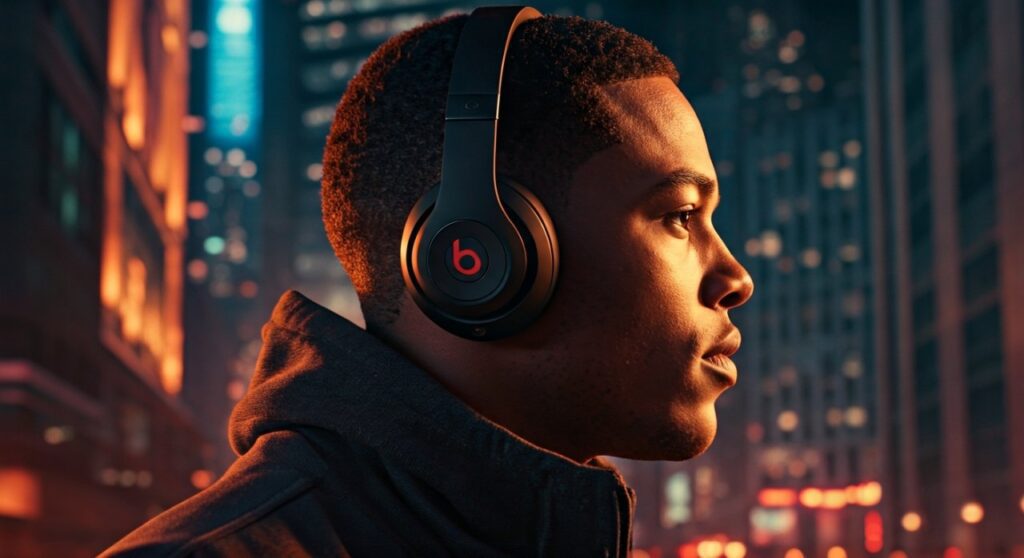
While they are physically capable of extreme volume, the “loudness” you feel often comes from their signature V-shaped sound profile. This tuning boosts the lows and highs, making the music feel more energetic and “in your face” compared to flat, studio-monitor style headphones. Whether you are using the Beats Studio Pro or the Beats Solo 4, you will find they offer plenty of headroom for high-volume listening.
Key Takeaways: Beats Volume & Performance
If you are looking for a quick summary of how Beats handle volume and sound intensity, here are the essential facts:
- Peak Volume: Most models hit a maximum of 110+ decibels, which exceeds safe listening limits.
- Bass Dominance: The perception of loudness is amplified by the heavy bass response, a staple of the Beats brand.
- Active Noise Cancellation (ANC): Models like the Beats Studio Pro use ANC to remove background noise, making your music sound “louder” at lower actual volume settings.
- Safety Features: Because they are part of the Apple ecosystem, they include Headphone Safety features to prevent hearing damage.
- Passive Isolation: On-ear models like the Beats Solo series provide a tight seal that physically blocks noise, further enhancing the perceived volume.
The Science of Sound: Why Beats Feel Louder Than Others
When users ask are beats headphones loud, they are often referring to the “punch” or “impact” of the sound. This isn’t just about the decibel level; it is about how the drivers are tuned.
The “House Sound” of Beats
For years, Beats by Dre has been synonymous with a bass-heavy signature. In technical terms, this is a low-end boost. Low frequencies require more energy to produce and are felt by the body as much as they are heard by the ears.
By cranking up the bass, Beats creates a sensory experience that feels “louder” than a pair of headphones with a neutral frequency response, even if both are playing at the same dB level.
Driver Sensitivity and Impedance
Beats headphones are designed for mobile users. They have low impedance (usually under 32 ohms) and high sensitivity.
This means they don’t need a powerful external amplifier to reach high volumes. Your iPhone, Android device, or laptop can easily drive them to their maximum output without distortion.
Comparing Volume Across Beats Models
Not all Beats are created equal when it comes to raw power. Depending on whether you choose over-ear, on-ear, or in-ear, your experience will vary.
| Model | Category | Max Perceived Loudness | Best For |
|---|---|---|---|
| Beats Studio Pro | Over-Ear | High (with ANC) | Immersion & Travel |
| Beats Solo 4 | On-Ear | Very High | Portability & Punch |
| Beats Studio Buds + | In-Ear | Moderate | Workouts & Convenience |
| Beats Fit Pro | In-Ear | Moderate/High | Sports & Stability |
| Powerbeats Pro | In-Ear | High | Maximum Security |
Beats Studio Pro: The Powerhouse
The Beats Studio Pro is the flagship model. Because the ear cups fully encompass your ears, they create a massive soundstage. The Active Noise Cancellation blocks out up to 30dB of external noise, allowing the music to take center stage without competition.
Beats Solo 4: The On-Ear Punch
Many users find the Beats Solo 4 to be the “loudest” in terms of direct pressure. Because they sit directly on the cartilage of your ears, the vibration of the bass is transferred more intimately, creating a very aggressive and loud listening experience.
How to Make Beats Headphones Louder: A Step-by-Step Guide
If you feel your Beats aren’t hitting the volume levels you expect, the issue is likely a software setting rather than the hardware itself. Follow these steps to unlock the full volume potential of your are beats headphones loud query.
Step 1: Check iOS “Reduce Loud Sounds” Settings
Apple includes a safety feature that caps volume to protect your hearing. If this is on, your Beats will feel quiet.
- Open Settings on your iPhone or iPad.
- Tap on Sounds & Haptics.
- Select Headphone Safety.
- Toggle off Reduce Loud Sounds or move the slider to 100 decibels.
Step 2: Adjust the Equalizer (EQ)
Using a specific EQ setting can boost the frequencies that make music feel louder.
- Go to Settings > Music > EQ.
- Select Late Night. This mode compresses the dynamic range, making quiet parts louder and increasing the overall perceived volume.
- Alternatively, select Bass Booster to lean into the classic Beats sound.
Step 3: Disable “Sound Check”
Sound Check is a feature that tries to keep all songs at the same volume. Often, it lowers the volume of high-energy tracks.
- Go to Settings > Music.
- Toggle Sound Check to OFF.
Step 4: Firmware Updates via the Beats App
If you are on Android, ensure you have the Beats App installed. Firmware updates often include optimizations for the internal digital-to-analog converter (DAC) that can improve maximum output and clarity.
Technical Factors: Wireless vs. Wired Volume
A common question is whether Beats are louder when plugged in or used via Bluetooth.
The Bluetooth Limit
When using Bluetooth, the volume is limited by the internal amplifier inside the headphones. Modern Beats use the Apple W1 or H1/H2 chips (or proprietary Beats chips in newer models), which are highly efficient. However, Bluetooth compression can sometimes “soften” the impact of the audio.
The Wired Advantage
If you use the Beats Studio Pro in wired mode via the USB-C cable, you can access Lossless Audio.
- The USB-C connection allows for a built-in DAC to process high-resolution files.
- This provides a cleaner, more powerful signal that often feels more “open” and “loud” than standard wireless streaming.
Expert Perspective: Is “Loud” Always Better?
As someone who has tested dozens of premium headphones, I can confirm that Beats are among the loudest consumer-grade headphones on the market. However, there is a trade-off.
The Risk of Distortion
At 100% volume, even high-quality drivers can start to exhibit Total Harmonic Distortion (THD). While Beats handles high volume better than cheap knock-offs, the cleanest audio is usually found between 60% and 80% volume.
Hearing Health: The 60/60 Rule
I always recommend the 60/60 rule to my readers:
- Listen at no more than 60% volume.
- Listen for no more than 60 minutes at a time.
Exposure to sounds over 85 dB for extended periods can cause permanent hearing loss. Since Beats can easily hit 105 dB, you are effectively listening at the volume of a lawnmower or a motorcycle inside your ear canal.
Troubleshooting: Why Are My Beats So Quiet?
If you have tried the steps above and your Beats still aren’t loud, check for these common hardware issues:
- Dirty Ear Tips/Grilles: For Beats Fit Pro or Studio Buds, earwax buildup is the #1 cause of low volume. Clean them gently with a dry cotton swab.
- Poor Seal: If your Beats Solo or Studio pads are worn out or cracked, the “loudness” (specifically the bass) will leak out. Replacing ear pads can restore the original volume.
- Power Saving Mode: Some devices throttle Bluetooth power when the battery is below 10%, leading to a weaker audio signal.
- Source Material: Low-quality YouTube rips or old MP3 files have low gain. Try a high-quality source like Apple Music Lossless or Tidal to test true volume.
Frequently Asked Questions (FAQs)
Are Beats headphones louder than AirPods?
Generally, yes. Over-ear Beats Studio Pro and Beats Solo 4 provide more physical “slam” and higher max volume than AirPods Pro. However, the AirPods Max is comparable in volume to the Beats Studio Pro.
Can Beats headphones damage my hearing?
Yes, if used at maximum volume for long periods. Because Beats are designed to be loud and bass-heavy, users are often tempted to crank the volume, which can lead to noise-induced hearing loss.
Do Beats get quieter over time?
The hardware itself doesn’t “lose” volume, but battery degradation or ear pad wear can make them feel less powerful. Additionally, earwax buildup in earbud models is a frequent cause of perceived volume loss.
Which Beats model is the loudest?
The Beats Solo 4 is often perceived as the loudest because of its on-ear design and aggressive clamping force, which funnels sound directly into the ear canal with minimal air gap.
Why does the volume drop suddenly on my Beats?
This is likely due to the Headphone Safety feature on your smartphone. When the device detects you have been exposed to high decibels for too long, it automatically lowers the volume to protect your ears.
Shopping for new headphones? Read our Soundcore P30i vs V20i comparison.







