

Beats wireless headphones are safe for the vast majority of users because they utilize low-frequency, non-ionizing radiofrequency (RF) radiation that falls well within the safety limits established by the FCC and international regulatory bodies. While concerns about EMF exposure are common, the Bluetooth technology in Beats devices operates at power levels far lower than a typical smartphone, making them a low-risk choice for daily audio consumption.
Key Takeaways: Are Beats Wireless Headphones Safe?
If you are looking for a quick summary of the safety profile of Beats by Dre products, here are the essential facts:
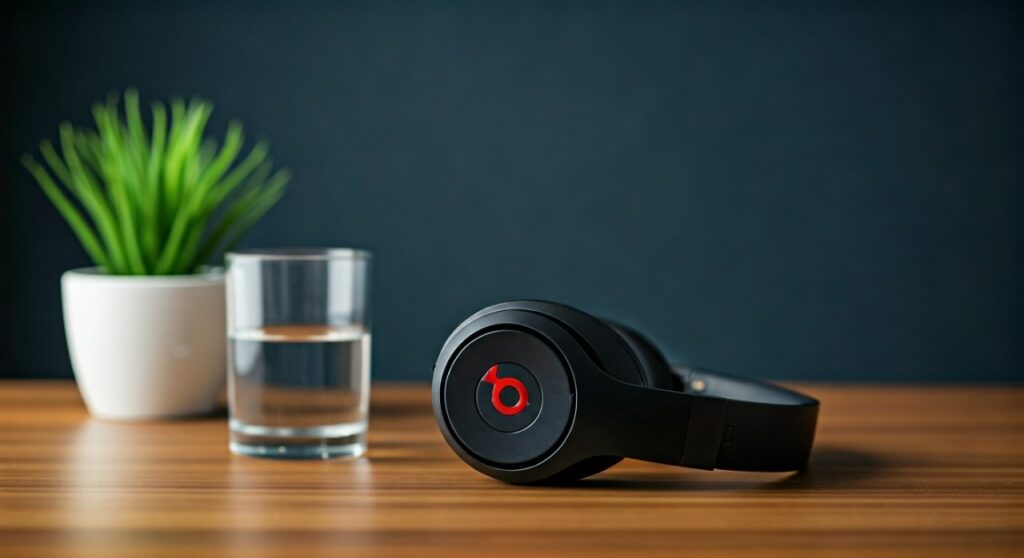
- Non-Ionizing Radiation: Beats use Bluetooth technology, which emits non-ionizing radiation—a type of energy that lacks the power to damage DNA or cells directly.
- Regulatory Compliance: Every model, from the Beats Studio Pro to the Beats Solo 4, complies with SAR (Specific Absorption Rate) standards set by the FCC and ICNIRP.
- Hearing Protection: The primary safety risk is actually high volume (decibel levels), not radiation. Using Beats’ built-in volume limiters can mitigate this.
- Transparency Mode: Safety is enhanced by features like Transparency Mode, which allows environmental awareness while walking or exercising outdoors.
- Battery Stability: Apple’s engineering (as the parent company of Beats) ensures high-quality Lithium-ion battery management to prevent overheating or fire risks.
Understanding the Science: Are Beats Wireless Headphones Safe for Your Brain?
The most frequent question regarding wireless audio is whether placing a Bluetooth transmitter so close to the head is dangerous. To understand why Beats wireless headphones are safe, we must look at the nature of the electromagnetic fields (EMF) they produce.
Beats headphones utilize Class 1 and Class 2 Bluetooth transmitters. These operate at a frequency of approximately 2.4 GHz, the same frequency as Wi-Fi, but at significantly lower power outputs. Unlike X-rays or gamma rays (ionizing radiation), Bluetooth signals do not have enough energy to remove electrons from atoms or molecules.
SAR Ratings and Beats Devices
The Specific Absorption Rate (SAR) measures the rate at which energy is absorbed by the human body when exposed to an RF electromagnetic field. The FCC limit for SAR in the United States is 1.6 watts per kilogram (W/kg).
Independent testing consistently shows that Beats wireless headphones operate at SAR levels a fraction of that limit. Because they are receiving a signal and only transmitting low-power bursts to maintain a connection, the exposure is negligible compared to holding a 5G smartphone against your ear.
| Feature | Beats Wireless Headphones | Typical Smartphone (Handheld) |
|---|---|---|
| Radiation Type | Non-ionizing RF | Non-ionizing RF |
| Power Output | ~1 – 100 milliwatts | ~600 – 2000 milliwatts |
| Frequency Range | 2.4 GHz | 700 MHz – 39 GHz (5G) |
| SAR Compliance | Strict (Well below 1.6 W/kg) | Within limits, but higher than headphones |
| Primary Safety Concern | Noise-Induced Hearing Loss | Distracted driving/Signal interference |
Step-by-Step Guide: How to Use Your Beats Safely
To ensure you are getting the most out of your Beats while prioritizing your health, follow this comprehensive safety protocol.
Step 1: Manage Your Decibel (dB) Levels
The greatest threat to your health when using Beats is Noise-Induced Hearing Loss (NIHL). Modern Beats models can reach volumes exceeding 100 dB, which can cause permanent damage in just 15 minutes.
- Open the Settings on your iPhone or Android.
- Navigate to Sounds & Haptics > Headphone Safety.
- Toggle on Reduce Loud Sounds.
- Set the limit to 80 or 85 decibels. This is the level recommended by the World Health Organization (WHO) for prolonged listening.
Step 2: Utilize Active Noise Cancellation (ANC) Wisely
The Beats Studio Pro and Beats Fit Pro feature excellent Active Noise Cancellation. Using ANC actually makes your headphones safer because it allows you to hear your music clearly without cranking the volume to drown out background noise (like airplane engines or traffic).
- Engage ANC in noisy environments to keep your total volume output lower.
- Switch to Transparency Mode when walking near traffic or in public spaces to maintain “situational safety.”
Step 3: Implement the 60/60 Rule
Audiologists frequently recommend the 60/60 rule for all wireless headphone users.
- Listen to your Beats at no more than 60% maximum volume.
- Limit your listening sessions to 60 minutes at a time.
- Give your ears a “rest period” of at least 10 minutes between sessions to allow the hair cells in your inner ear to recover.
Step 4: Keep Firmware Updated
Apple frequently releases firmware updates for Beats products. These updates aren’t just for sound quality; they often include improvements to battery management and thermal regulation.
- For iOS users: Updates happen automatically when your Beats are charging and near your iPhone.
- For Android users: Download the Beats App from the Google Play Store to manually check for and install firmware updates.
Battery and Thermal Safety in Beats Products
Since Beats are powered by Lithium-ion batteries, users occasionally worry about fire hazards or “explosions” reported in low-quality generic headphones.
Because Beats is owned by Apple Inc., they benefit from some of the most rigorous battery safety engineering in the world. The Apple H1 and H2 chips found in modern Beats include thermal sensors that automatically throttle power or shut the device down if internal temperatures exceed safe thresholds.
Tips for Battery Safety:
- Avoid extreme heat: Never leave your Beats Solo 3 or Studio Pro on a car dashboard in the sun.
- Use certified cables: Only charge with the original USB-C cable or a MFi-certified (Made for iPhone) equivalent to prevent voltage spikes.
- Inspect for swelling: If the ear cups or casing appear warped, stop using them immediately, as this indicates a failing battery.
Expert Perspective: Are Beats Safe for Kids and Teens?
Children have thinner skull bones and developing auditory systems, making them more sensitive to both RF radiation and high-volume sound.
From my experience as a tech reviewer, I recommend that parents only allow teens to use Beats if they are disciplined enough to manage volume levels. For younger children, look for dedicated “Kids’ Headphones” that have hardware-level volume caps at 85 dB. If your teen insists on Beats, ensure you use the Screen Time settings on iOS to “Lock” the maximum headphone volume so they cannot bypass it.
Physical Comfort and Ear Health
Safety isn’t just about radiation and hearing; it’s also about physical hygiene. Wearing over-ear Beats for 8 hours a day can lead to:
- Otitis Externa (Swimmer’s Ear): Moisture trapped in the ear canal can cause fungal or bacterial infections.
- Skin Irritation: The synthetic leather (protein leather) on Beats ear pads can trap sweat.
Actionable Advice: Clean your Beats ear pads weekly with a slightly damp cloth and a drop of mild soap. Ensure your ears are dry before putting on your headphones, especially after a workout with Powerbeats Pro.
Frequently Asked Questions (FAQs)
Do Beats headphones cause cancer?
There is no peer-reviewed scientific evidence proving that the low-level non-ionizing radiation from Beats or other Bluetooth headphones causes cancer. They operate well within the safety guidelines established by global health organizations.
Is it safe to sleep with Beats headphones on?
While the radiation is not a concern, sleeping with over-ear Beats can lead to neck strain or skin irritation. Furthermore, if the volume is too high, you risk hearing damage without being awake to notice the discomfort.
Are wireless Beats safer than wired ones?
Wired headphones have zero RF radiation, but they carry a small risk of strangulation or “tripping” hazards. For most users, the convenience of wireless Beats outweighs the negligible radiation risk, provided volume is managed.
Can I wear my Beats during a lightning storm?
Yes, it is safe. Unlike old-fashioned landline phones connected to a wall, Beats are not grounded and do not increase your risk of being struck by lightning or experiencing a surge while outdoors.
Does Active Noise Cancellation (ANC) hurt your ears?
Some users experience “ear pressure” when using ANC on the Beats Studio Pro. This is a psychoacoustic illusion caused by the anti-noise waves and is not physically harmful to your eardrums.







