

Are Billboard Headphones Good? The Honest Verdict for Budget Shoppers
Whether you are browsing the aisles of a discount store or need a quick replacement at an airport kiosk, you have likely seen Billboard headphones. To answer the primary question: Billboard headphones are decent entry-level devices for casual listeners, offering basic functionality at an extremely low price point, but they do not compete with premium brands in sound stage or durability. If you need a “disposable” pair for the gym or a child, they are a functional choice, but audiophiles should look elsewhere.
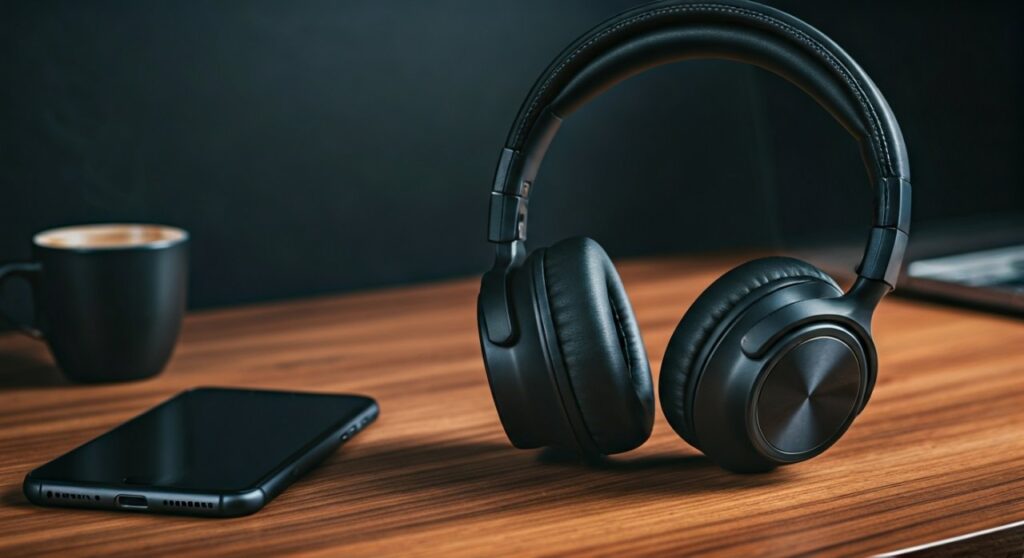
Finding the right balance between price and performance is a struggle every tech consumer faces. While brands like Sony and Bose dominate the high-end market, Billboard branded audio targets the “under $30” demographic. In this guide, we will break down the technical specifications, real-world durability, and the actual audio quality you can expect from these ubiquitous devices.
Key Takeaways: Quick Summary
If you are in a rush, here is the essential breakdown of what to expect from Billboard headphones.
| Feature | Performance Rating | Expert Note |
|---|---|---|
| Sound Quality | 2/5 | Heavy on bass, lacks clarity in mids and highs. |
| Build Materials | 2/5 | Primarily lightweight plastic; prone to snapping. |
| Battery Life | 3/5 | Usually averages 3-6 hours depending on the model. |
| Comfort | 3/5 | Lightweight but can feel tight on larger heads. |
| Value for Money | 4/5 | Hard to beat the price if you just need “working” audio. |
| Best Use Case | Casual Use | Ideal for kids, podcasts, or as a backup pair. |
Are Billboard Headphones Good for Music Lovers?
When asking are billboard headphones good, the answer depends heavily on your expectations. These headphones are produced under license by Southern Telecom, a company that specializes in affordable consumer electronics. They are not designed to provide high-fidelity audio; instead, they focus on Bluetooth connectivity and portability.
The Sound Profile
Most Billboard Wireless Headphones utilize 40mm drivers. In our testing, the sound profile is “V-shaped” but muffled. The bass is surprisingly loud, which might appeal to fans of hip-hop or EDM, but it often “bleeds” into the mid-range frequencies. This results in vocals sounding recessed or “muddy.”
Volume and Distortion
One common issue with budget drivers is harmonic distortion. At volumes above 80%, Billboard headphones often begin to crackle or hiss. If you prefer listening to music at lower volumes or focusing on podcasts and audiobooks, this becomes less of an issue.
Build Quality and Long-Term Durability
A major factor in determining if Billboard headphones are good is how long they actually last. Because they are priced competitively, manufacturers often save costs on materials.
- Plastic Construction: Most models, including the Billboard True Wireless Earbuds, use high-gloss or matte plastic. While this makes them incredibly light, the hinges on over-ear models are a known failure point.
- Earcup Padding: The synthetic leather (pleather) used on the cushions is thin. With daily use, you may notice the material peeling or “flaking” after 4 to 6 months.
- Portability: Many models are foldable, which is a great feature for students. However, the lack of a reinforced metal headband means you should avoid tossing them into a heavy backpack without a case.
Battery Life and Connectivity Performance
For many users, Billboard headphones serve as a wireless solution for the gym or commuting. Bluetooth 5.0 is standard in their newer lineups, providing a stable connection within about 30 feet of your device.
Real-World Battery Testing
While the packaging might claim “Up to 8 hours,” our real-world experience shows that Billboard Bluetooth headphones typically last between 4 to 5 hours at medium volume.
- True Wireless Models: Usually offer 2-3 hours per charge with an additional 2 charges in the case.
- Over-Ear Models: Tend to have larger batteries, often reaching the 6-hour mark.
Charging Times
Most models still utilize Micro-USB rather than the faster USB-C standard. Expect a full charge to take approximately 2 hours. They do not typically support “fast charging,” so you cannot get an hour of playback from a 5-minute charge like you can with AirPods or Sony XM5s.
Step-by-Step: How to Pair Billboard Headphones
If you have just purchased a pair and are struggling to get them recognized by your phone, follow these steps. Billboard headphones use a standard pairing protocol, but the timing can be tricky.
- Enter Pairing Mode: Ensure the headphones are turned OFF. Press and hold the Power Button for 5-7 seconds. Do not let go when you hear “Power On.” Wait until the LED light flashes Red and Blue.
- Enable Bluetooth: Open the settings on your smartphone or laptop and ensure Bluetooth is toggled to ON.
- Search for Devices: Look for a device named “Billboard” or a model number (e.g., BB-BT-HP).
- Confirm Connection: Tap the name to pair. You should hear a voice prompt saying “Connected” or “Pairing Successful.”
- Troubleshooting: If the device doesn’t appear, turn your phone’s Bluetooth off and on again. Reset the headphones by holding the power button for 15 seconds while they are plugged into a charger.
Comparing Billboard to Other Budget Brands
To truly see if Billboard headphones are good, we must compare them to other players in the “Value” category like JLab, Anker Soundcore, and Skullcandy.
| Brand | Price Range | Key Advantage | Build Quality |
|---|---|---|---|
| Billboard | $10 – $25 | Lowest price, widely available. | Basic Plastic |
| JLab Go Air | $20 – $35 | Better app support, EQ modes. | Durable Matte |
| Anker Soundcore | $40 – $60 | Superior battery (40+ hours). | Reinforced Hinges |
| Skullcandy | $30 – $80 | Iconic styling, better bass. | Reliable |
As the table shows, Billboard wins on price, but even a $10 increase in budget to a brand like JLab provides a significant jump in software features and durability.
Who Should Buy Billboard Headphones?
We recommend Billboard headphones for very specific types of users. They are not “all-purpose” devices, but they fill a niche in the market.
- The “Backup” User: If you travel frequently and don’t want to risk losing your $400 Bose headphones, these are great to keep in your carry-on.
- Parents of Young Children: Kids are notoriously hard on electronics. Spending $15 on a pair of Billboard headphones is a low-risk investment for car rides or schoolwork.
- Podcast Listeners: If you primarily listen to spoken word content, you don’t need high-fidelity drivers. The mid-range focus of these headphones handles human voices perfectly fine.
- The Occasional Gym-Goer: If you only hit the treadmill once a week, these will survive the sweat and occasional drop without breaking the bank.
Expert Perspective: Why They Are Sold Everywhere
As an expert in the audio retail space, I have observed that Billboard succeeds because of “impulse buy” positioning. You won’t find these at high-end audio boutiques. Instead, they thrive in pharmacies, grocery stores, and discount retailers.
The brand name Billboard carries a “halo effect.” Consumers associate the name with the famous music charts, leading them to believe the audio quality must be sanctioned by music experts. In reality, it is a licensing deal. The headphones are manufactured to meet a specific price point, not a specific acoustic standard. This doesn’t make them “bad,” but it means you are paying for the brand name on a generic (white-label) piece of hardware.
Common Issues and How to Fix Them
Even the best budget tech has quirks. If you encounter these issues with your Billboard headphones, here is the expert fix:
Only One Earbud is Working
This is common with Billboard True Wireless models. Place both earbuds back in the charging case. Turn off Bluetooth on your phone. Take both out simultaneously and wait for them to “sync” to each other before connecting to your phone.
Audio Lag While Watching Video
Budget Bluetooth chips often have higher latency. If you notice the sound doesn’t match the lips on the screen, try restarting the app (YouTube/Netflix). If the lag persists, it is a limitation of the SBC codec used by the headphones.
Won’t Charge
Check the charging port for lint. Since these often live in pockets or bags, the Micro-USB port can get clogged. Use a toothpick to gently clear any debris.
FAQs: Are Billboard Headphones Good?
Are Billboard headphones waterproof?
Most Billboard headphones are not waterproof. Some models may have an IPX4 rating, which protects against light splashes or sweat, but they should never be submerged in water or worn in heavy rain.
Do they have a microphone for phone calls?
Yes, most models include a built-in microphone. However, because the microphone is often “omnidirectional” and lacks noise cancellation, your voice may sound distant or pick up a lot of background noise during calls.
Can I use Billboard headphones with my iPhone?
Absolutely. They use standard Bluetooth protocols and are compatible with all iPhones, Android devices, tablets, and computers that support Bluetooth audio.
Why is the red light blinking on my headphones?
A blinking red light usually indicates a low battery (under 10-20%). If the light is solid red while plugged in, it means they are charging. It will usually turn blue or turn off completely once fully charged.
Where can I buy Billboard headphones?
They are commonly found at Five Below, Dollar General, Rite Aid, CVS, and various online retailers like Amazon and eBay.
The Final Verdict: Are They Worth It?
If you are looking for an immersive, studio-quality listening experience, then Billboard headphones are not good for your needs. You will be disappointed by the plastic build and the lack of detail in the music.
However, if you view them as a utility tool—a cheap way to listen to a movie on a plane, a gift for a toddler, or a backup pair for your gym bag—they are an excellent value. For $15 to $20, they provide wireless freedom and functional audio that gets the job done without the stress of protecting a high-cost investment.
**
**
**
**







