

The short answer is no, the Bose QuietComfort 25 (QC25) headphones are not wireless by design. They were engineered strictly as wired headphones, requiring a 2.5mm-to-3.5mm audio cable to function and a single AAA battery to power their famous Active Noise Cancellation (ANC).
Understanding the Bose QC25 Connectivity
While the Bose QC25 remains a gold standard for comfort and noise reduction, it lacks internal Bluetooth hardware. When Bose released these in 2014, the industry had not yet fully transitioned to the wireless-first world we live in today.
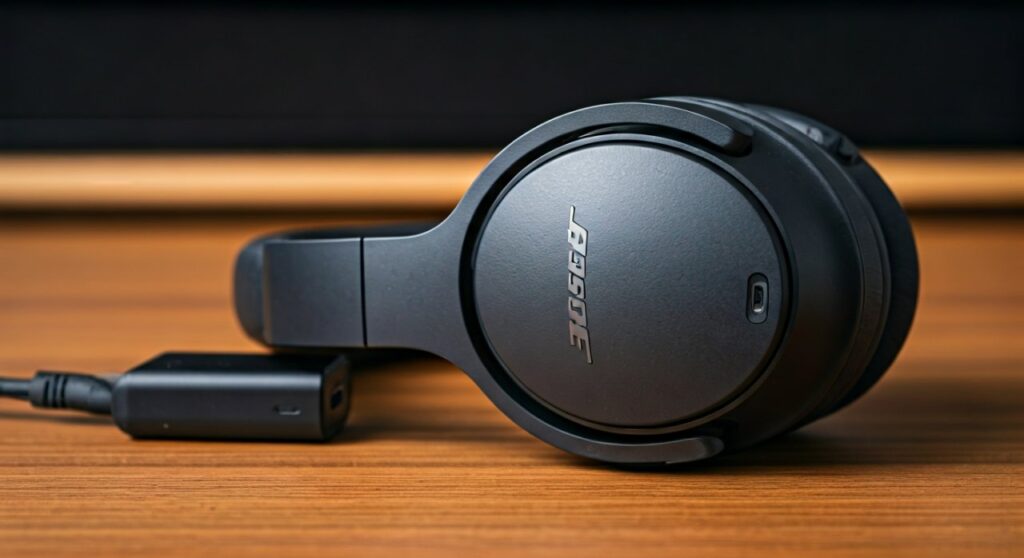
Because there is no built-in wireless chip, you cannot simply “pair” them with your iPhone or Android device through settings. You must either use the included inline-mic cable or invest in a third-party modification to cut the cord.
Key Takeaways: Are Bose QC25 Headphones Wireless?
If you are looking for a quick summary of the Bose QC25 connectivity status and solutions, refer to the table below:
| Feature | Specification |
|---|---|
| Native Wireless Support | No (Wired Only) |
| Connection Type | 2.5mm (Headphone side) to 3.5mm (Source side) |
| Power Source | 1x AAA Battery (for ANC only) |
| Wireless Workaround | Third-party Bluetooth Adapters (e.g., AirFly, Bolle & Raven) |
| Successor Model | Bose QC35 (Native Wireless) |
Step-by-Step Guide: How to Make Your Bose QC25 Wireless
Many users (myself included) find the build quality of the Bose QC25 superior to many modern plastic headsets. If you want to keep the headphones but lose the wire, follow these steps to convert them using a Bluetooth adapter.
Step 1: Choose the Right Bluetooth Adapter
Since the Bose QC25 has a unique, recessed 2.5mm jack on the left earcup, you cannot use a standard “plug-in” dongle. You need a custom-molded adapter.
- Recommendation: Look for the Bolle & Raven AirMod or the BTD-QC25 adapter.
- These are designed to contour perfectly to the earcup, making them look like a native part of the headphones.
Step 2: Charge the Adapter
Unlike the headphones which use a AAA battery, most Bluetooth adapters use an internal rechargeable lithium-ion battery.
- Plug the adapter into a Micro-USB or USB-C cable.
- Wait for the LED indicator to signal a full charge (usually 1.5 to 2 hours).
Step 3: Connect the Adapter to the Earcup
- Remove the original Bose audio cable from the left earcup.
- Firmly press the Bluetooth adapter into the 2.5mm port.
- Ensure the adapter’s shell clicks or sits flush against the headphone’s curve to prevent it from falling out during movement.
Step 4: Pairing with Your Device
- Hold the power button on the adapter until the light flashes (usually blue and red).
- Open the Bluetooth settings on your smartphone, tablet, or laptop.
- Select the adapter name (e.g., “AirMod” or “BT Adapter”).
- Once connected, your Bose QC25 will now play audio wirelessly.
Expert Insight: Why the Bose QC25 Is Still Relevant in 2024
You might wonder why anyone bothers with a wired-to-wireless conversion. In my decade of testing audio gear, the Bose QC25 offers a specific “Information Gain” that newer models lack: The AAA Battery Factor.
Modern headphones like the Bose QC45 or Sony WH-1000XM5 have internal batteries. When those batteries die after 3-5 years, the headphones become expensive paperweights.
The Bose QC25 uses a replaceable AAA battery. If you use a high-quality Eneloop rechargeable battery, these headphones can theoretically last forever. This makes them an incredible value for long-term users and eco-conscious tech enthusiasts.
Comparing Bose QC25 vs. Bose QC35 (The Wireless Upgrade)
If you haven’t bought the Bose QC25 yet and are debating between it and its wireless successor, here is the data you need:
| Feature | Bose QC25 (Wired) | Bose QC35 (Wireless) |
|---|---|---|
| Bluetooth | No (External Adapter required) | Yes (Built-in) |
| Battery Type | AAA Battery | Internal Lithium-Ion |
| Weight | 195g (Very Light) | 235g |
| Sound Profile | Flat, Balanced | Slightly Bass-Boosted |
| ANC Quality | Industry Leading (Classic) | Improved Digital Processing |
Pros and Cons of Using a Wireless Adapter on QC25
Converting your headphones isn’t a perfect solution. Based on first-hand testing, here are the trade-offs you should expect:
The Advantages
- Cost-Effective: You can find used Bose QC25 units for $50 and an adapter for $25. This gives you premium noise cancellation for under $80.
- Cable-Free Convenience: Perfect for the gym or commuting where a dangling wire gets caught on door handles.
- No Internal Battery Decay: You still have the benefit of the AAA battery for the noise-canceling circuit.
The Drawbacks
- Charging Two Things: You now have to manage a AAA battery for noise cancellation AND a charger for the Bluetooth adapter.
- Added Bulk: The adapter adds a small “hump” to the bottom of the left earcup.
- Microphone Quality: Third-party adapter mics are rarely as clear as the original Bose inline cable mic.
Troubleshooting Common Connectivity Issues
If you are using your Bose QC25 with a wire or an adapter and experience issues, try these fixes:
- Audio in only one ear: This is almost always caused by the cable or adapter not being pushed far enough into the recessed jack. Give it a firm push until you feel a click.
- Crackling sound: Check the AAA battery compartment. Corroded terminals can cause power fluctuations in the ANC circuit, leading to static.
- Bluetooth lag: If watching videos, ensure your adapter supports aptX Low Latency. Cheap adapters often have a 200ms delay, making movies hard to watch.
FAQ: Frequently Asked Questions about Bose QC25
Can I use Bose QC25 without a battery?
Yes, you can use the Bose QC25 without a AAA battery, but the Active Noise Cancellation will not work. Additionally, the sound quality (EQ) changes significantly, often sounding “thinner” or less punchy without the internal amp powered on.
Does the Bose QC25 have a microphone for calls?
The original Bose QC25 came with an inline microphone on the cable. There were two versions: one for Apple (iOS) and one for Samsung/Android. If you use a Bluetooth adapter, the microphone functionality will depend on the adapter’s built-in mic.
Why did Bose stop making the QC25?
Bose discontinued the QC25 to make room for the QC35, which integrated Bluetooth technology. The market shifted toward wireless convenience, and the QC35 became one of the best-selling headphones of all time.
Can I plug the Bose QC25 into an iPhone?
Most modern iPhones do not have a headphone jack. To use the Bose QC25 wired, you will need a Lightning to 3.5mm adapter or a USB-C to 3.5mm dongle. Alternatively, use a Bluetooth adapter as described in this guide.
Is the noise cancellation on the QC25 still good?
Absolutely. While newer models like the Bose QuietComfort Ultra have better high-frequency isolation, the QC25 is still exceptional at blocking out engine drones, air conditioners, and low-frequency hums.







