

Are closed back headphones good for mixing? The short answer is yes, you can absolutely create professional-grade mixes using closed-back headphones, provided you understand their acoustic limitations and use corrective tools. While open-back headphones are traditionally preferred for their natural soundstage, closed-back models offer indispensable isolation and sub-bass focus that are essential for modern home studio environments.
Mixing in a bedroom or a shared space often makes studio monitors impractical due to poor room acoustics or noise complaints. In these scenarios, a high-quality pair of closed-back cans becomes your primary analytical tool. By following a structured workflow involving reference tracks and calibration software, you can bypass the “boxy” sound typical of closed designs and achieve a mix that translates perfectly to cars, club systems, and earbuds.
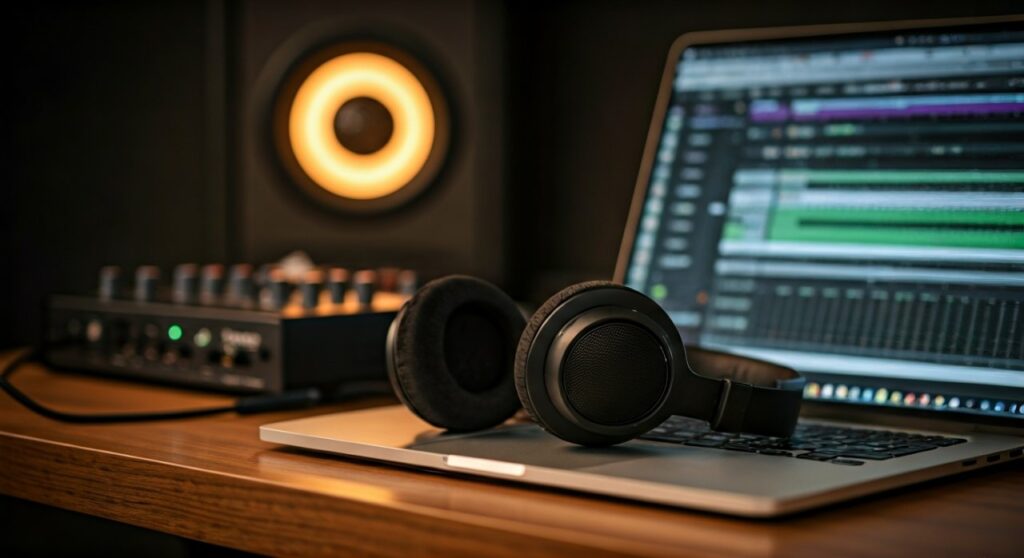
Key Takeaways: Mixing on Closed-Back Headphones
If you are in a hurry, here are the essential facts about using closed-back headphones for your next mix:
- Best For: Tracking, mixing in noisy environments, and checking low-end precision.
- Main Challenge: “Inside-the-head” imaging and potential bass buildup due to trapped air pressure.
- Essential Tool: Use sonarworks SoundID Reference or Slate VSX to flatten the frequency response.
- Pro Tip: Always cross-reference your mix on at least two other playback systems to ensure the mid-range isn’t recessed.
- Recommended Models: Beyerdynamic DT 770 Pro, Audio-Technica ATH-M50x, and Neumann NDH 20.
Understanding the Core Differences: Closed-Back vs. Open-Back
To answer if are closed back headphones good for mixing, we must first look at the physics of the ear cup. Closed-back headphones feature a sealed outer shell that prevents sound from escaping and outside noise from entering.
This seal creates an acoustic chamber. While this is great for isolation, it often leads to standing waves and resonant frequencies within the cup itself. In contrast, open-back headphones allow air to move freely, resulting in a more “airy” and transparent sound that mimics listening to speakers in a room.
Comparison Table: Mixing Capabilities
| Feature | Closed-Back Headphones | Open-Back Headphones |
|---|---|---|
| Isolation | Excellent (Blocks 15-30dB) | Poor (Sound leaks out/in) |
| Bass Accuracy | Pronounced/Powerful (Punchy) | Natural/Linear (Tight) |
| Soundstage | Narrow (Inside the head) | Wide (Spatial/Realistic) |
| Ear Fatigue | Higher (Due to air pressure) | Lower (Breathable design) |
| Best Use Case | Tracking, Field Recording, EDM/Hip-Hop | Critical Mixing, Mastering |
The Benefits of Using Closed-Back Headphones for Mixing
Despite the traditional bias toward open-back designs, many world-class engineers rely on closed-back models for specific stages of the mixing process.
Superior Isolation in Unoptimized Rooms
If you are mixing in a room with a loud refrigerator, traffic noise, or a humming PC, open-back headphones will let that noise in, masking subtle details like reverb tails or compressor artifacts. Closed-back headphones act as a physical barrier, allowing you to focus entirely on the audio signal regardless of your environment.
Micro-Detail and Transient Response
Because the drivers are closer to the ear and sealed, closed-back headphones often provide an “intimate” look at the sound. This makes them excellent for:
- Finding clicks, pops, and hidden breaths in vocal tracks.
- Adjusting the attack and release times on a compressor.
- Detecting subtle distortion in digital plugins.
Sub-Bass Perception
Closed-back headphones are famous for their “pressure.” For genres like Techno, Trap, or Dubstep, the sealed environment allows the sub-bass (20Hz – 60Hz) to feel more physical. While this can be misleading if not calibrated, it helps you feel the “thump” of a kick drum that might disappear on smaller open-back sets.
Step-by-Step Guide: How to Successfully Mix on Closed-Back Headphones
If you decide to use closed-back headphones as your primary mixing tool, you need a strategy to overcome their inherent flaws. Follow these five steps to ensure your mixes don’t sound muddy or “small.”
Step 1: Select a Flat-Response Model
Avoid “consumer” headphones like Beats or Sony XM5 for mixing. These have heavily “V-shaped” EQ curves that boost bass and treble. Instead, look for professional “Monitor” headphones.
- Entry-level: Sony MDR-7506 (Industry standard for mids).
- Mid-range: Beyerdynamic DT 770 Pro (Comfortable and detailed).
- High-end: Focal Lensys (Incredible accuracy).
Step 2: Use Frequency Correction Software
This is the “secret sauce” for modern mixing. Software like Sonarworks SoundID Reference measures the specific frequency response of your headphone model and applies a corrective EQ curve to make it flat. This removes the “bass bump” common in closed-back designs, ensuring what you hear is the truth.
Step 3: Implement Virtual Room Emulation
The biggest weakness of closed-back headphones is the narrow soundstage. Use plugins like Waves Abbey Road Studio 3 or CanOpener Studio. These plugins simulate the acoustics of a high-end mixing room and introduce crossfeed (feeding a bit of the left signal into the right ear and vice-versa). This makes panning decisions much more accurate.
Step 4: Practice Active Referencing
Load a professional track in the same genre into your session. Frequently toggle between your mix and the reference track. If the reference sounds clear but your mix sounds “muffled” on your closed-back headphones, you likely have too much low-mid buildup.
Step 5: Check Translation on “Real World” Devices
Before finalizing the mix, export it and listen on:
- Smartphone speakers.
- A car audio system.
- Standard earbud styles.
Closed-back headphones can sometimes trick you into thinking the mix is “bigger” than it actually is.
Common Pitfalls and How to Avoid Them
The “Bass Trapping” Illusion
In a closed ear cup, low frequencies bounce off the back plate. This can make you think your mix has plenty of bass when it is actually thin.
- Solution: Use a specialized Spectrum Analyzer (like Voxengo SPAN) to visually verify that your low-end energy matches professional standards.
Listener Fatigue
The air pressure in closed-back headphones can cause your eardrums to tire faster than open-back models.
- Solution: Follow the 50/10 rule. Mix for 50 minutes, then take a 10-minute break in total silence to reset your hearing.
Top Recommended Closed-Back Headphones for Mixing in 2024
- Beyerdynamic DT 1770 Pro: A premium upgrade to the classic 770. It offers incredible clarity and a very wide frequency range (5Hz – 40kHz).
- Audio-Technica ATH-M50x: While controversial for its slight bass tilt, it is the most common headphone in studios worldwide. If you learn how they sound, your mixes will translate.
- Neumann NDH 20: Known for having a sound profile very similar to Neumann studio monitors. It is perhaps the most “flat” closed-back option available.
- Sennheiser HD 280 Pro: An affordable, high-isolation workhorse. It isn’t the most “fun” to listen to, but its honesty in the mid-range is legendary.
Expert Perspective: When Should You Switch to Open-Back?
Most experts recommend a hybrid approach. Use closed-back headphones for:
- Initial sound design.
- Cleaning up tracks.
- Mixing the low-end (Kick and Bass relationship).
Switch to open-back headphones for:
- Finalizing the stereo width and panning.
- Setting reverb and delay levels.
- Mastering.
If you can only afford one pair and you work in a noisy environment, the closed-back option is the smarter investment. You can fix EQ issues with software, but you cannot fix the sound of a construction site leaking into your open-back headphones.
Frequently Asked Questions (FAQs)
Can I get a professional mix using only the Sony MDR-7506?
Yes. While they are closed-back and have a bright top-end, many Grammy-winning engineers use them. The key is “learning” the headphones by listening to hundreds of hours of music through them so you know what a “good” mix should look like on those specific drivers.
Do closed-back headphones cause more ear damage?
Not necessarily, but they do create more pneumatic pressure on the eardrum. To protect your hearing, keep your mixing volume around 75-80 dB SPL and avoid long sessions at high volumes.
Is Slate VSX better than standard closed-back headphones for mixing?
Slate VSX is a specialized closed-back system designed specifically for mixing. It combines high-quality hardware with software that emulates various world-class studios. For many home producers, it is currently the best way to mix “in the box.”
Why does my mix sound “muddy” when I switch from headphones to speakers?
This usually happens because closed-back headphones lack a natural soundstage, leading you to add too much reverb or not enough “air” in the high frequencies. Using a crossfeed plugin can help alleviate this issue.
Are gaming headphones good for mixing?
Generally, no. Gaming headphones usually have “surround sound” processing and extreme bass boosts that distort the original audio signal. Stick to “Studio Monitor” headphones for any serious audio work.







