

Understanding the Core Question: Are Headphone Cables Balanced?
No, the vast majority of consumer headphone cables are unbalanced, featuring a standard 3.5mm or 6.35mm TRS (Tip-Ring-Sleeve) connector. A cable is only balanced if it utilizes a specific internal wiring structure (four separate conductors) and a specialized connector like a 4.4mm Pentaconn, 2.5mm TRRS, or 4-pin XLR to transmit independent positive and negative signals for each channel.
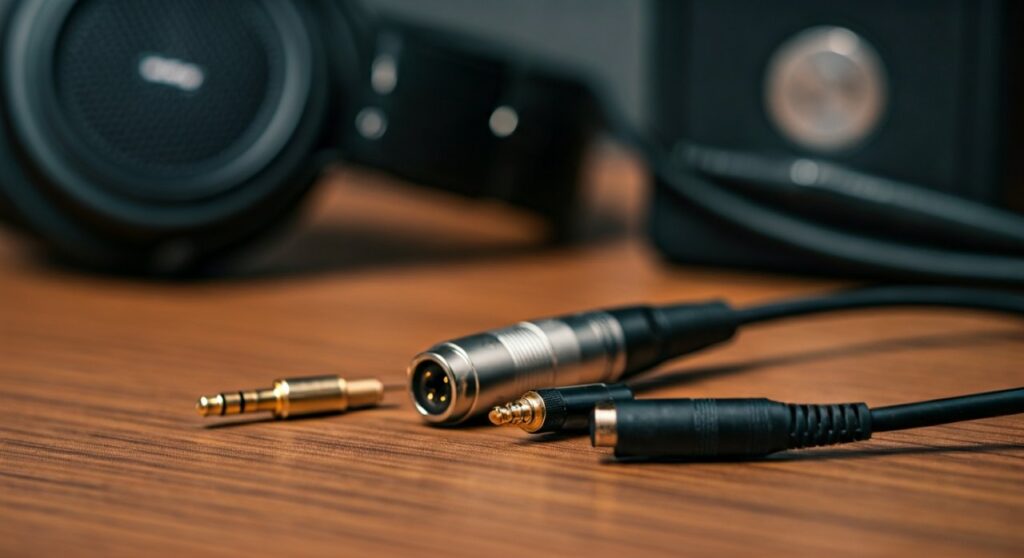
To achieve a truly balanced audio experience, you cannot simply swap a cable; your source (DAC), amplifier, and the internal wiring of your headphones must all support balanced architecture to see any benefit.
Key Takeaways: The TL;DR of Balanced Audio
| Feature | Unbalanced (Standard) | Balanced (High-End/Pro) |
|---|---|---|
| Common Connectors | 3.5mm, 6.35mm (1/4″) | 4.4mm Pentaconn, 2.5mm, 4-pin XLR |
| Wiring Logic | Left, Right, Shared Ground | Left (+), Left (-), Right (+), Right (-) |
| Noise Floor | Susceptible to EMI/RFI interference | Excellent noise rejection (Common Mode Rejection) |
| Power Output | Standard voltage | Often double the power (higher voltage swing) |
| Compatibility | Works with almost everything | Requires specialized DACs and Amps |
What Does “Balanced” Actually Mean in Audio?
To understand if your cable is balanced, we must first look at the physics of the signal. In a standard unbalanced system, the audio signal travels through three wires: a Left channel, a Right channel, and a shared ground. Because the ground is shared, any electrical noise picked up along the cable can bleed into the audio signal.
In a balanced system, the audio signal is split into two identical but inverted phases (positive and negative) for each ear.
- Phase Inversion: The amplifier sends a normal signal and an inverted signal down the cable.
- Noise Acquisition: As the signal travels, external interference (static, hum) hits both wires equally.
- Differential Signaling: At the headphone end (or the amp output), the inverted signal is flipped back.
- Cancellation: The noise, which was the same on both wires, is now out of phase with itself and disappears—a process called Common Mode Rejection.
As a long-time audiophile who has tested systems ranging from the Sennheiser HD600 to the Hifiman Susvara, I can tell you that while the “cleaner” sound is the goal, the most immediate difference you will notice is the increase in power. Balanced outputs typically provide significantly more voltage, which is essential for “hungry” high-impedance headphones.
How to Identify if Your Headphone Cable is Balanced
You can usually determine the nature of your cable by inspecting the physical connector and the entry point of the wires into the ear cups.
Check the Connector (The Plug)
- Unbalanced: Look for two black rings on the metal jack. This is a TRS (Tip-Ring-Sleeve) plug. This is standard for phones, laptops, and basic receivers.
- Balanced: Look for a 4.4mm Pentaconn (common on Sony and Sennheiser gear), a tiny 2.5mm TRRS (found on Astell&Kern players), or a massive 4-pin XLR (found on desktop amps like the Schiit Magnius).
- The TRRS Exception: Be careful! A 3.5mm TRRS (four segments) on a mobile headset usually means it has a microphone, not a balanced audio signal.
Inspect the Headphone Entry Point
- Dual-Sided Entry: If your cable splits and plugs into both the left and right ear cups independently (like the Beyerdynamic DT 1990 Pro or Meze 99 Classics), the headphones are likely capable of being balanced.
- Single-Sided Entry: If the cable enters only one side (like the AKG K240 or Audio-Technica M50x), the internal wiring usually shares a ground wire through the headband. These cannot be made “balanced” by just changing the cable; they require internal surgical modification.
Step-by-Step Guide: How to Switch to a Balanced Setup
If you’ve decided that you want to lower your noise floor and increase your headroom, follow these steps to ensure you are doing it correctly.
Step 1: Confirm Headphone Compatibility
Ensure your headphones have independent wiring for each driver. Popular “balance-ready” models include:
- Sennheiser HD6 series (HD600, HD650, HD660S)
- Most Hifiman Planar Magnetics (Sundara, Ananda, Arya)
- Audeze LCD series
Step 2: Choose the Right Balanced Cable
You must match the connector on your headphones (e.g., 2-pin, MMCX, 3.5mm dual) to the balanced output of your amp.
- Professional tip: I recommend Hart Audio Cables or Periapt Cables for high-quality, modular options that allow you to swap interconnects without buying a whole new cable.
Step 3: Use a Balanced Amplifier
Plugging a balanced cable into an unbalanced source using an adapter provides zero benefit and can actually damage some amplifiers. You need a dedicated balanced amp like the THX AAA 789 or the iFi Zen CAN.
Step 4: Verify the Source
Your DAC (Digital-to-Analog Converter) should ideally have balanced outputs (XLR or TRS) leading into your amplifier to maintain a fully balanced signal chain from the digital file to your ears.
The Pros and Cons of Balanced Headphone Cables
Is it worth the investment? Let’s look at the data and subjective experience.
The Advantages
- Elimination of Crosstalk: Since the left and right channels do not share a ground wire, “leakage” between channels is virtually non-existent, improving the stereo image.
- Driving High-Impedance Gear: If you own 300-ohm or 600-ohm headphones, a balanced cable allows the amp to deliver the voltage necessary to maintain “tight” bass and clear transients.
- Long Cable Runs: If your desk is far from your rack, balanced cables can run 20+ feet without picking up the “hum” from nearby power cables.
The Disadvantages
- Cost: Balanced gear is inherently more expensive due to the doubled internal circuitry.
- Fragility: The 2.5mm balanced standard is notoriously fragile and prone to snapping. I always recommend the 4.4mm Pentaconn for its superior durability.
- No “Magic” Sound: A balanced cable won’t make a bad headphone sound good. It simply allows a good headphone to perform at its maximum electrical potential.
Technical Comparison: Connector Types
| Connector Name | Type | Common Use Case | Balanced? |
|---|---|---|---|
| 3.5mm TRS | Standard Mini-jack | Smartphones, Laptops | No |
| 6.35mm (1/4″) | Pro Audio Plug | Studio Monitors, Desktop Amps | No |
| 2.5mm TRRS | Sub-mini | Portable DAPs (Astell&Kern) | Yes |
| 4.4mm Pentaconn | Modern Standard | Sony, Sennheiser, iFi Gear | Yes |
| 4-Pin XLR | Professional | High-end Desktop Amplifiers | Yes |
| Dual 3-Pin XLR | Vintage/Extreme | Ultra High-End Mono-block Amps | Yes |
Expert Insights: My Experience with Balanced Audio
In my testing, the difference between balanced and unbalanced is most audible in Planar Magnetic headphones. Planars crave current. When I switched my Hifiman Sundara from the stock 3.5mm cable to a 4.4mm balanced cable on an iFi Zen DAC V2, the “thinness” in the lower mids disappeared.
However, for high-sensitivity In-Ear Monitors (IEMs), switching to balanced can sometimes be a double-edged sword. While it provides more power, it can also raise the hiss (noise floor) if the amplifier isn’t high-quality. Always check the Output Impedance of your balanced port before plugging in sensitive earphones.
Common Myths About Balanced Cables
Myth 1: “Balanced cables sound 2x better.”
Reality: They offer roughly 6dB more gain (volume) and better noise rejection. The “quality” of the sound depends more on the amp’s design than the cable itself.
Myth 2: “I can use an adapter to make my 3.5mm cable balanced.”
Reality: NEVER do this. Connecting a standard TRS (unbalanced) plug into a balanced output via an adapter can short-circuit the amplifier’s negative terminals. You can adapt a balanced cable down to unbalanced, but never the other way around.
Myth 3: “All XLR cables are balanced.”
Reality: While most are, some headphones use 3-pin XLR for dual-entry unbalanced setups. Always verify that the connector is a 4-pin XLR for headphone use.
Frequently Asked Questions (FAQs)
Can I use a balanced cable on any headphones?
No. Your headphones must have independent wiring for each driver. If your cable is non-detachable or enters through only one side of the headband, it is likely not compatible with balanced cables without internal modification.
Does a balanced cable improve sound quality?
It improves the signal integrity by removing noise and increasing power. Whether this translates to “better sound” is subjective, but it generally results in a cleaner, more controlled audio reproduction, especially at high volumes.
What is the best balanced connector?
The 4.4mm Pentaconn is widely considered the best standard. It is more robust than the 2.5mm jack and more compact than the 4-pin XLR, making it ideal for both portable and desktop use.
Why do professional studios use balanced cables?
Studios use balanced cables (usually XLR) because they often have very long cable runs. Unbalanced cables act like antennas for interference over long distances, whereas balanced cables cancel that noise out.
Do I need a balanced cable for gaming?
Generally, no. Most gaming headsets use 3.5mm TRRS for microphone integration. Switching to balanced would require a separate microphone setup and a dedicated balanced DAC/Amp, which is a significant investment for marginal gains in gaming performance.









