

Are Headphones a Peripheral Device? The Definitive Answer
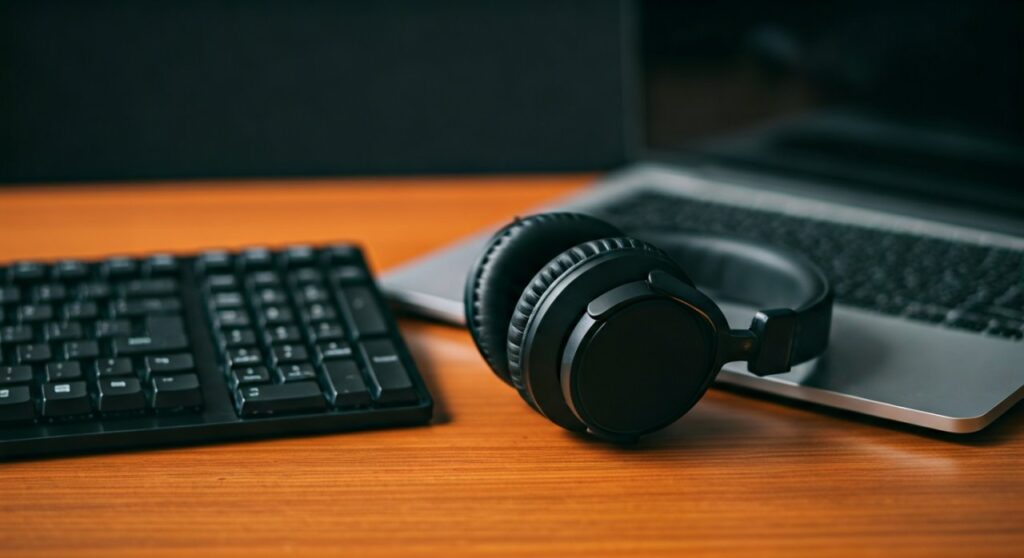
Yes, headphones are peripheral devices because they serve as external hardware components that connect to a computer to provide specific output functions. Since they are not part of the computer’s core architecture (CPU, motherboard, or RAM), they are classified as auxiliary output peripherals. In some cases, such as headsets with built-in microphones, they function as both input and output peripheral devices.
Key Takeaways: Headphones as Hardware Peripherals
If you are looking for a quick summary of how headphones fit into your computer ecosystem, here are the essential facts:
- Primary Classification: They are output peripherals because they receive data from the computer and convert it into sound.
- Dual-Functionality: Headsets (headphones + microphone) are hybrid devices acting as both input and output peripherals.
- Connection Methods: They connect via 3.5mm jacks, USB, USB-C, or wireless protocols like Bluetooth.
- System Role: The computer’s operating system (OS) treats them as an “Audio Endpoint” within the hardware layer.
- Driver Requirement: Like all peripherals, they require software drivers (standard or proprietary) to communicate with the CPU.
Understanding the Definition of a Peripheral Device
To understand why headphones are peripherals, we must first define what a peripheral is in the world of computing. A peripheral is any hardware device that resides outside the computer’s “core” processing unit.
The core of your computer consists of the Central Processing Unit (CPU), the Motherboard, and the System Memory (RAM). Anything that plugs into these components to expand the computer’s capabilities is a peripheral.
The Three Main Categories of Peripherals
- Input Devices: These send data to the computer (e.g., Keyboards, Mice, Webcams).
- Output Devices: These receive data from the computer (e.g., Monitors, Printers, Headphones).
- Storage/Hybrid Devices: These can both send and receive data (e.g., External Hard Drives, Headsets).
Because headphones take digital or analog signals from the computer and turn them into audible sound waves for your ears, they are a textbook example of an output peripheral.
Why Headphones are Peripherals: Technical Breakdown
In my years of configuring professional audio workstations, I have seen how the system architecture treats various devices. When you plug in headphones, the Operating System triggers a series of events that confirm its status as a peripheral.
External Connection Interface
A peripheral is defined by its connection to an I/O (Input/Output) port. Whether you use a Sennheiser studio monitor via a 1/4-inch jack or a Sony WH-1000XM5 via Bluetooth, the connection happens at the interface level, not the internal bus level.
Lack of Core Functionality
Your computer can boot up, run complex calculations, and browse the web without headphones. Because they are “optional” for the computer’s basic survival but “essential” for user experience, they fall squarely into the peripheral category.
Data Transformation
Headphones perform a specific task: they convert electrical signals into mechanical energy (sound). This specialized function is the hallmark of output peripherals.
Comparing Headphones to Other Audio Peripherals
Not all audio devices are created equal. Depending on their configuration, they may be classified differently within your system settings.
| Device Type | Peripheral Category | Primary Function | Connection Type |
|---|---|---|---|
| Standard Headphones | Output | Audio Playback | 3.5mm, USB, Bluetooth |
| Microphone | Input | Audio Recording | XLR, USB, 3.5mm |
| Gaming Headset | Input & Output | Playback + Voice Chat | USB, Dual 3.5mm |
| Studio Monitors | Output | High-Fidelity Playback | TRS, XLR, RCA |
| Sound Card | Internal Peripheral | Audio Processing | PCIe, Integrated |
How Your OS Manages Headphones as Peripherals
When you connect are headphones peripherals to a modern PC, the Windows Device Manager or macOS System Report recognizes them as specific hardware IDs.
The Role of Drivers and Controllers
Even though many headphones are “Plug and Play,” they still utilize HID (Human Interface Device) drivers or USB Audio Class drivers. These software layers allow the CPU to communicate with the peripheral without needing to know the specific brand or model’s internal wiring.
Digital vs. Analog Signals
- Analog Headphones: These rely on the computer’s internal Digital-to-Analog Converter (DAC). The computer sees the Sound Card as the peripheral, and the headphones are just an extension of that card.
- USB/Wireless Headphones: These have their own built-in DAC. In this case, the computer recognizes the headphones themselves as a distinct audio peripheral with their own processing power.
Step-by-Step: How to Manage Your Headphone Peripheral
If your computer isn’t recognizing your headphones, you need to manage them through the peripheral settings. Follow these steps for Windows 11 and macOS:
For Windows Users:
- Right-click the speaker icon in the taskbar.
- Select Sound settings.
- Under the Output section, look for your device name (e.g., Bose, SteelSeries, or Realtek Audio).
- If it isn’t listed, click “Add device” to search for Bluetooth peripherals.
- Check the Device Manager (Win + X) to ensure the “Audio inputs and outputs” driver is working correctly.
For macOS Users:
- Click the Apple Menu and select System Settings.
- Navigate to the Sound sidebar.
- Click the Output tab.
- Select your headphones from the list of available devices.
- Adjust the Output volume to ensure the signal is reaching the peripheral.
Common Misconceptions About Audio Hardware
Many users get confused between the physical device and the internal components. It is important to distinguish between the peripheral and the controller.
Are Internal Speakers Peripherals?
Technically, yes. Even though they are built into a laptop, they are connected via an internal USB or high-definition audio bus. They are “integrated peripherals.” Headphones, however, are “external peripherals.”
Is a DAC a Peripheral?
A DAC (Digital-to-Analog Converter) is an intermediate peripheral. If you use an external DAC/Amp like a FiiO or Schiit stack, that device is the primary peripheral, and your headphones connect to it.
Expert Perspective: The Evolution of Audio Peripherals
In my experience testing hundreds of audio setups, the definition of headphones as peripherals has shifted. Ten years ago, we viewed them as simple “dumb” devices—wires that just carried electricity.
Today, with the rise of Spatial Audio, Active Noise Cancellation (ANC), and Internal DSP (Digital Signal Processing), headphones like the AirPods Max or Razer BlackShark V2 are sophisticated computers in their own right. They have their own firmware, processors, and batteries, making them some of the most complex peripherals in a modern setup.
Troubleshooting Your Audio Peripheral
If your headphones aren’t working, the issue usually lies in the peripheral communication layer:
- Physical Layer: Check for lint in the USB-C port or a frayed 3.5mm cable.
- Driver Layer: Update your Audio Controller drivers in the Device Manager.
- Software Layer: Ensure the application (like Zoom or Discord) has the correct output peripheral selected in its own settings.
- Power Layer: For wireless peripherals, ensure the Bluetooth chip is not in “Power Save” mode.
Frequently Asked Questions (FAQs)
Are headphones considered input or output devices?
Headphones are primarily output devices because they receive audio data from the computer and output it as sound. However, if they have a built-in microphone, the entire unit (headset) is both an input and output peripheral.
Can a computer function without audio peripherals?
Yes, a computer can function perfectly without headphones or speakers. Audio is considered an auxiliary function, which is why all audio hardware is categorized as peripheral rather than core hardware.
Why are my headphones not showing up as a peripheral?
This usually happens due to driver conflicts, a faulty cable, or a disabled Sound Controller in the BIOS. Try plugging them into a different USB port or testing them on a mobile device to isolate the issue.
Are wireless Bluetooth headphones still peripherals?
Absolutely. The “wireless” aspect only refers to the connection protocol (Bluetooth vs. Copper Wire). Since they are external devices that expand the computer’s utility, they remain wireless peripherals.
Is a headphone jack a peripheral?
No, the headphone jack is a port or an interface. The headphones you plug into the jack are the peripheral. The hardware behind the jack (the Sound Card) is an internal peripheral.









