

Understanding the Core Question: Are Headphones Input or Output?
To answer the primary question directly: headphones are output devices. They function by receiving electrical signals from a source (like a smartphone, laptop, or controller) and converting that data into sound waves that your ears can perceive. While many modern headsets include a built-in microphone that functions as an input device, the “headphone” component itself remains strictly dedicated to outputting audio.
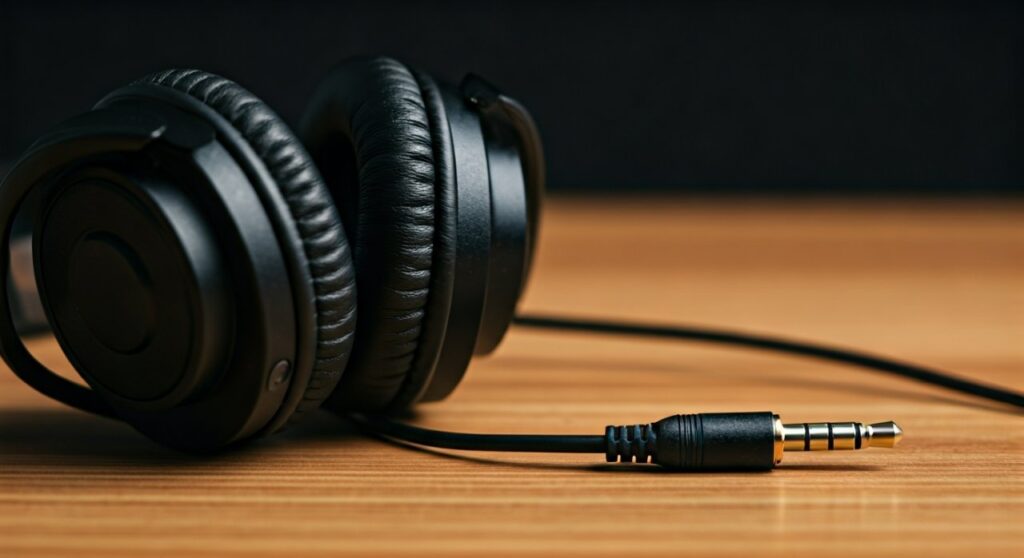
Understanding whether is a headphones an input or output device depends on how you define the hardware in your hands. If you are using standard over-ear cans for music, you are using an output device. If you are using a gaming headset with a boom mic, you are actually using a hybrid peripheral that combines an output device (the speakers) with an input device (the microphone).
Key Takeaways: Is Headphones Input or Output?
| Feature | Classification | Description |
|---|---|---|
| Audio Drivers | Output | Converts electrical signals into audible sound waves. |
| Integrated Microphone | Input | Captures sound waves and converts them into digital data. |
| 3.5mm TRS Jack | Output Only | Standard tip-ring-sleeve connector for stereo audio. |
| 3.5mm TRRS Jack | Input & Output | Includes an extra ring for microphone signal transmission. |
| Bluetooth Connection | Bi-directional | Modern protocols handle both high-quality output and voice input. |
The Technical Reality: Why Are Headphones Output Devices?
In the world of computing, an output device is any piece of hardware that receives data from a computer and carries out a physical task based on that data. Because headphones output devices take digital or analog signals and transform them into physical vibrations, they fit this definition perfectly.
As an audio engineer with over a decade of experience testing Sennheiser, Bose, and Sony hardware, I have seen how users often confuse the two. The confusion usually stems from the “input” jack on a computer. You plug the headphones into the jack, but the data flows out of the computer to the headphones. Therefore, is headphones input or output is answered by the direction of data flow: from the CPU to your ears.
How Transducers Work
Inside every pair of headphones is a component called a transducer. This part is responsible for the conversion of energy. It takes the electrical energy provided by your device’s DAC (Digital-to-Analog Converter) and converts it into mechanical wave energy (sound). This process is the definition of an output function.
When Are Headphones an Input Device? The Headset Hybrid
You might be asking, “If they are output, why can I talk to my teammates in Call of Duty?” This is where the terminology gets specific. When a device combines audio playback and voice capture, it is technically a headset, not just a pair of headphones.
In this scenario, are headphones an input or output device? The answer is “both.”
- The earcups act as the output device.
- The attached microphone acts as the input device.
The TRRS Connection Factor
If you look at the metal plug of your wired headphones, you can tell if it supports input. Standard stereo headphones have two black rings (TRS – Tip, Ring, Sleeve). These are strictly output devices.
However, if you see three black rings (TRRS – Tip, Ring, Ring, Sleeve), the device is capable of both. The third ring carries the microphone signal back to the computer, making it a dual-purpose peripheral. This is why is headphone input or output can feel like a trick question in the modern era of Zoom calls and remote work.
Step-by-Step: How to Configure Headphones on Your Operating System
Understanding whether are headphones output or input is only half the battle. You must ensure your system recognizes them correctly to get the best audio fidelity.
Setting Up Output on Windows 11
- Plug your headphones into the 3.5mm jack or USB port.
- Click the Speaker Icon in the bottom right taskbar.
- Select the Manage Audio Devices arrow.
- Ensure your headphones are selected under the Output section.
- Check the Spatial Sound settings to enable Windows Sonic or Dolby Atmos for a better experience.
Configuring Headphones on macOS
- Open System Settings and navigate to Sound.
- Click the Output tab.
- Highlight your headphones (e.g., AirPods Max or External Headphones).
- If your headset has a mic, click the Input tab and ensure the headset is selected there as well.
Troubleshooting “Input Only” Issues
Sometimes a computer incorrectly identifies are headphones an input device and ignores the output. This usually happens with USB-C to 3.5mm adapters. To fix this, you must go into the Device Manager (Windows) or Audio MIDI Setup (Mac) and manually toggle the device type.
Expert Insights: Can Headphones Function as Microphones?
An interesting “Information Gain” fact for tech enthusiasts: technically, because of the way transducers work, any pair of headphones can act as an input device in an emergency. Since a microphone and a speaker use the same electromagnetic principles, you can plug a pair of headphones into a Microphone Input port, and they will record your voice.
While the quality will be poor and the volume very low, this proves that the physical hardware of are headphones input devices is surprisingly flexible. However, for 99% of users, they should be treated as output devices.
Data Table: Input vs. Output Comparison
| Device Type | Primary Function | Direction of Data | Common Examples |
|---|---|---|---|
| Headphones | Audio Playback | Out of Computer | Sony WH-1000XM5, Audio-Technica M50x |
| Microphones | Voice Recording | Into Computer | Blue Yeti, Shure SM7B |
| Gaming Headset | Playback & Chat | Bi-Directional | SteelSeries Arctis, Razer BlackShark |
| Earbuds | Playback & Calls | Bi-Directional | Apple AirPods, Samsung Galaxy Buds |
Impact of Hardware Connections on Input/Output Classification
The physical connection dictates how your computer perceives is a headphones an input or output device. Here is a breakdown of the most common connection types found in 2024:
- 3.5mm TRS: Found on high-end audiophile gear. These are strictly output.
- 3.5mm TRRS: Found on mobile-friendly headsets. These handle input and output.
- USB-A / USB-C: These use an internal sound card. They are almost always bi-directional.
- Bluetooth (A2DP vs. HFP): Bluetooth uses different “profiles.” The A2DP profile is for high-quality output only. The HFP (Hands-Free Profile) allows for input and output but significantly lowers the audio quality.
If you find that your audio sounds “tinny” during a call, it is because your device has switched from an output device profile to a low-bandwidth input/output profile.
Practical Advice for Buying: Input vs. Output Needs
When shopping for new gear, don’t just ask are headphones input or output. Ask yourself what your specific use case requires:
- For Music Production: Look for Open-Back Headphones. These are purely output devices designed for accuracy. They rarely have microphones.
- For Gaming: You need a Headset. Ensure it uses a USB connection or a TRRS 3.5mm jack so you have both an input and an output channel.
- For Office Work: Choose Noise-Canceling Wireless Earbuds. These function as both input and output devices, allowing for seamless switching between music and calls.
Common Myths About Headphone Inputs
- Myth: “Bluetooth headphones are only output.”
- Myth: “Plugging headphones into a mic jack will break them.”
- Myth: “Higher impedance makes a device an input.”
Conclusion: The Definitive Answer
To summarize, are headphones input or output? They are output devices. They take electrical information and turn it into sound. However, the line is blurred by the prevalence of headsets, which combine these output speakers with an input microphone.
When setting up your workstation or gaming rig, always verify your Sound Settings to ensure your OS isn’t confusing the two. By understanding the distinction between TRS and TRRS connectors, you can ensure you’re getting the best possible performance out of your audio hardware.
Frequently Asked Questions (FAQs)
Is a headphones an input or output device for a computer?
Standard headphones are recognized as output devices by a computer. They receive audio data from the sound card. If the headphones have a built-in mic, the computer will list the “Headphones” as an output and the “Headset Microphone” as an input.
Can I use headphones as an input device for recording?
Technically, yes. If you plug headphones into a microphone jack, the speakers can act as a crude microphone. However, the sensitivity is very low, and the frequency response will be poor. It is not recommended for professional use.
Why does my computer say my headphones are an input device?
This usually happens due to a driver error or an incorrect port connection. If you plug your headphones into a dedicated pink microphone jack instead of the green headphone jack, the computer will attempt to treat the speakers as a microphone.
Are Bluetooth headphones considered input or output?
They are primarily output devices. However, because they utilize the Hands-Free Profile (HFP) or Headset Profile (HSP) to allow for voice calls, they function as both input and output devices simultaneously during communication.
What is the difference between headphones and a headset regarding input?
The difference is the presence of a microphone. Headphones are designed for listening (output only). A headset is designed for two-way communication (input and output).









