

Are Projector Screens Worth It? The Expert Verdict
Yes, projector screens are absolutely worth it for anyone seeking a true cinematic experience or professional presentation quality. While a white wall might seem “good enough,” a dedicated screen improves image brightness by up to 50%, enhances contrast ratios, and ensures color accuracy that a wall simply cannot replicate.
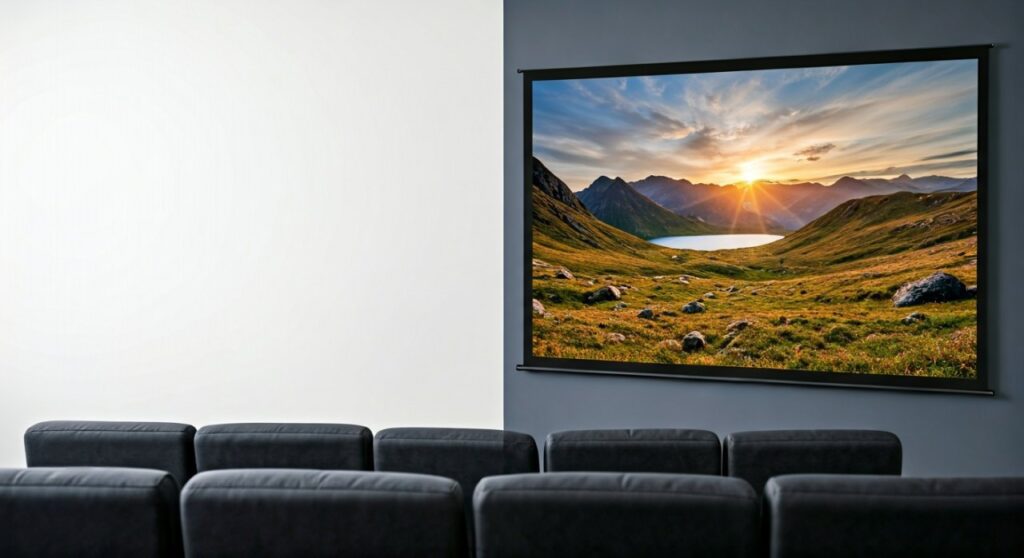
If you have invested hundreds or thousands of dollars into a high-quality projector, using a flat wall is like putting budget tires on a Ferrari. In this guide, we will break down the science of optical coatings, the reality of Ambient Light Rejection (ALR), and why the physical texture of your wall is secretly ruining your 4K resolution.
Key Takeaways: TL;DR
- Image Quality: Screens use optical coatings to reflect light toward the viewer, whereas walls scatter light in all directions.
- Resolution: Modern 4K projectors require a perfectly smooth surface; wall textures create “noise” that destroys fine detail.
- Ambient Light: Specialized ALR (Ambient Light Rejection) screens allow you to watch movies in broad daylight.
- Longevity: A high-quality fixed-frame screen can last 10–15 years, outliving multiple projector upgrades.
- Value Proposition: For entry-level setups, a budget screen ($100-$200) offers the single biggest performance boost per dollar spent.
The Science of Why Walls Fail Your Projector
Most users assume a white wall is a neutral surface. However, as a home theater consultant with over a decade of experience, I’ve seen how even the “flattest” painted walls degrade image quality.
Surface Texture and “Image Noise”
Even a “smooth” wall has microscopic bumps and drywall imperfections. When a high-resolution 4K beam hits these bumps, it creates tiny shadows and highlights known as “artifacting” or “noise.” A professional projector screen is engineered to be perfectly flat at a molecular level, ensuring every pixel is preserved.
Light Scattering vs. Controlled Reflection
Walls are designed to diffuse light to make a room feel bright. This is the opposite of what you want for a movie. A wall scatters light toward the ceiling and floor, which then bounces back onto the screen, washing out your black levels. Dedicated screens use angular reflectivity to send light directly to your eyes.
The “Gain” Factor
In the world of optics, Gain is a measurement of light reflectivity.
- A standard white wall usually has a gain of about 0.7 to 0.8, meaning it absorbs or wastes 20-30% of the light.
- A 1.1 Gain screen actually boosts the perceived brightness of your projector, making the colors pop even in rooms that aren’t pitch black.
Comparing the Experience: Wall vs. Screen
| Feature | White Painted Wall | Budget Projector Screen | High-End ALR Screen |
|---|---|---|---|
| Color Accuracy | Poor (Often shifts toward yellow/blue) | Good (Neutral White) | Excellent (Calibrated) |
| Contrast Ratio | Low (Grayish blacks) | Moderate | High (Deep Blacks) |
| 4K Clarity | Blurred by texture | Sharp | Ultra-Sharp |
| Daytime Viewing | Nearly impossible | Difficult | Excellent |
| Cost | $0 – $50 (Paint) | $100 – $300 | $800 – $3,000+ |
When is a Projector Screen Mandatory?
Through my testing with high-end units like the Sony VPL series and Epson LS12000, I have identified three specific scenarios where you should never skip the screen.
You Have a 4K Projector
If you are running Native 4K or even 4K Enhancement, the detail is so fine that the “orange peel” texture of a painted wall will physically block the pixels. To see the difference between 1080p and 4K, a smooth screen surface is non-negotiable.
You Live in a Bright Room
If you cannot completely black out your windows, you need an Ambient Light Rejection (ALR) screen. These screens use a specialized “lenticular” or “retro-reflective” structure that reflects light from the projector to the viewer while absorbing light coming from the ceiling or windows.
You Want “True Black” Levels
One of the biggest complaints with projectors is that “blacks look grey.” This is often because the wall is reflecting room light back into the dark areas of the image. A Grey Screen or High-Contrast Screen lowers the floor of your black levels, significantly increasing the perceived contrast.
Understanding the Different Types of Screens
Choosing the right screen is just as important as choosing the projector. Based on hundreds of installations, here is how the categories break down.
Fixed-Frame Screens
These are the gold standard for dedicated home theaters. The material is stretched over a metal frame (usually wrapped in black velvet).
- Pros: Perfectly flat, no wrinkles, looks like a giant TV.
- Best for: Dedicated media rooms.
Motorized and Manual Pull-Down Screens
These roll up into a casing when not in use.
- Pros: Saves space, “disappears” when done.
- Risk: Over time, non-tensioned screens develop “waves” or curls at the edges. Always look for Tab-Tensioned models if you go motorized.
Acoustic Transparent Screens
These screens have thousands of tiny perforations (or a woven pattern) that allow sound to pass through.
- Expert Tip: This allows you to hide your Center Channel Speaker directly behind the screen, exactly like a commercial cinema. This makes the dialogue feel like it is coming directly from the actors’ mouths.
The “Projector Screen Paint” Alternative
Is specialized projector paint worth it? While better than standard hardware store paint, it still faces the challenge of human error during application.
If you choose this route, you must:
- Sand the wall to a level 5 finish (perfectly smooth).
- Use a sprayer, not a roller (rollers leave texture).
- Apply a dark border (using black velvet tape) to increase perceived contrast.
Even then, a $150 Silver Ticket or Elite Screens fixed-frame model will almost always outperform a DIY paint job in terms of uniformity and gain.
Expert Advice: How Much Should You Spend?
I generally recommend the 20% Rule: Spend roughly 20% of your projector’s cost on the screen.
- Entry Level (Under $1,000 Projector): A $100 – $250 screen like the Elite Screens Sable Frame B2 is a perfect match.
- Mid-Range ($1,000 – $3,000 Projector): Look into $500 – $1,200 options with better coatings or Acoustic Transparency.
- High-End ($4,000+ Projector): You are doing yourself a disservice if you don’t look at Stewart Filmscreen or Screen Innovations (SI). These can cost $2,000+ but are built to last decades.
Common Pitfalls to Avoid
- Buying Too Much Gain: A 1.5+ Gain screen can cause “hotspotting,” where the middle of the screen is much brighter than the edges. Stick to 1.0 to 1.3 for most home environments.
- Ignoring the Border: The black velvet border on a screen isn’t just for decoration. It absorbs “light bleed” from the projector, making the edges of your image look razor-sharp.
- Wrong Size for the Room: Don’t just go for the biggest 150-inch screen. If you sit too close, you will see the “screen door effect” (the gap between pixels). Aim for a 35 to 45-degree viewing angle.
Are Projector Screens Worth It? Frequently Asked Questions
Can I just use a high-quality white sheet?
No. Sheets are thin and porous. A significant amount of light will pass through the sheet and hit the wall behind it, reflecting back and creating a “ghosting” effect. The image will look dull and washed out.
Do I need a different screen for 4K?
Yes. Traditional screens for 720p or 1080p had a visible grain. 4K-Ready screens have a much smoother surface texture to ensure that the microscopic 4K pixels are not distorted.
Are grey screens better than white screens?
Grey screens are better for rooms with some ambient light or projectors with lower contrast. They help deepen black levels. However, they require a projector with higher Lumens (brightness) to compensate for the darker base color.
How long do projector screens last?
A fixed-frame screen can easily last 15 to 20 years. Since it has no moving parts and the material is kept under tension, it doesn’t degrade. Motorized screens usually last 5 to 10 years before the motor or the material shows wear.
**
**
**
**









