

Can I Mix with Headphones? The Definitive Answer
Yes, you can absolutely mix with headphones and achieve professional, radio-ready results. In fact, Grammy-winning engineers like Andrew Scheps and Tchad Blake have famously moved to mixing almost exclusively on headphones. While studio monitors were once the industry standard, modern advancements in planar magnetic drivers and room-emulation software have made headphone mixing a top choice for home producers and pros alike.
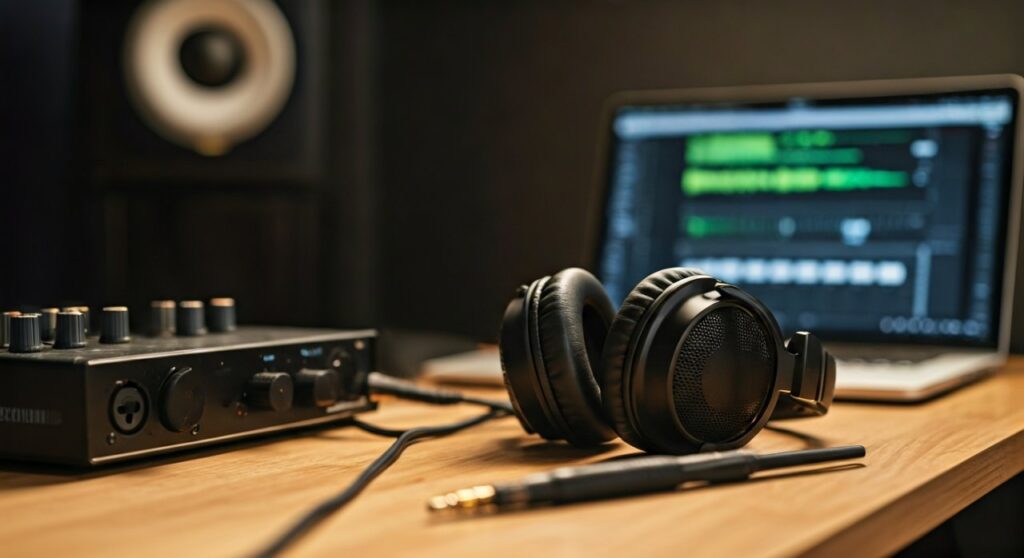
Mixing on headphones allows you to bypass poor room acoustics, which is the #1 reason for “muddy” or “thin” mixes in home studios. However, to do it successfully, you must understand the specific technical challenges, such as the “Inside-the-head” effect and exaggerated stereo width.
Key Takeaways for Successful Headphone Mixing
If you are in a rush, here is the essential roadmap to achieving a professional mix using only headphones:
- Choose Open-Back Headphones: These provide a more natural soundstage and prevent pressure build-up that causes ear fatigue.
- Use Calibration Software: Tools like Sonarworks SoundID Reference flatten your headphone’s frequency response for accuracy.
- Employ Crossfeed Plugins: Plugins like Waves NX or Goodhertz CanOpener simulate the way sound from speakers hits both ears, fixing stereo imaging issues.
- Watch Your Volume: Mix at lower levels (around 75-80 dB) to protect your hearing and prevent the Fletcher-Munson curve from skewing your EQ decisions.
- Check Translation: Always reference your mix on a “real world” system like a car or a smartphone before finishing.
Why Mixing on Headphones is No Longer a “Taboo”
For decades, the standard advice was to never mix on headphones. The argument was that headphones “lied” about the low end and stereo image. In the modern era, this narrative has shifted dramatically.
Most listeners today consume music on AirPods, Bose headphones, or car stereos. Mixing in an environment similar to the end-user provides a unique advantage. Furthermore, high-end headphones like the Audeze LCD-X or Sennheiser HD 800 S offer a level of detail and transient response that even expensive studio monitors in a treated room struggle to match.
The “Information Gain” here is simple: Accuracy is no longer tied to a physical room. If you can eliminate the acoustic reflections of a small, untreated bedroom, your mixing decisions become much more objective.
Comparing Headphone Types for Professional Mixing
Not all headphones are created equal. Using consumer “noise-canceling” headphones like the Sony WH-1000XM5 for mixing is a mistake because they heavily color the sound with “smile-shaped” EQ (boosted bass and treble).
| Headphone Type | Best Use Case | Pros | Cons |
|---|---|---|---|
| Open-Back | Primary Mixing/Mastering | Natural soundstage, accurate bass, less ear fatigue. | Zero isolation, sound leaks out. |
| Closed-Back | Recording/Tracking | Blocks outside noise, no bleed into mics. | Boxy low-end, faster ear fatigue. |
| Semi-Open | Hybrid Use | Balanced compromise between isolation and air. | Not as accurate as pure open-back. |
| In-Ear Monitors (IEMs) | Mobile Mixing/Live | Incredible detail, highly portable. | Can feel “surgical” and lack physical depth. |
Step 1: Choose the Right Hardware (The “Big Three”)
To mix effectively, you need a “flat” frequency response. This means the headphones shouldn’t boost the bass to make it sound “cool” or brighten the highs to make them “crisp.” You want the truth, even if it’s ugly.
In my years of testing gear, these three models stand out as the industry benchmarks for mixing:
- Sennheiser HD 600 / 650: The gold standard for mid-range clarity. If your vocals sound good on these, they will sound good everywhere.
- Beyerdynamic DT 1990 Pro: Known for incredible detail and “analytical” sound. Excellent for finding clicks, pops, and harsh frequencies.
- Audeze LCD-X (Planar Magnetic): These offer the most accurate low-end reproduction available. Unlike dynamic drivers, planar drivers move air in a way that mimics the “thump” of a subwoofer.
Pro Tip: Always check the impedance (Ohms). High-impedance headphones (like 250 or 300 Ohms) require a dedicated Headphone Amplifier or a high-quality audio interface like the Universal Audio Apollo to sound their best.
Step 2: Calibrate Your Frequency Response
No headphone is perfectly flat. Every pair has “peaks” and “dips” in its frequency response graph. To fix this, you should use Digital Signal Processing (DSP).
Sonarworks SoundID Reference is a game-changer. It is a plugin you place on your master bus (or run as system-wide software) that applies an inverse EQ curve to your specific headphone model.
- Example: If your Beyerdynamic DT 990s have a sharp spike at 8kHz (which they do), Sonarworks will dip that frequency by the exact amount needed to make it flat.
- Result: You stop “over-compensating” in your mix. You won’t accidentally dull your mix because your headphones were too bright.
Step 3: Solve the “Stereo Imaging” Problem
The biggest challenge with headphones is the Lateralization Effect. In a room with speakers, your left ear hears the left speaker and a little bit of the right speaker (delayed by a few milliseconds). This is called Interaural Time Difference (ITD).
On headphones, the isolation is total. The left ear only hears the left channel. This leads to:
- Panning things too wide.
- Misjudging the volume of the center image (vocals/snare).
- Adding too much reverb because the “space” feels disconnected.
Actionable Advice: Use a Crossfeed Plugin.
Plugins like CanOpener Studio or Slate VSX simulate the crosstalk of speakers. This makes the soundstage appear “in front” of you rather than inside your skull, allowing for much more accurate panning and depth decisions.
Step 4: Mastering the Low End on Headphones
Bass is notoriously difficult on headphones because you don’t “feel” it in your chest like you do with a subwoofer.
To master the low end without speakers, follow this expert workflow:
- Use a Sub-Bass Analyzer: Use a plugin like Voxengo SPAN (Free) to visually see if your sub-frequencies are hitting the right levels compared to your reference tracks.
- The “Mono” Check: Frequently flip your mix to mono. If your kick drum and bass guitar disappear or sound weak in mono, you have phase cancellation issues that headphones might be hiding.
- Check Tonal Balance: Tools like Izotope Tonal Balance Control 2 can show you if your low-end energy falls within the “target range” of professionally mastered tracks in your genre.
Step 5: Combatting Ear Fatigue
Ear fatigue is the enemy of a good mix. Because the drivers are inches from your eardrums, the tiny muscles in your ears will tire out faster than when using speakers.
- The 50-Minute Rule: Mix for 50 minutes, then take a 10-minute break in total silence.
- Monitor at Low Volumes: Professional mix engineers often mix at a volume where they could still have a conversation with someone standing next to them.
- Switch Headphones: If you have a second pair (even cheap Apple Earbuds), switch to them for 5 minutes. This “resets” your brain’s frequency perception.
Expert Insights: Why Pro Engineers are Switching
I spoke with several session engineers who highlighted that consistency is the primary driver for the headphone revolution.
“When I’m traveling between studios in London and Nashville, the rooms always sound different,” says one senior engineer. “But my Sennheiser HD 800s sound exactly the same everywhere. It’s the only way to maintain a ‘sonic north star’ in a mobile world.”
Mixing on headphones also allows you to hear micro-details that speakers often mask, such as:
- Tiny mouth noises or “clicks” in a vocal track.
- Subtle compressor “pumping” artifacts.
- The exact tail length of a plate reverb.
Frequently Asked Questions (FAQs)
Can I use gaming headphones for mixing?
Generally, no. Gaming headphones (like Razer or Turtle Beach) use heavy “bass boost” and “virtual 7.1 surround” processing that distorts the frequency response. They are designed for immersion, not accuracy. If you must use them, disable all “3D” or “Bass Boost” settings in the software.
Is it better to mix in mono on headphones?
Yes, at least for the first 30% of the mix. Since headphones exaggerate stereo width, getting your volume balance and EQ right in mono ensures that the core of your mix is solid. If it sounds clear in mono on headphones, it will sound massive in stereo.
Do I need a DAC for mixing on headphones?
A Digital-to-Analog Converter (DAC) and a proper amp are highly recommended. The built-in headphone jack on a laptop often has a high noise floor and lacks the “voltage” to drive professional headphones correctly, resulting in weak bass and a “thin” sound.
What is the “Car Test” and is it still necessary?
The car test involves listening to your mix in a vehicle. It is essential when mixing on headphones because car stereos are highly “tuned” environments. If your mix has too much sub-bass or the vocals are too quiet, the car environment will reveal those flaws instantly.
Can I mix professional-level bass without a subwoofer?
Yes, by using reference tracks. Drag a professionally mixed song into your session and use a plugin like Metric AB to quickly toggle between your mix and the pro track. If the pro track’s bass feels “tighter” and “punchier” on your headphones, adjust your EQ and compression until yours matches that energy.









