

Can I Use 80 Ohm Headphones Without an Amp? The Direct Answer
Yes, you can absolutely use 80 ohm headphones without an amp on most modern devices, including laptops, high-end smartphones with jacks, and desktop PCs. While you will achieve a listenable volume level, the primary trade-off is a potential loss in dynamic range, bass tightness, and overall audio clarity compared to using a dedicated power source.
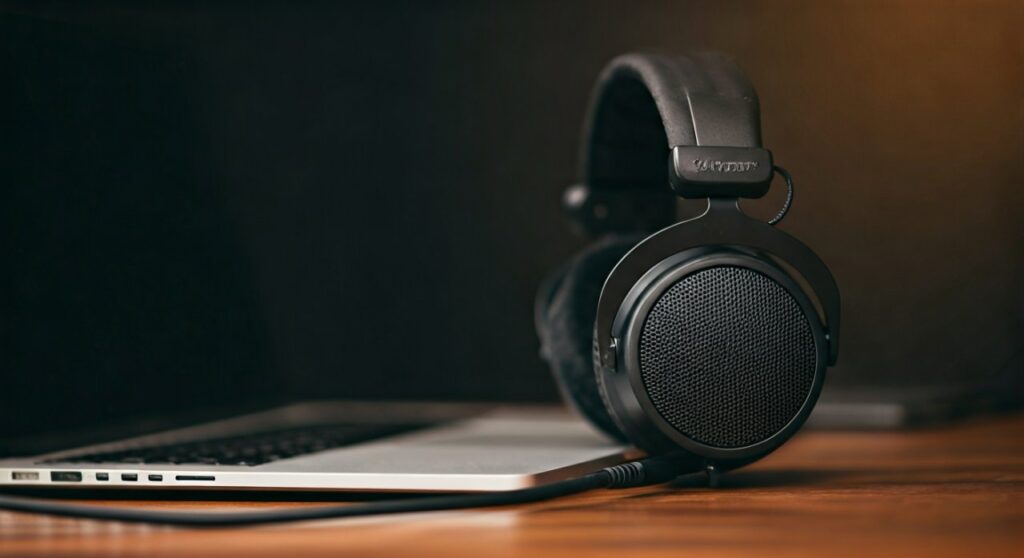
For most listeners, plugging an 80-ohm set like the Beyerdynamic DT 770 Pro directly into a MacBook Pro or a modern motherboard will provide a “good enough” experience. However, if you are an audiophile or a professional editor, you may find the sound slightly “thin” or “flat” without the extra voltage a dedicated Headphone Amplifier provides.
Key Takeaways: 80 Ohm Headphones Compatibility
If you are in a hurry, here is the essential breakdown of what to expect when running 80-ohm gear without external amplification:
- Volume Levels: Most devices will reach 70-90% of their maximum loudness, which is sufficient for safe listening.
- Sound Quality: You may experience “slower” bass response and a narrower soundstage when underpowered.
- Best Devices: Modern Apple MacBooks (2021+), gaming motherboards with SupremeFX or ESS Sabre DACs, and iPad Pro models handle 80 ohms exceptionally well.
- Weakest Devices: Budget Android phones, older Nintendo Switch consoles, and cheap office laptops may struggle with volume headroom.
- The Verdict: An amp is recommended but not required for 80-ohm headphones to function.
Understanding the Relationship Between Impedance and Sensitivity
To understand why you can use 80 ohm headphones without an amp, we have to look at two technical factors: Impedance (measured in Ohms) and Sensitivity (measured in dB/mW).
Impedance is essentially the electrical resistance the headphones offer to the amplifier. While 32 ohms is the standard for mobile use and 250-600 ohms requires a heavy-duty amp, 80 ohms sits right in the “bridge” category. It is low enough for consumer electronics to drive but high enough to benefit from better circuitry.
Sensitivity tells us how loud the headphones get with a specific amount of power. For example, the Beyerdynamic DT 770 Pro 80 Ohm has a sensitivity of 96 dB. This is relatively moderate. If a pair of headphones has high impedance but also very high sensitivity, they are actually easier to drive than low-impedance, low-sensitivity models.
How Different Devices Handle 80 Ohm Headphones
Not all “jack outputs” are created equal. In my years of testing studio monitors and open-back cans, I have found that the source device changes the 80-ohm experience drastically.
Desktop PCs and Gaming Motherboards
Most modern mid-to-high-end motherboards (Z790, X670, etc.) feature built-in “impedance sensing” logic. These boards can detect when an 80 ohm load is connected and automatically boost the gain. If your PC has a dedicated “Headphone” port on the back I/O, it usually provides cleaner power than the front-panel case jack.
Laptops (Mac vs. PC)
Apple has led the industry here. Since the introduction of the M1 Pro/Max chips, MacBook Pros feature high-impedance headphone jacks that can drive even 300-ohm headphones. If you own a modern Mac, you definitely do not need an amp for 80-ohm headphones. Windows laptops vary; premium XPS or ROG models are fine, while budget Chromebooks will sound quiet and “tinny.”
Smartphones and Tablets
If your phone still has a 3.5mm jack, it is likely designed for 16-32 ohm earbuds. When you plug in 80 ohm headphones without an amp, you might find yourself maxing out the volume slider just to get a comfortable level. Using a simple USB-C to 3.5mm Dongle (DAC), like the Apple Dongle, can actually provide more stable voltage than many built-in phone jacks.
| Device Category | Compatibility Level | Expected Performance |
|---|---|---|
| High-end Motherboard | Excellent | Full volume, decent bass control |
| Modern MacBook (M1/M2/M3) | Exceptional | Audiophile-grade output, no amp needed |
| Standard Smartphone | Fair | Sufficient volume, lacks “punch” |
| Nintendo Switch / PS5 Controller | Marginal | May feel too quiet in noisy environments |
| Professional Audio Interface | Perfect | Designed specifically for these loads |
Step-by-Step Guide: How to Optimize 80 Ohm Headphones Without an Amp
If you have decided to skip the amp for now, follow these steps to ensure you are getting the best possible sound from your current setup.
Step 1: Use the Correct Port
On a desktop PC, always plug your headphones into the Green Port on the motherboard (at the back of the PC) rather than the port on the top or front of your case. The front-panel cables are often unshielded and lose power/clarity over the distance from the motherboard to the jack.
Step 2: Disable Software “Enhancements”
Windows and macOS often have “Spatial Sound” or “Equalizer” settings turned on by default.
- Go to Sound Settings.
- Select your output device.
- Turn off Enhancements or Windows Sonic.
- Set the Sample Rate to 24-bit, 48000Hz (Studio Quality). This ensures your OS isn’t bottlenecking the signal.
Step 3: Check Your Source File Quality
Running 80 ohm headphones without an amp makes low-quality audio files (like 128kbps MP3s) sound even worse because the headphones are revealing more detail. Switch to Spotify (Very High Quality), Apple Music Lossless, or Tidal to ensure the signal being sent to the jack is as clean as possible.
Step 4: The “Volume 100” Test
Play a complex track with heavy bass (e.g., electronic or orchestral). If you have to set your volume to 100% just to hear it clearly, your device is “clipping.” This means the internal amp is struggling. In this case, even a cheap $10 USD USB-C DAC will make a world of difference.
Signs You Actually Need a Dedicated Amplifier
While the answer to “can I use 80 ohm headphones without an amp” is yes, there are specific “pain points” that indicate you should consider a small upgrade like a FiiO E10K or an iFi Zen DAC.
- Lack of Bass “Thump”: 80-ohm drivers require a certain amount of current to move the diaphragm quickly. If the bass feels loose or non-existent, it’s a power issue.
- Narrow Soundstage: If the music feels like it’s stuck inside the center of your head rather than “around” you, the internal DAC/Amp isn’t providing enough separation.
- Background Hiss: Cheap internal soundcards often pick up electrical interference from the CPU or GPU. A dedicated external amp removes this “floor noise.”
- High Volume Distortion: If the sound becomes “crunchy” or harsh when you turn the volume up, the internal amp is hitting its limit.
Expert Perspective: The “80 Ohm Sweet Spot”
In my professional experience, the 80 ohm version of headphones (especially the Beyerdynamic line) was designed specifically as the “versatility” model.
The 32-ohm version is for mobile phones but can sometimes sound too sharp in the treble. The 250-ohm version is strictly for studio consoles. The 80-ohm version uses a different “overhang” in the voice coil that provides a smoother frequency response. It is the “Goldilocks” zone—it works with your phone today, but it will “scale up” and sound significantly better if you buy an amp next year.
Recommended “Mini” Amps for 80 Ohm Users
If you find your laptop is just slightly too weak, you don’t need a $500 desktop stack. These “dongle” style DAC/Amps are perfect for 80 ohm headphones:
- Apple USB-C to 3.5mm Adapter: Don’t let the price fool you. For $9, it provides a remarkably clean signal and enough juice for 80 ohms.
- FiiO JadeAudio KA1: A tiny USB dongle that supports MQA and high-res audio with significantly more power than a standard jack.
- Qudelix-5K: The ultimate portable choice. It features Bluetooth and a built-in battery, so it doesn’t drain your phone while powering your 80-ohm cans.
FAQ: Using 80 Ohm Headphones Without an Amp
Will I damage my 80 ohm headphones if I don’t use an amp?
No. There is zero risk of damaging your headphones. The only “risk” is that they won’t sound as good as they are capable of sounding. You cannot “underpower” a headphone into breaking.
Is 80 ohms too high for a PS5 or Xbox controller?
The PS5 DualSense and Xbox Series controller have decent internal amps, but 80 ohms is near their limit. You will likely need to set the console volume to 90% or 100%. It works, but it won’t be “deafeningly” loud.
Does the 80 ohm version sound different from the 250 ohm version?
Yes. Generally, the 80 ohm versions have a slightly more “V-shaped” sound with more pronounced bass. The 250 ohm versions are flatter and more analytical, requiring a much more powerful amp to function.
Can I use 80 ohm headphones with an iPhone?
If you have an iPhone 15 or later (USB-C), use the Apple USB-C Dongle. If you have an older iPhone with Lightning, use the Lightning to 3.5mm Adapter. Both provide enough power to make 80-ohm headphones sound decent, though not “explosive.”
Why do people say 80 ohms requires an amp?
This is often a carry-over from older audio gear standards. Twenty years ago, consumer headphone jacks were much weaker. Today, the gap between “consumer” and “pro” gear has narrowed significantly, making 80 ohms much more accessible to the average user.
**
**
**
**









