

Yes, Others Can Often Hear Your Music Through Your Headphones
Can people hear music from my headphones? The short answer is yes, depending on your headphone type, the volume level, and how well the ear cushions seal against your head. This phenomenon is known as sound leakage or sound bleed, and it occurs when sound waves escape the ear cup and travel through the air to those around you.
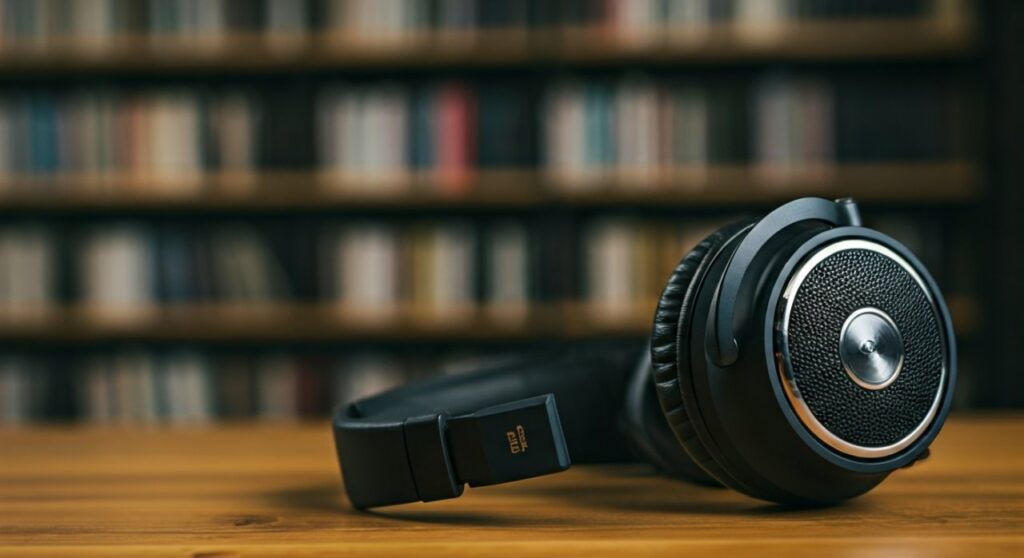
While closed-back headphones and In-Ear Monitors (IEMs) minimize this issue, open-back headphones are specifically designed to let sound escape to create a wider “soundstage.” If you are in a quiet environment like a library or a shared office, even a small amount of leakage can be audible to someone sitting within three to five feet of you.
Key Takeaways: How to Control Sound Leakage
If you are in a rush, here are the most critical facts about headphone sound bleed:
- Headphone Design Matters: Open-back headphones leak the most; In-ear monitors and closed-back designs leak the least.
- The Volume Rule: Keeping your volume below 60% significantly reduces the chance of others hearing your audio.
- Check the Seal: Gaps caused by glasses or hair allow sound to escape easily from around the ear cushions.
- Material Influence: Leather or protein leather pads provide a better “acoustic seal” than velour or fabric pads.
- Environmental Factors: In noisy areas like subways, leakage is masked by ambient noise; in silent rooms, even low-level leakage is noticeable.
Understanding the Mechanics: Why Does Sound Bleed Occur?
Sound is essentially a series of vibrations traveling through the air. When your headphone drivers move to create these vibrations, the energy has to go somewhere.
In a closed-back design, the outer shell is solid, trapping the sound inside the ear cup. However, no seal is 100% airtight. Some vibrations still pass through the plastic casing or sneak through the small gaps between the cushion and your skin.
In open-back headphones, the rear of the driver is exposed to the air via a grill or mesh. This prevents pressure build-up and creates a more “natural” sound, but it also means the music is projected outward just as much as it is projected into your ears.
Step-by-Step: How to Test If Your Headphones Are Leaking
You don’t have to wait for an awkward glance from a stranger to know if your music is too loud. Follow this expert-tested guide to check your leakage levels.
Step 1: The “Desktop Silence” Test
- Set your headphones to your usual listening volume.
- Place the headphones flat on a wooden desk or table with the ear pads facing down.
- Stand three feet away. If you can clearly hear the lyrics or the beat, your leakage is high.
Step 2: The “Microphone Loopback” Method
- Connect your headphones to a laptop or smartphone.
- Open a voice recording app and place the phone directly next to the headphones while music is playing.
- Play back the recording. This mimics what a person sitting right next to you on a bus would hear.
Step 3: The “Finger Seal” Check
- Put your headphones on and play music.
- Press your fingers firmly against the outer shells of the ear cups.
- If the sound you hear inside your ears changes significantly, it means air (and sound) was escaping.
Comparing Headphone Types and Leakage Levels
Choosing the right hardware is the most effective way to ensure privacy. Use the table below to see how different styles compare.
| Headphone Type | Leakage Level | Best Use Case | Sound Privacy Rating |
|---|---|---|---|
| Open-Back Over-Ear | Extremely High | Home Listening, Studio Mixing | 1/10 (Very Poor) |
| Closed-Back Over-Ear | Low to Moderate | Offices, Commuting | 7/10 (Good) |
| In-Ear Monitors (IEMs) | Very Low | Gym, Public Travel | 9/10 (Excellent) |
| On-Ear (Supra-aural) | Moderate to High | Casual Listening | 4/10 (Fair) |
| Bone Conduction | High | Outdoor Running, Cycling | 2/10 (Poor) |
Practical Solutions to Stop People from Hearing Your Music
If you’ve discovered your headphones are “leaky,” you don’t necessarily need to buy a new pair. Try these professional adjustments first.
Optimize Your Ear Pad Seal
If you wear glasses, the frames often create a small gap where the ear pad meets your temple. This “leakage path” allows high-frequency sounds (like hi-hats or vocals) to escape. Consider using memory foam pads that mold more effectively around the arms of your glasses.
Follow the 60/60 Rule
Audiologists recommend the 60/60 rule: listen at no more than 60% volume for no more than 60 minutes at a time. This protects your hearing and ensures that the sound pressure level (SPL) isn’t high enough to vibrate the outer casing of your headphones.
Switch to Silicone Ear Tips
For those using In-Ear Monitors (IEMs) or earbuds like Apple AirPods Pro, the material of the tip matters. Silicone tips provide a tighter suction-based seal than foam tips, which are porous and may allow more sound to bleed through the material itself.
Adjust Your EQ (Equalization)
High-frequency sounds are “directional” and travel more easily through small gaps. By using an Equalizer app to slightly lower the treble (the 4kHz to 8kHz range), you can reduce the “hissing” sound that others typically hear when your headphones leak.
Check for Damage
If your headphones suddenly start leaking more than usual, check the ear cushions. Over time, the internal foam degrades or the faux-leather cracks. Replacing worn-out pads with high-quality Dekoni or Brainwavz replacements can restore the acoustic seal.
Expert Perspective: The Role of Active Noise Cancellation (ANC)
Many users believe that Active Noise Cancellation (ANC) prevents sound leakage. This is a common misconception. ANC is designed to block outside noise from entering your ears; it does very little to stop your music from leaving the headphones.
However, ANC helps indirectly. Because you aren’t fighting against the roar of an airplane engine or traffic, you can keep your music at a much lower volume. By lowering the volume, you naturally reduce the amount of sound energy available to leak out.
Does Bone Conduction Leak Sound?
Bone conduction headphones (like those from Shokz) are often surprising to new users. Since they do not cover your ears, they rely on vibrating your cheekbones.
At high volumes, these vibrations act like a small speaker on your face. Because there is no barrier at all between the transducer and the open air, bone conduction technology actually has higher leakage than almost any other design except for open-back headphones.
Frequently Asked Questions (FAQs)
Do AirPods leak sound more than other earbuds?
The standard AirPods (Gen 1, 2, and 3) have a “non-sealed” design, meaning they sit loosely in the ear. This leads to significant sound leakage. However, AirPods Pro use silicone tips to create a vacuum seal, making them much more private.
Can someone hear what I’m listening to if I use a headset?
Yes, gaming headsets are often built for comfort over long sessions, meaning they use breathable fabric pads. While comfortable, these fabrics are acoustically transparent and will leak sound into your microphone and to people sitting near you.
Why can I hear someone else’s music so clearly on the bus?
This is usually a combination of two things: the person is using cheap, unsealed earbuds and they have the volume pushed to maximum levels to overcome the background noise of the bus.
Is sound leakage dangerous for my headphones?
No, sound leakage does not damage the hardware. However, it is a sign that you are listening at high volumes, which can lead to Permanent Threshold Shift (PTS) or tinnitus over time.
Are there “leak-proof” headphones?
No headphone is 100% leak-proof, but custom-molded In-Ear Monitors (CIEMs) are the closest you can get. Because they are molded to the exact shape of your ear canal using medical-grade silicone or acrylic, they offer the highest level of isolation and privacy available.









